

When you work as a coach or mentor, your day can fill up quickly. You need to deal with many tasks like preparing session notes, responding to client messages, creating content, tracking progress, and managing your business backend.
To succeed, you need consistency, personalization, and responsiveness to directly impact your results.
Modern coaches can employ AI to stay ahead and become as effective as possible. Think of AI as your behind-the-scenes assistant, helping you communicate better, create content faster, personalize client experiences, and automate repetitive tasks.
I put together this list of the five most valuable AI tools to streamline your coaching workflow and deliver even more value to your clients.
Stage 1: Instant Coaching Assistant (Responsive Communication)
Tool: ChatGPT
Faster Client Communication and Session Preparation
Indispensable to coaches and mentors, once you get used to using ChatGPT for this purpose, it will likely become one of the AI tools that you would be the least likely to ever give up. When it creates stuff, you do need to carefully vet the answers to be the most effective coach and mentor, but it can speed up your process.
- The Deep Dive:ChatGPT can be used to draft responses to client questions, create personalized coaching plans, generate reflection prompts and exercises, and summarize session notes.
Step-by-Step Guide
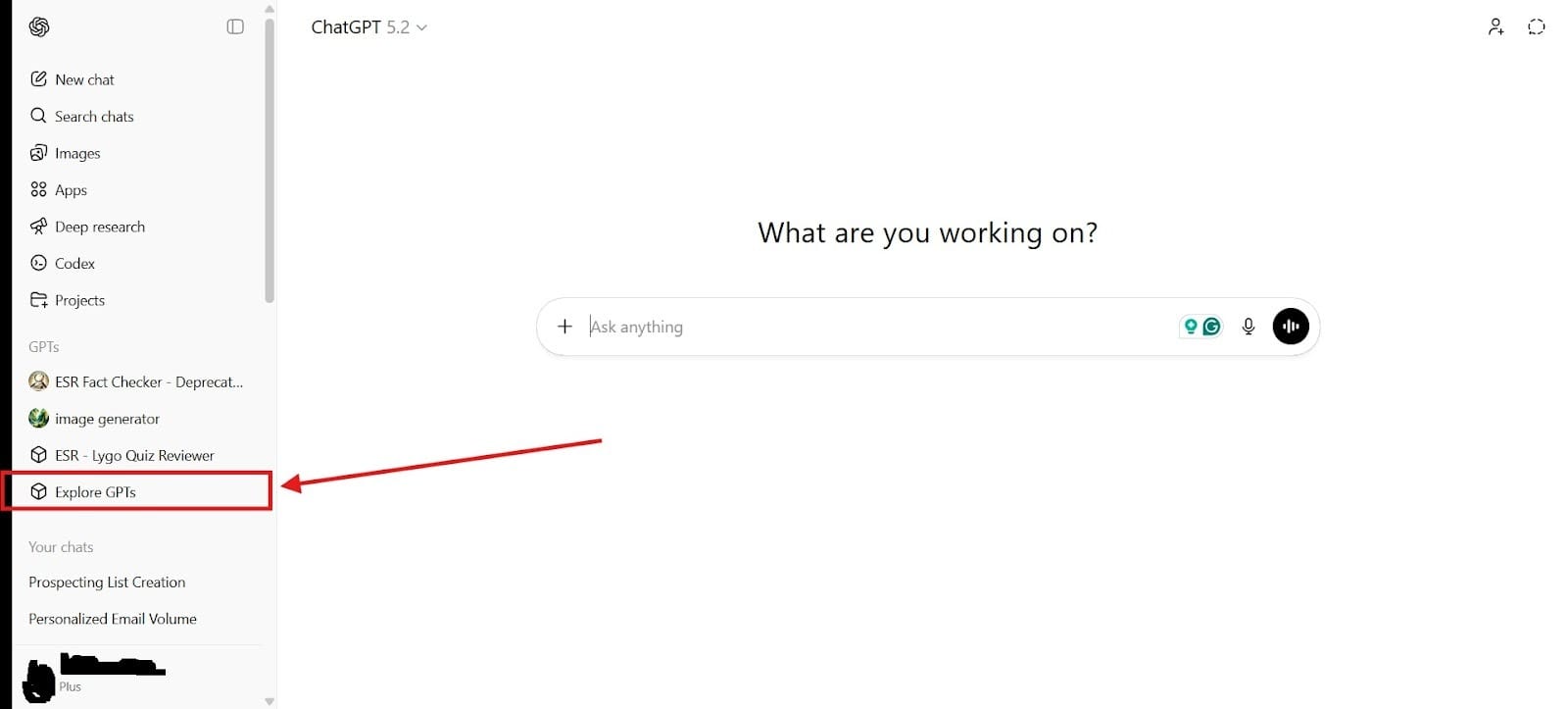
To turn ChatGPT into an instant coaching assistant, go to the “Explore GPTs” section. Please note that you will at least need a ChatGPT Plus subscription. I’ve highlighted where you can find this section in the image below:
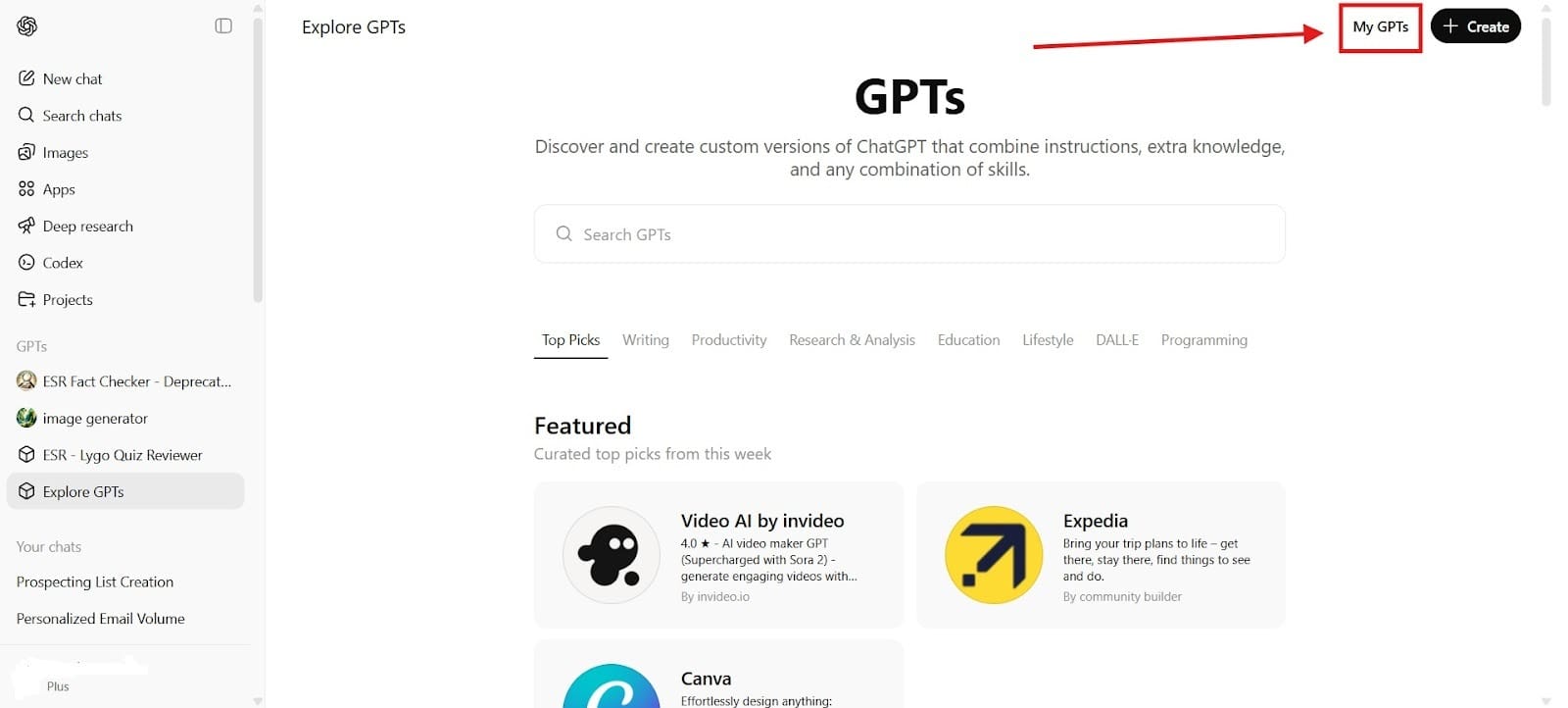
- Next, click on “My GPTs” to create your own assistant. You can find this in the upper righthand corner. Doing this lets you create your own coaching assistant.
- Now, you need to prompt the AI. You can use something like this to do it: "You are a professional life coach. Help me create weekly coaching plans, client exercises, and motivational follow-ups."
- You will also want to give your coaching assistant a name. This is often an opportunity for branding. You can name your assistant something like: “[Brand Name] Mindset Coach AI” or “[Brand Name] Executive Coaching Assistant”
Practical Uses:
Finally, we come to use it for coaching and mentoring tasks. Some of the prompts that I would recommend you take advantage of include:
- "Create a 4-week confidence-building plan for a client struggling with public speaking."
- “I am struggling with [issue], help me create a 30-day action plan.”
- “I want to develop a growth mindset. Provide me with some exercises to overcome them in my career.”
- "Pretend to be a feedback coach. I’ll share my notes/work; provide detailed feedback on how to improve its impact.”
Stage 2: Searchable Record-Keeping (Good Record Keeping)
Tool: NotebookLM
Records Coaching Calls
NotebookLM records your coaching sessions and uploads the transcripts. You can use the AI to review the whole history of a client’s conversation in seconds. That means you can review something you talked about with a client three months ago and use it to help your client.
You could even talk to your client like, “Actually, we discussed this back in November. Here’s what stopped you from implementing it. Do you think you’re better equipped to do it now?”
Core Uses:
Keep searchable records: You can choose to let it record your calls so that you have resources you can pull up for your client later as needed. You can ask questions and receive grounded answers that will help you with your coaching. When you record the audio, it should transcribe the conversation for you.
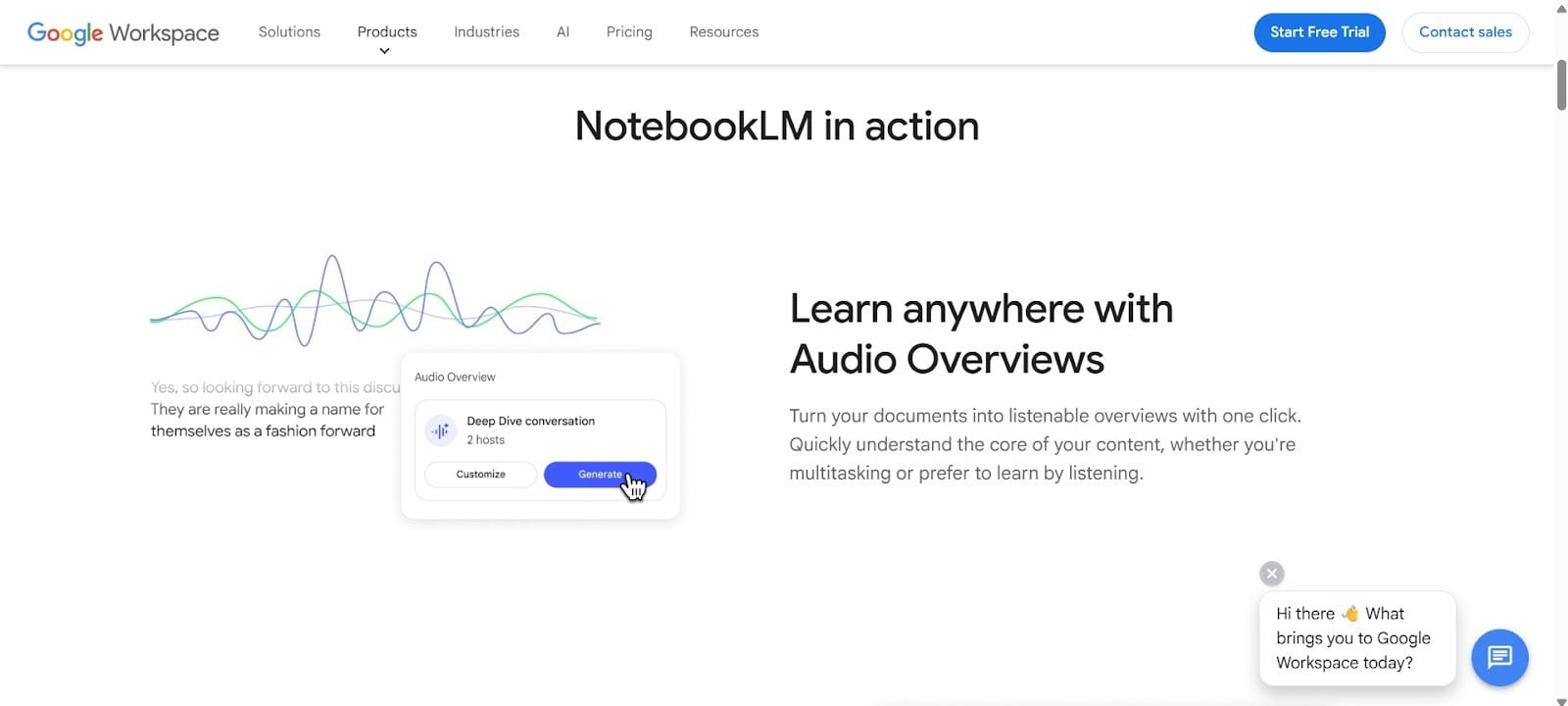
- Conduct customer research: Synthesize large volumes of information. Only the documents you upload to the notebook will be used for research, which lowers the risk of hallucinations. Upload up to 50 sources with each notebook and take down 500,000 words. The notebook automatically generates timelines, FAQs and summaries. You can use this to create documents for your client or to create new action plans and overviews to better serve them.
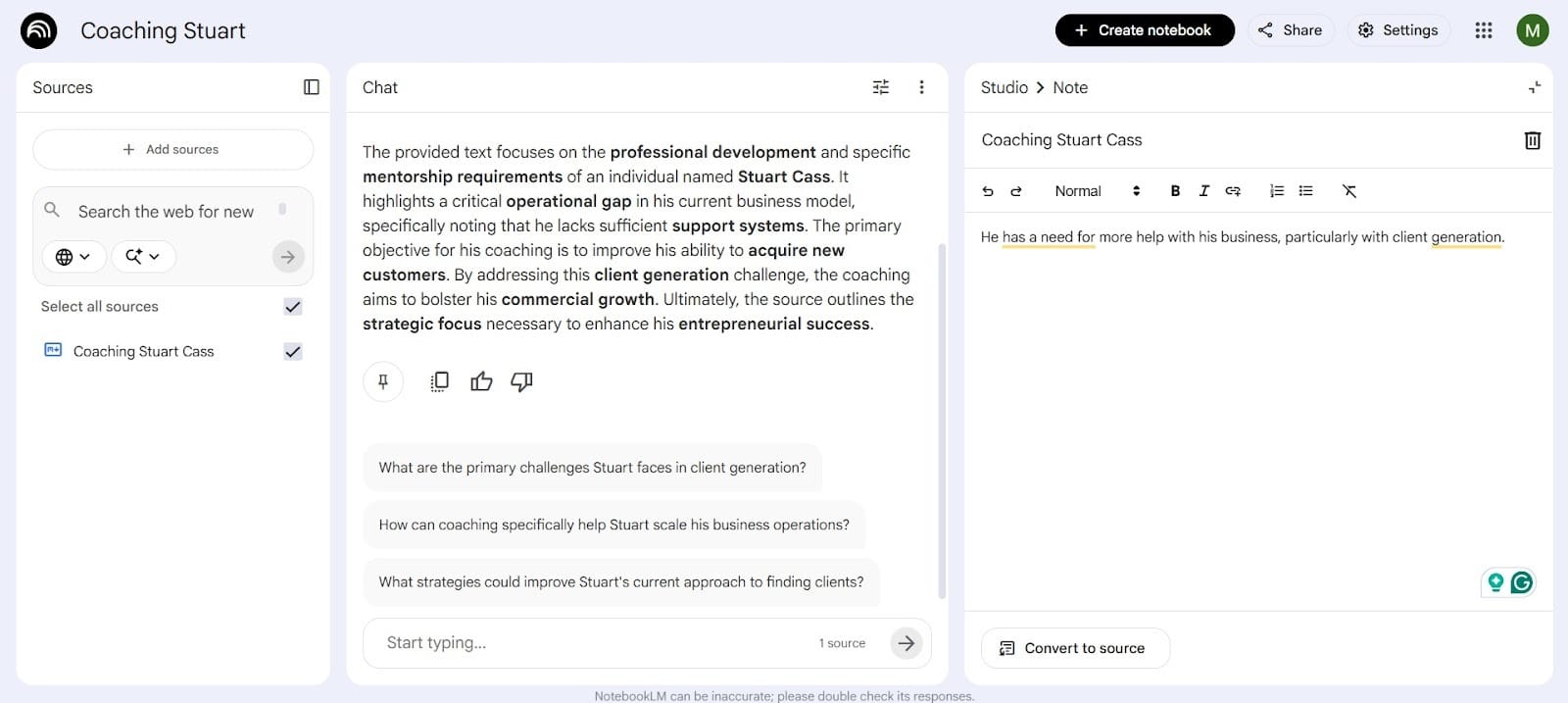
- Return to Old Training Materials: You can go back to old training materials and review old materials that may have proven effective before. Everything you store in NotebookLM, you can instantly find from frameworks and exercises to examples and old helpful quotes.
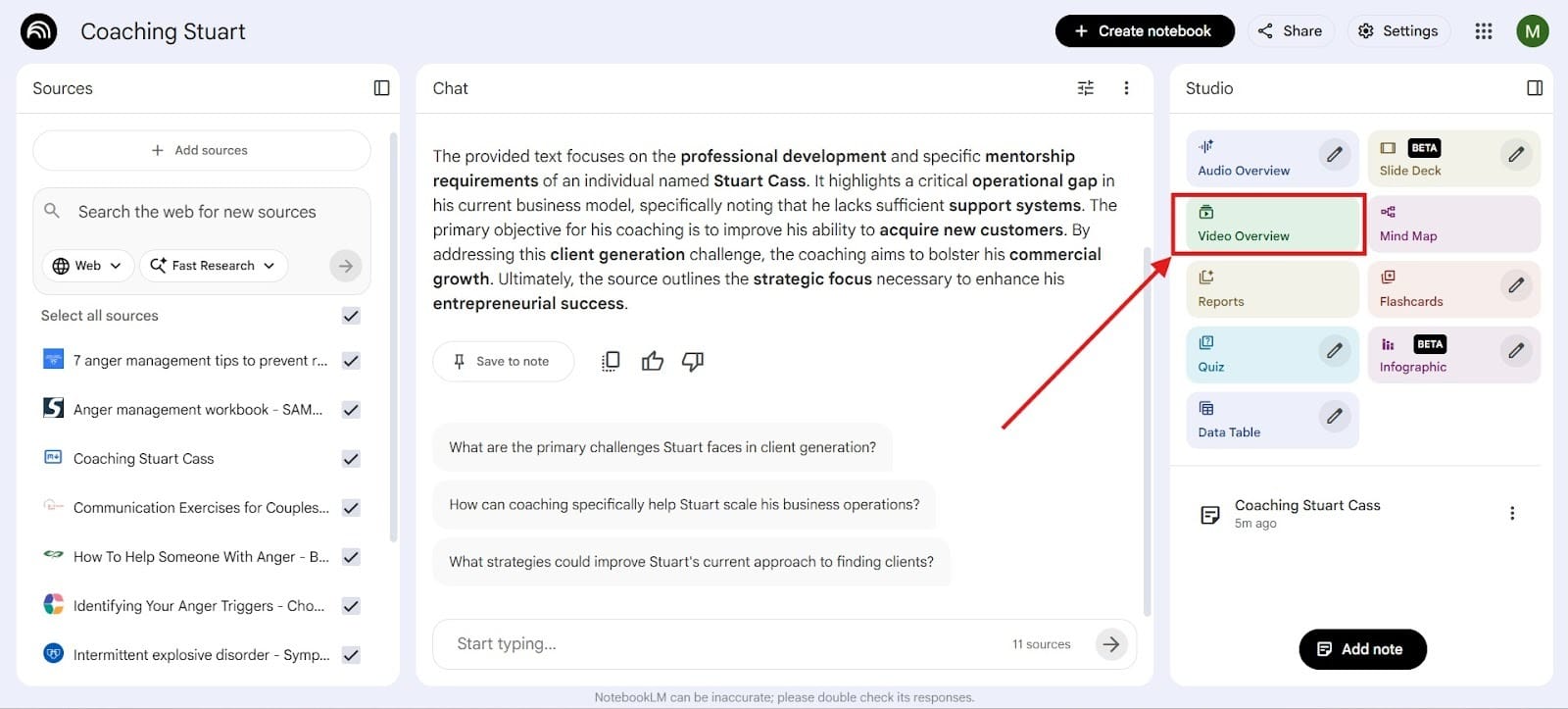
- Turn Documents into Video Presentations: You can use NotebookLM to create video overviews for visual representations with slides and narration. While it might be nothing cutting edge, the software is free to use, and you can use it to make easy visual representations.
To generate the video, go to the “Video Overview” section that I highlighted in the Red Box.
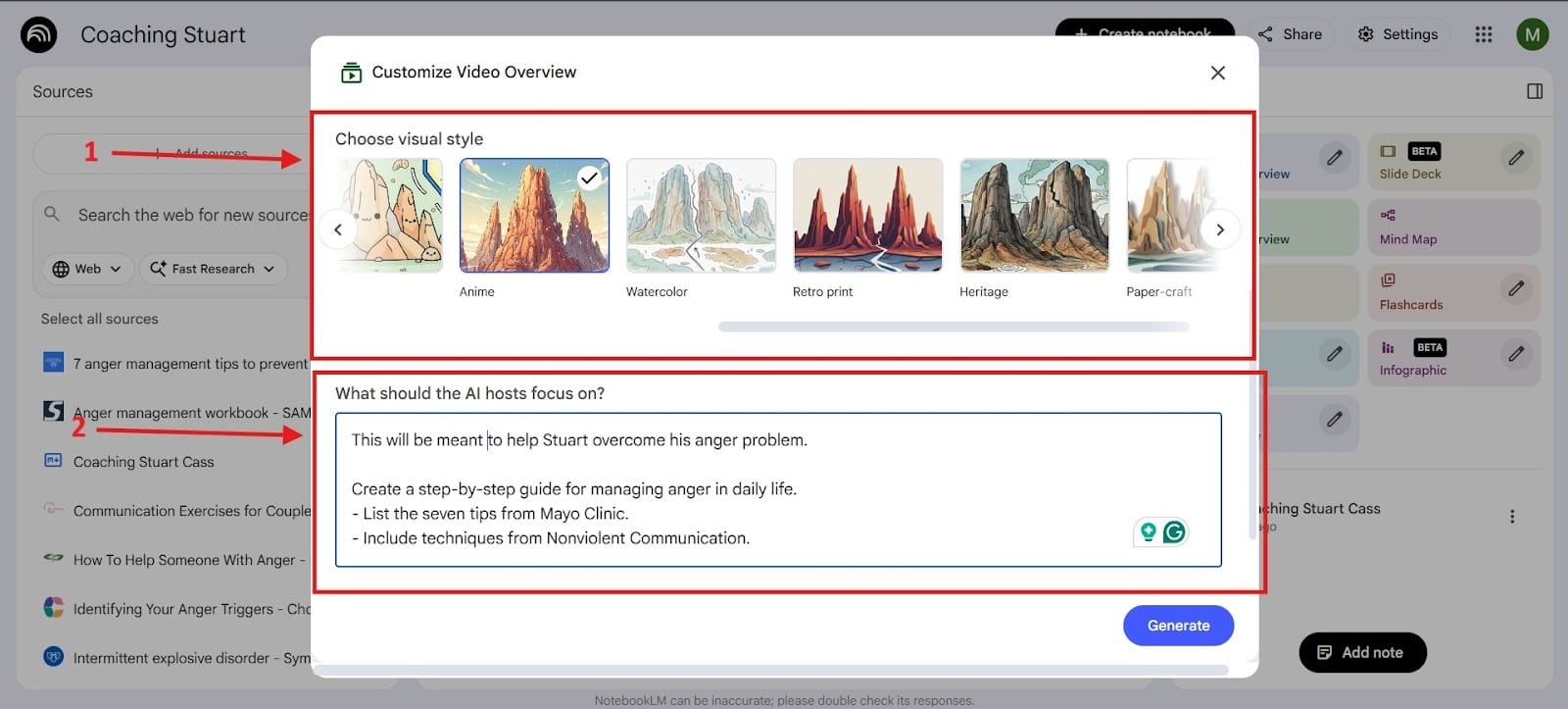
After you hit that section, it will bring up a section where you can choose visual style, and then you can choose what you would like the AI video to do.
One of the cool things about this is that it costs you nothing to generate videos, so you can use it for your coaching or mentoring.
One of the great things about NotebookLM is that it makes things much simpler because you can generate materials quickly. In the past, getting materials for each client was a full-time job, but now you can quickly create what you need for each coaching session.
Stage 3: Knowledge & Course Creation (Scalable Coaching Programs)
Tool: Notion AI
Structuring Coaching Programs and Knowledge Bases
Notion AI is perfect for coaches who want to scale their knowledge into structured programs, courses, or client dashboards. You can use Notion AI as your second brain for remembering everything. Track your client’s progress better and deliver better results while automatically creating structure for your insights and summarizing them.
Main Features:
- Build Coaching Dashboards for Each Client
Notion even has a dashboard that you can use to create for each client to ensure that they receive the maximum level of success. Using this template saves you time so that you don’t need to start from scratch with every client, and you will have more time to serve more clients. Notion has three main sections that include:
- Operations
- Marketing
- CRM
- Create Structured Programs and Modules
Through Notion, you can create programs, modules, and lessons/tasks for your client. All of this ensures that your client will reach their fullest potential. The structured framework can be built in literally a few minutes. You can also customize everything so that it will work best for your client’s personality. To set up this database, I’ll take you through the process:
- Step #1: Set up master databases
- Step #2: Define the properties
- Step #3: Link databases using relations
- Step #4: Create a centralized dashboard
- Step #5: Add content and customize
Track Client Progress and Goals
You can create visual bars that will fill up based on the progress your client makes toward their tasks. Doing this provides you with an instant overview, and you can group your progress and goals based on “Status.”
For example, it can show as To Do, In Progress, or Done. As you drag and drop your tasks, it will automatically visualize the flow.
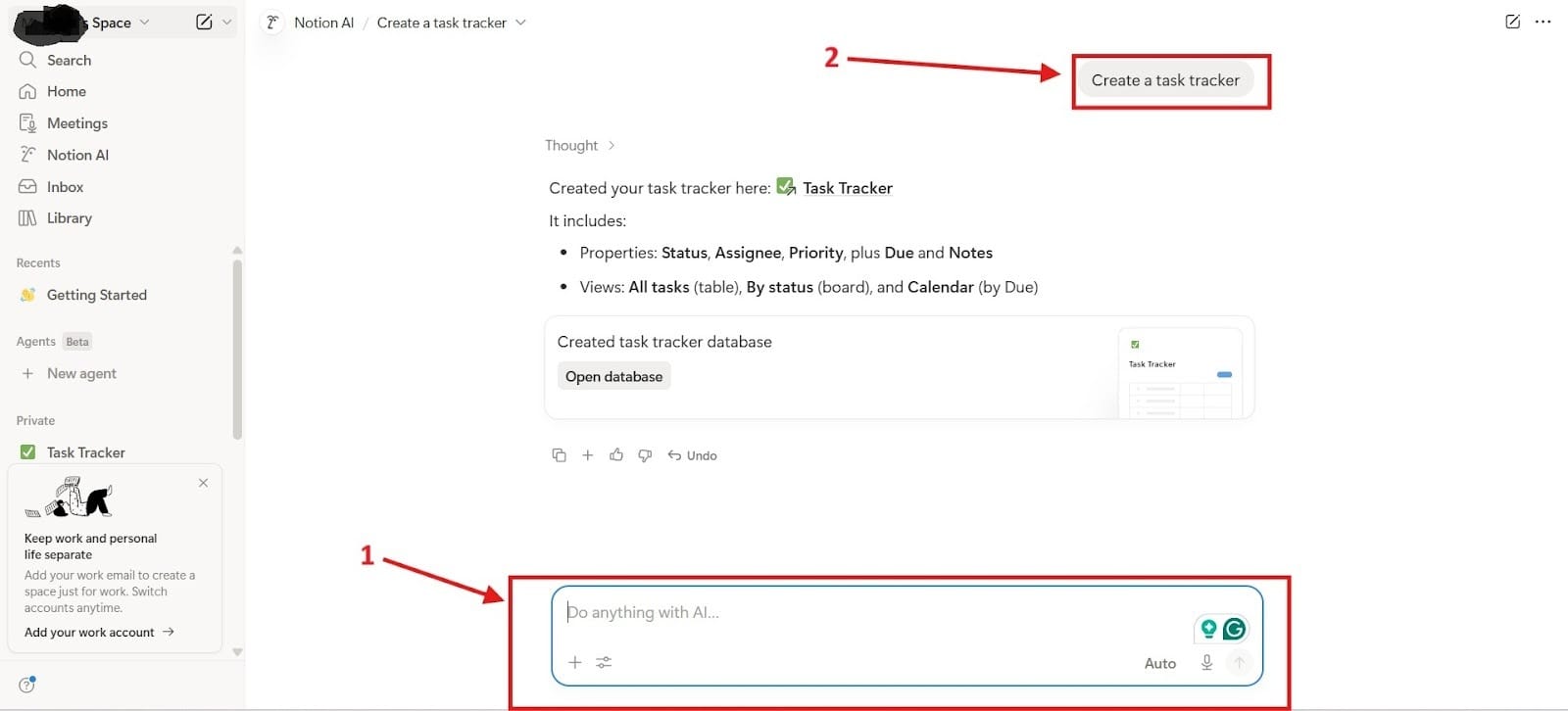
To do this, first go to the prompt box highlighted as Red Box 1 and type, “Create a task tracker,” which has been highlighted in Red Box 2.
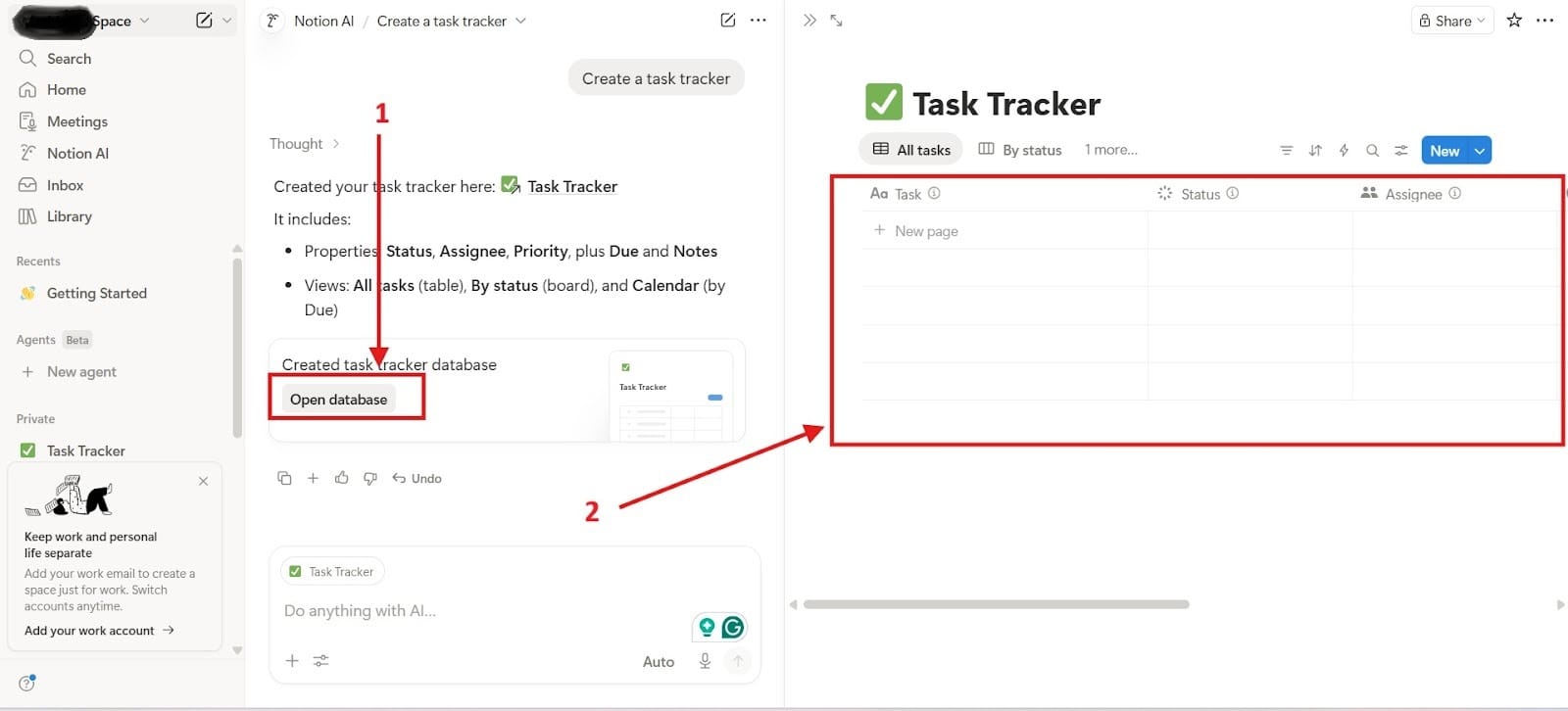
In the second image, you go to “Open database” highlighted as Red Box 1. After you do this, it will open the Task Tracker, and you can also track the status of things or take a look at the calendar. This has been highlighted in Red Box 2.
How Coaches Use It:
- Turn 1:1 coaching into scalable courses: Because you can track progress, you can use it to give out more material as the need arises.
- Create client portals with resources and tasks: Share your resources and tasks easily with your clients so that they have quick and easy access.
- Track habits, goals, and milestones: As your client makes progress, you can give them a real visual representation of the progress that they continue to make toward their goals.
Stage 4: Generate Mini Courses for Clients (Create Fast Learning Materials)
Tool: Mini Course Generator
Helps you to create mini courses for learning materials for clients.
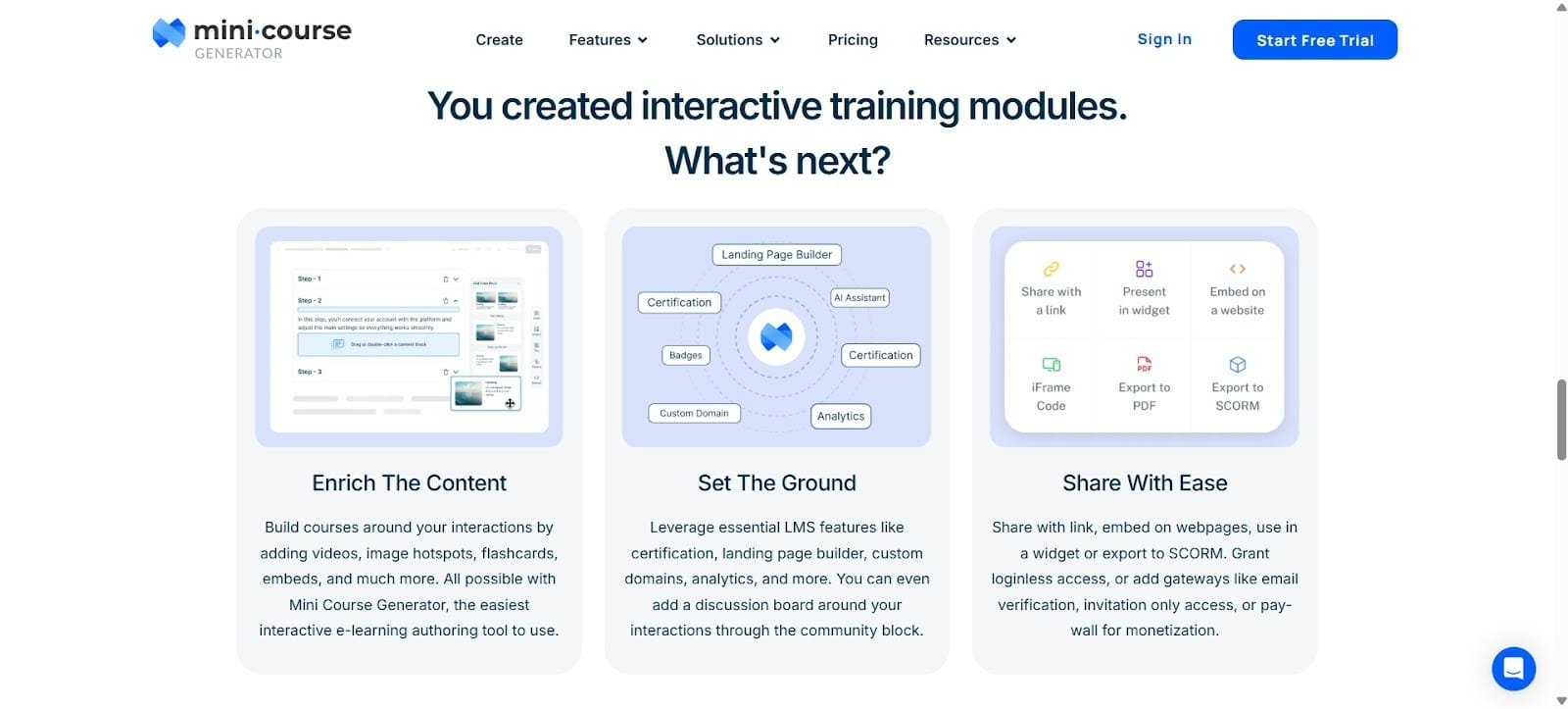
Specifically made to help you create mini courses for your coaching or mentoring, the Mini Course Generator can create outlines, introductions, and more.
What might have taken months or even years to create a course, you can now do without having to invest so much time into it. Sometimes coaches also use this as a way to validate their product in market research before they go all in on it and take the time to create the materials.
Core Features
- Real-time transcription: Creating courses from a document and using the AI, you can turn it into a real and quick mini course on whatever topic you’d like.
- Automated summaries: The AI looks at the source documents to create an automated summary. You will see learning highlights and lesson summaries to achieve it with over 95% accuracy.
- Searchable session history: Your clients can manage their history with the sorting capabilities. You can sort it out based on the newest or the oldest.
Why It Matters for Coaches and Mentors:
Never Miss an Opportunity to Give Your Client Insights
Give exactly the insights you want to help your clients make progress in their business, life, and relationships. You can generate courses quickly and fine tune them afterward to quickly give your clients something that they can work through.
Provide Clients with Session Summaries
Your clients can look over their sessions and see summaries of where they have come with the mini course. Making progress in the course will also allow them to feel like they’re making progress in their regular lives.
Stage 5: Create Slide Decks for Group Coach (Scaling Your Coaching Business)
Tool: Decktopus
Great Choice for Group Coaching Sessions
Oftentimes, you’ll find that you can scale your business and earn more when you create group coaching sessions. Decktopus lets you create slide decks automatically.
This is AI text generation at its finest. You can use it to create the foundation for what you would like to build.
Use Cases:
- Repeatable Coaching Framework: You can, for example, create a Goal Setting Deck, Breakthrough Session Deck, and an Accountability Review Deck.
- Client Onboarding: First impressions matter big time, and you can use Decktopus to create an onboarding experience for your clients. Some things you can add include what to expect, your process, client responsibilities, and success roadmap.
- Client Education: Explain different concepts as needed based on mindset, business strategy, and habits. You can also turn complex ideas into simple visual slides that will be easier to understand.
Webinars for Coaching and Mentoring
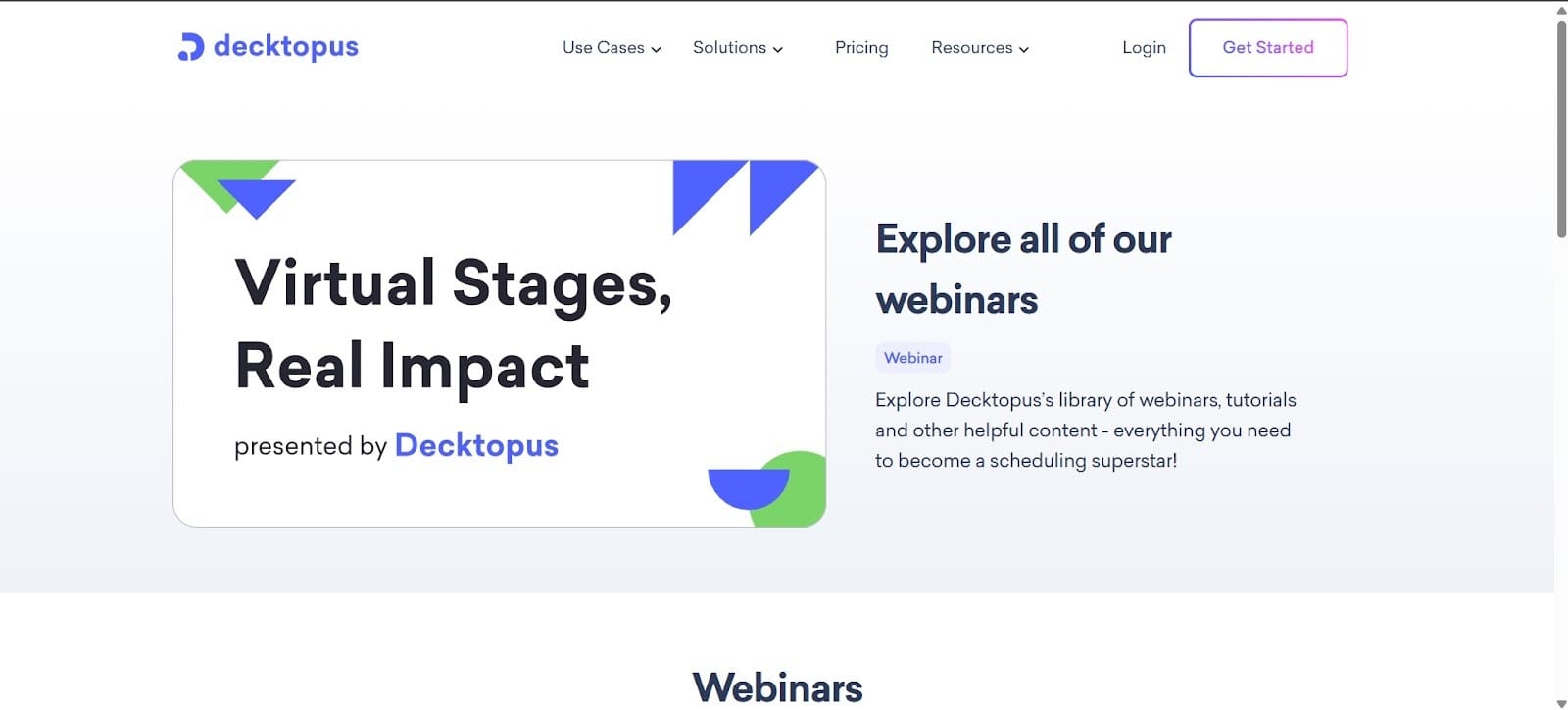
Decktopus has a feature that lets you conduct webinars where you can convert more clients over to your coaching business. Many coaches struggle to get leads, and this can become a huge help.
With it, you have everything you need. You can also use it as a way to teach the core framework of your coaching and add visuals as a way to make it flow.
Some coaches have also used it as a way to make their coaching more interactive. For example, you can add questions or prompts inside the slides. You can also use it to guide mini exercises.
The Success Loop
When you take these tools and put them together, they become a powerful tool that you can use for your coaching sessions with clients.
ChatGPT → NotebookLM → Notion AI → Generate Mini Course → Decktopus (repeat…)
Each tool strengthens the others:
- ChatGPT allows for you to have more responsive coaching.
- NotebookLM helps you to record your coaching calls.
- Notion organizes your systems, and you can use it to make a scalable coaching program.
- Generate Mini Course lets you quickly come up with new learning materials for your clients.
- Decktopus helps you to generate more clients, and it helps you to scale your business so that you can do group coaching sessions.
The best coaches aren’t just great at guiding people, but they’re great at managing their time, energy, and systems.
AI won’t replace coaching. But coaches who use AI will absolutely outperform those who don’t.
Start with one tool, build your system, and let AI handle the busy work while you focus on what actually matters.
