

In this guide, we explore five essential AI tools that can transform a modern real estate workflow. From generating listing content and marketing visuals to analyzing property data and automating follow-ups, these tools work together to streamline daily operations—giving agents more time to focus on building relationships and closing deals.
As a real estate agent, in a single day, you might be writing listing descriptions, responding to buyer inquiries, scheduling showings, creating marketing materials, and analyzing local market trends. It’s a fast-paced industry where speed, consistency, and responsiveness often determine who wins the deal.
Artificial intelligence is becoming one of the most valuable tools for modern real estate professionals. Think of AI as a digital assistant that works behind the scenes, helping you create marketing materials, analyze market data, respond to leads faster, and automate routine workflows.
I put together this list of the five most valuable AI tools from a practical starter to streamline your daily operations and help you do even better in the industry.
Stage 1: Instant Digital Assistant (Lead Response & Client Communication)
Tool: ChatGPT
Responding to Leads Faster and Improving Client Communication
ChatGPT can prove a useful AI assistant because it can respond to your leads much quicker than a human representative. You want to keep leads engaged when intent is at its highest point. This will lead to a higher conversion rate because later responses often lead to lost opportunities. Not only can it respond to buyer inquiries, but it will automate your follow-up messages and help you to generate listing descriptions.
- The Deep Dive: Using ChatGPT to generate listing descriptions, respond to buyer inquiries, and automate follow-up messages.
Step-by-Step Guide
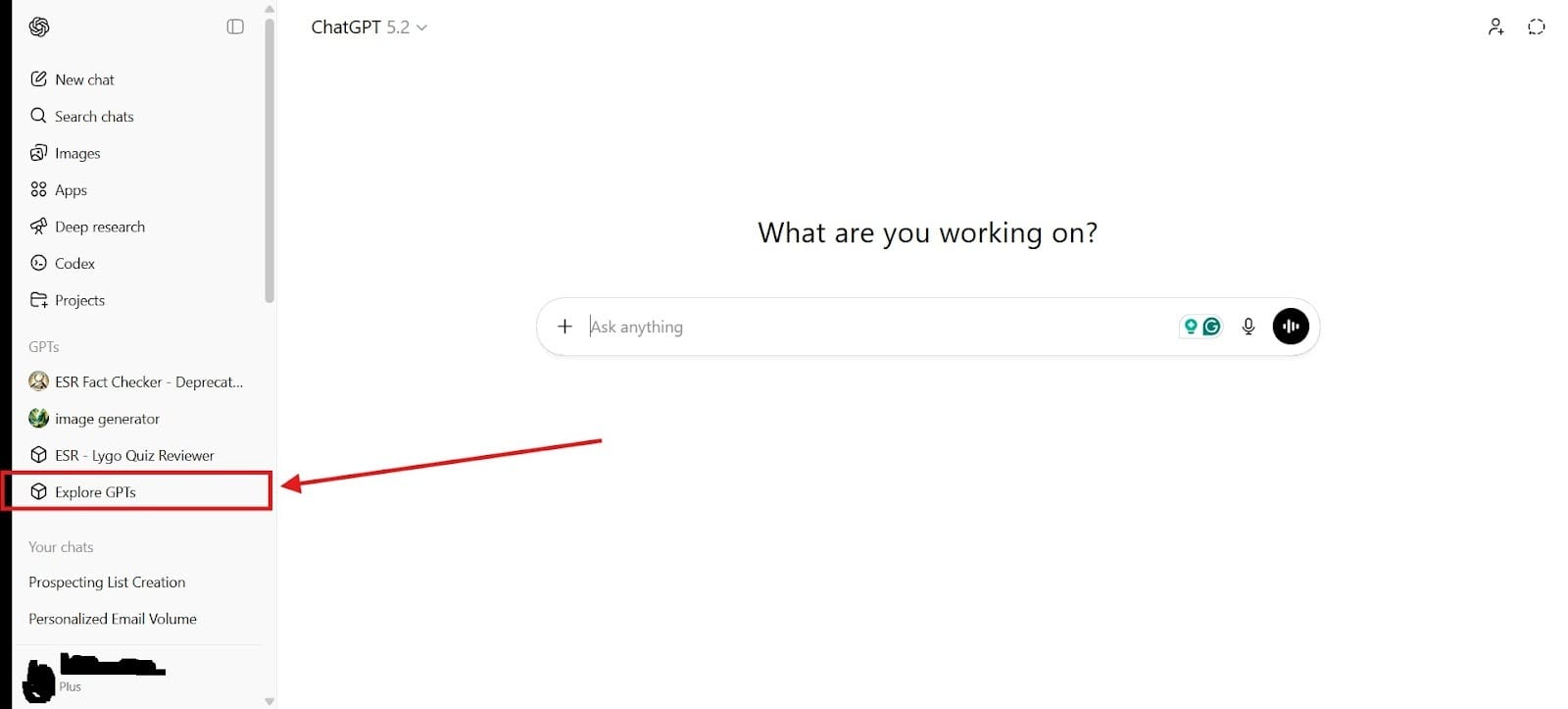
- First, you need to go to GPT Builder. Please note, you must have at least a ChatGPT Plus subscription to be able to use the GPT Builder feature. To get to this page, you first need to be able to go to the section that says “Explore GPTs.”
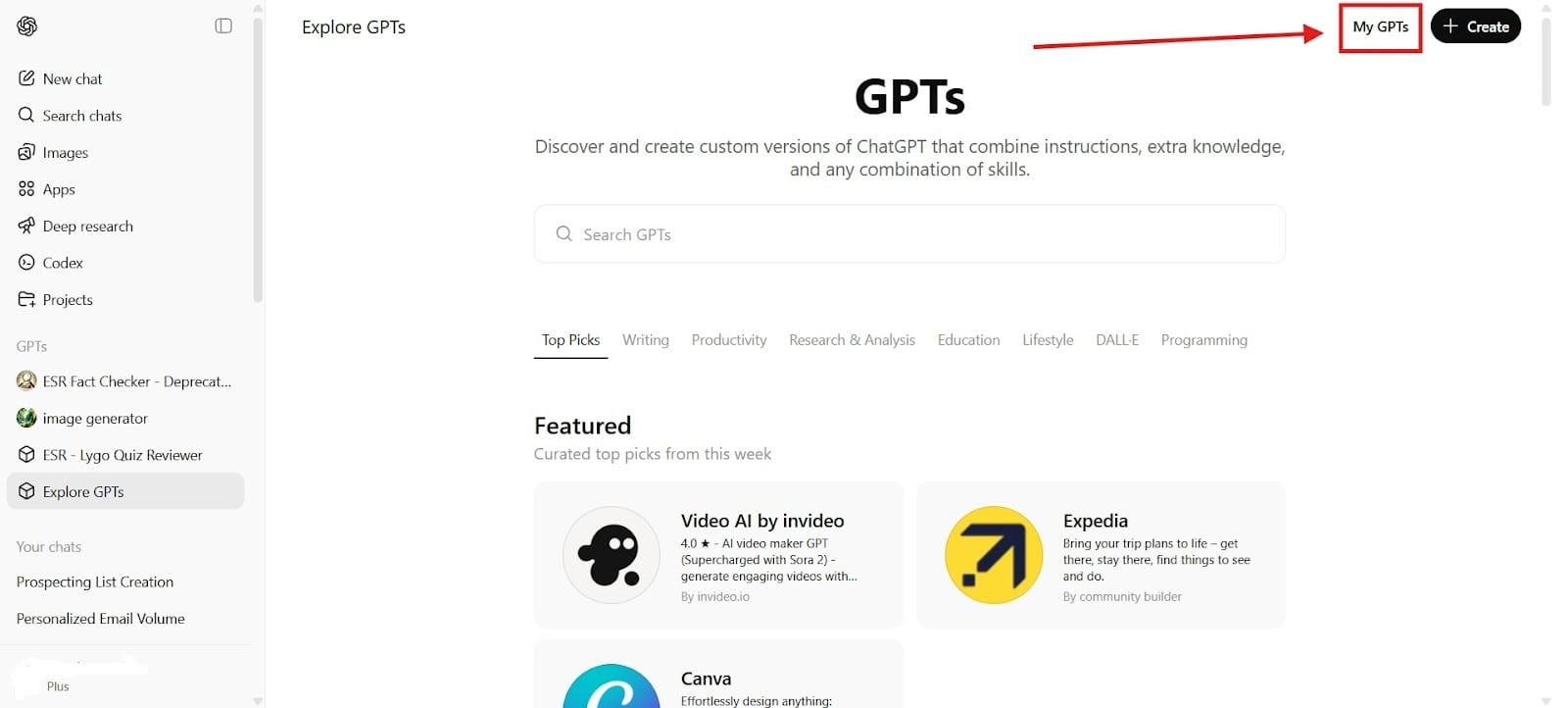
After you click on that, it will take you to a page that says “My GPTs,” which will allow you to create your own AI agent for your real estate business. Click on the tab that says, “My GPTs” in the upper righthand corner.
- Next, you will prompt the AI to create the AI assistant that you need for your business. After that, you will need to name the assistant, and add a profile picture. Remember, this is how your customers will see your page. You might call it, “Expert [CITY] Realtor.” You will want to think about the time you take with each prompt because this is who your customers will deal with, and it will often be the first point of contact.
- Finally, all you have to do is create an AI real estate assistant. You will also see that you can share it either with yourself, with those who have the link, or with your GPT store. Remember to set your assistant to ask follow-up questions as well.
You can also use ChatGPT to create listings for your real estate business. Here’s a sample of a prompt you might use, but you would obviously add your own information to it:
"Create a detailed and enticing property listing description for a 4-bedroom, 3-bath home with a pool, with modern upgrades, and open-concept living in [Neighborhood], focusing on lifestyle benefits and nearby amenities."
Doing that is enough to help you create listings that you can quickly add to your business.
Stage 2: Visuals for Property Marketing (AI Image Creation & Editing)
Tool: Canva
Creating Real Estate Marketing Graphics
Canva is another extremely useful AI tool that lets you quickly create professional materials that stay true to your brand. The drag-and-drop templates and AI-powered content generation make them perfect for real estate marketing. Free up your time so that you can focus on your main areas of expertise.
Core Uses
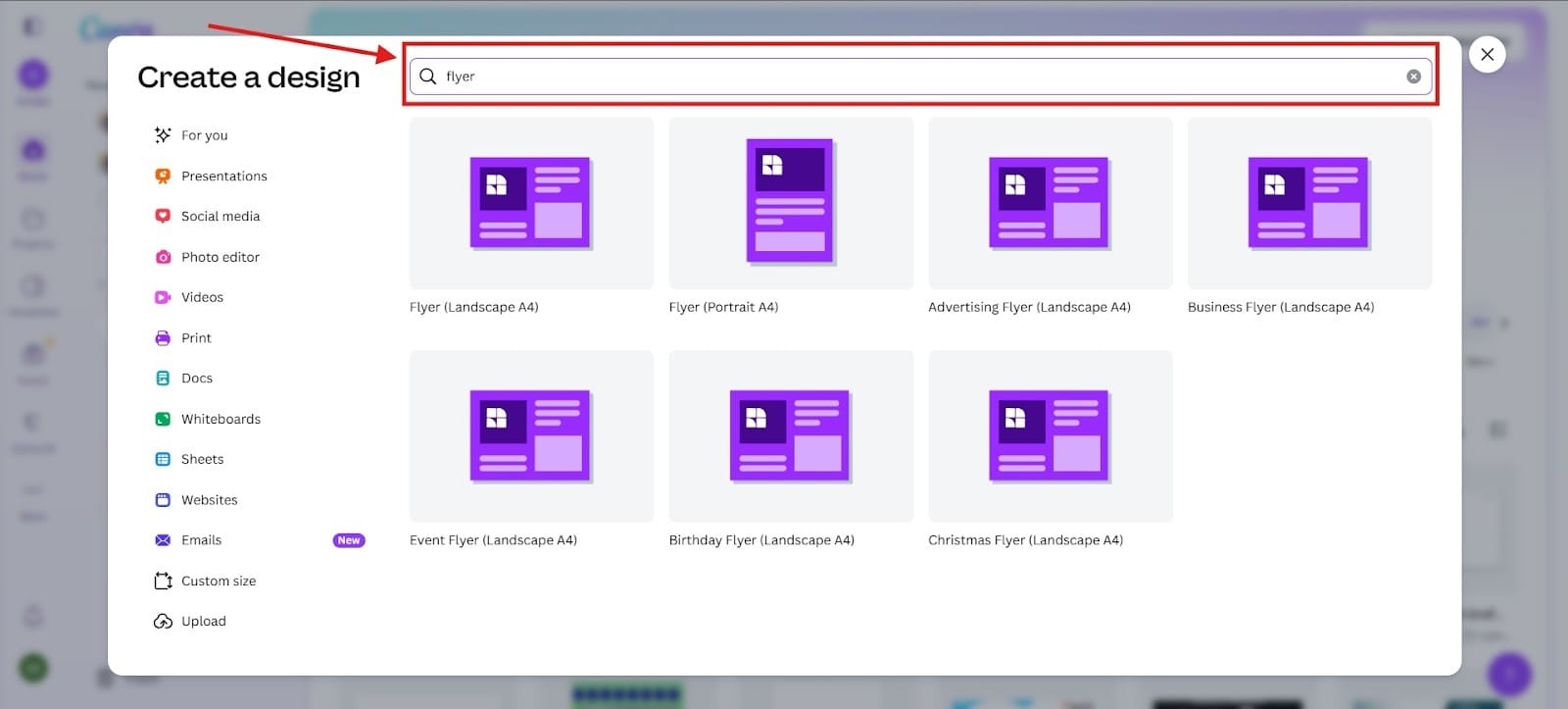
Listing flyers: Create eye-catching flyers in minutes. To create a flyer, just go to “Create a design,” and type “Flyer” into the search bar. Doing this will bring up different choices for flyers as seen in the screenshot below.
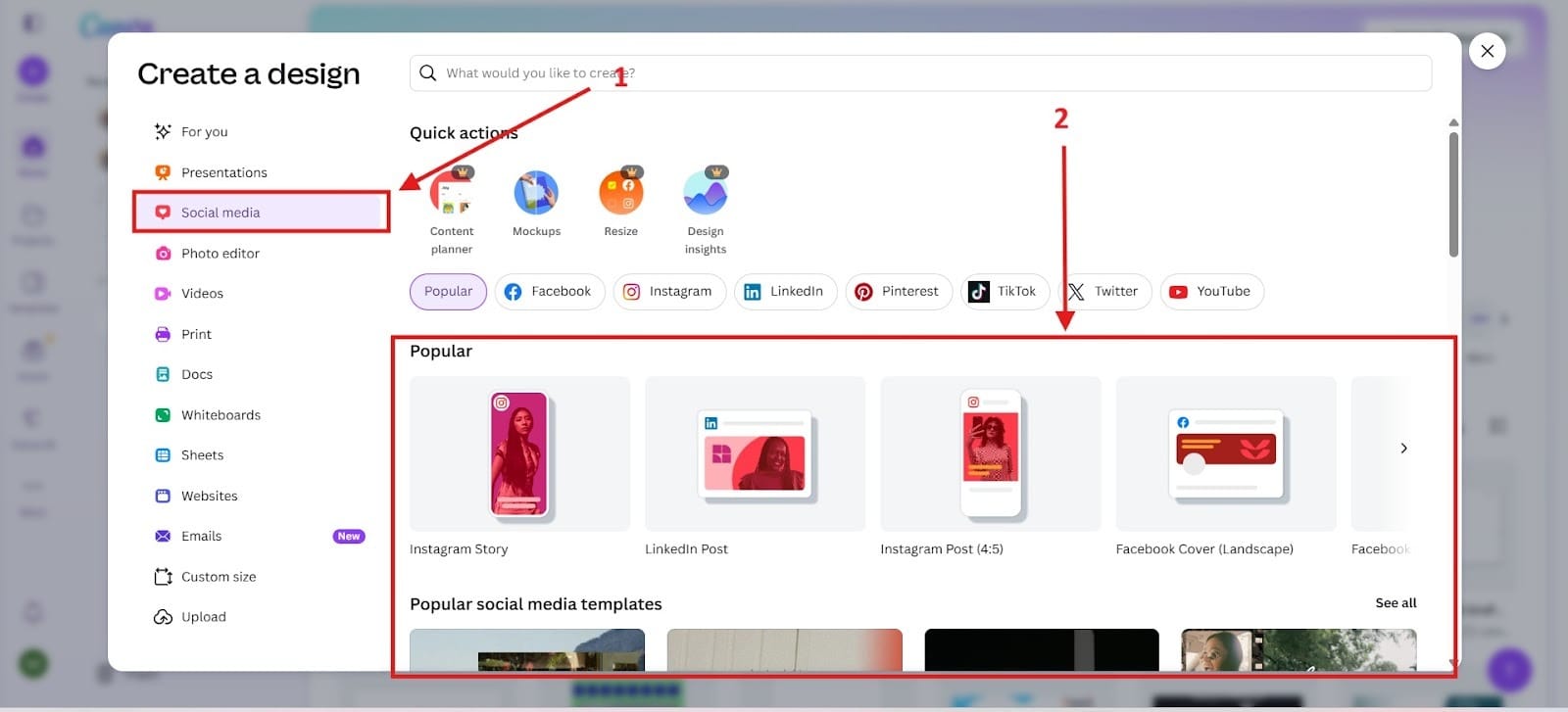
- Social media posts: You can also use Canva to create social media posts for your real estate company. To do this, first click on the Red Box 1. After you click on that, it will take you to options for templates. I highlighted this section in Red Box 2. You can create an Instagram Post or a Facebook Post (Landscape).
- Property marketing materials: To create property marketing materials, you might add one of the previous designs, but you could also type in “Open House,” and this will bring you options for an Open House Flyer, or even an Open House Invitation. I’m not going to add a photo to this because to get there, all you have to do is the same as before highlighted above.
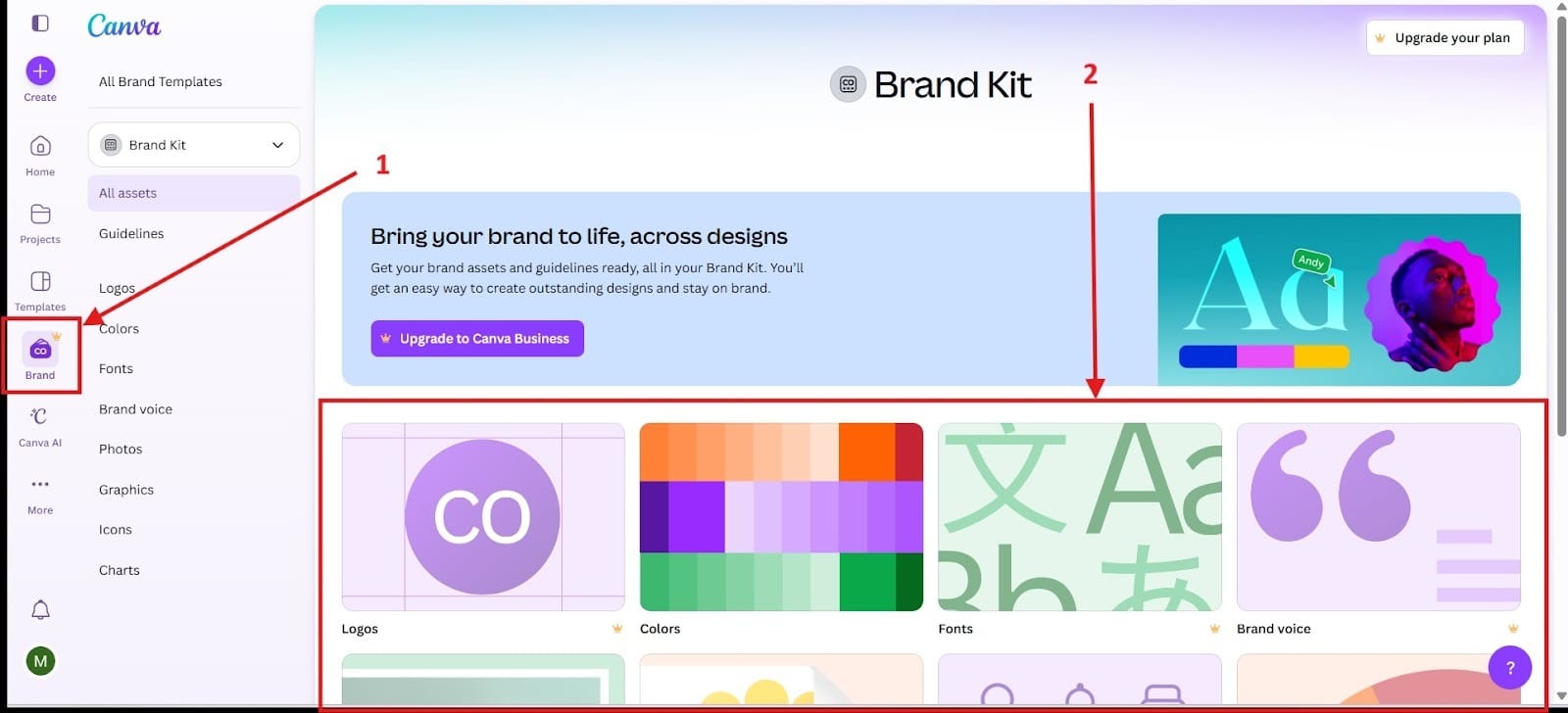
- Brand kits and templates: The brand kit section requires you to have a membership, but you can design materials based on your brand to stay consistent and on brand with your designs. This feature will store your logo, color palettes, fonts, and imagery. To get to this section, first, go to Red Box 1. After you click Red Box 1, it will take you to an area where you can explore different options in the brand kit, highlighted as Red Box 2.
AI Tools
- Magic Studio: You can use different elements in Magic Studio like Magic Media, Magic Write, Magic Switch, and Magic Edit/Eraser. Basically, it gives you an assistant where you can brainstorm, design, and edit your real estate materials with the use of AI.
- AI image editing: Using this tool hands you complete control over your tools, and you can do it all using a simple text prompt. Some of the things it can do include fixing dark, blurry images, or oversaturated images.
- Instant resizing for multiple platforms: Instagram requires your images to be 1080 x 1080 pixels for square images and 1080 x 1350 pixels for vertical or portrait images. Contrast that with X, you need images at 1200 x 675 pixels. Every platform has different requirements, so you need to know each platform, but Canva makes resizing images quick and easy for whatever platform you use.
Stage 3: Market Intelligence (Property Pricing & Insights)
Tool: Zillow AI Tools
Property Pricing and Market Analysis
The Zillow AI Tools were designed to help you make buying, selling, renting, and financing a home much easier. Everything will feel more personalized and less overwhelming when you make use out of the Zillow AI Tools. The AI workflow tools will allow you to stay productive and keep your agents productive. Let’s explore some of the core features of these tools.
Core Features:
Zestimate Value Estimates
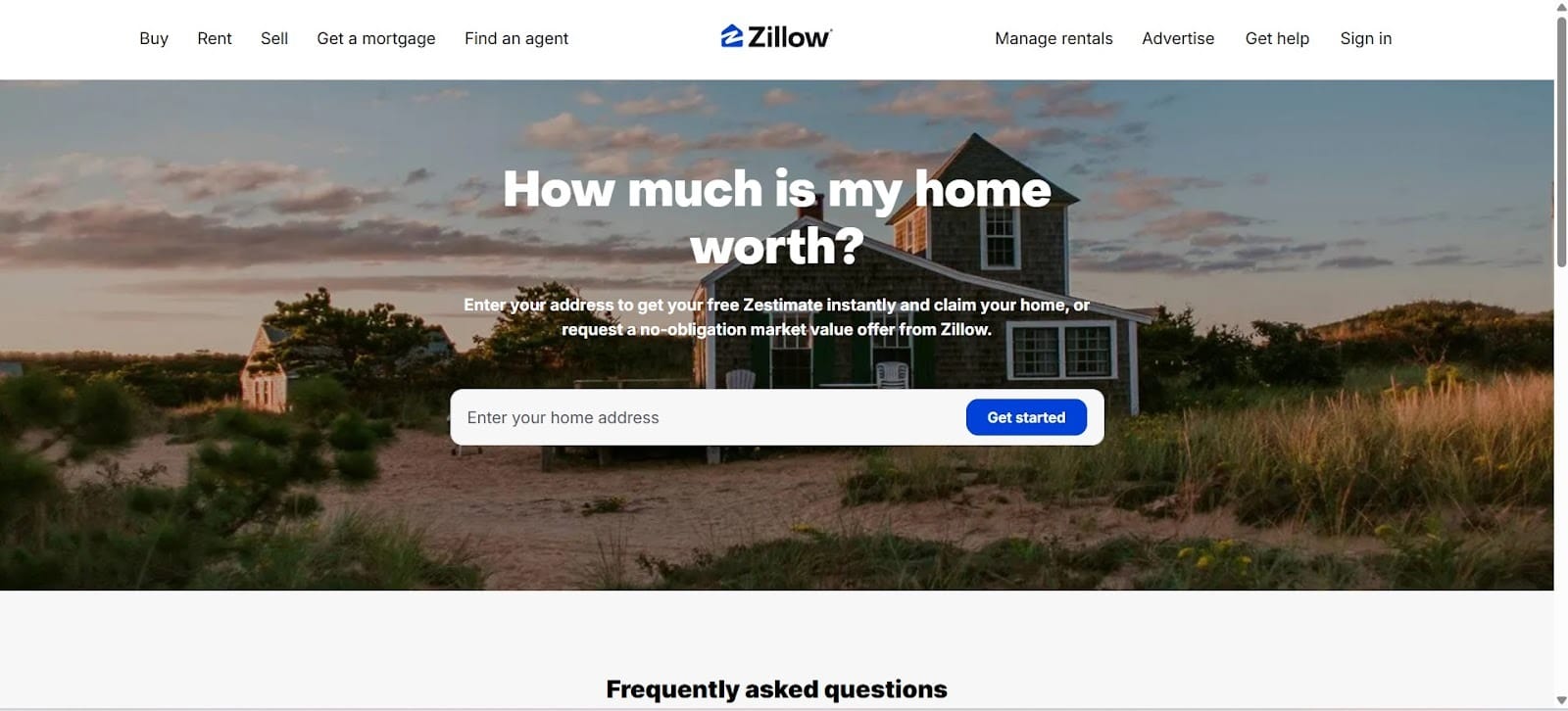
Utilizing deep learning to analyze market trends, sales transactions, tax assessments, and images, the Zestimate was designed to provide you with an accurate estimate. The error rate for on-market homes with Zestimate is only 1.83%, while off-market homes are 7.01%. This gives you a starting point, but you shouldn’t use it to replace a formal appraisal.
Comparable Property Analysis
This AI Tool on Zillow helps you to look at comparable properties to make an analysis. It will find 3 to 5 recently sold properties within the last 3 to 12 months and look at what they sold for. It uses a few criteria when looking including:
- Sold Date
- Location
- Size
- Year Built
- Quality
- Taxes and Fees
Zillow Listing IQ
This tool uses data to drive insights and learn things like market trends, appreciation forecasts, and home value appreciation. It tracks, analyzes and predicts the real estate changes at a hyper-local level. This can look at year-after-year increases or decreases in pricing, how quickly homes sell in the neighborhood, and it looks at how many homes dealt with price cuts.
Listing Showcase
They designed this premium AI listing tool to elevate your listing design and brand. You can use it to put your team front and center, and whenever a buyer reaches out to you, you can set it for email alerts. Using this tool helps to boost your listing visibility, drives more engagement, and ensures that you hit the right buyers.

Stage 4: Immersive Property Experiences (Virtual Tours)
Tool: Matterport
Creating 3D Virtual Property Tours
Using Matterport, potential home buyers can virtually walk through your property to provide you with valuable marketing material. Especially for home buyers without the time to show up in person, it lets them see the home without having to walk through it right away. They can make a decision from afar. The software takes depth data to transform it into highly accurate and immersive marketing material.
Core Features:
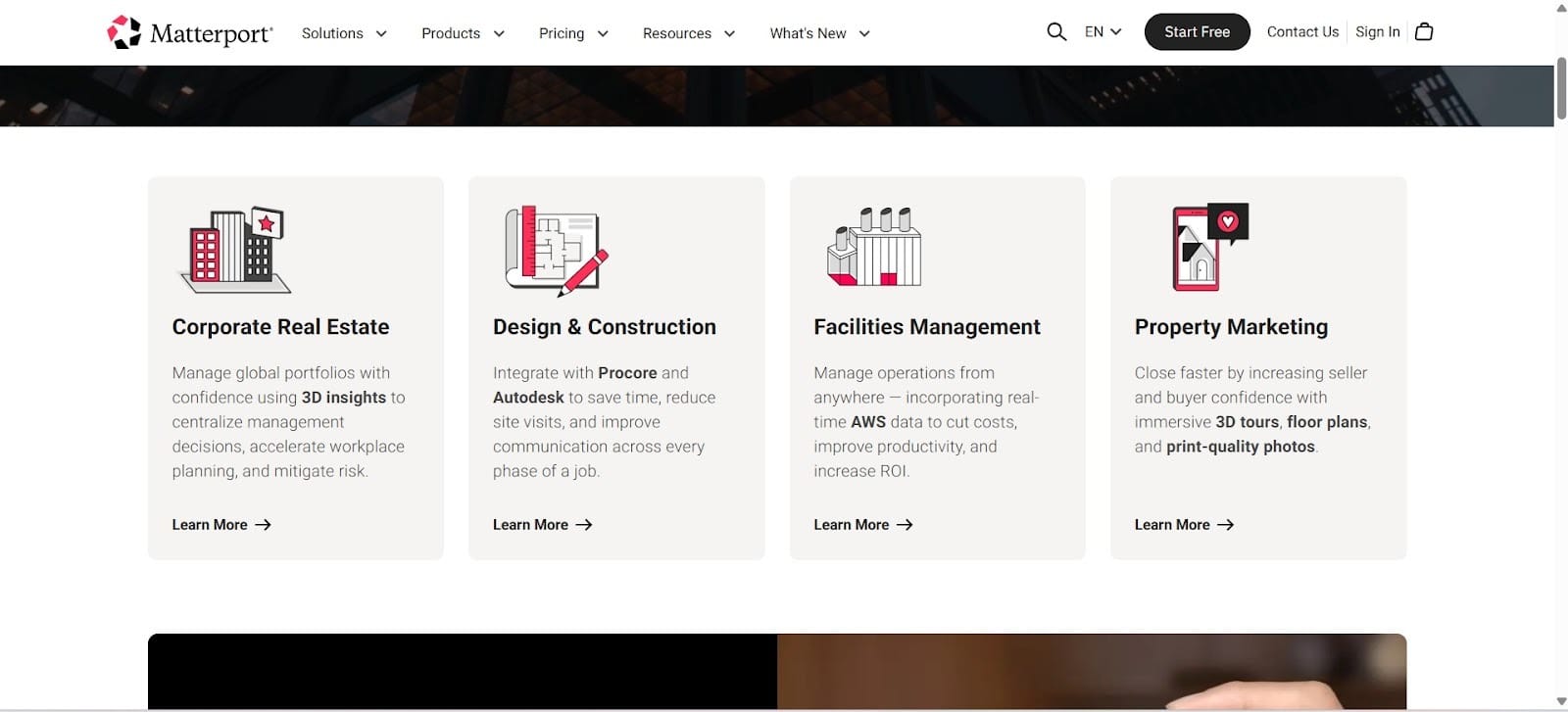
3D Property WalkthroughsAdding 3D property walkthroughs will instantly set you apart from other homes because they see more than simple images. It helps to showcase your property in a modern and professional way. Matterport reports that it can generate up to 49% more leads and attract four times as many inquiries. This is also known as digital twin mode.
Online Buyer Viewing Experiences
Homebuyers can use Matterport as a way to view the home online without the need to even leave their own home. One of the great things about this is that it offers you 24/7 viewing, so your potential home buyers could tour the home at 2 am if they needed. People viewing your property from hundreds of miles away can still get a sense of what the home feels like.
Measurement Tools Inside Tours
Using the precise measuring tools from Matterport, potential homebuyers can take 3D measurements of the spaces directly while on a virtual tour. It uses LiDAR technology to give you millimeter-level accuracy. The measurements get saved so that they can easily be shared or reviewed. In the 3D showcase, you can perform ad hoc measurements.
Stage 5: Workflow Automation (Automating Real Estate Operations)
Tool: Zapier
Connecting Real Estate Tools and Automating Workflows
Automate your workflow and process all from a single place. Zapier automates your most time-consuming tasks like client follow-up, lead management, and marketing, which will save you tons of time. You can connect Zapier to over 8,000 apps to automatically transfer data and streamline your workflow. What are some examples of things you can automate with this software?
Automation Examples
- Lead capture → CRM: Lead capture gets automated through connecting form builders automatically and directly to the CRM. It can do this with Salesforce, HubSpot, and Pipedrive. All manual data entry becomes automated, saving you precious time.
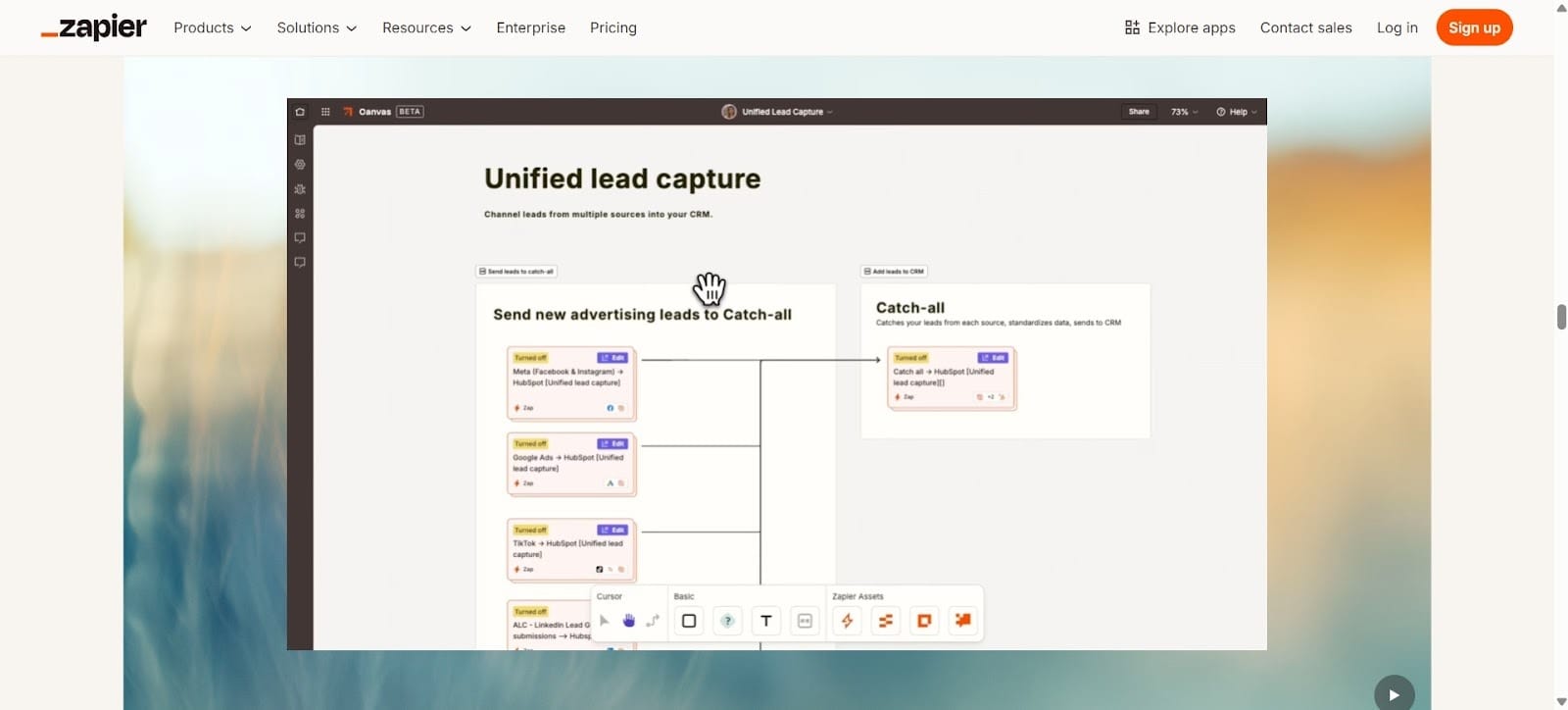
- Listing → social media marketing: You can use Zapier to automate your social media pages. Build and ship automated workflows in minutes. You can use the AI to write your social media posts, and once you have them written, you can use the AI agent to schedule them, saving you time. Just give it the content you want and the images, and Zapier will do the rest.
- Email follow-up automation: Email follow-ups can take a lot of time, and if you don’t respond quickly enough, you can lose that lead. One of the great things about having Zapier do the follow-ups is it takes less of your time. The one downside of Zapier is that it has a limit of only 10 emails for every hour.
- Data syncing between apps: Zapier can connect to over 8,000 apps, and it will sync your data with all of them. This means that you will have immediate access to the data from each of your important tools immediately accessible.
The Success Loop
When these tools work together, they create a continuous success loop:
ChatGPT → Canva → Zillow → Matterport → Zapier (repeat…)
Each tool strengthens the others, helping real estate agents to generate leads, market listings more effectively, and streamline their workflow. Work with each tool and see how you can use it to fit into your overall scheme.
