

Coachvox is an AI platform designed to help coaches, consultants, creators, and business owners build an AI clone of themselves. Trained specifically on your unique methodology, written content, audio transcripts, and tone of voice, Coachvox acts as an interactive digital assistant that can answer questions, nurture leads, and support clients 24/7.
Unlike standard website chatbots or generic AI widgets that pull random information from the internet, Coachvox operates strictly within the boundaries of your personal knowledge base and communication style.
It functions as both a high-converting lead magnet on your website and an always-on coaching assistant for your existing clients, effectively allowing you to scale your wisdom without trading more of your personal time.
What Problems Does Coachvox Solve?
If you run a service business, sell expertise, or build a personal brand, you likely run into the exact same growth bottlenecks every single day:
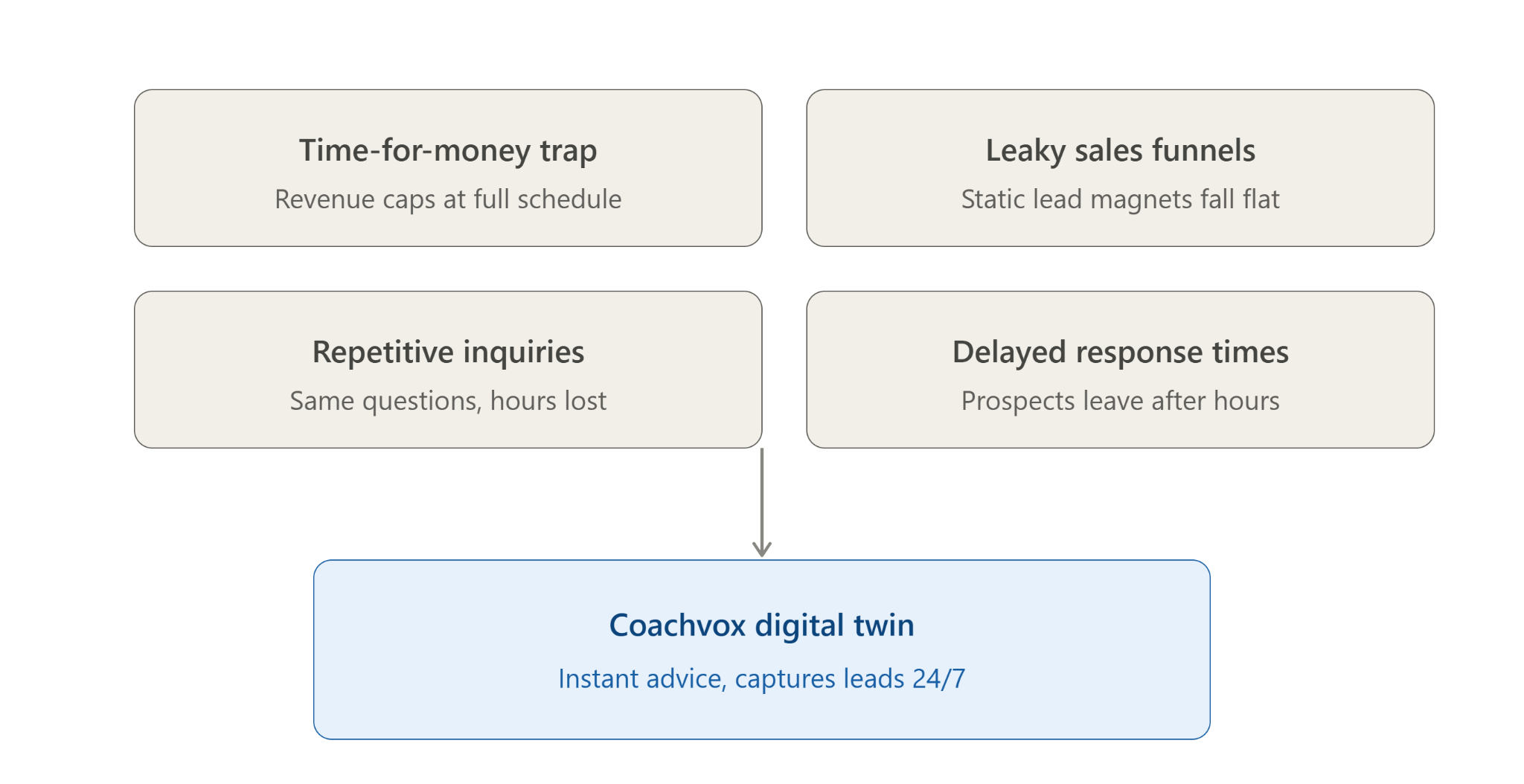
- The Time-for-Money Trap: There are only so many hours in a week. Once your schedule is full, your revenue plateaus unless you raise prices or burn yourself out working late nights.
- Leaky Sales Funnels: Visitors land on your website, skim a few pages, and leave without opting into your email list because static lead magnets (like standard PDFs or ebooks) no longer captivate audiences.
- Repetitive Client Inquiries: You spend hours answering the exact same foundational questions from clients between live sessions or inside community forums.
- Delayed Response Times: High-value prospects often look for help outside regular business hours. If they have a question at 10 PM and don't get an answer, they move on to a competitor.
Coachvox solves these issues by creating a two-way, interactive digital twin that delivers your exact advice instantly, capturing qualified leads while delivering genuine value in real time.
Who Should Use Coachvox?
Coachvox is tailored for individuals and small teams who possess a distinct body of knowledge or methodology. It is particularly effective for:
- Executive, Life, and Business Coaches: Deliver between-session support, answer FAQs in your exact voice, and showcase your coaching style to prospective clients.
- Consultants and Agency Owners: Automate initial client intake, answer technical or framework-focused questions, and nurture warm inbound leads.
- Course Creators and Educators: Provide instant student support inside online cohorts so learners never get stuck on a module.
- Authors and Thought Leaders: Allow readers to "chat" directly with your book or published framework, turning passive audience members into active subscribers.
- Solopreneurs and SMB Owners: Operate a high-touch customer acquisition and support system without hiring extra staff or managing heavy overhead.
What Can Coachvox be Used For?
Coachvox is versatile enough to support several critical touchpoints across your customer lifecycle:
1. The Interactive Lead Magnet
Instead of offering a passive PDF download, embed your AI clone on your home page or a landing page. Visitors can chat with your AI, experience how you think, and receive tailored advice. To continue the conversation or receive a full summary, the visitor inputs their email address, filling your sales pipeline with highly qualified leads.
2. 24/7 Client Support Engine
Give current clients private access to your AI clone between live coaching sessions. When a client faces an obstacle at midnight, your AI provides guidance based strictly on your frameworks, keeping them momentum-focused and highly satisfied.
3. A Standalone Paid AI Product
Coachvox includes native monetization settings. You can paywall access to your digital twin and charge a monthly or weekly subscription fee (e.g., $19–$49/month). This creates an accessible, low-tier digital offering for audience members who cannot afford your high-ticket 1-on-1 services.
4. Community and Onboarding Assistant
Embed your AI clone inside private community groups (like Slack, Circle, or Skool) or onboarding portals to instantly answer member questions, lowering churn and saving community managers hours of repetitive work.
How to Set Up Coachvox
No coding or technical background required — here's exactly how to go from a blank dashboard to a live AI twin in nine steps.
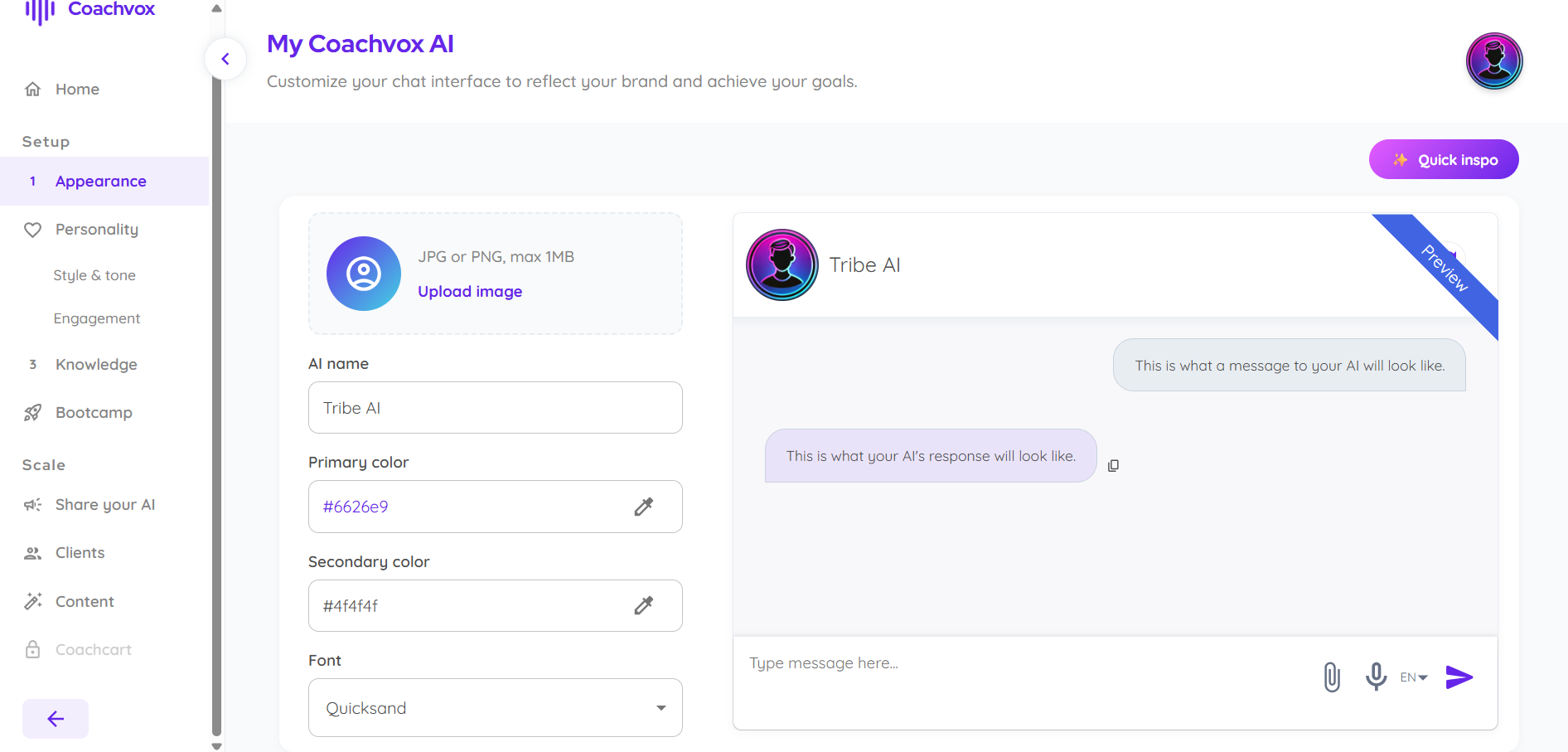
1. Set your AI's appearance
Under Setup > Appearance, name your AI, set your primary/secondary brand colors, upload an avatar, and pick a font. A live preview shows exactly how messages will look before you publish anything.
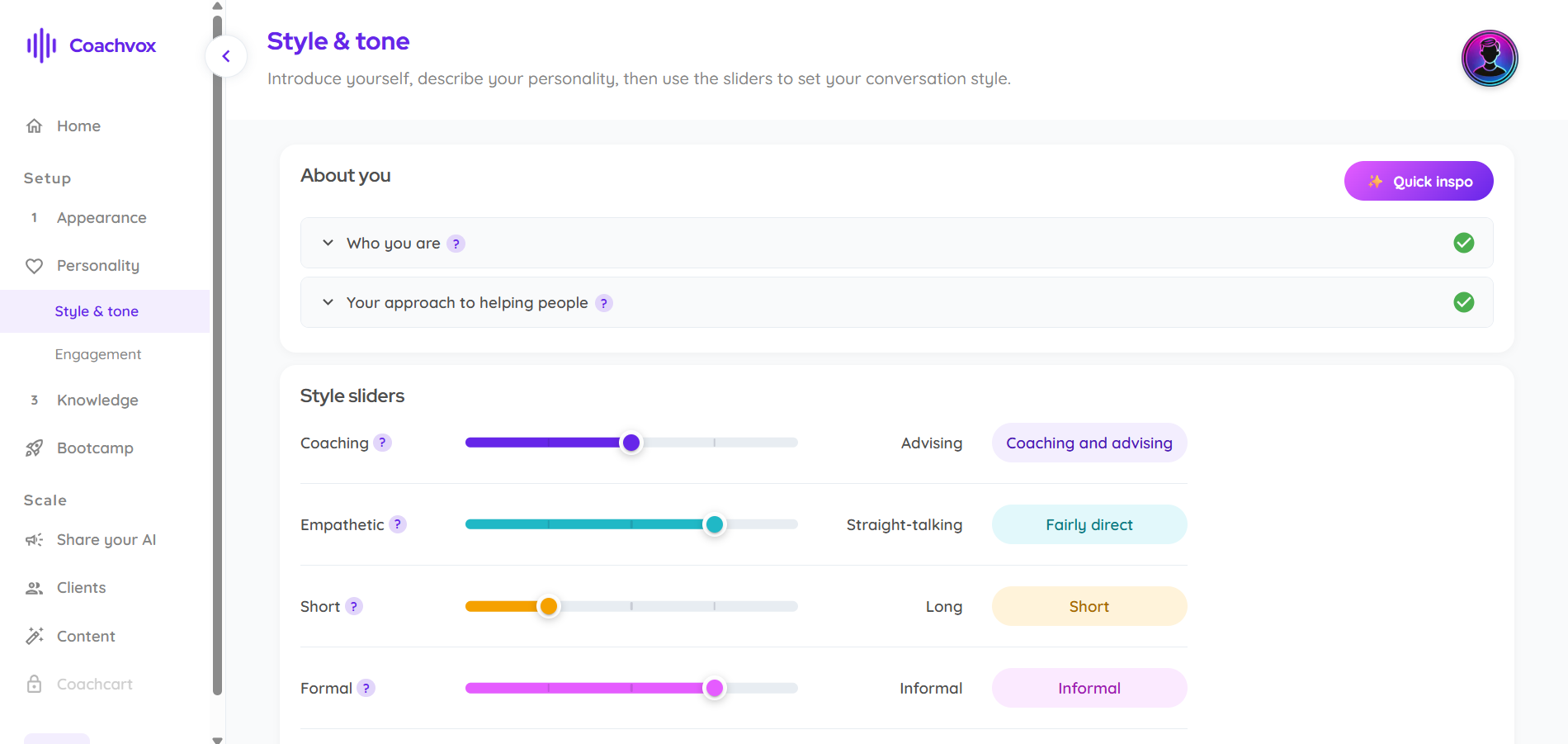
2. Define your style and tone
Under Personality > Style & tone, you fill in "Who you are" and "Your approach to helping people," then use sliders — Coaching vs. Advising, Empathetic vs. Straight-talking, Short vs. Long, Formal vs. Informal — to shape how your AI actually talks.
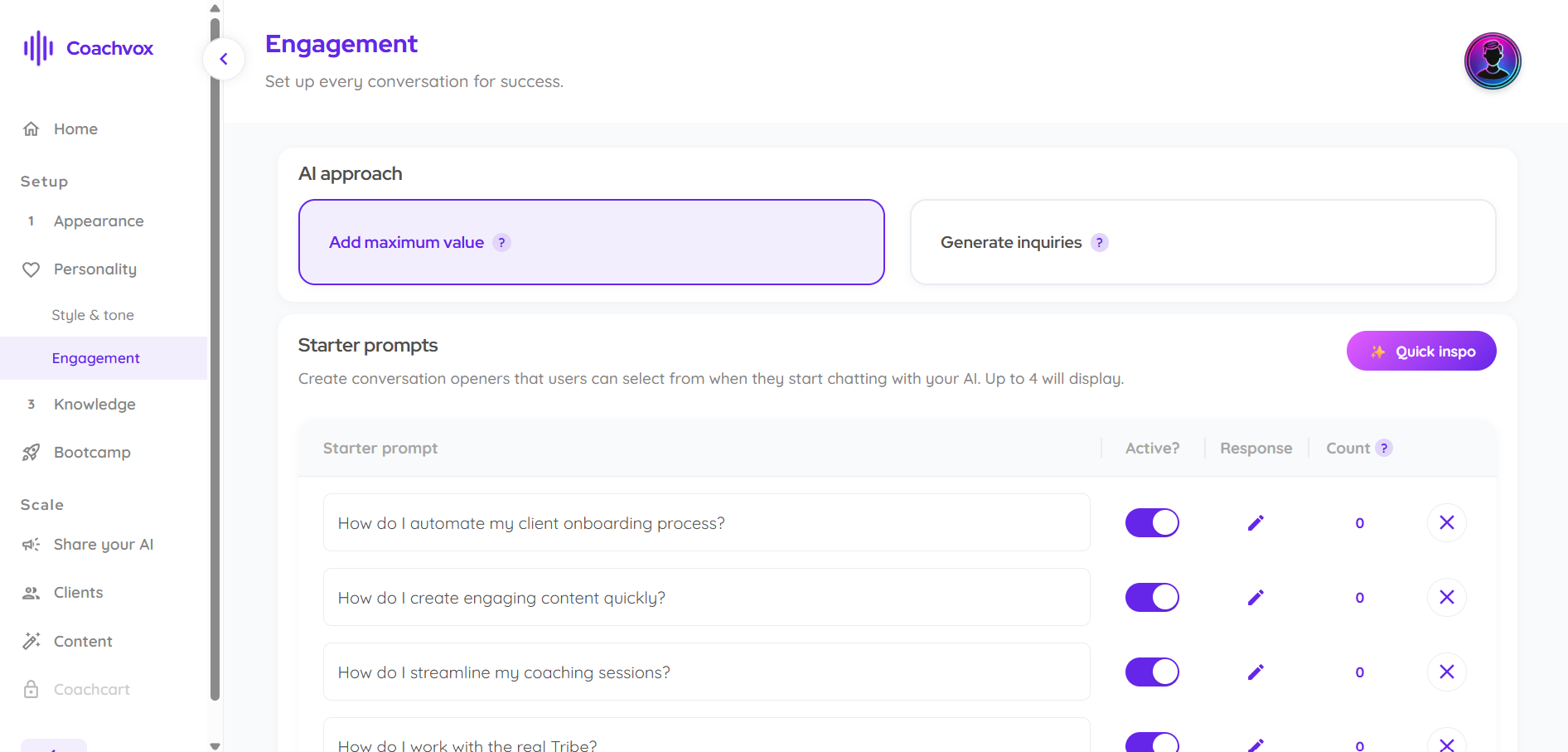
3. Build your starter prompts
Under Personality > Engagement, you choose whether the AI's approach is to "Add maximum value" or "Generate inquiries," then set up to 4 starter prompts (clickable conversation openers) — e.g. "How do I automate my client onboarding process?"
4. Upload your knowledge base
Under Knowledge > Upload, drag in files (.docx, .pdf, .txt), paste text directly, or import from web pages. Each source shows its processing status and how many prompt/completion pairs it generated (one file produced 25).
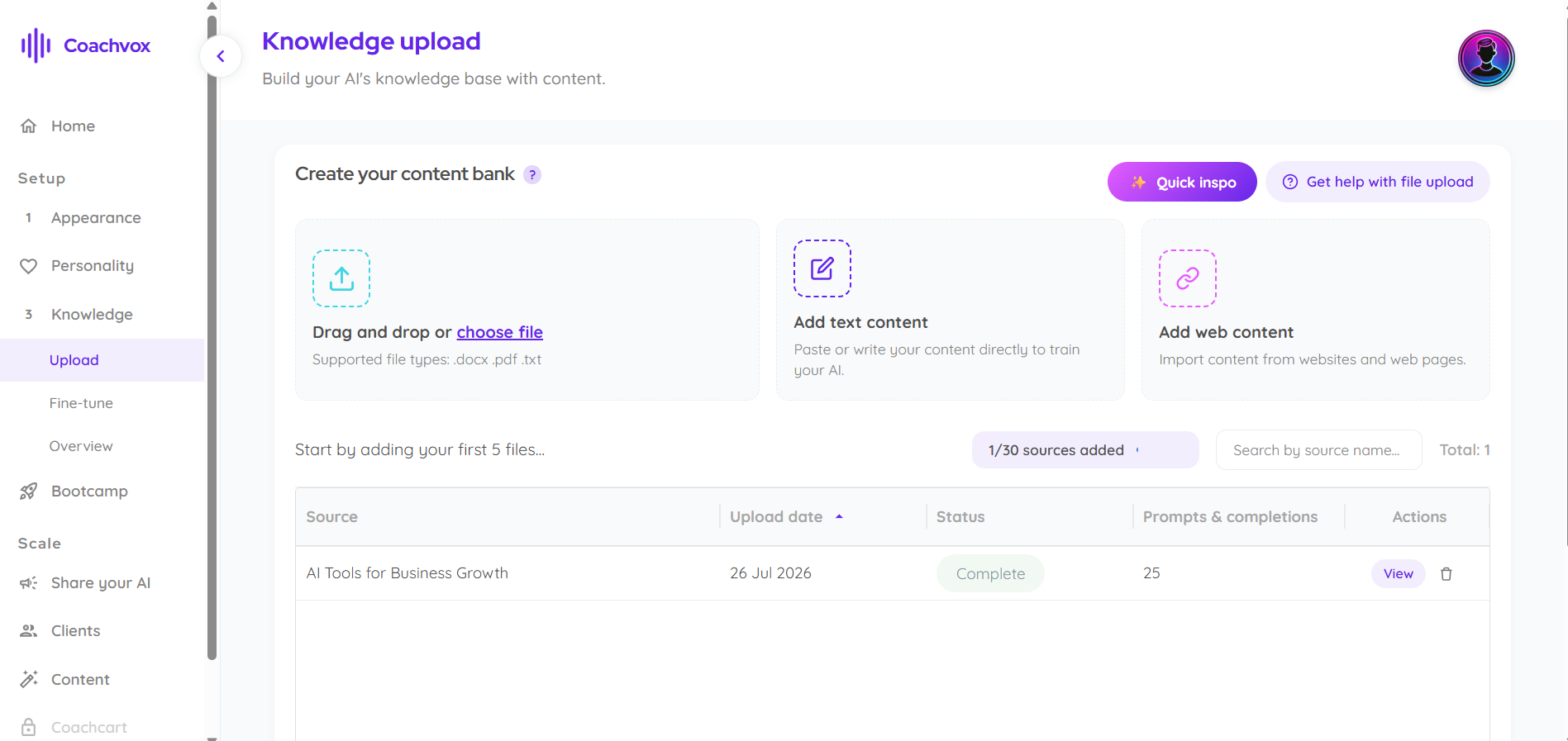
5. Review and refine the training data itself
Under Knowledge > Overview, every single prompt-completion pair generated from your uploads is listed in an editable table — you can inspect, label, or delete individual Q&A pairs.
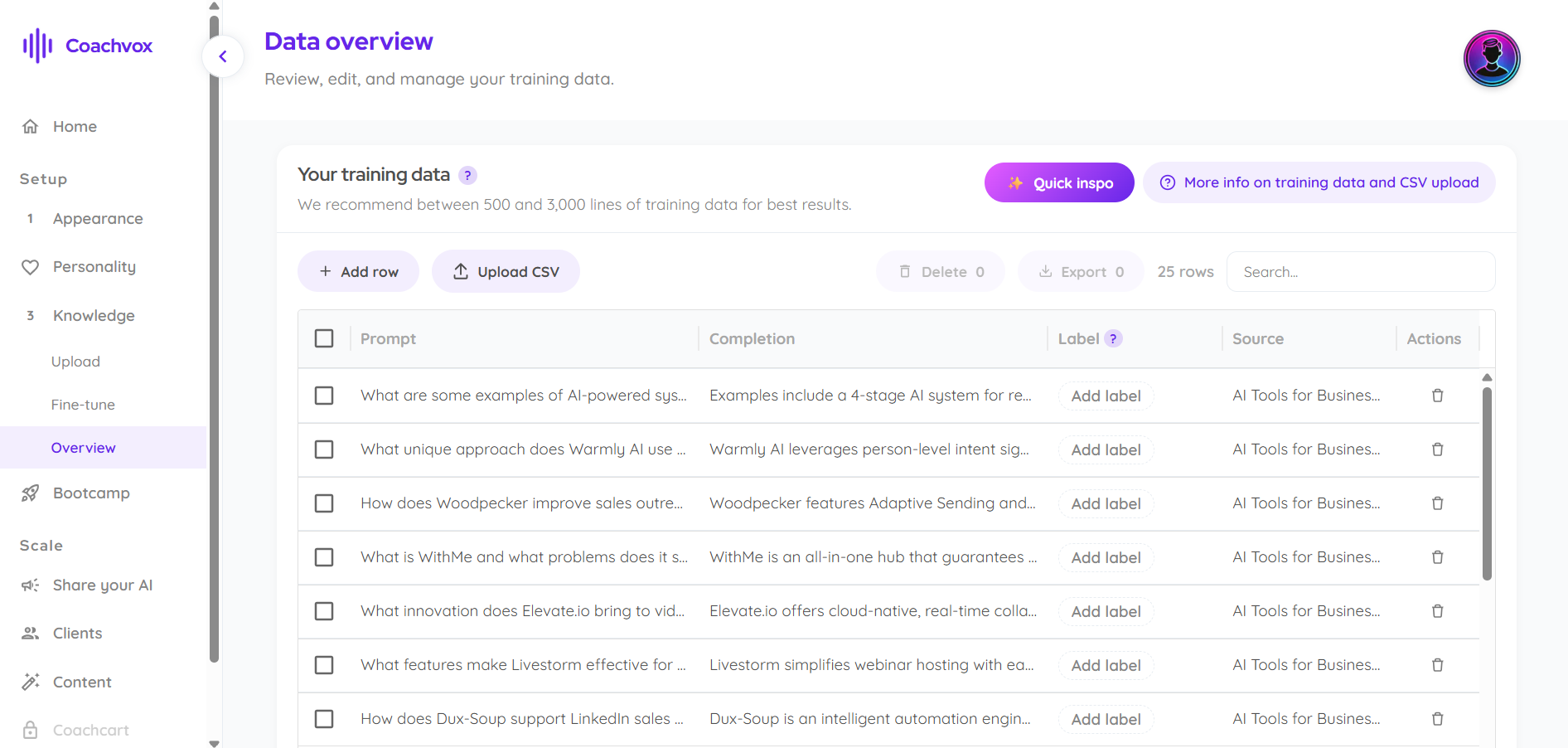
6. Test and rate real conversations
Under Knowledge > Fine-tune, you chat with your own AI, and every response comes with a 5-star rating field so you can flag weak answers for improvement.
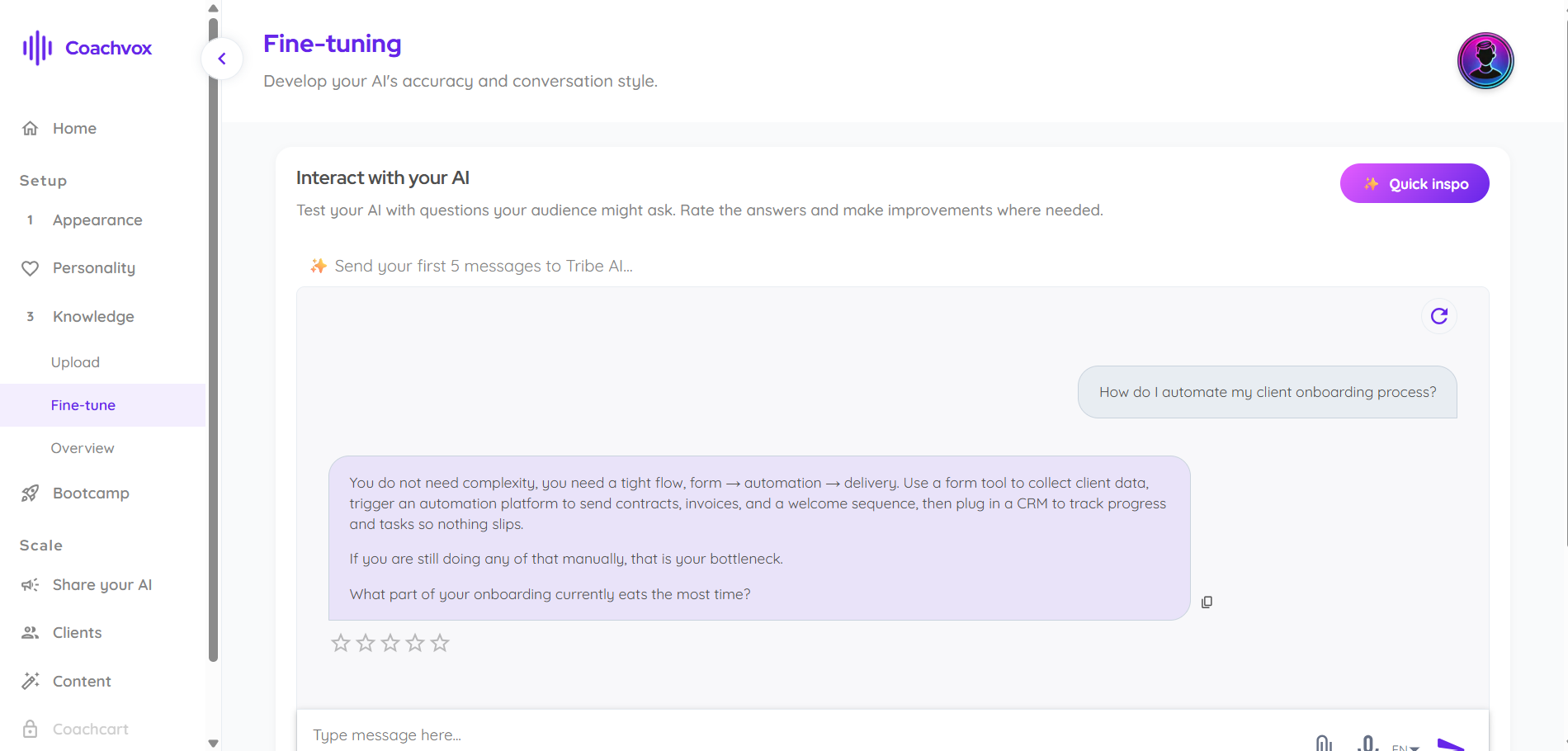
7. Control what data it collects — and how
Under Scale > (AI settings), toggle exactly which fields the AI asks for (first name, email, company, phone), link your privacy policy, and control access settings like file sharing, speech-to-text, and chat history.
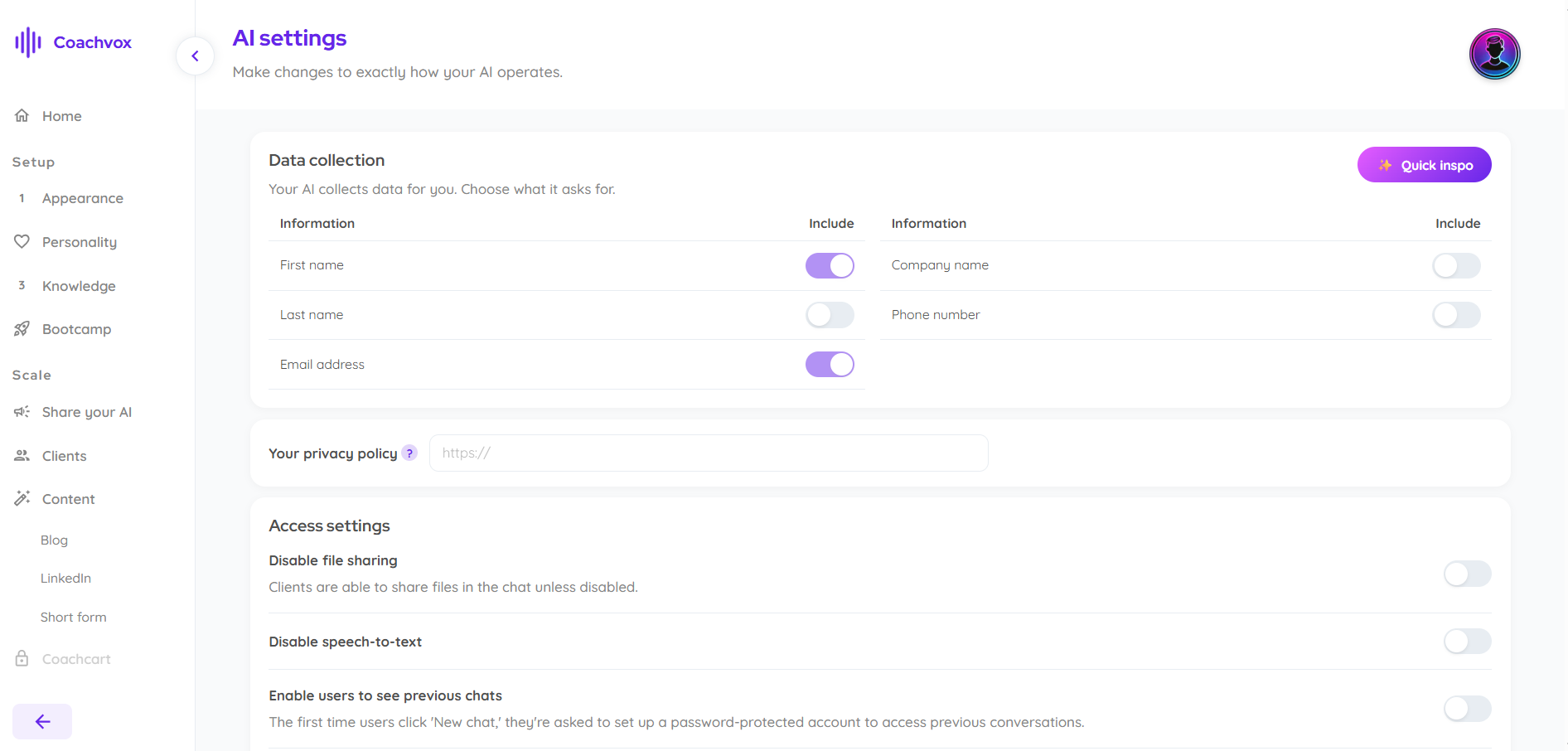
8. Let it create your content too
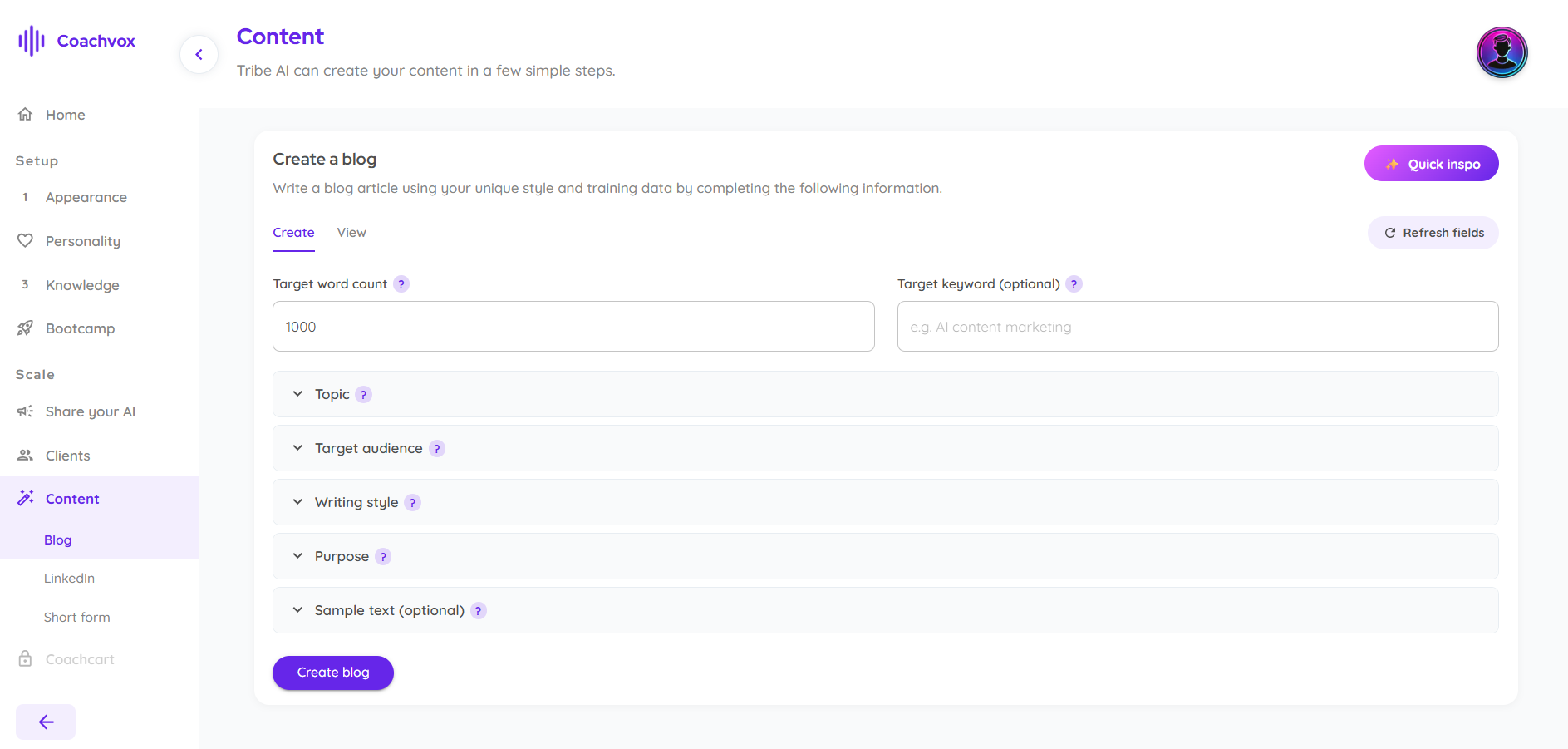
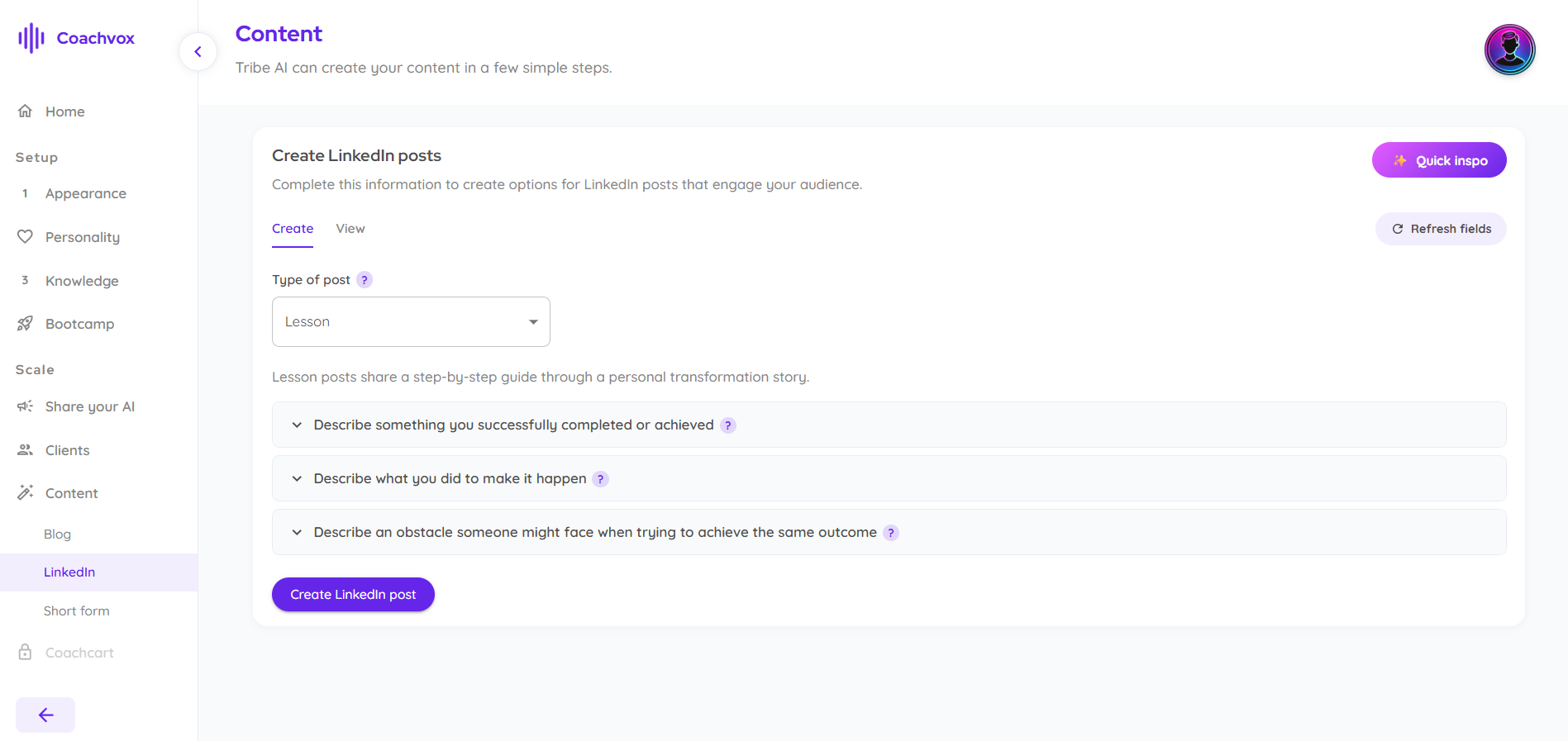
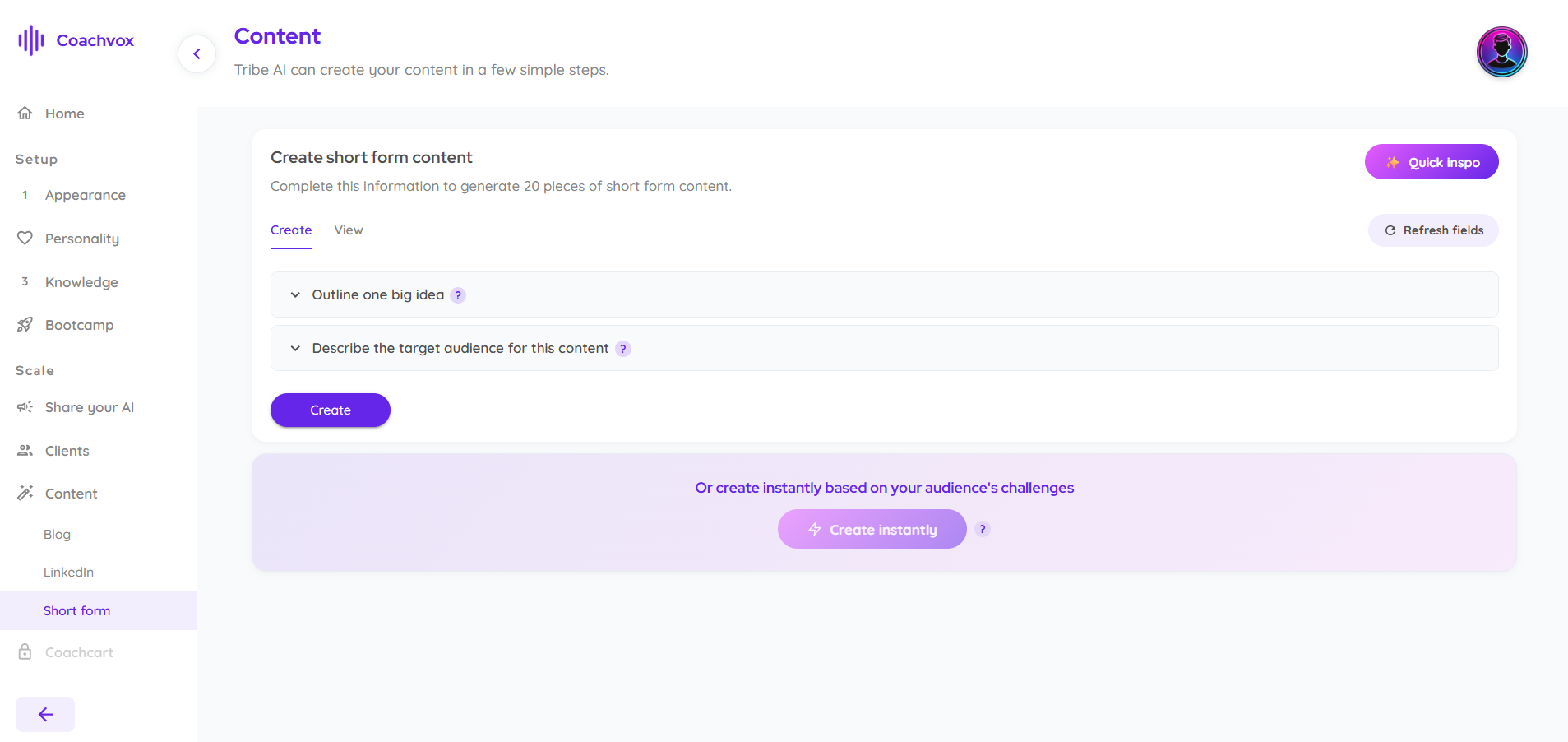
Under Content, the AI can generate a full blog post (with target word count, topic, audience, and writing style fields), LinkedIn posts (with post types like "Lesson" that walk through a transformation story), or 20 pieces of short-form content in one go.
9. Embed it anywhere
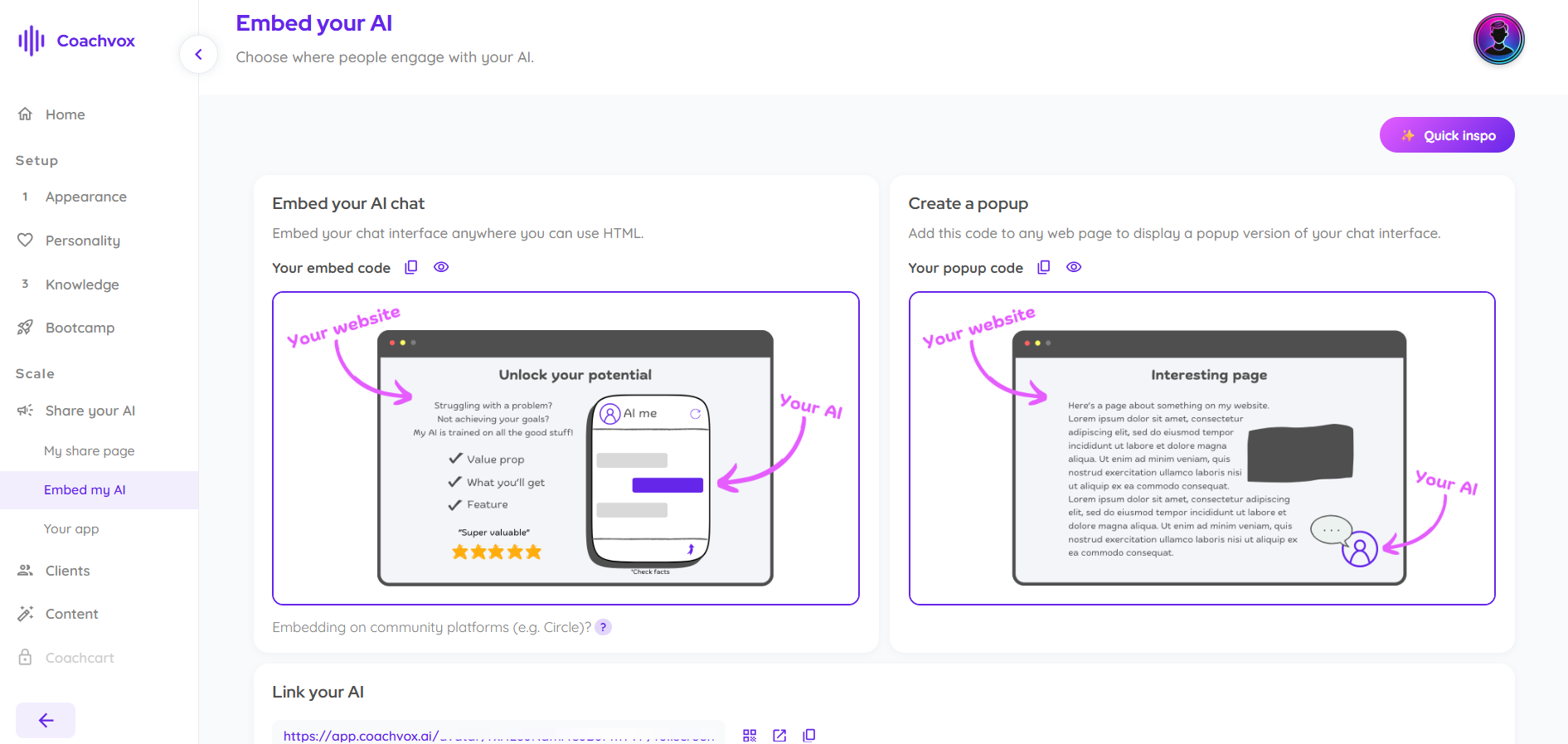
Under Scale > Share your AI, you get an embed code for full chat integration, a popup version, and a standalone shareable link — plus guidance on embedding into community platforms like Circle.
What are the Key Features and Benefits of Coachvox?
- Tone-of-Voice Fine-Tuning: Style sliders and custom phrase settings ensure responses mirror your actual conversational style rather than sounding robotic.
- Direct Content Training: Accepts PDFs, text files, web links, and transcripts, allowing your AI to draw strictly from your proprietary frameworks.
- Built-in Monetization Integration: Connect your Stripe account directly through the Coachvox dashboard to start selling paid access to your AI twin in minutes.
- Native Lead Capture: Automatically captures visitor emails during conversation flows and syncs them with tools like ActiveCampaign, ConvertKit, or HubSpot via Zapier.
- Audience Insights Dashboard: Provides clear analytics on user questions, pain points, and sentiment, giving you direct market research for your next product launch or content piece.
- Flexible Embed Options: Deploy your AI twin as a floating website widget, a full-page chat interface, or embedded within a client portal.
What Makes Coachvox Different?
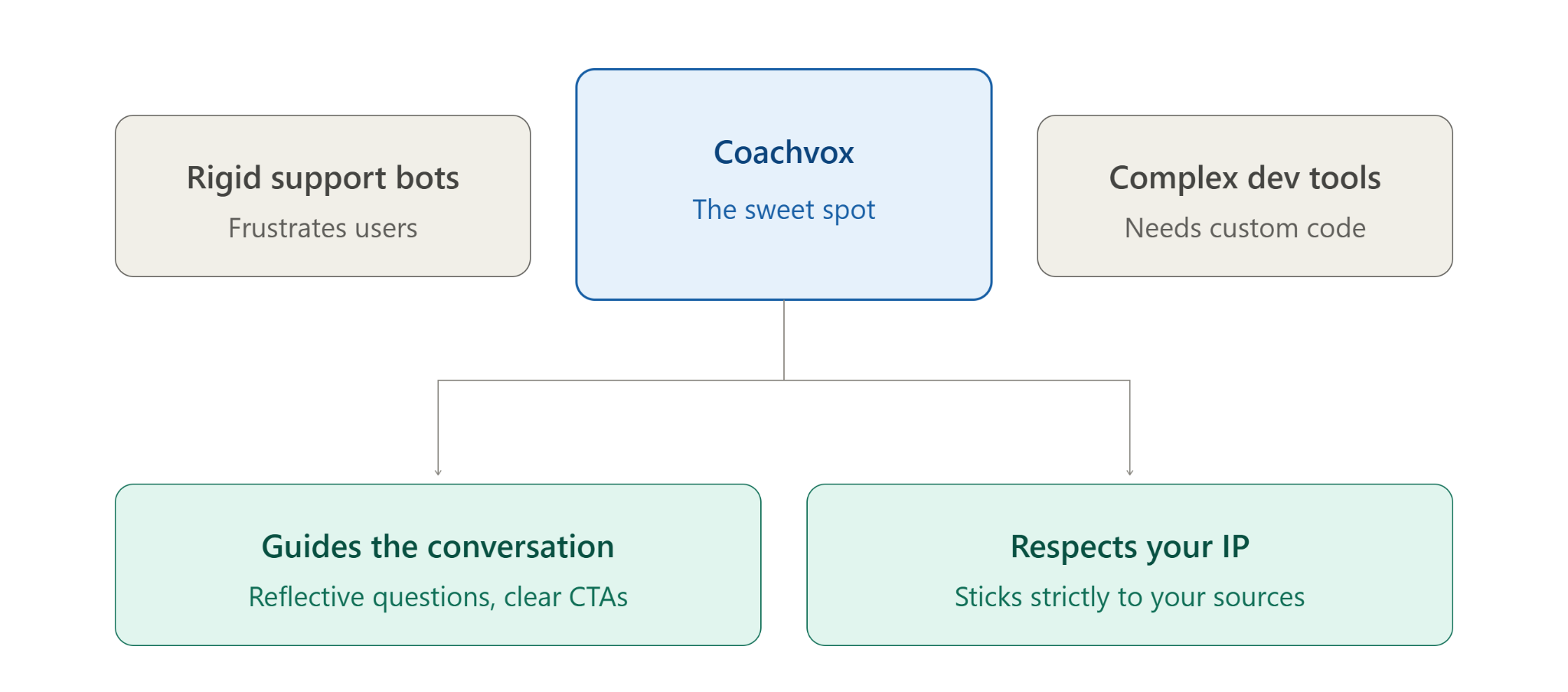
Most AI chat builders on the market fall into two extremes: basic, rigid customer support bots that frustrate users, or complex developer tools requiring custom prompt engineering and API connections.
Coachvox sits right in the sweet spot for creators and business owners. It is engineered specifically around coaching methodology and lead conversion. It doesn't just display text; it guides conversations, asks reflective questions, and prompts users toward relevant calls to action (like booking a discovery call or signing up for a newsletter).
Furthermore, Coachvox respects intellectual property limits. It sticks strictly to the sources you provide, giving you full control over how your brand and expertise are represented online.
Final Thoughts on Coachvox
If your business relies on selling your personal expertise, your time will always be your biggest bottleneck. Coachvox offers an accessible, practical solution to scale your presence, capture warm leads, and support clients around the clock without sacrificing your sanity or diluting your brand.
It isn't a replacement for human connection, but rather an extension of it—a dynamic bridge between a passive website visitor and a paying client.
Frequently Asked Questions
How much does Coachvox cost?
Coachvox costs $99 per month for the standard Creator plan, which includes full access to training tools, custom branding, lead capture, integrations, and hosting. A 14-day free trial is available to test the platform. They also offer a premium Creator Club tier ($3,000 one-time program fee + $99/month) for personalized setup and strategy support.
What does an AI coach do?
An AI coach is an interactive digital assistant trained on a specific coach's intellectual property, voice, and frameworks. It engages users in dynamic two-way conversations to answer questions, deliver actionable advice 24/7, onboard new clients, and convert website visitors into qualified leads.
Can I use AI as a career coach?
Yes. You can train an AI model on career advancement frameworks, resume tips, and interview strategies. Users can then interact with the AI to optimize their resumes, practice mock interview scenarios, and get personalized guidance on job search strategies.
Does Coachvox replace the need for a human coach?
No. Coachvox is designed to complement human coaches, not replace them. It handles low-tier, repetitive Q&As, client support between live sessions, and initial intake—freeing up the human coach to focus on high-ticket, strategic 1-on-1 calls.
How long does it take to set up and train a Coachvox clone?
You can launch a functional initial version in under 30 to 60 minutes by uploading existing content (PDFs, transcripts, blog posts, and audio files). Fine-tuning response style and guardrails typically takes a few extra days of testing.
