

For many business owners, the "webinar dream" often turns into a logistical nightmare. You spend weeks perfecting a presentation, only to have half your audience fail to show up because of timezone confusion, or worse, you find yourself stuck on a "hamster wheel" of repeating the same live session every Tuesday just to keep your sales pipeline moving. The burnout is real, and the technical fragmentation of using four different tools to host one event often leads to missed leads and wasted revenue.
EasyWebinar is a robust, cloud-based platform designed to bridge the gap between live engagement and automated scaling. It allows users to host live high-definition broadcasts, automated (evergreen) sessions, and hybrid events that combine the two. Founded on the principle of removing technical friction, it serves as a hybrid of a streaming service, a lead generation tool, and a sales CRM.
The platform is built to handle the entire "webinar lifecycle"—from the initial registration page and email reminders to the live event interactions and the post-webinar sales follow-up. By integrating AI-powered tools, EasyWebinar aims to reduce the manual labor typically associated with managing complex marketing funnels.
Here’s a quick video walkthrough of EasyWebinar:
What Problems Does EasyWebinar Solve?
Managing a successful webinar strategy usually requires juggling multiple disconnected tools: a landing page builder, an email marketing service, a streaming platform, and a data analytics suite. EasyWebinar solves this "fragmentation" problem by housing these features under one roof.
Furthermore, it addresses the "Time-vs-Revenue" paradox. Most creators find that live webinars convert well but are exhausting to repeat, while recorded videos feel "dead" and suffer from low engagement. EasyWebinar’s automation engine solves this by simulating the live experience—complete with scheduled start times and interactive elements—allowing businesses to generate revenue 24/7 without being physically present.
Who Should Use EasyWebinar?
EasyWebinar is specifically engineered for high-growth businesses and creators who view webinars as their primary sales vehicle.
- SaaS and Software Companies: Ideal for automated product demos that need to run "just-in-time" for new signups.
- Coaches and Course Creators: Those looking to scale "one-to-many" training without burning out on live sessions.
- Corporate Trainers: For delivering consistent onboarding or compliance training across global time zones.
- Marketing Directors: Teams that need deep integration with existing CRMs like HubSpot, Keap, or Salesforce to track precise ROI.
What Can EasyWebinar be Used For?
The flexibility of the platform allows it to adapt to various stages of the customer journey:
- Top-of-Funnel Lead Gen: Free workshops that provide value while capturing email addresses.
- Product Launches: High-energy live events that utilize real-time scarcity (countdown timers and push offers).
- Evergreen Sales Funnels: Turning a high-converting live recording into an automated machine that runs every 15 minutes.
- Internal Training: Secure, HD streaming for company-wide town halls or specialized conferences.
How Should You Use EasyWebinar?
Getting started with EasyWebinar is a straightforward process designed to move you from setup to sales as quickly as possible.
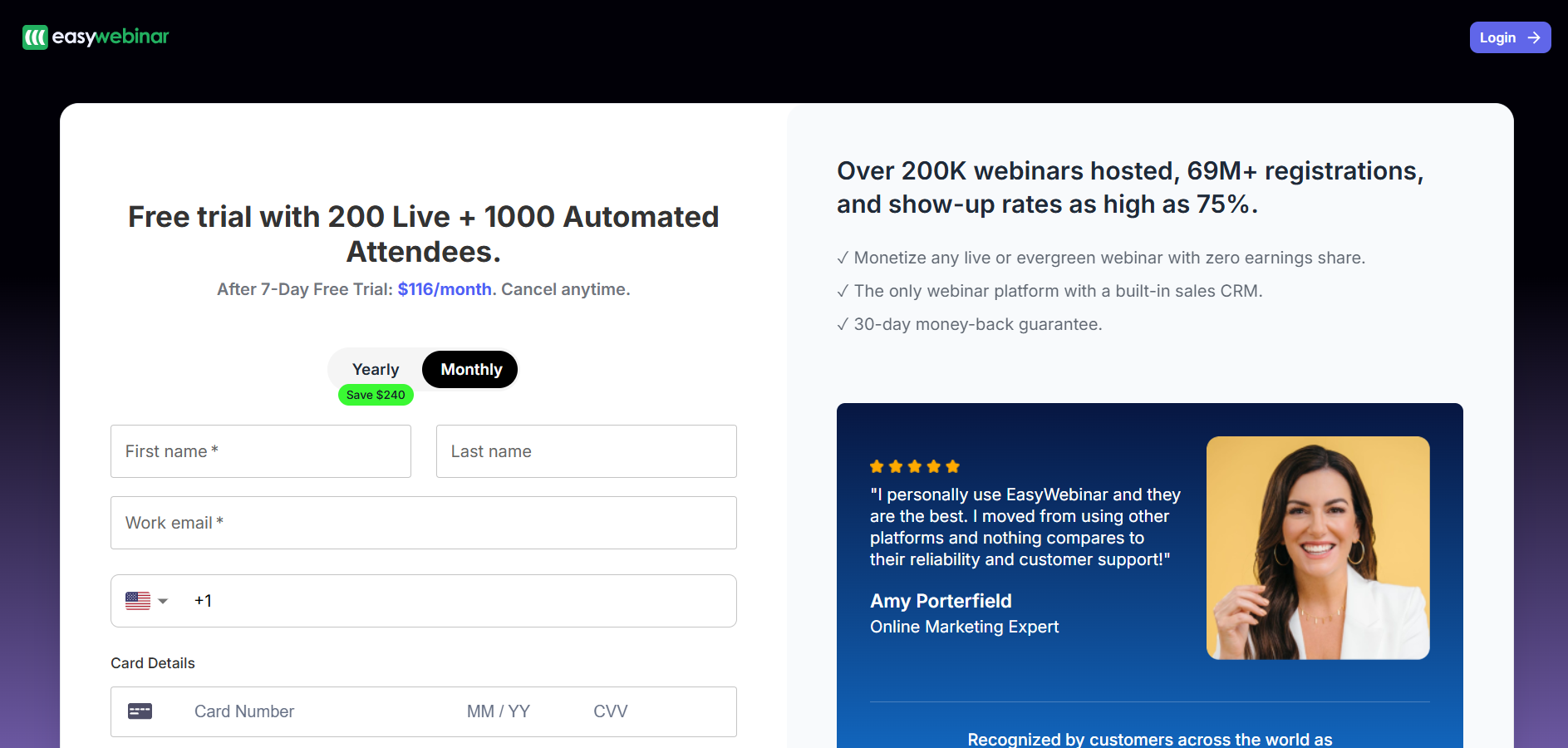
- Create your EasyWebinar account: Sign up on EasyWebinar and log in to your dashboard. This is where all your webinars, replays, and settings live.
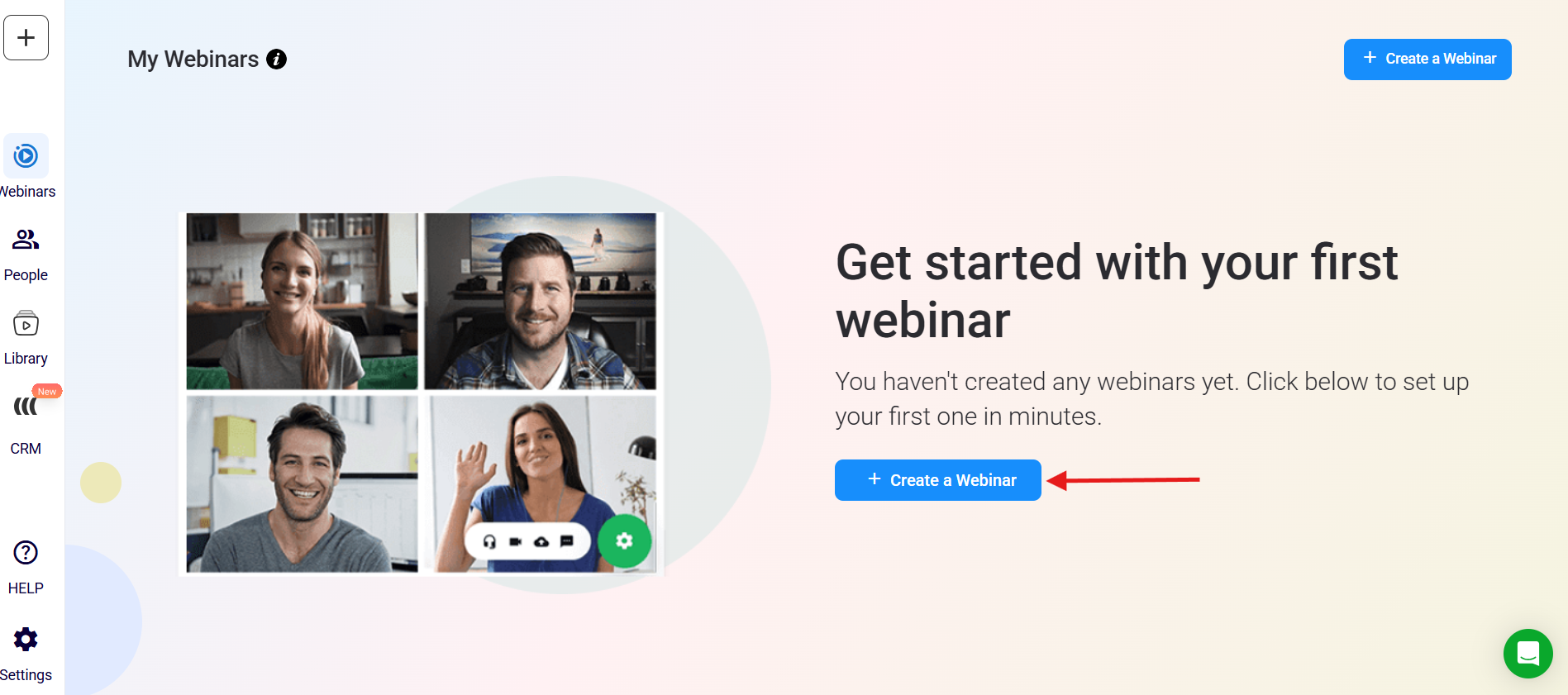
- Choose your webinar type: Click “Create New Webinar” and select Live, Automated, or Hybrid based on how you want your webinar delivered.
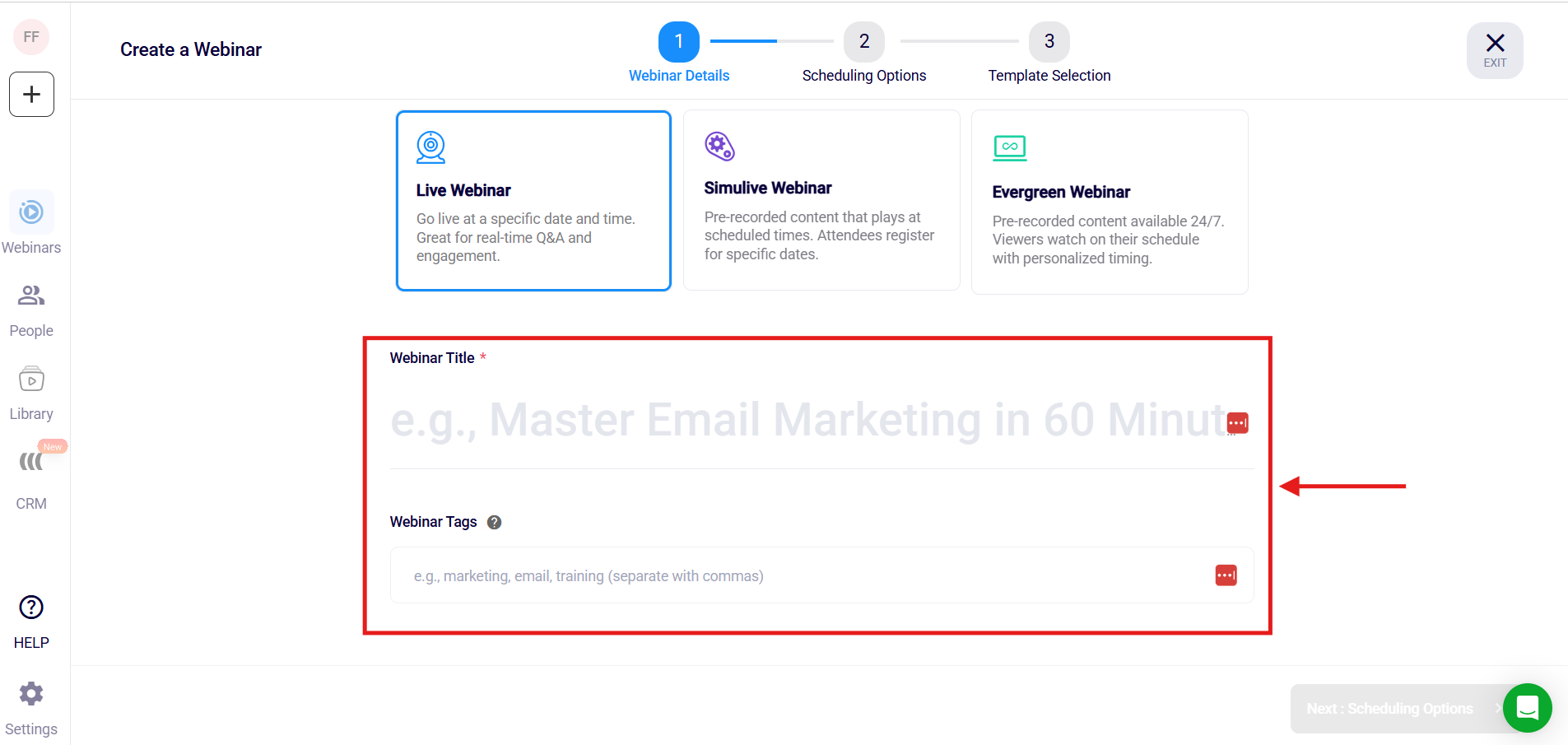
- Name and configure your webinar: Enter your webinar title, description, date, time, and time zone to properly schedule your event.
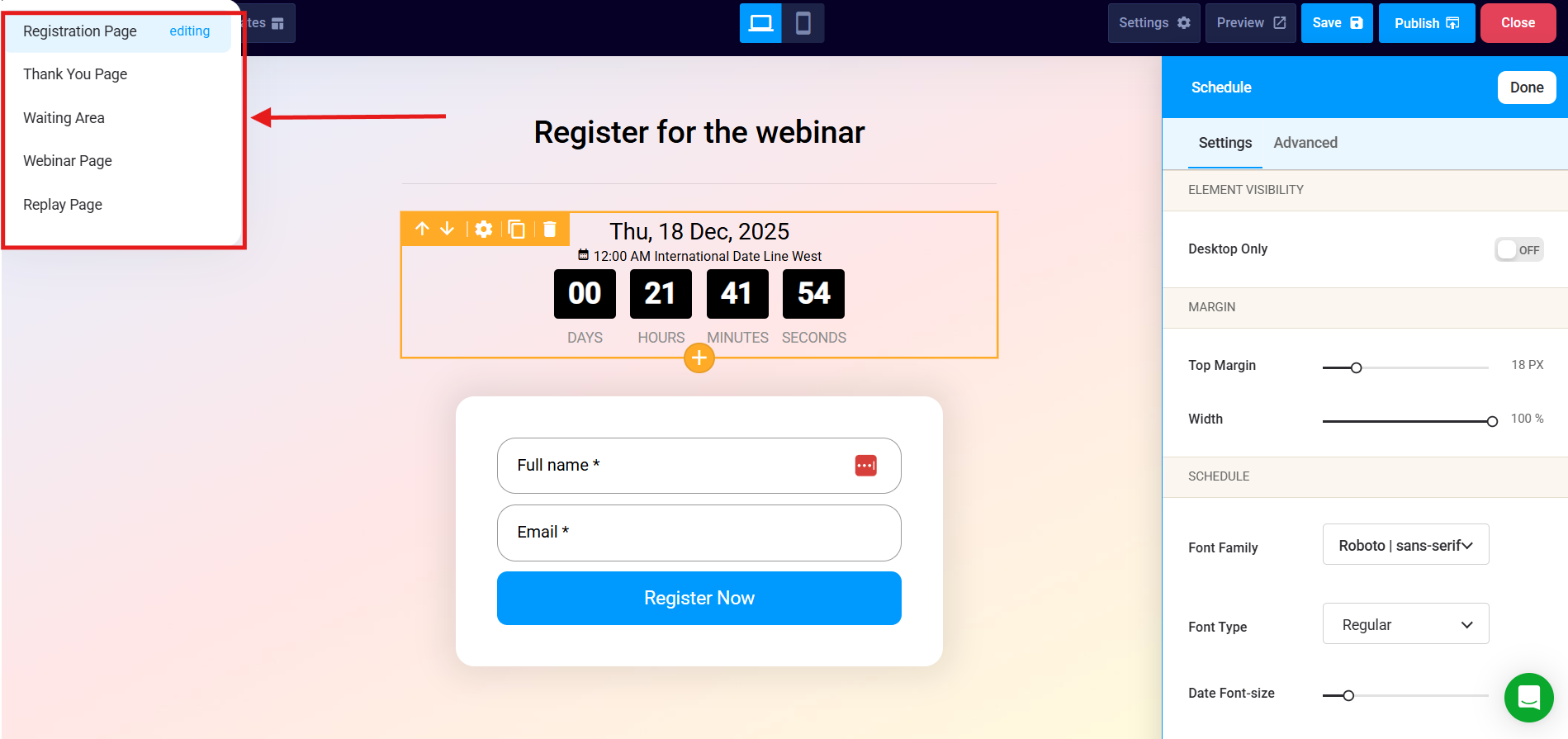
- Set up registration and thank-you pages: Customize your registration and confirmation pages to clearly explain what attendees will receive.
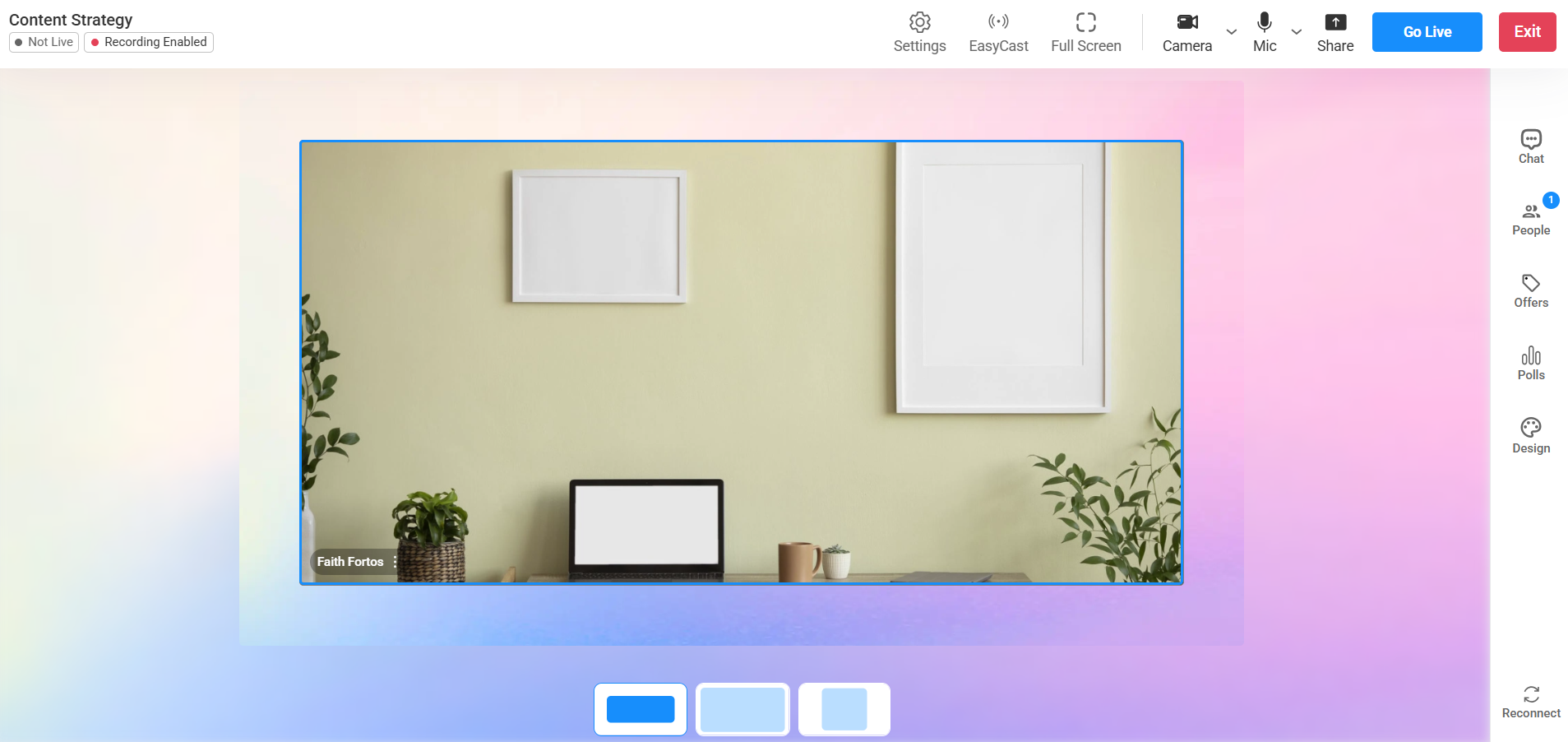
- Upload or prepare your webinar content: Upload your pre-recorded video or connect your camera and microphone for a live presentation.
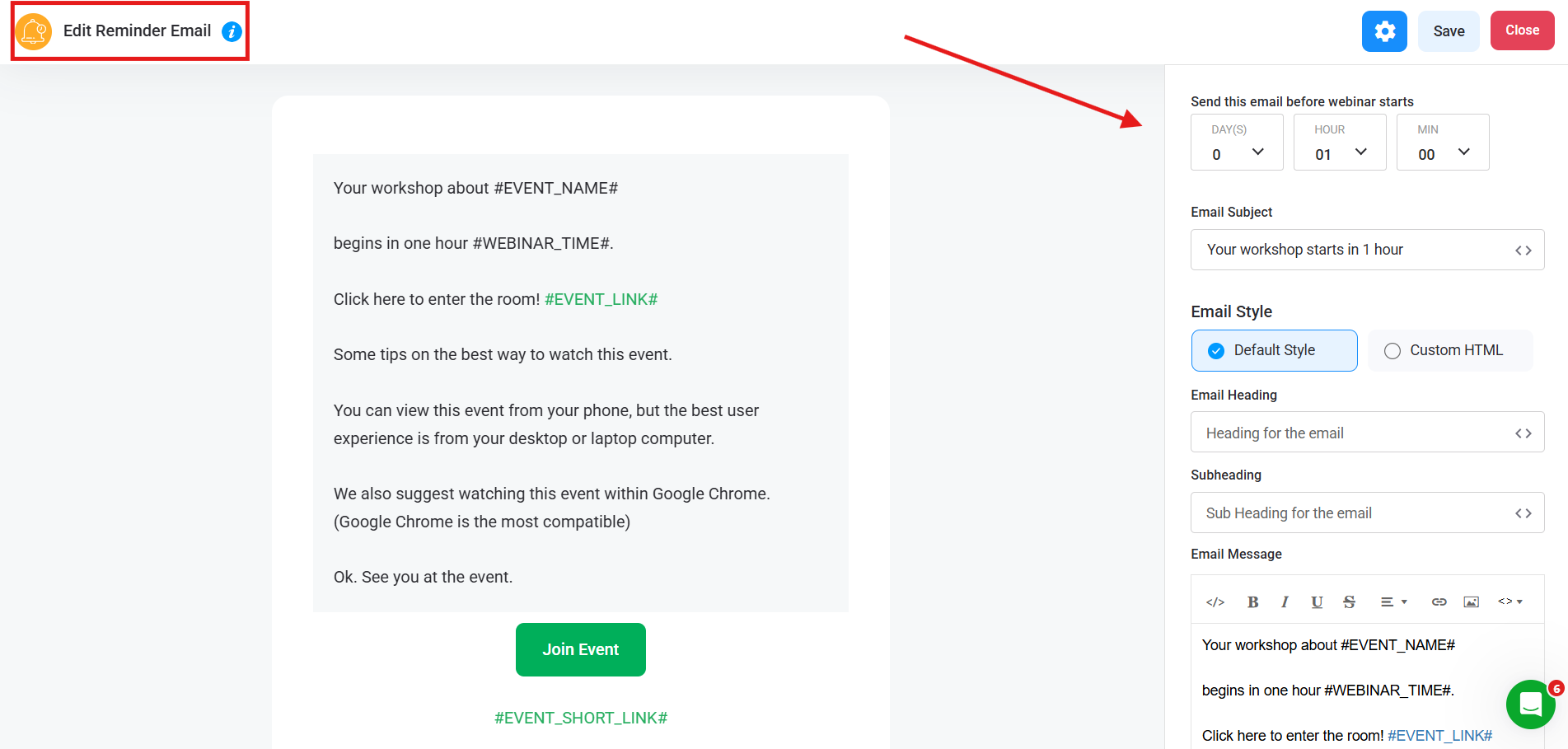
- Configure email notifications and reminders: Enable and customize reminder emails to ensure registrants show up at the right time.
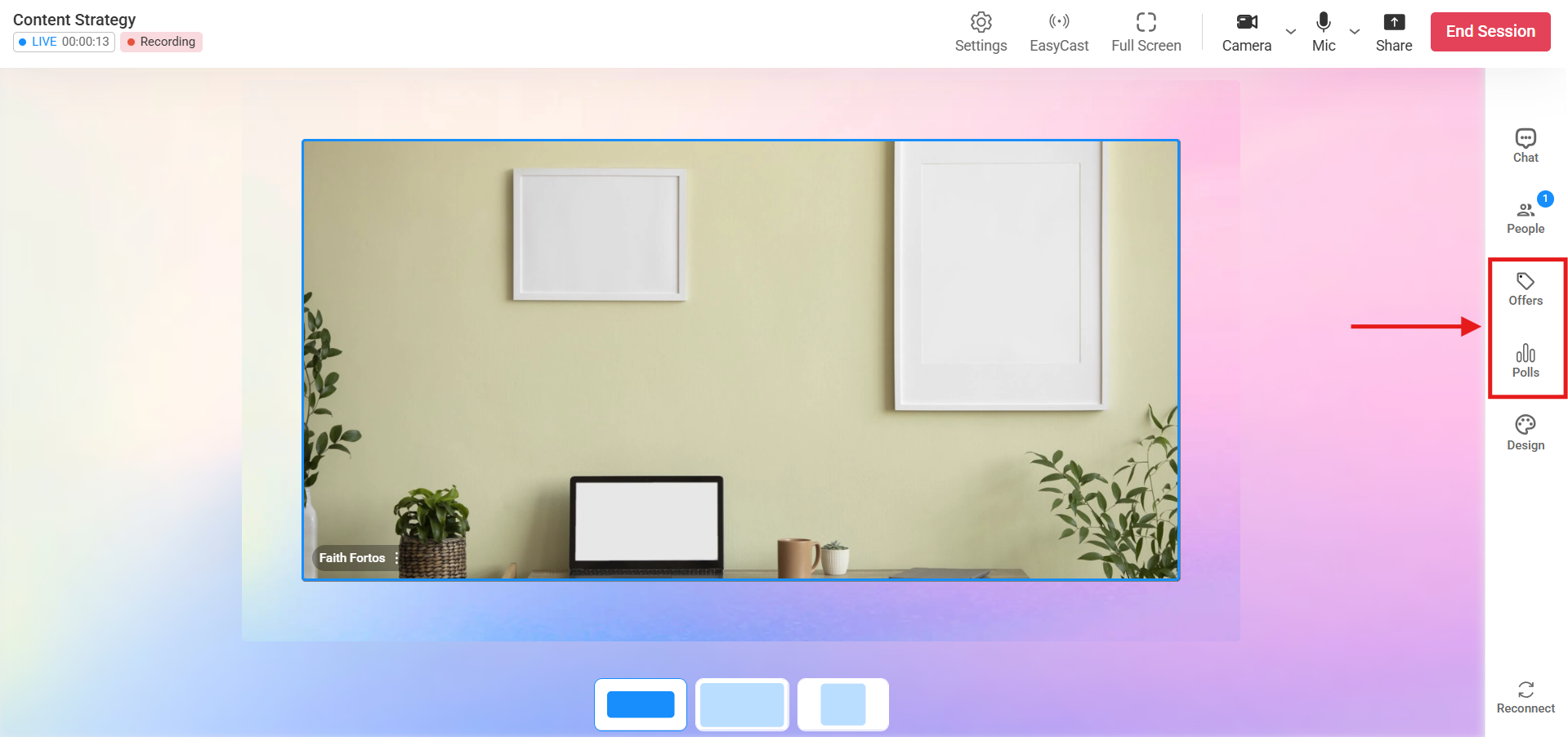
- Set up offers, polls, and calls to action: Add buttons, polls, or timed offers to increase engagement during the webinar.
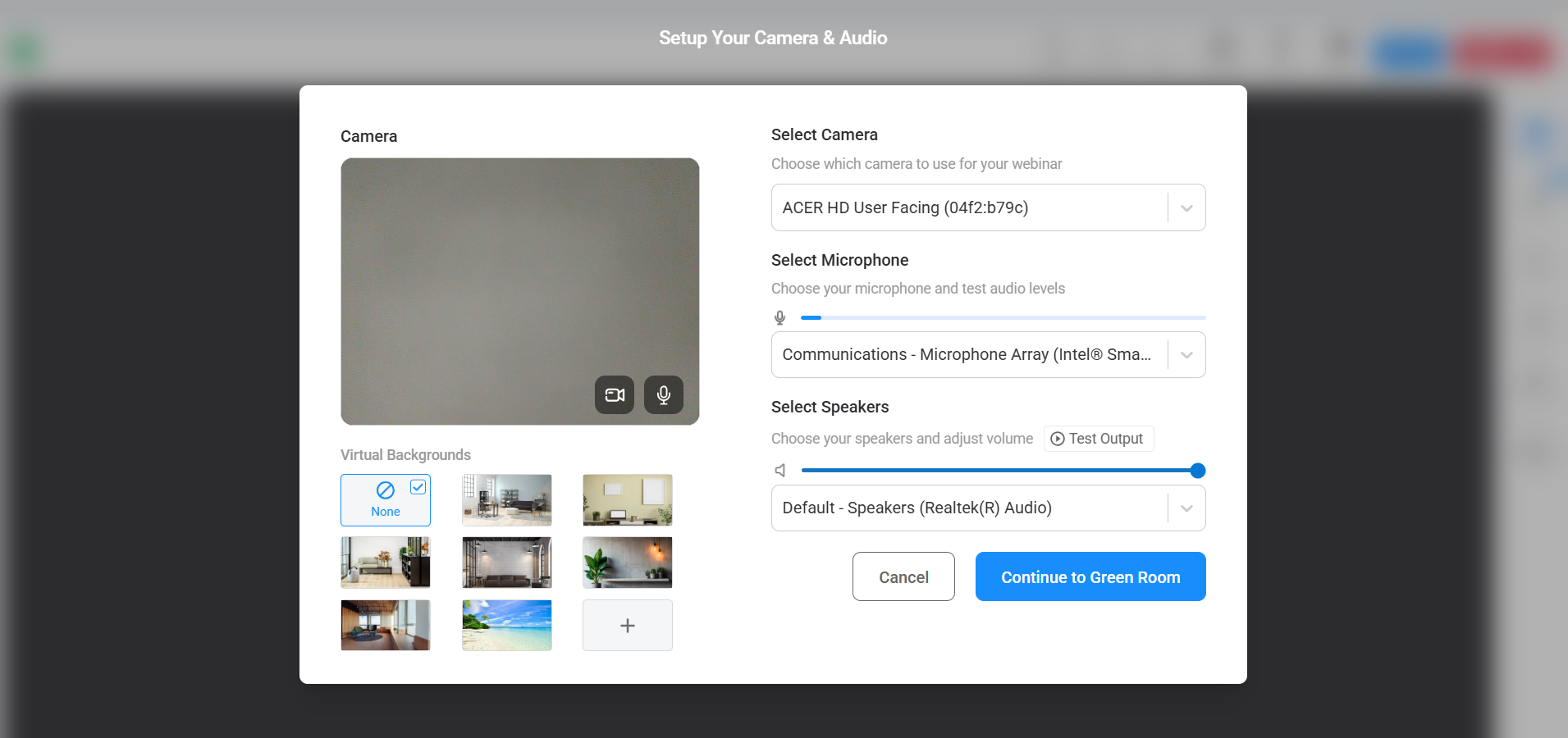
- Test everything before going live: Run a full test of registration, emails, audio, video, and webinar room access to avoid technical issues.
- Go live or let automation run: Start your live broadcast or allow your automated webinar to run according to schedule.
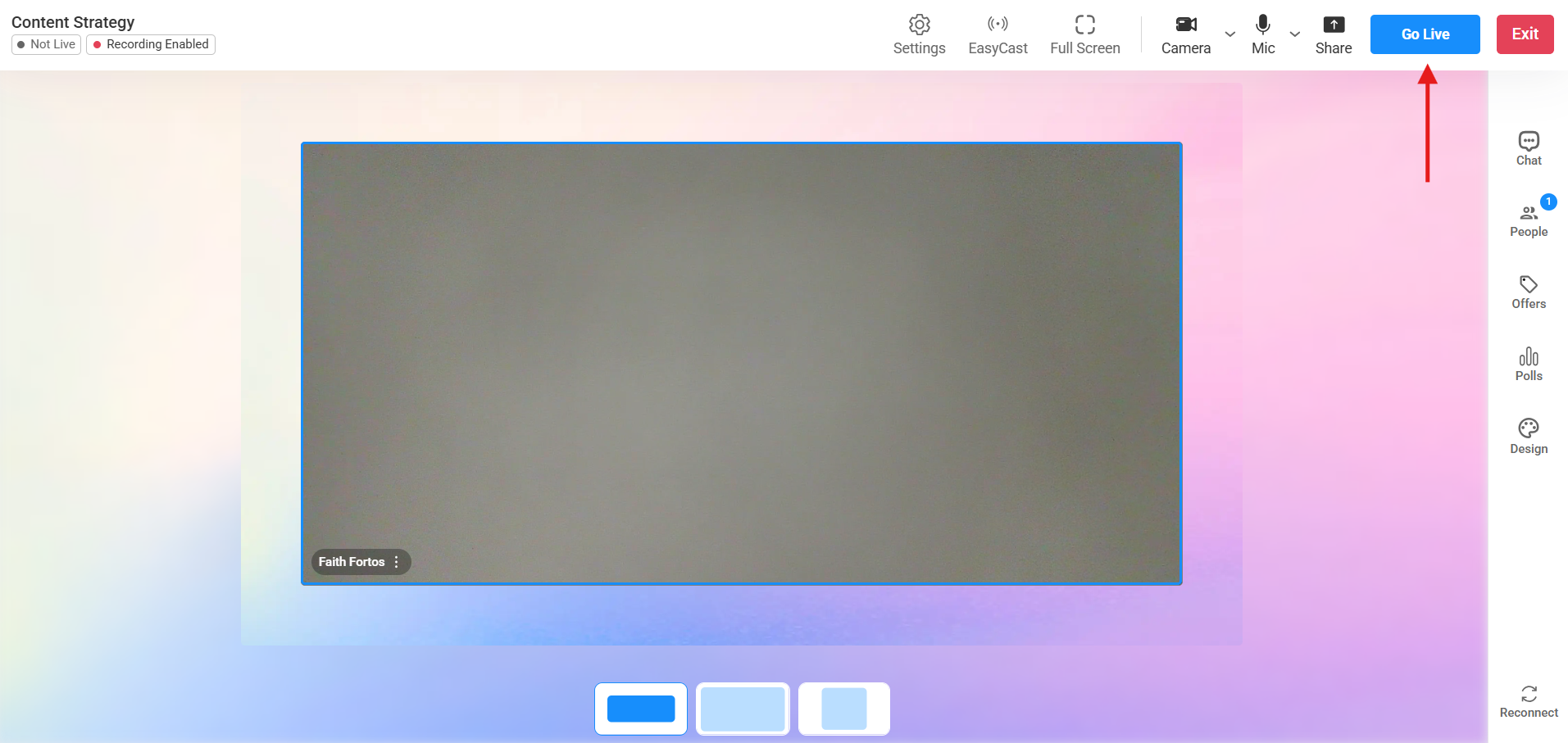
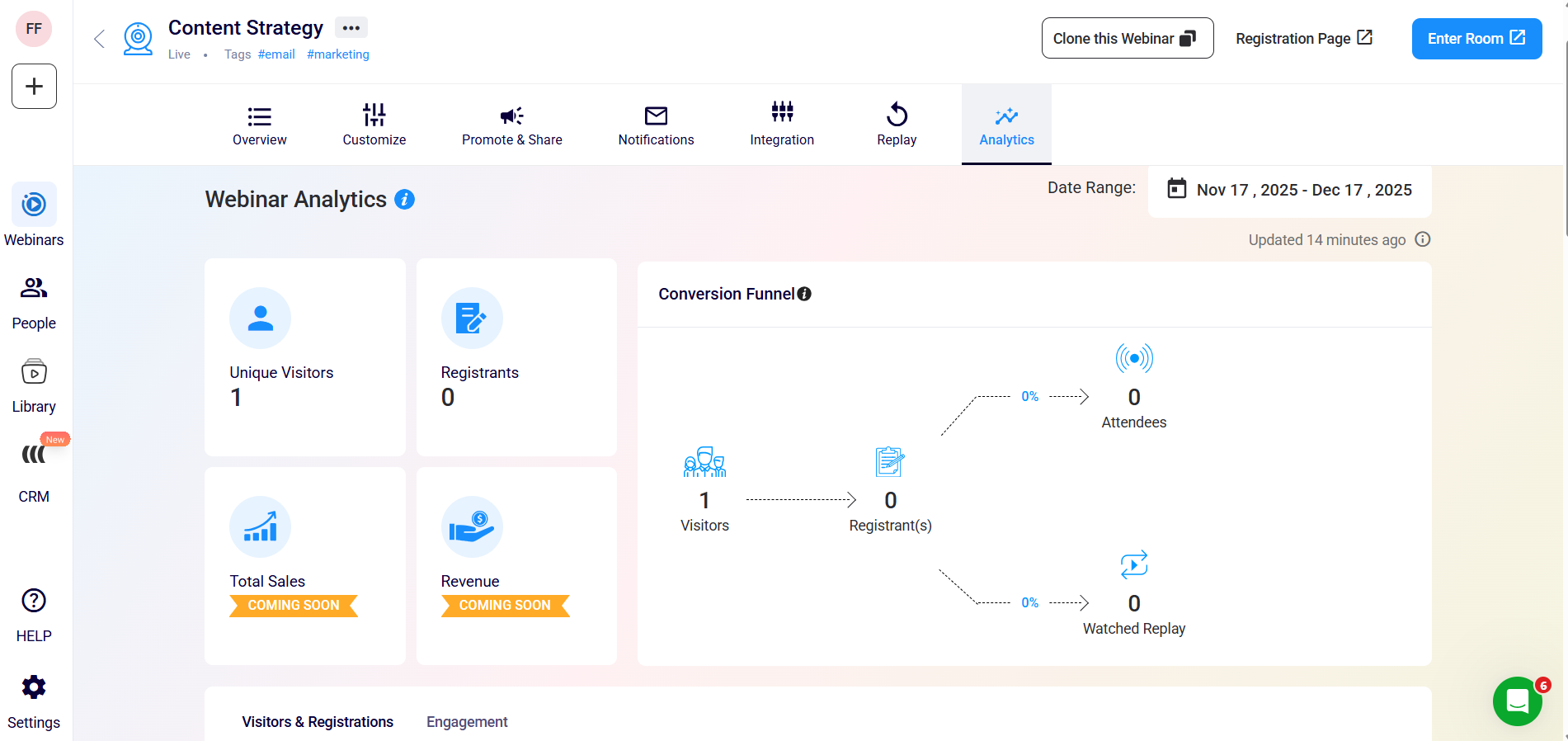
- Review replays and analytics: Enable replays and analyze attendance, watch time, and clicks to improve future webinars.
EasyWebinar has also launched its built-in CRM—here’s what the interface looks like and how it helps you manage your webinar contacts more effectively.
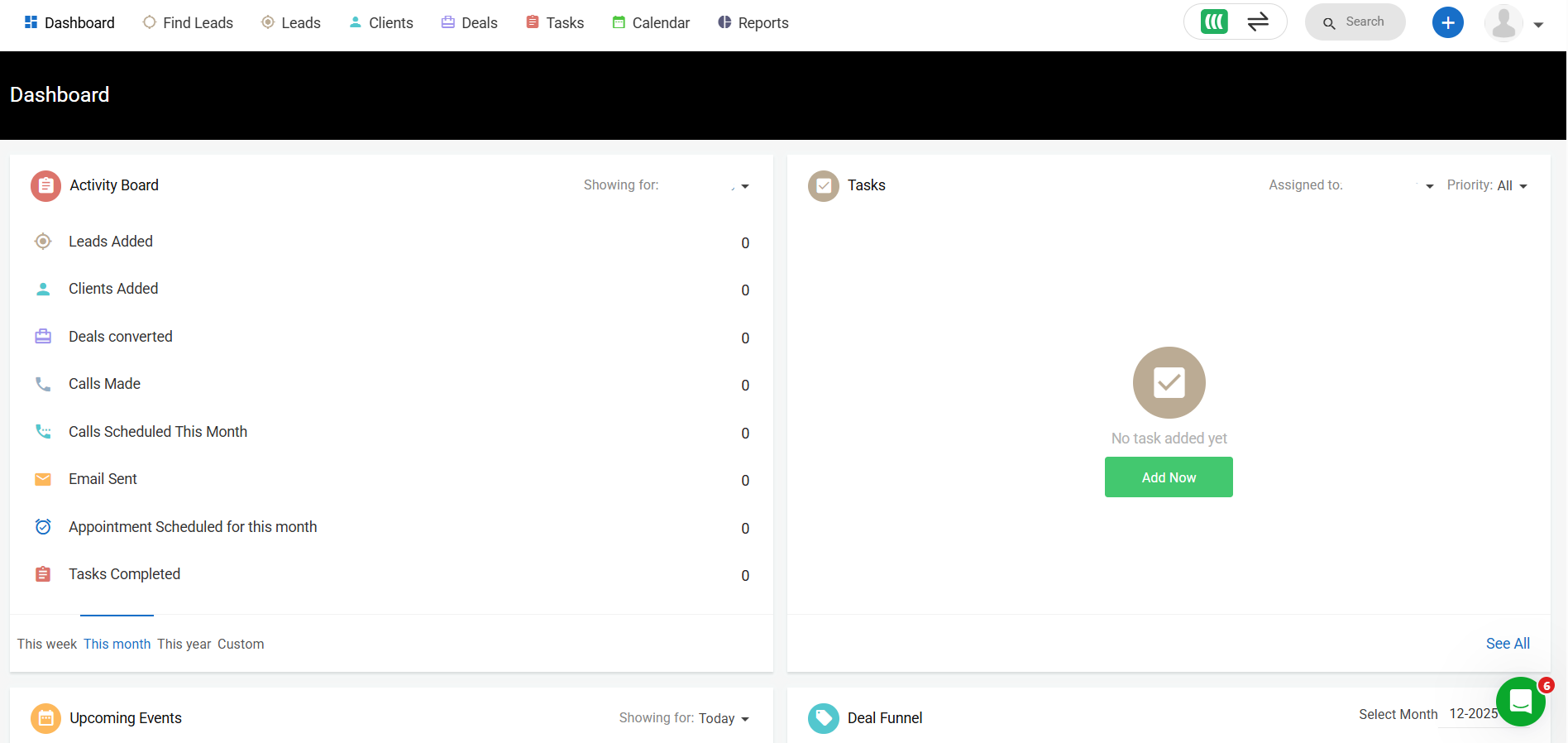
Scrolling down, you’ll see upcoming events, the deal funnel, recent activity, the deal pipeline, deal trends, and the sales leaderboard.
Key Features and Benefits
EasyWebinar combines marketing psychology with automation to increase conversions while saving you time. The following pillars define the platform's core experience:
1. The AI-Powered Advantage
In a blog focused on AI tools, the most significant highlight is EasyWebinar’s movement toward AI-driven content repurposing and smart scheduling.
- AI-Enhanced Repurposing: The platform assists in taking live recordings and identifying key "highlight" moments. This reduces the time spent in video editors, allowing you to turn a 60-minute session into bite-sized social media clips or automated "replays" that feel fresh.
- Smart Scheduling Logic: The "Just-in-Time" feature uses logic-based scheduling to offer the next available session to a visitor within minutes of them landing on the page, significantly increasing the "show-up" rate.
- Automated Engagement Simulation: The AI-powered simulated chat allows you to pre-schedule common questions and interactions, ensuring the energy of an automated session matches a live one.
2. High-Definition, No-Delay Streaming
Unlike many competitors that rely on third-party plugins or have significant lag, EasyWebinar offers ultra-low-latency HD streaming. This is vital for Q&A sessions where a 30-second delay can kill the momentum of a sale.
3. Comprehensive Page Builder & CRM
You don't need a separate website to launch. The built-in page builder creates mobile-responsive registration and thank-you pages. More importantly, the inbuilt Sales CRM tracks attendee behavior—knowing exactly who clicked your offer and who left halfway through—allowing for laser-targeted follow-up emails.
4. Interactive "Push Offers"
During a webinar, you can trigger custom CTAs with countdown timers. This isn't just a link in a chat; it's a visual, interactive pop-up that drives urgency. For businesses like Kim Constable’s The Sculpted Vegan, this feature has been a cornerstone in generating $750K from a single funnel.
What Makes EasyWebinar Different?
The primary differentiator is the seamless transition between Live and Automated states. Most platforms are either great at one or the other. EasyWebinar’s "Clone" technology allows you to take a live event—including the exact polls, chat logs, and offers used—and turn it into an automated funnel in seconds.
Additionally, its focus on Global Reach is superior. By automatically detecting the attendee's timezone and offering "Local Timezone Scheduling," EasyWebinar removes the geographic barriers that often limit webinar attendance. You can be sleeping while the system hosts a "live" experience for a lead on the other side of the planet.
Finally, the Integrations are deeper than standard API connections. It doesn't just "talk" to your email provider; it passes behavioral data. If a lead watches 90% of your webinar but doesn't buy, you can trigger a specific "Final Chance" email sequence automatically. If they only watch 10%, you can send them a "Did you miss it?" sequence.
Final Thoughts on EasyWebinar
For an AI-focused business, EasyWebinar is less of a "video tool" and more of a "labor-saving asset." Its ability to automate the human element of sales—the presentation, the interaction, and the follow-up—makes it a force multiplier for small teams.
While the "Easy" in the name reflects the user interface, the power lies in the analytics and the revenue systems under the hood. Generating $5M from a single evergreen funnel, as Carla did, isn't just about the video quality; it's about the "smart scheduling" and "seamless integrations" that EasyWebinar facilitates. If your goal is to build a scalable, automated revenue machine that leverages the best of modern automation and AI logic, EasyWebinar is arguably the most complete solution on the market today. It provides the freedom to focus on high-level strategy while the "All-in-One Revenue System" handles the technical execution.
Frequently Asked Questions
What is EasyWebinar Live?
EasyWebinar Live is a real-time webinar format that lets hosts present live using video, audio, screen sharing, chat, polls, and Q&A to interact directly with attendees.
Do you need your camera on during a webinar?
No, your camera does not need to be on; hosts can choose to present using slides, screen sharing, or audio only, depending on their setup and comfort level.
Can a webinar host see me?
No, attendees are not visible to the host unless the host explicitly enables a feature that allows participants to join on camera or microphone.
Can I watch an EasyWebinar session on my phone or tablet?
Yes, EasyWebinar webinars are browser-based and can be viewed on most mobile devices without installing additional software.
Will there be a replay if I miss the live webinar?
In most cases, yes—hosts can enable replays so registered attendees can watch the session later if they can’t attend live.
