

Exemplary AI is an all-in-one AI transcription and video AI tool designed to turn long-form audio and video content—like podcasts, webinars, interviews, and Zoom meetings—into bite-sized, social-ready assets in just a few clicks.
Instead of spending hours manually scrubbing through footage, Exemplary AI uses machine learning to transcribe audio in over 120 languages, extract viral-worthy short clips, and automatically generate written content like blogs, show notes, newsletters, and social media posts.
What Problems Does Exemplary AI Solve?
If you run a small business or build content as a solopreneur, you probably know the pain of the "content hamster wheel." You record a great 45-minute podcast episode or client webinar, publish it once, and then watch it sit there gathering dust because you simply don't have time to re-edit it for five different platforms.
Here are the specific headaches Exemplary AI eliminates:
- The Hours-Long Repurposing Bottleneck: Manually listening to an hour of audio to find 30-second highlights, adding captions, and re-formatting them takes hours per piece. Exemplary AI cuts that down to a few minutes.
- Transcription Expenses: Hiring virtual assistants or human transcription services for podcasts and meetings quickly gets expensive.
- Blank Page Syndrome: Turning spoken conversations into polished, SEO-friendly content creation assets (like blog posts or newsletters) usually requires starting from scratch.
- Tool Fatigue: Instead of using one app for transcription, another for clip editing (like OpusClip), and ChatGPT for written content, Exemplary AI consolidates these workflows into a single dashboard.
Who Should Use Exemplary AI?
Exemplary AI is built primarily for lean teams and creators who create video or audio content regularly and need maximum reach with minimal effort.
- Solopreneurs & Content Creators: Podcasters, YouTubers, and coaches who need social media content across TikTok, Instagram Reels, and YouTube Shorts without hiring an editor.
- Small Business Owners & Digital Marketers: Teams running webinars, interviews, or product demos who need to turn customer calls and talks into marketing collateral.
- Educators & Researchers: Anyone needing study materials, clean transcripts, or automated meeting notes for business communication.
- Agencies: Teams handling content repurposing for multiple clients who need a smooth import workflow and quick turnaround times.
If you don't produce audio or video content, this tool isn't for you. But if you sit on video archives, it’s a massive time-saver.
What Can Exemplary AI be Used For?
Exemplary AI acts as an automated content production studio. Here are the most common practical applications:
- Short Clips & Highlight Reels: Automatically identifying key hooks, high-energy moments, or insightful quotes from long videos and formatting them into vertical 9:16 videos with dynamic captions.
- SEO-Friendly Content Creation: Turning spoken interviews or speeches into structured long-form blogs, articles, and summaries ready for your website.
- Podcast Show Notes & Chapters: Generating timestamps, summary bullets, and detailed show notes ready to paste directly into Spotify, Apple Podcasts, or your newsletter platform.
- Meeting Notes & Action Items: Transcribing client calls, board meetings, or internal check-ins to extract actionable takeaways without taking manual notes.
- Multi-Language Content Expansion: Translating videos and transcripts into dozens of foreign languages to reach global audiences.
How Should You Use Exemplary AI?
Getting started with Exemplary AI involves a very minimal learning curve. Here is the straightforward step-by-step workflow:
- Start a Project — From your dashboard, click Create Project to begin.
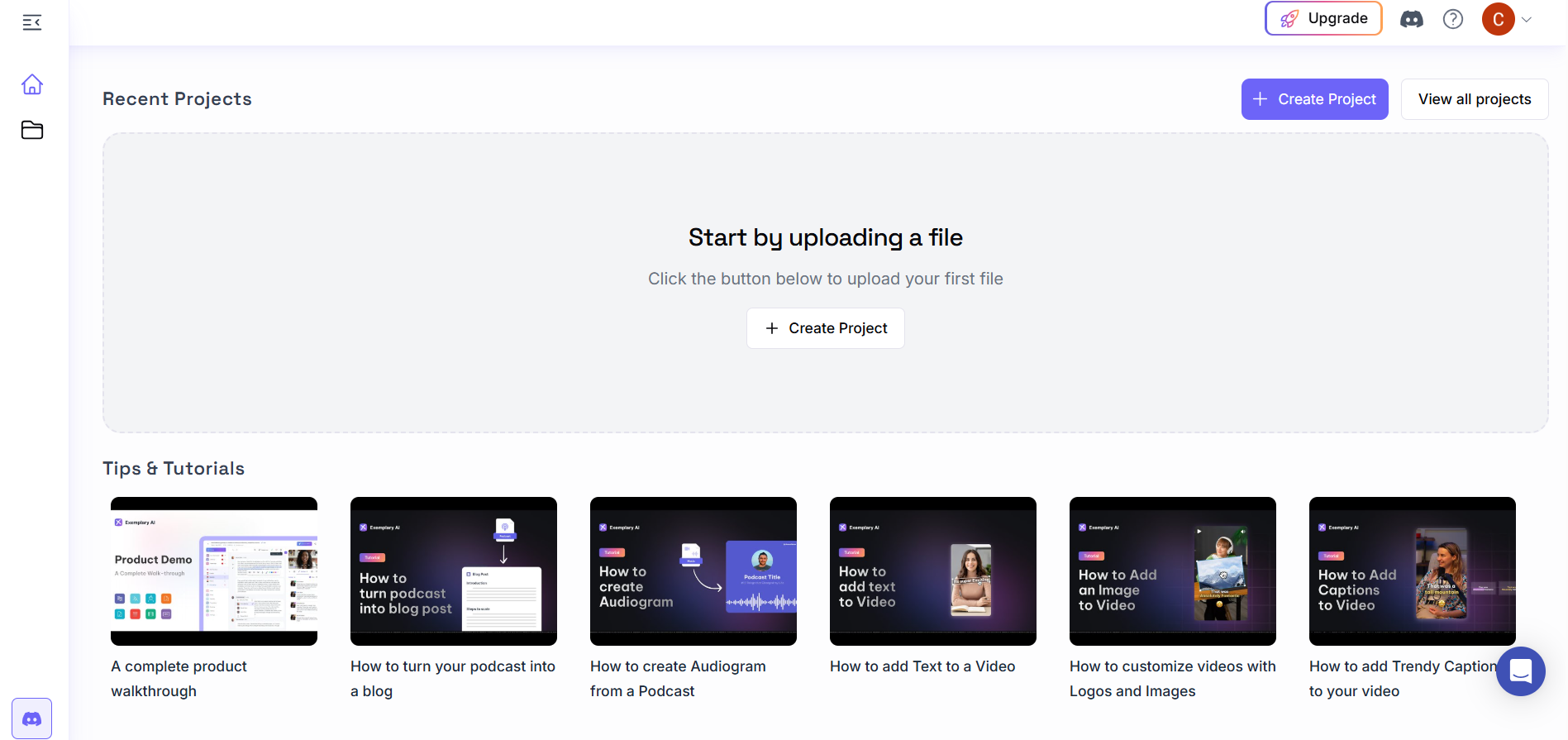
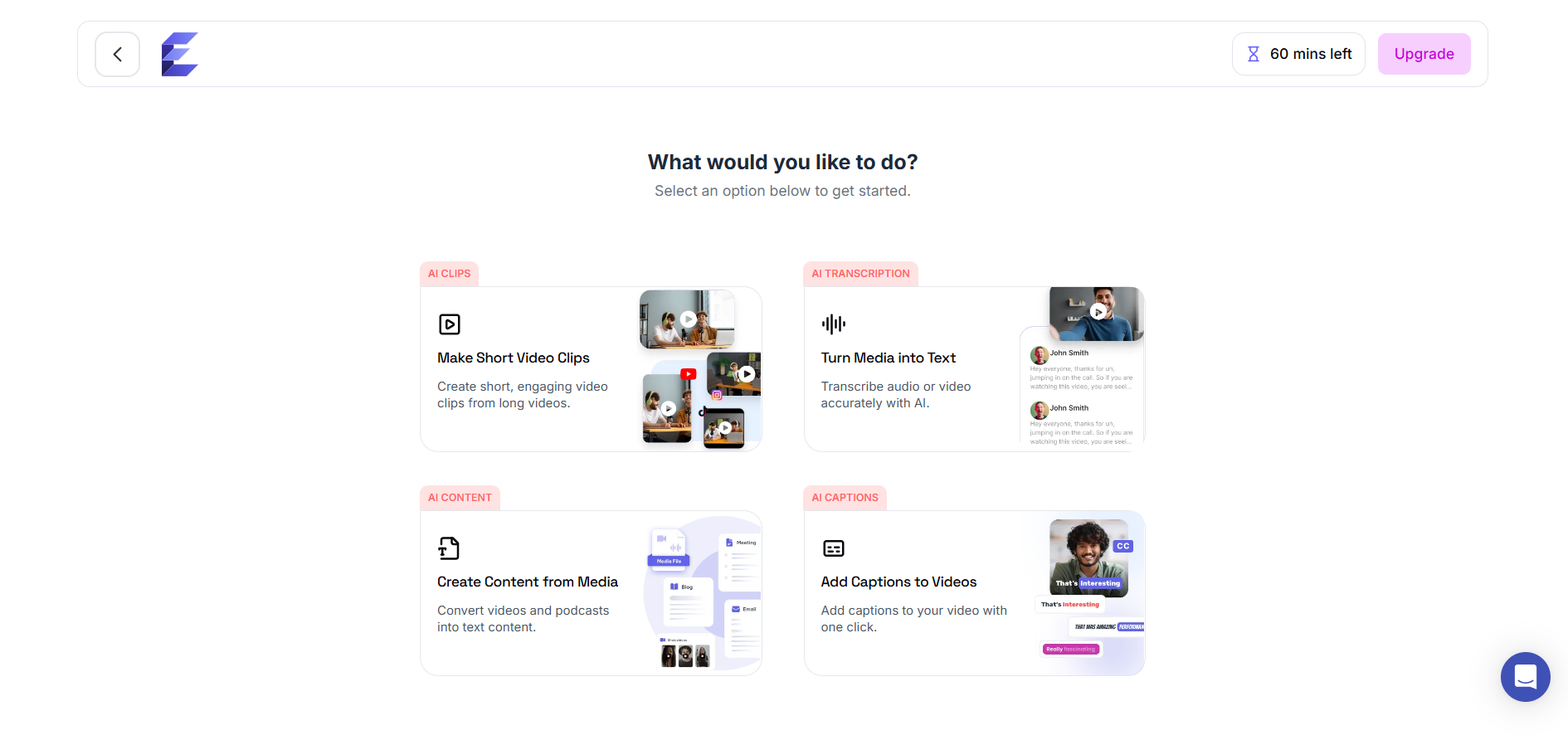
- Pick Your AI Tool — Choose from AI Clips, AI Transcription, AI Content, or AI Captions based on your goal.
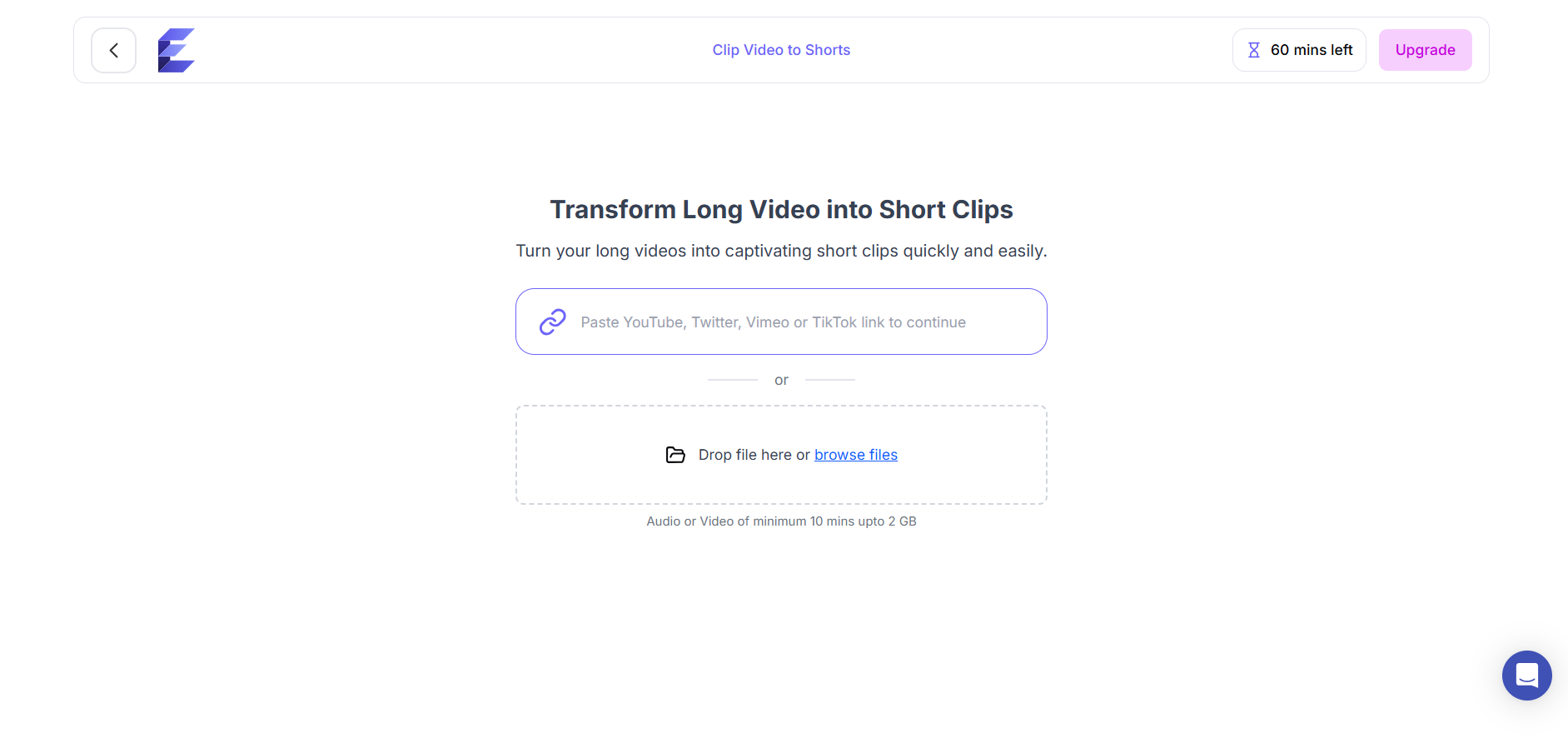
- Upload Your Video — Paste a YouTube, TikTok, Vimeo, or Twitter link, or drag and drop a file (up to 2GB).
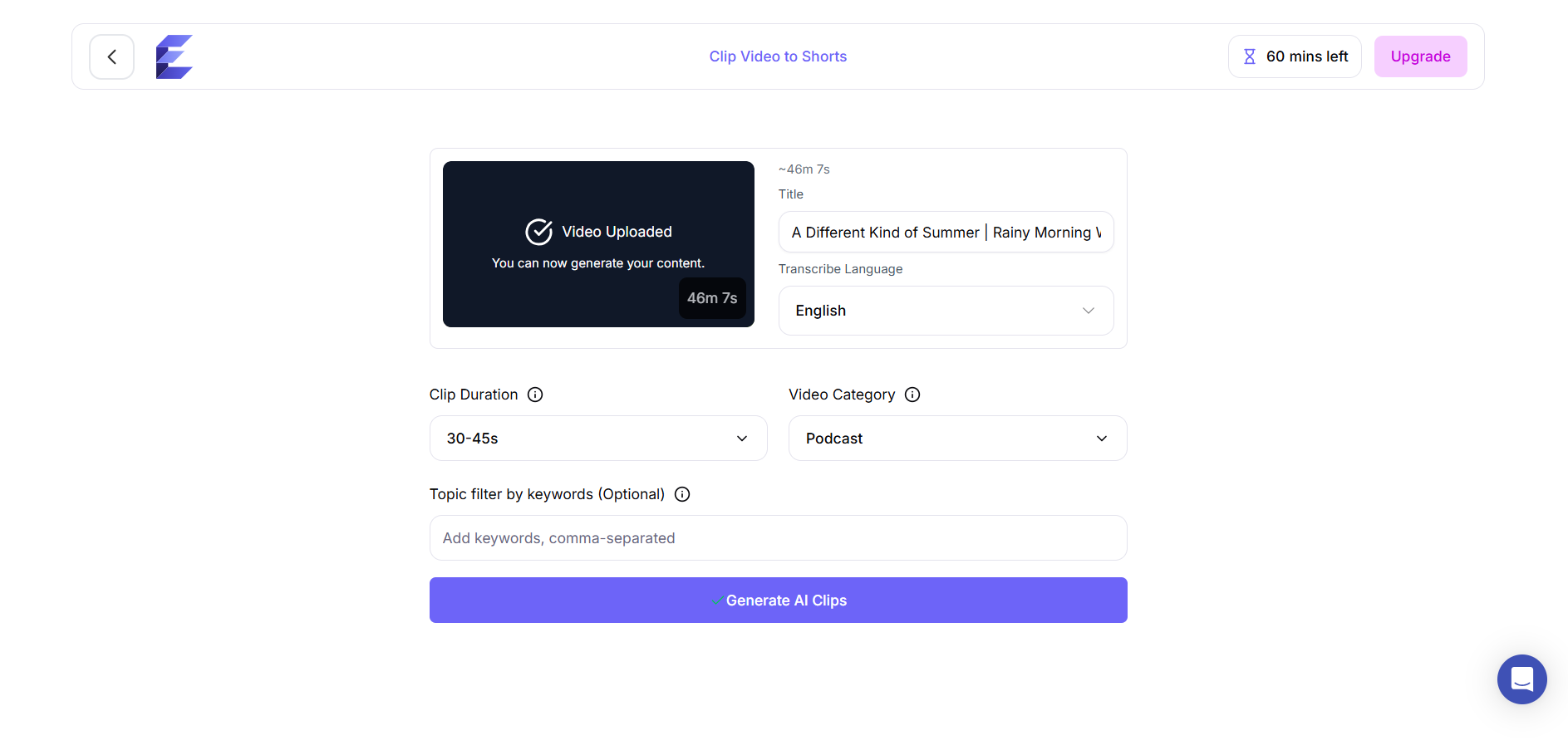
- Customize & Generate — Set your clip duration, video category, and optional keywords, then hit Generate AI Clips. The AI scans your footage and automatically cuts the most engaging moments into ready-to-post clips.
That's it — one long recording becomes a week's worth of short-form content, no editing skills needed.
What are the Key Features and Benefits of Exemplary AI?
Exemplary AI packs a lot into one platform — here's a quick look at what makes it worth considering for your content workflow.
- High Transcription Accuracy — 120+ languages, handles jargon, background noise, and speaker diarization
- AI Clips & Shorts Generator — Auto-crops to the speaker, adds animated captions, scores clips for viral potential
- Integrated GPT-Assisted Editor — Prompt the AI in-project to summarize, draft posts, or pull content from specific timestamps
- Custom Prompts & Templates — Save your branded format (e.g., show notes structure) and reuse with one click
- API & SDK — Build custom transcription/clipping workflows into your own apps
- Transparent Pricing — Free (testing), Pro (freelancers/creators), Ultimate/Enterprise (agencies, custom API, priority support)
What Makes Exemplary AI Different? (And An Honest Look at Complaints)
When evaluating any productivity tool, it’s critical to look past the marketing shine. How does Exemplary AI compare to standard alternatives like OpusClip or Vizard.ai, and where does it stand in 2026?
Exemplary AI vs OpusClip & Vizard.ai
- OpusClip is hyper-focused on video clips and viral hooks, but falls short when you need written copy, long-form SEO blogs, or deep meeting notes.
- Vizard.ai excels at video layouts, but its written content tools aren't as deeply integrated into a single workflow.
- Exemplary AI strikes a middle ground: it’s both a video AI tool and a complete AI writer. It gives you the full text-and-video spectrum in one dashboard.
Real Talk: Addressing Common User Pain Points & Content Gaps
If you read product reviews on Product Hunt or Reddit, you'll see a few recurring complaints from early versions of Exemplary AI. Let’s address them honestly:
- Sluggish Clip Generation & Export Speed: Processing high-resolution, long-form videos (over an hour) can take several minutes. While performance has improved noticeably, don't expect instant 5-second rendering for heavy files.
- Export Limitations & Navigation Quirks: Earlier users complained about export restrictions on certain formats and difficulty jumping directly to specific transcript sections. The clean interface has made transcript navigation smoother, though power users editing minute details in long transcripts might still find dedicated video editing suites (like Premiere) more fluid for precise cuts.
- AI Caption Nuance (Humor & Sarcasm): Like most video AI tools on the market, the automated caption engine occasionally takes sarcastic remarks or jokes literally, or misses precise punctuation on casual slang. A quick 2-minute skim in the editor before hitting export is always recommended.
Final Thoughts on Exemplary AI
If you are a solopreneur, marketer, or small team leader who feels overwhelmed by the constant pressure to create multi-platform content, Exemplary AI genuinely lives up to its promise as a major time-saving asset. It bridges the gap between raw video recordings and multi-channel marketing campaigns.
It isn't a total replacement for a dedicated human video editor if you want complex visual effects, but for 80% of everyday content repurposing—turning podcasts into short clips, blogs, and show notes—it can easily save you 5 to 10 hours of work every week.
Frequently Asked Questions (FAQs)
Is Exemplary AI legit?
Yes, Exemplary AI is a legitimate, widely used AI platform designed for audio/video transcription, short clip extraction, and written content repurposing. Thousands of creators, agencies, and businesses use it daily to streamline their workflow.
Is Exemplary AI free?
Yes, Exemplary AI offers a Free plan. It provides basic transcription minutes and essential AI tools so you can test the interface and feature quality before deciding to upgrade to a paid tier.
What file formats and links can I import into Exemplary AI?
You can upload standard video and audio formats like MP4, MOV, MP3, and WAV directly. You can also paste public links from platforms like YouTube, Zoom, Google Drive, and Spotify for direct importing.
How accurate is Exemplary AI's transcription service?
Exemplary AI delivers up to 95%+ accuracy across 120+ languages. It handles speaker diarization (separating different voices) and domain-specific terminology cleanly, though a quick review in the editor is always good practice for slang or fast dialogue.
Can I remove watermarks and customize clips for my brand?
Yes. Paid plans (Pro and Ultimate) let you export high-definition video clips without watermarks, allowing you to add custom brand colors, logos, font styles, and animated caption presets.
