Reply.io is an AI-powered multichannel sales engagement platform that helps businesses find leads, write personalized outreach, and automate follow-ups across email, LinkedIn, SMS, WhatsApp, and phone calls from one dashboard. Instead of manually copying and pasting messages into spreadsheets and tabs all day, you build a sequence once, and the platform handles the daily outreach and meeting booking for you.
What Problems Does Reply.io Solve?
If you run a small business or work as a solopreneur, your outbound sales probably suffer from these exact roadblocks:
- Inconsistent pipeline: You spend hours researching leads and writing cold emails, get slammed with client work, and completely forget to send follow-ups.
- Tool overload and bloated costs: You are paying for three or four separate subscriptions just to find email addresses, warm up your domain, send emails, and message prospects on LinkedIn.
- No time or budget to scale: You need more sales calls on your calendar, but you do not have four hours a day to prospect—and hiring a full-time Sales Development Representative (SDR) costs thousands of dollars a month.
- Low reply rates: Sending generic, single-channel cold emails gets ignored in crowded inboxes.
Reply.io fixes these bottlenecks by putting lead sourcing, email deliverability, and AI-driven multichannel follow-ups under one roof.
Who Should Use Reply.io?
Not every business needs an automated outbound engine, especially if you rely purely on inbound ads or referrals. However, if your growth depends on proactively starting conversations with B2B decision-makers without hiring a massive sales team, this tool was built with you in mind.
Reply.io is built best for:
- Solopreneurs and Consultants: People wearing every hat in their business who need a consistent flow of sales calls without spending four hours a day in their inbox.
- Small to Medium-Sized Businesses (SMBs): Lean teams that want to punch above their weight class and run enterprise-level outbound campaigns without hiring extra headcount.
- B2B Agencies: Lead generation or marketing agencies managing multiple client campaigns that need separate workspaces and unified reporting.
Who shouldn't use it? If you only send ten casual emails a week or run a purely B2C e-commerce store relying on Instagram ads, this tool is overkill.
What Can Reply.io Be Used For?
At its core, you use Reply.io to start B2B conversations that turn into booked meetings. Specifically, you can use it for:
- Reply.io cold email campaigns with automated multi-step follow-ups that stop the second someone replies.
- LinkedIn prospecting, including automated profile views, connection requests, and direct messages.
- B2B lead generation, pulling verified contact data straight from their built-in database of over 1 billion contacts.
- AI-assisted inbox management, where the system categorizes replies (interested, not now, out of office) and drafts responses for you.
How Should You Use Reply.io?
Setting up a campaign with Jason AI SDR takes just a few straightforward steps:
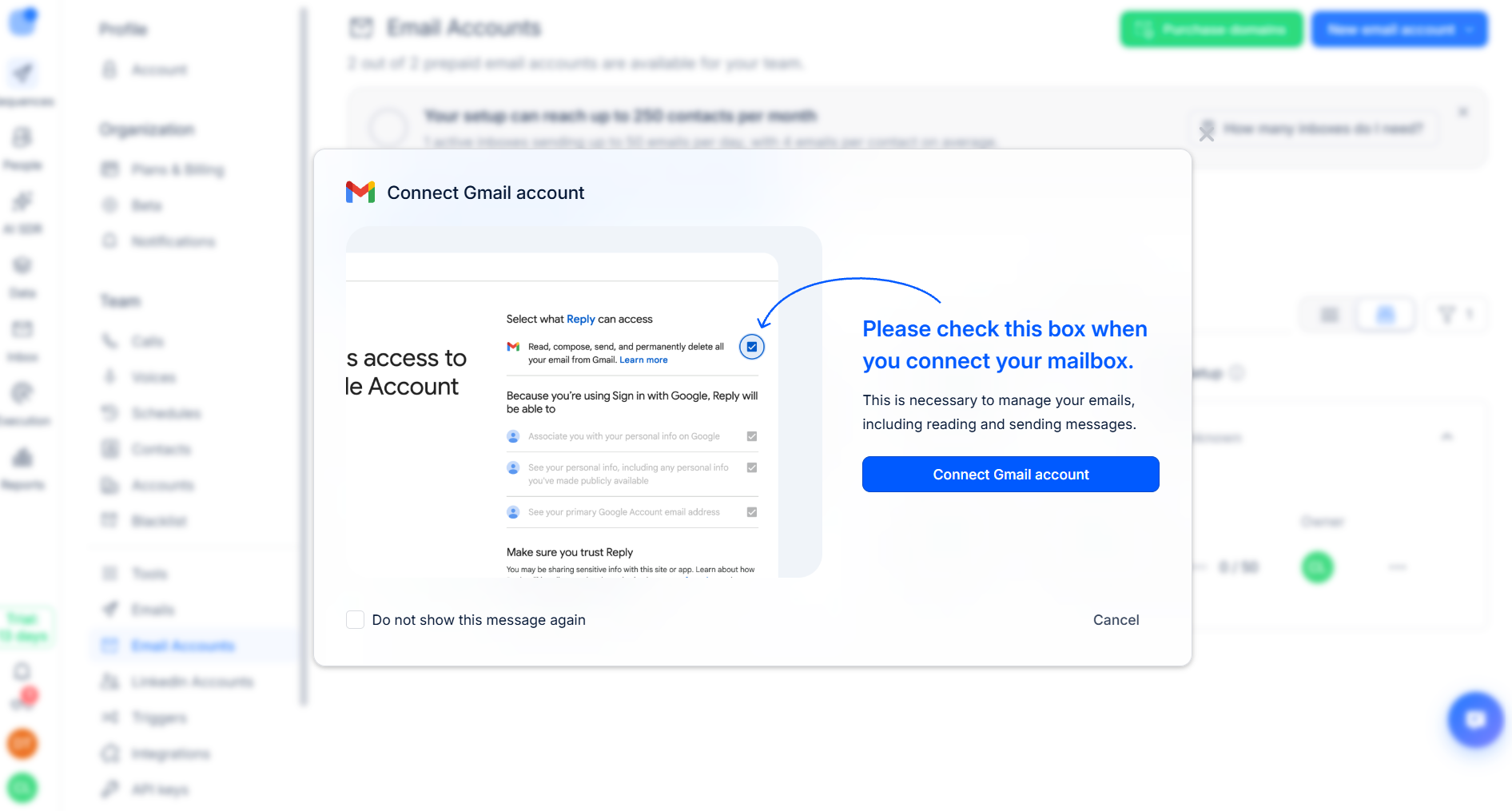
- Connect your channels and warm up: Link your Google or Microsoft mailbox and turn on Mailtoaster.ai (included free) to automatically protect your sender reputation. Then, connect LinkedIn via their Chrome extension.
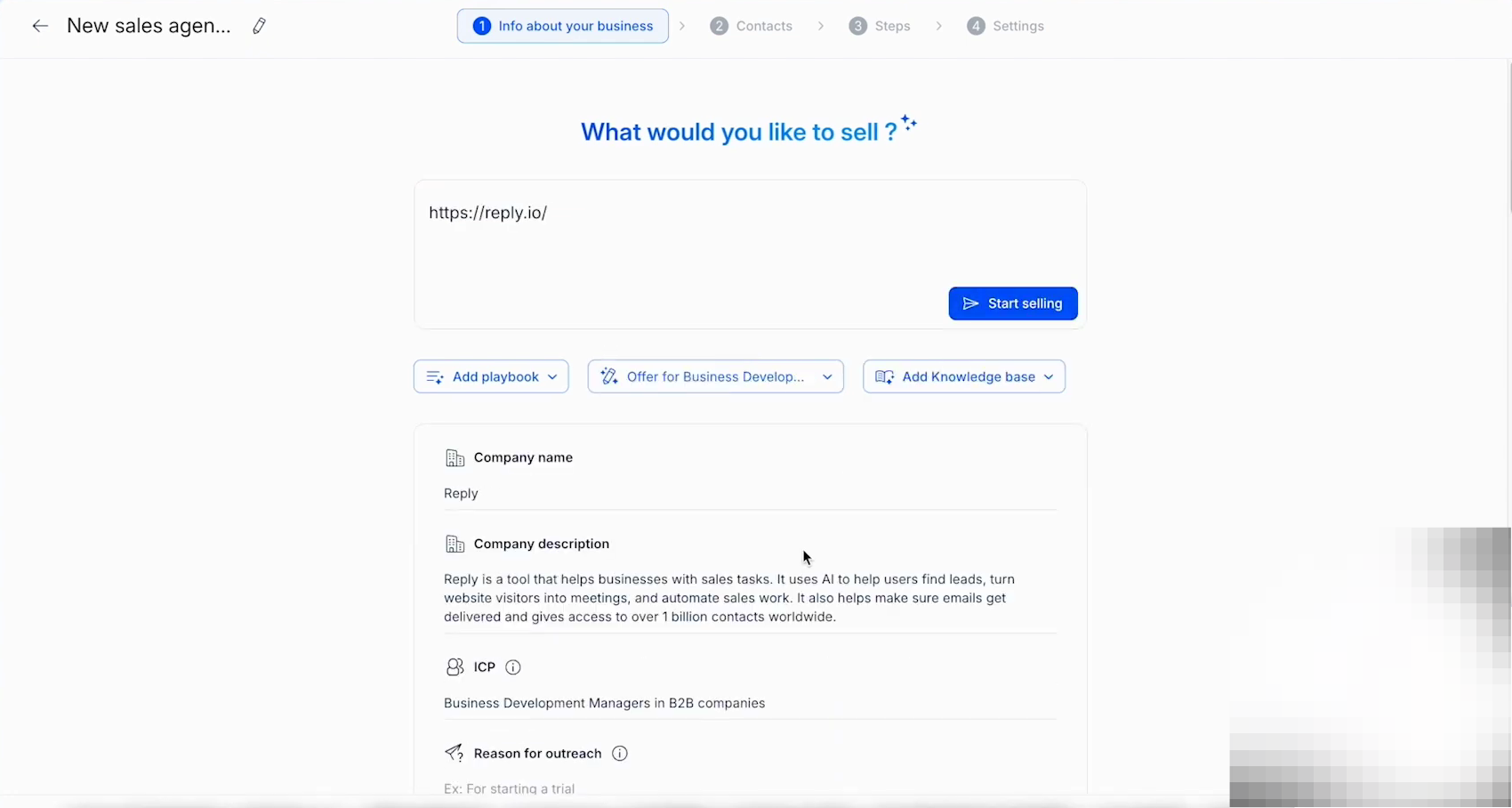
- Train Jason on your business: Set up a Playbook (your sales style and rules), create an Offer (your pitch, pain points, and CTAs), and upload FAQs to your Knowledge Base so Jason replies in your exact voice. (Short on time? Just paste your website URL, and Jason will auto-fill these for you).
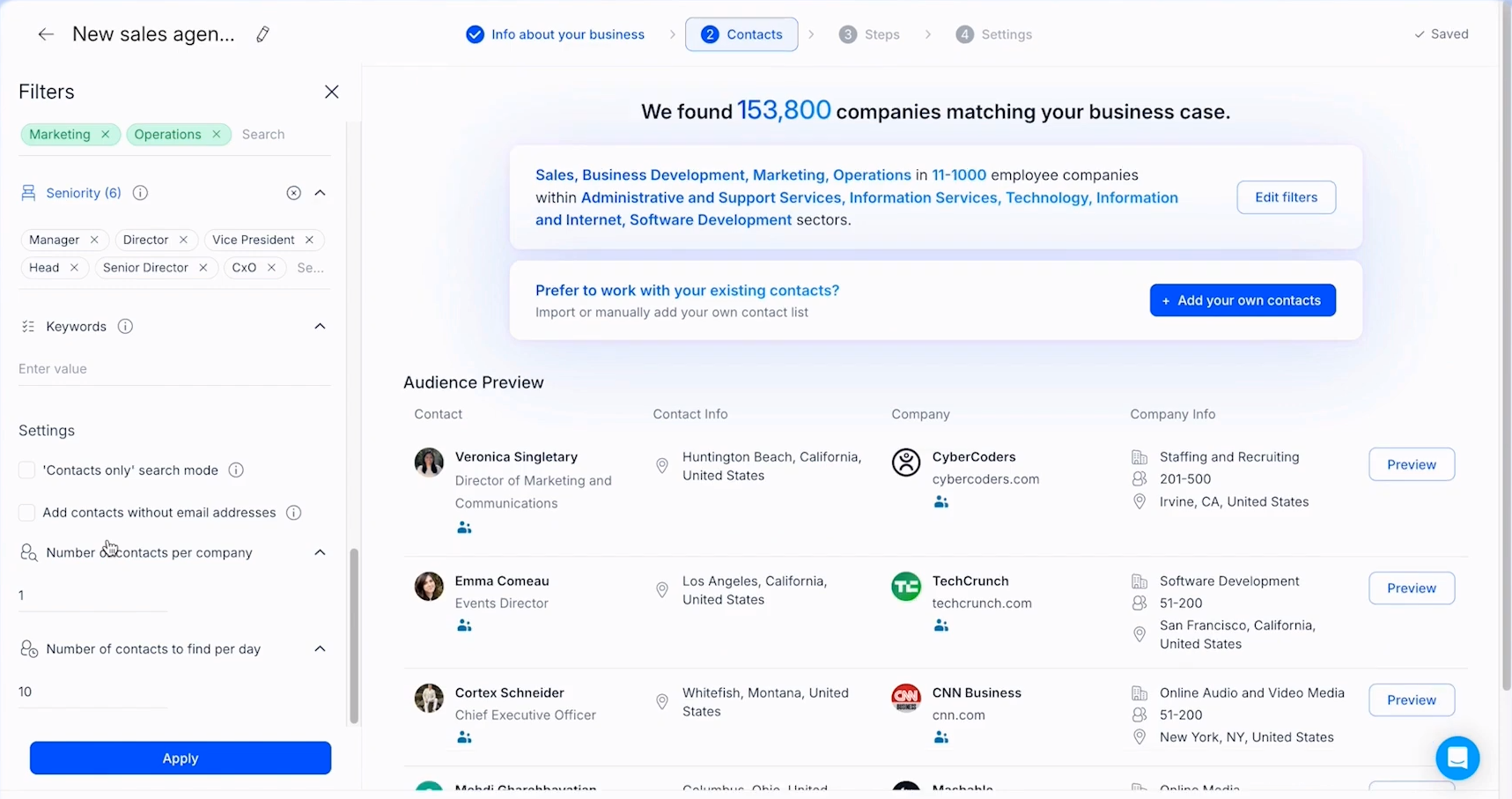
- Review your ICP and sequence: Refine the live lead filters Jason pulls for your Ideal Customer Profile, then tweak the conditional multichannel sequence (email + LinkedIn) it builds.
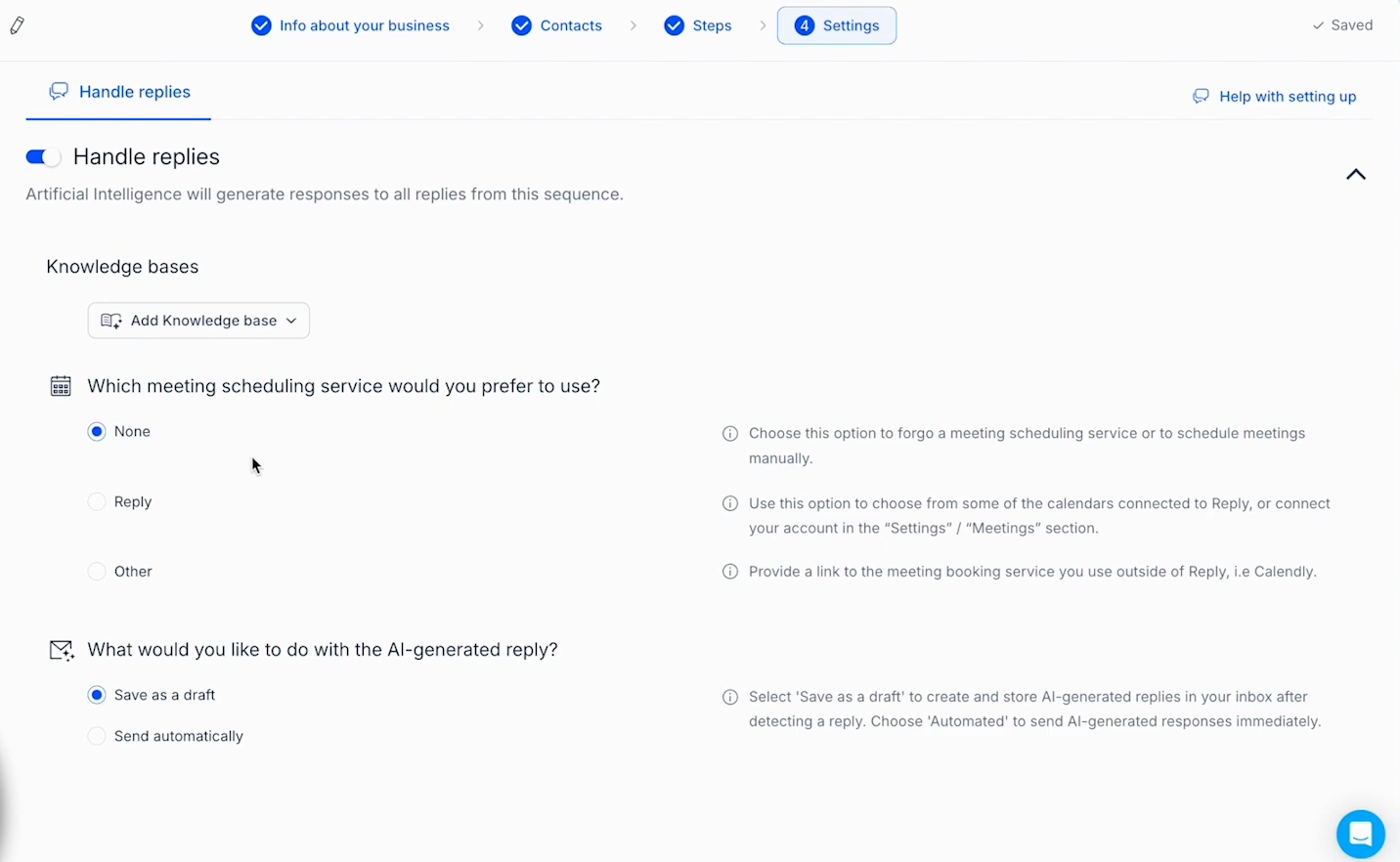
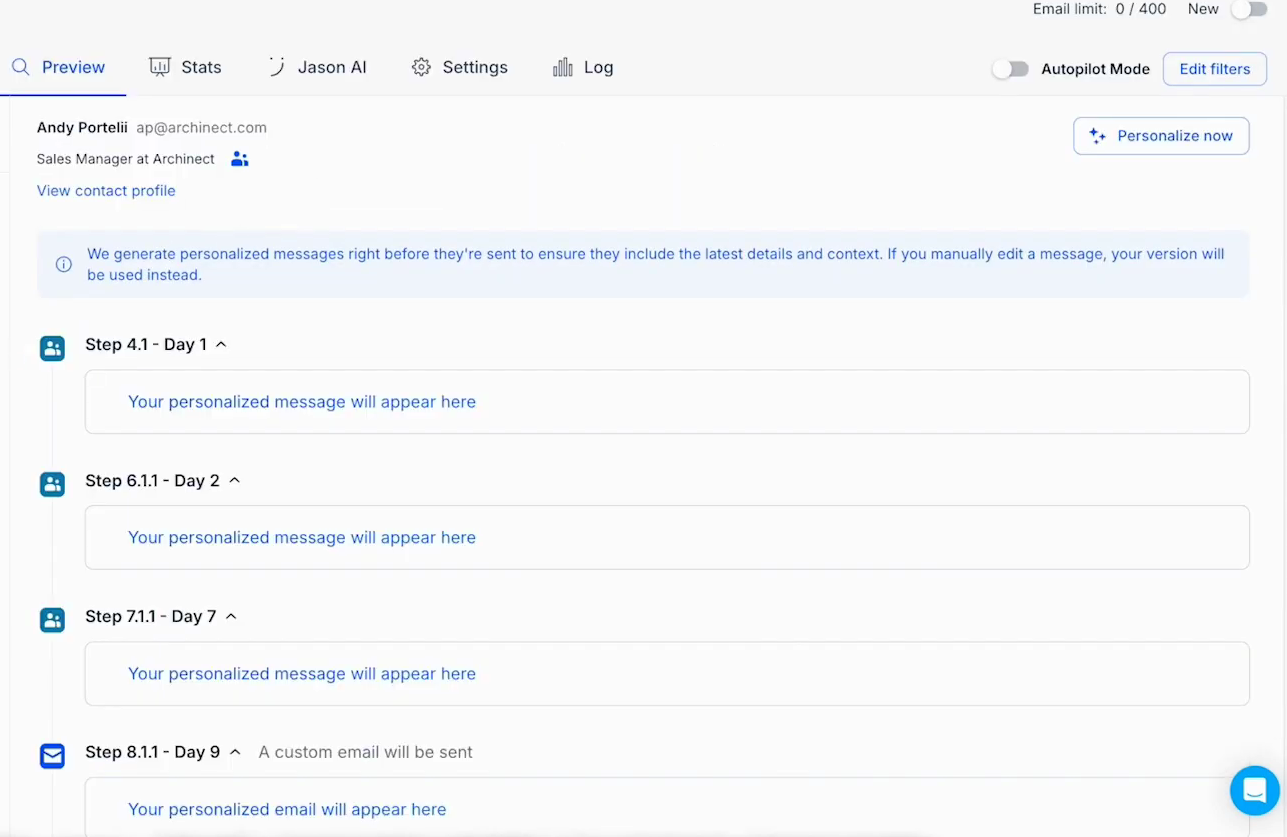
- Configure settings and launch: Connect your calendar, set Jason to save replies as drafts for manual approval (or full autopilot), preview the personalized messages in the Preview tab, and hit launch.
What are the Key Features and Benefits of Reply.io?
When looking at Reply.io features, the platform stands out because it leans heavily into practical AI rather than gimmicks:
- Jason AI Reply.io (Your AI SDR): This is their flagship AI agent. You give Jason your product info and ideal customer profile, and it finds leads, spots buying intent signals, writes custom icebreakers, handles objections in your inbox, and books meetings directly onto your calendar. It offers an "Approval Mode" so you stay in control, or full autopilot if you want to be hands-off.
- True Multichannel Sequences: Most tools only do email. Reply.io lets you weave emails, LinkedIn steps, calls, and SMS into a single timeline so prospects see your name in more than one place.
- Built-in B2B Data & Chrome Extension: You don't need a separate data subscription. You can search their live database directly inside the app or grab verified emails while browsing LinkedIn profiles.
- Deliverability & Warm-up Suite: It includes unlimited mailbox warm-ups, Google Postmaster integration, and anti-spam checks to keep your messages out of the promotions or spam folders.
What Makes Reply.io Different?
If you are comparing Reply.io vs Lemlist, Instantly, or Apollo, here is where the difference lies.
Instantly is fantastic for high-volume, email-only sending, and Apollo is a massive database first with outreach tacked on. Lemlist is great for creative visual personalization. Reply.io sits right in the sweet spot: deep multichannel automation combined with a true autonomous AI agent.
Instead of just offering an "AI writer" that spits out generic templates, Jason AI actually manages the workflow—from researching the prospect to replying to their questions. If you are looking at Reply.io alternatives, very few combine native LinkedIn automation, a billion-contact database, and an AI response handler this cleanly in one spot.
Final Thoughts on Reply.io: Pros, Cons & Pricing
Before you jump in, let’s look at the honest Reply.io pros and cons and how the numbers break down.
The Pros:
- Saves hours of manual prospecting and follow-up every week.
- Jason AI genuinely reduces the need to hire a junior sales rep.
- True multichannel outreach (email + LinkedIn) gets noticeably higher reply rates than email alone.
- Built-in email warm-up and data credits save you from buying extra tools.
The Cons:
- Reply.io pricing can add up depending on what you need. The Email Volume plan starts around 49–59/month, and the Multichannel plan starts at 89–99/user/month. However, if you want the full Jason AI SDR autonomous agent, plans start around $500/month (billed annually).
- Because it does so much, the dashboard takes an afternoon to learn compared to simpler email-only tools.
So, is Reply.io worth it?
If you are a solopreneur or small business owner selling a high-ticket service or B2B product, landing just one new client usually pays for the software for the entire year. While the full Jason AI tier is an investment meant for teams ready to scale fast, their standard Multichannel plan gives you plenty of AI personalization and automation at a fraction of the cost.
Frequently Asked Questions
Is Reply.io free?
Reply.io offers a 14-day free trial (no credit card required) and a limited free plan for basic Chrome extension usage, though paid plans are needed for full outreach automation.
Does Reply.io have a dialer?
Yes. Reply.io includes a built-in cloud dialer so you can make, receive, and record international calls directly inside your outreach sequences. You can purchase local numbers in over 100 countries, leave pre-recorded voicemails, and automatically log call outcomes to your CRM without switching tabs.
Is Reply.io good?
Yes—especially for B2B founders, agencies, and small teams who want to combine cold email, LinkedIn outreach, and AI personalization in one platform. With built-in B2B lead data, automated follow-ups, and an AI SDR to handle replies and meeting bookings, it replaces a fragmented outreach stack at a fraction of the cost.
Is LinkedIn automation safe on Reply.io?
Yes, Reply.io uses human-like delays, daily action limits, and cloud-based safety protocols to protect your LinkedIn account from restrictions. It also assigns a dedicated country-matched IP address and includes gradual account warm-up controls so you can scale connection requests and messages safely.
Does Reply.io integrate with CRMs?
Yes, it offers native, two-way integrations with HubSpot, Salesforce, Pipedrive, Copper, and Zapier to keep your leads synced automatically. You can map custom fields, enroll CRM contacts directly into sequences, and automatically log sent emails, calls, and tasks back to your CRM—plus connect thousands of other tools via Make, n8n, webhooks, or the REST API.