

Riverside is an all-in-one platform used by creators, podcasters, and businesses to record, edit, and stream high-quality video and audio content remotely, ideal for interviews, webinars, podcasts, and marketing videos, by capturing local recordings for studio quality and using AI tools for easy editing and repurposing.
Riverside is a browser-based virtual studio. It records high-quality video and audio directly on each person’s device. Because it captures the recording at the source, the final result stays clear and professional. This works even if someone’s internet connection drops during the session.
Beyond recording, Riverside acts as an AI-powered production assistant. It automates the technical heavy lifting by processing audio, generating transcripts, and creating marketing assets, allowing businesses to produce studio-grade content without the need for a traditional crew or hardware.
What Problems Does Riverside Solve?
Riverside acts as a bridge between professional studio needs and the reality of remote work. Specifically, it addresses several critical pain points:
- The "Unreliable Internet" Problem: By recording locally on each device, Riverside ensures that "glitchy" video or audio lag from a bad connection never makes it into your final product.
- The Content Repurposing Bottleneck: Traditionally, turning a long meeting or interview into social media clips took hours of manual labor. Riverside’s AI automates this, reducing the time from hours to seconds.
- The Need for Expensive Post-Production: It eliminates the need for a dedicated video editor for basic tasks like cleaning up audio, syncing tracks, or removing silence.
- Technical Friction: It allows non-technical team members to produce high-end media content with minimal training, removing the barrier of complex software.
Who Should Use Riverside?
Riverside is built for any business or individual who needs to communicate through video or audio at a high level.
- Marketing Teams: To create video ads, customer testimonials, and social media clips without hiring a full production house.
- Internal Communications: For executives to record high-fidelity company updates or training sessions that feel more engaging than a standard Zoom recording.
- Podcasters and Broadcasters: For those who need studio-quality sound (48kHz uncompressed) and 48K video for remote interviews.
- Webinar Hosts: For companies running live events that need to be streamed to multiple platforms simultaneously while capturing lead data.
- Content Creators: For anyone looking to repurpose long-form videos into short, viral-ready snippets for TikTok, Reels, or LinkedIn.
What Can Riverside be Used For?
The platform is versatile enough to handle various media workflows:
- Professional Podcasts: Record multiple people on separate tracks, making it easy to edit individual voices later.
- Corporate Webinars: Host live sessions with Q&As and audience call-ins, then sync lead data directly to CRM tools like HubSpot.
- Social Media Content Engines: Take one 30-minute interview and instantly generate dozens of "Magic Clips" optimized for different social platforms.
- Global Dubbing: Translate a presentation into over 30 languages using AI, allowing a single recording to reach a global audience.
- B-Roll Generation: Use text prompts to generate supplementary video footage that fills in visual gaps during a recording.
How Should You Use Riverside?
If you are new to professional recording, think of Riverside as your remote production crew. Here is a step-by-step manual to get you started:
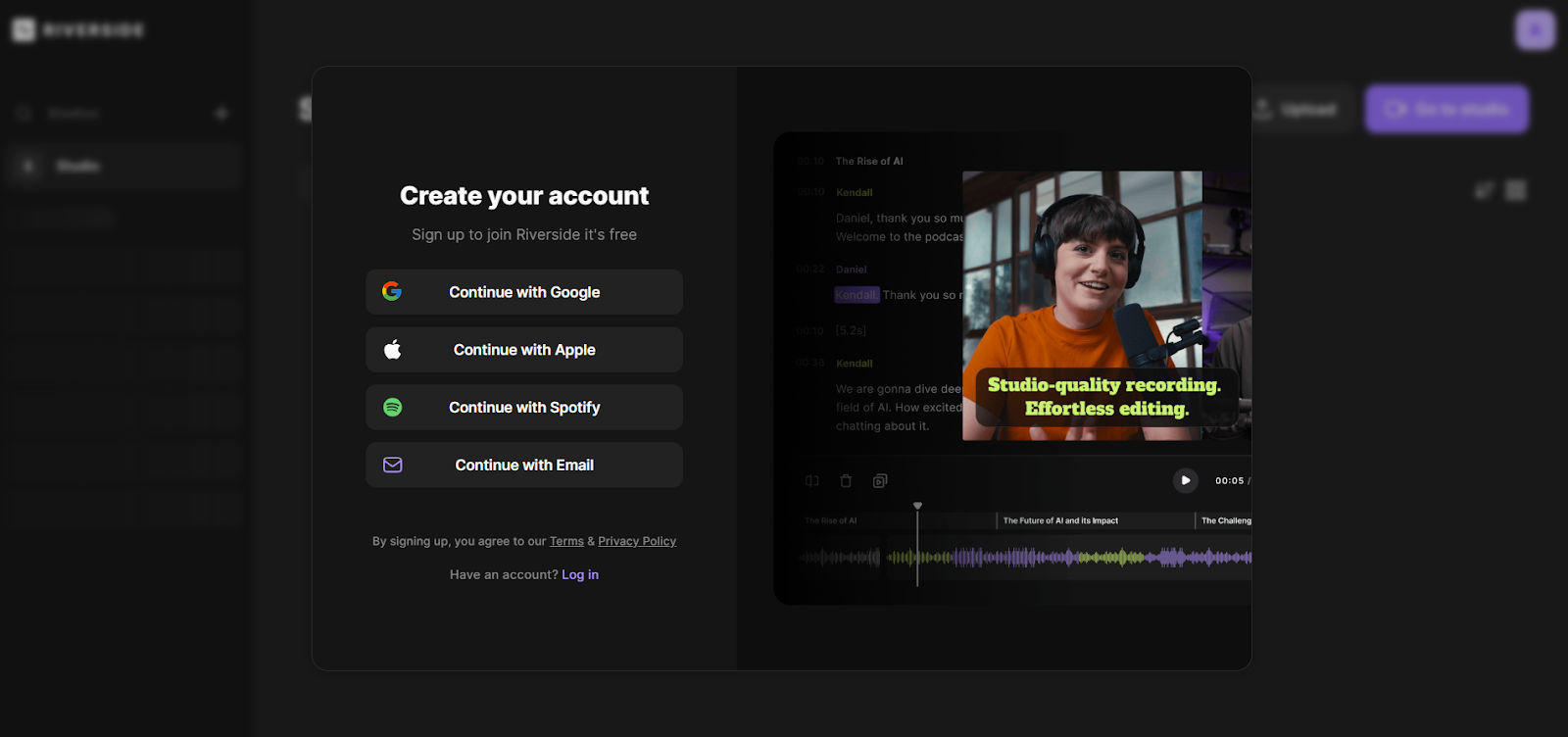
Step 1: Create Your Account
Visit the website and click "Start for Free." You can sign up using your email or a Google account.
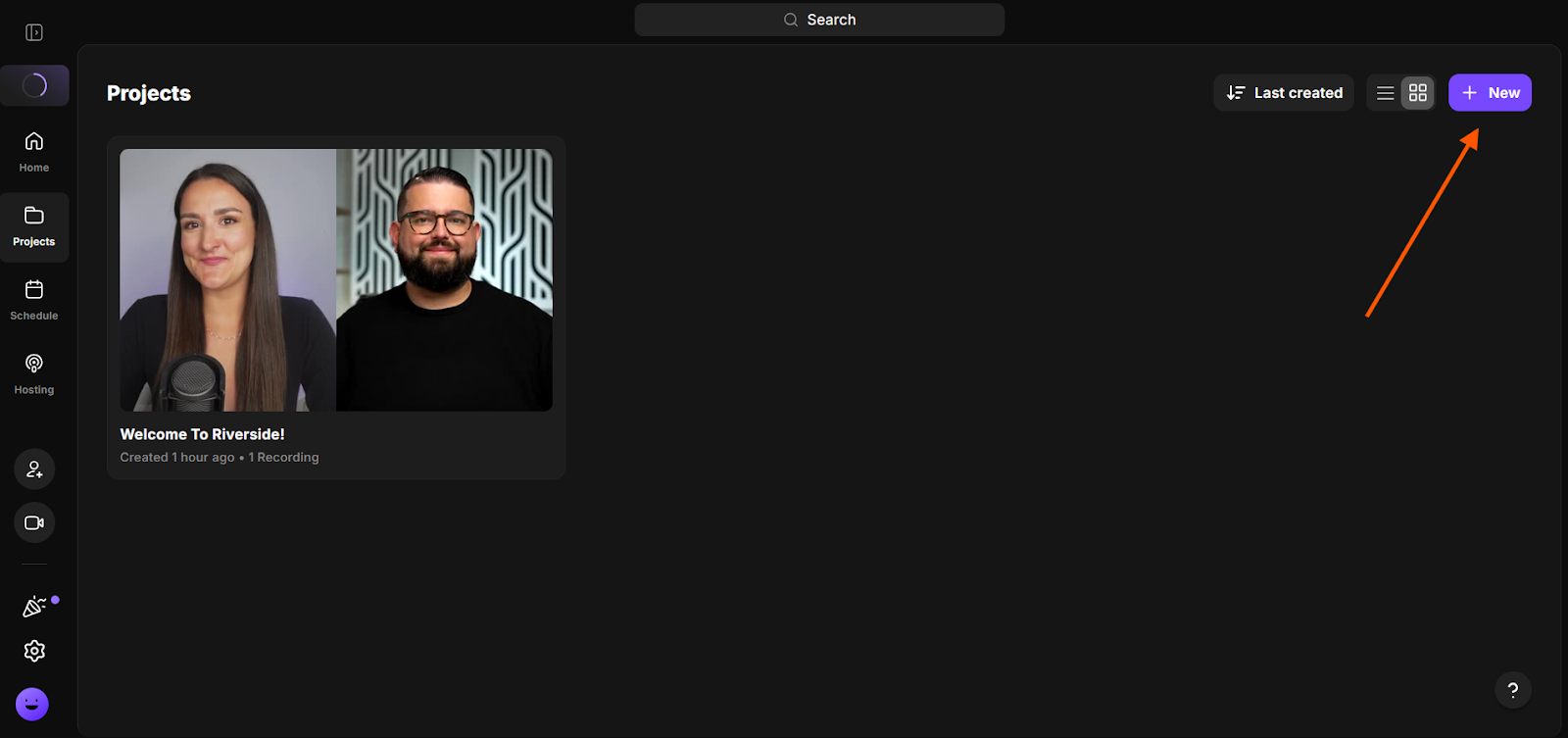
Step 2: Set Up Your Studio
Click the "+ Create New" button in your dashboard. Give your studio a name (e.g., "Monthly Marketing Update") and select "Audio & Video."
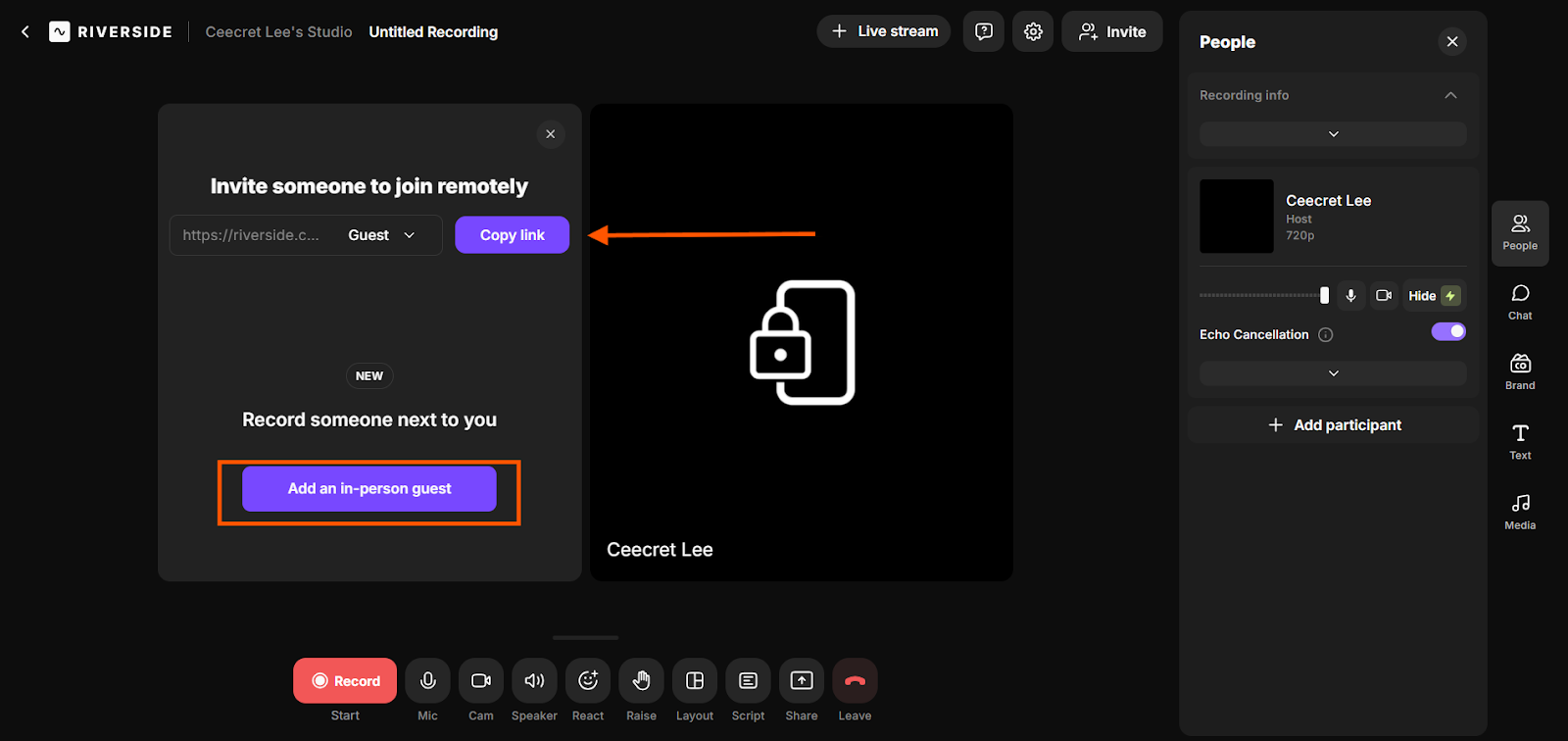
Step 3: Invite Your Guests
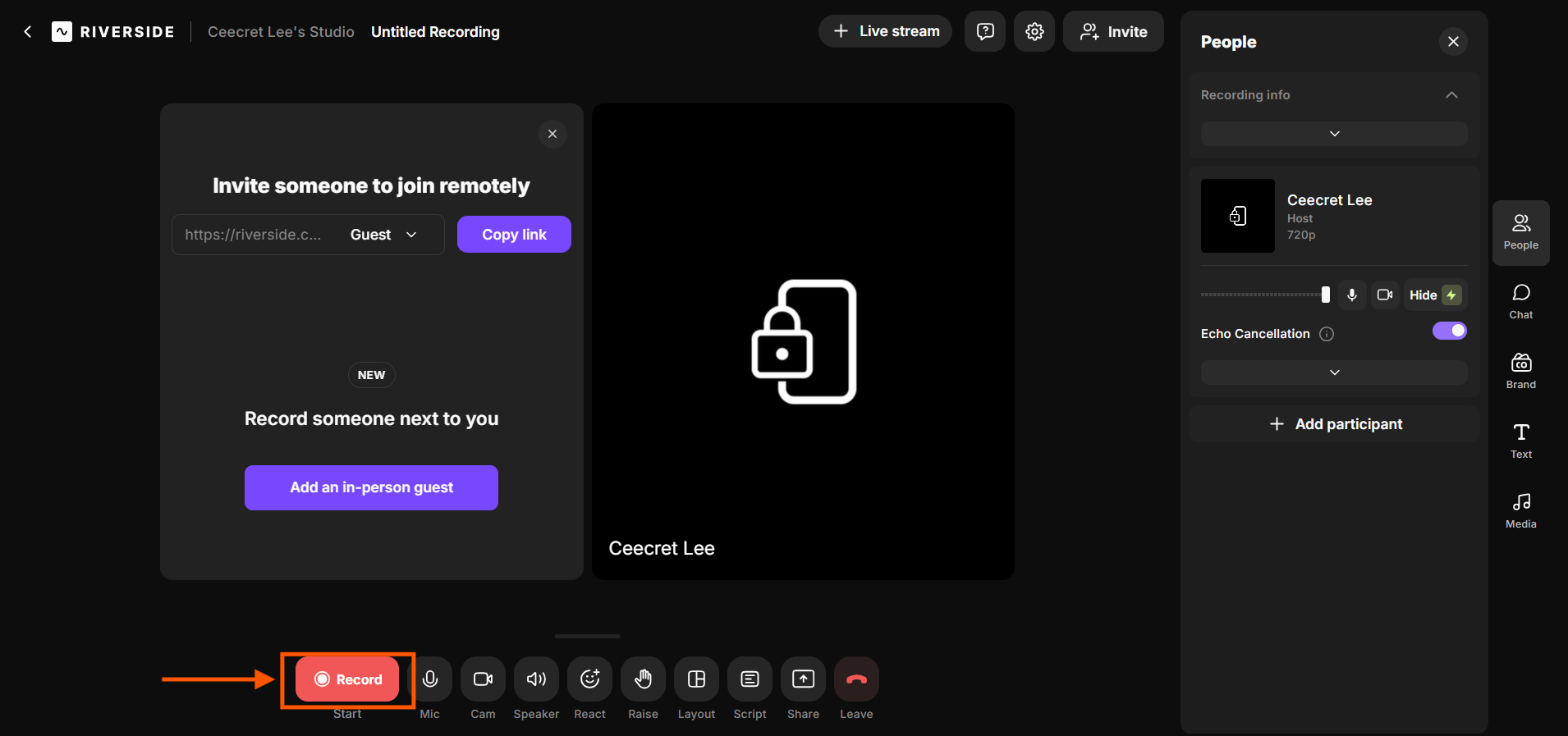
Inside your new studio, look for the "Invite People" button. Copy the link and send it to your guests via email or Slack.
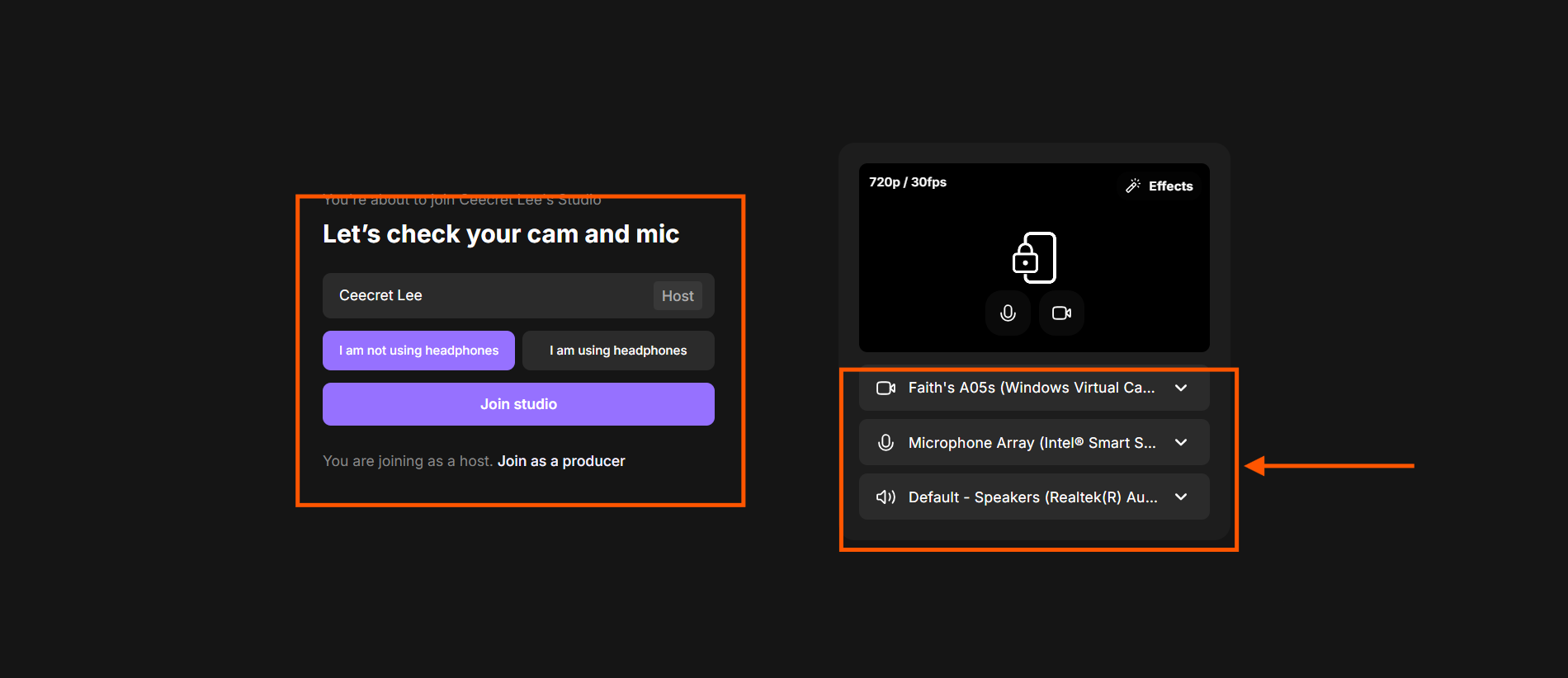
Step 4: The Lobby (Pre-Flight Check)
Before entering the studio, check your mic and camera settings. Ensure you are wearing headphones to prevent echo.
Step 5: Record Your Content
Once everyone is in, click the red "Record" button at the bottom of the screen.
Step 6: Post-Production with AI
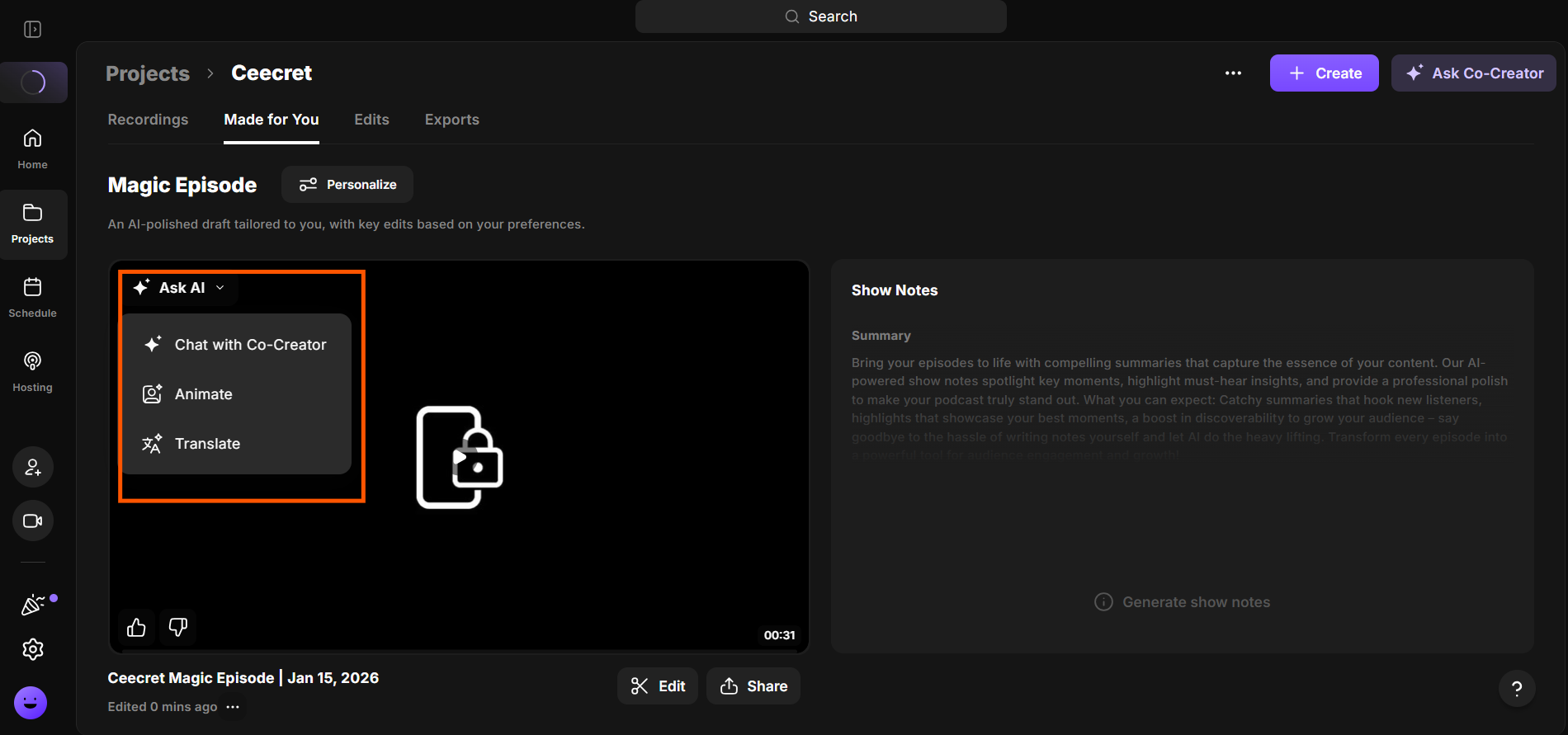
Once finished, click "Stop" and wait for the upload to reach 100%. Navigate to the "View Recordings" page and select the "AI Co-Creator" option. The page will display your recorded tracks. By clicking "Magic Clips," you’ll see the AI start processing the video, automatically cutting the best moments into vertical snippets ready for download.
What are the Key Features and Benefits of Riverside?
If you’re serious about creating professional remote content, the tools you use matter. Riverside stands out because it’s built specifically for high-quality recording, not just video calls.
Below are the key features and benefits that make Riverside a trusted platform for podcasters, marketers, and content creators who want studio-level results without a physical studio.
1. The Power of Local Recording
Riverside’s most significant benefit is its "double-ender" recording style. It captures up to 4K video resolution and uncompressed audio locally on each person's computer. These files are then uploaded to the cloud in the background. The benefit is a "studio-level" result regardless of how poor the participants' Wi-Fi might be during the actual call.
2. The AI-Powered Editor
This is where Riverside transforms from a recording tool into a business intelligence asset.
- Text-Based Editing: You can edit your video by editing the transcript. If you delete a sentence in the text, it is automatically cut from the video.
- Correct Speech: If a speaker misspells a word or misspeaks, the AI can actually sync their voice and lip movements to the "corrected" version of the text.
- Eye Contact Correction: AI can adjust the gaze of the participants so it appears they are looking directly at the camera, even if they were reading notes on their screen.
3. AI Marketing Suite
For businesses, the "AI Co-Creator" generates a full suite of promotional assets instantly. This includes:
- Summaries and Show Notes: Automatically written takeaways and descriptions.
- Magic Clips: AI identifies the most "viral" or important moments and crops them into vertical video formats for social media.
- Headlines and Thumbnails: AI suggests titles and generates imagery to help the content perform better on platforms like YouTube.
4. Translation and Localization
One of Riverside’s most useful AI tools is its dubbing feature. It can translate your content into over 30 languages. Instead of only adding subtitles, it creates dubbed audio that sounds natural and professional. This helps your message reach more people without any extra recording work.
What Makes Riverside Different?
The primary differentiator for Riverside is its focus on quality without complexity. It bridges the gap between basic video conferencing and high-end production suites:
- Quality vs. Speed: While tools like Zoom or Teams are built for real-time meetings and often sacrifice resolution for speed, Riverside prioritizes "local recording" to ensure the highest fidelity.
- The "Middle Ground" Advantage: It offers the professional output of complex software like Adobe Premiere, but with the user-friendly interface of a simple video call.
- Integrated AI Workflow: AI isn't an afterthought here; it's baked into the process. Features like "Auto-Layout" (which switches camera focus based on active speakers) and "Filler Word Removal" help beginners produce pro-level results instantly.
- Separate Track Control: Unlike most call recorders, Riverside provides truly separate audio and video tracks for every participant—a non-negotiable requirement for high-end editing and post-production.
Final Thoughts on Riverside
Riverside effectively democratizes high-end media production by removing technical barriers like expensive hardware and unstable internet. Its AI capabilities act as a force multiplier, allowing small teams to instantly generate transcripts, social clips, and translations.
For businesses that care about professional communication, Riverside is more than a recording tool. It’s a complete system for turning ideas into polished content for a global audience.
Frequently Asked Questions
What is Riverside used for?
Riverside is a virtual studio used for recording professional-quality audio and video remotely. It is ideal for podcasts, webinars, interviews, and social media content where high resolution and clear sound are essential.
Is Riverside free?
Riverside offers a "Free" plan that allows for unlimited video calling and recording. However, it is limited to 720p quality, includes a watermark on exported files, and only allows for 2 hours of separate "multi-track" recording (one-off).
Is Riverside good for podcasting?
Yes, it is considered one of the best platforms for podcasting because it records each participant locally. This prevents "internet glitches" from appearing in the final audio and provides separate tracks for easier editing.
Do my guests need to create an account?
No. Guests can join your studio simply by clicking the link you send them. They can join from their web browser (Chrome is recommended) or via the Riverside mobile app without needing to sign up for an account.
What are the technical requirements for a smooth recording?
For the best experience, users should use the Google Chrome browser on a computer. It is also highly recommended to use a external microphone and headphones to ensure the highest audio clarity and prevent echo.
