

We’ve all been there. You spend hours researching a perfect lead, crafting a thoughtful email, and hitting send, only to be met with total silence. On the flip side, you might try to save time by sending a mass email, but it often feels so "copy-pasted" that it ends up straight in the trash. This is the "outreach trap" where you either waste all your time being personal or waste all your potential being generic.
Sendr is a tool designed to break this cycle. It helps businesses talk to a lot of people at once without sounding like a cold or heartless robot. By using Artificial Intelligence, it gives you the best of both worlds: the speed of automation mixed with the warmth of a 1-on-1 conversation.
Think of it as a "video cloner." You record one video of yourself talking. Then, the AI takes that video and changes it for every person you send it to. It can make it look and sound like you are saying their specific name and talking about their specific company, even though you only sat in front of the camera once.
Here's exactly how it works:
What Problems Does Sendr Solve?
The biggest problem in sales today is simple noise. Sendr helps you cut through that noise by solving these common issues:
- Low Response Rates: People ignore "cold" emails because they look like spam. Sendr makes every message feel like it was made just for the person receiving it, which naturally makes them more likely to reply.
- Bad Data Headaches: Most business contact lists are messy and full of typos, wrong phone numbers, or old emails.
- Wasted Time: Sendr’s AI acts like a digital cleaning crew. It scrubs your lists automatically so you don’t waste your day reaching out to people who left their jobs years ago.
Who Should Use Sendr?
Sendr is a game-changer for anyone who needs a response to grow their business. Here are the people who will find the most value in the platform.
1. Sales Teams
People trying to find new customers can use Sendr to act like a much bigger team. One person can send hundreds of personal-feeling videos in minutes. This helps them get more meetings and sell more products without getting burnt out.
2. Recruiters
In a world where job hunters are flooded with generic LinkedIn messages, a recruiter can stand out by sending a video that mentions a candidate's specific skills or background. It makes the candidate feel seen and much more likely to say yes to a first interview.
3. Client Managers
If you already have customers, you can use Sendr to send them updates. Instead of a long and boring PDF report, you can send a quick video that feels like a personal check-in. This builds trust and keeps your clients happy.
What Can Sendr Be Used For?
Sendr is useful for any time you need to reach out to someone new or keep in touch with a group:
- Finding New People: It has a giant list of over 479 million business contacts you can search through to find your next customer.
- Fixing Lists: It takes a messy spreadsheet of names and finds the right, working email addresses and phone numbers.
- Automatic Follow-ups: You can set it to send messages automatically based on whether someone watched your video or clicked a link.
- Searching for Experts: You can use powerful filters to find the exact person in charge of a specific niche or company.
How Should You Use Sendr?
Getting started with Sendr is a bit like setting up a new social media profile. You don't need to be a tech expert to make it work. Just follow these five simple steps:
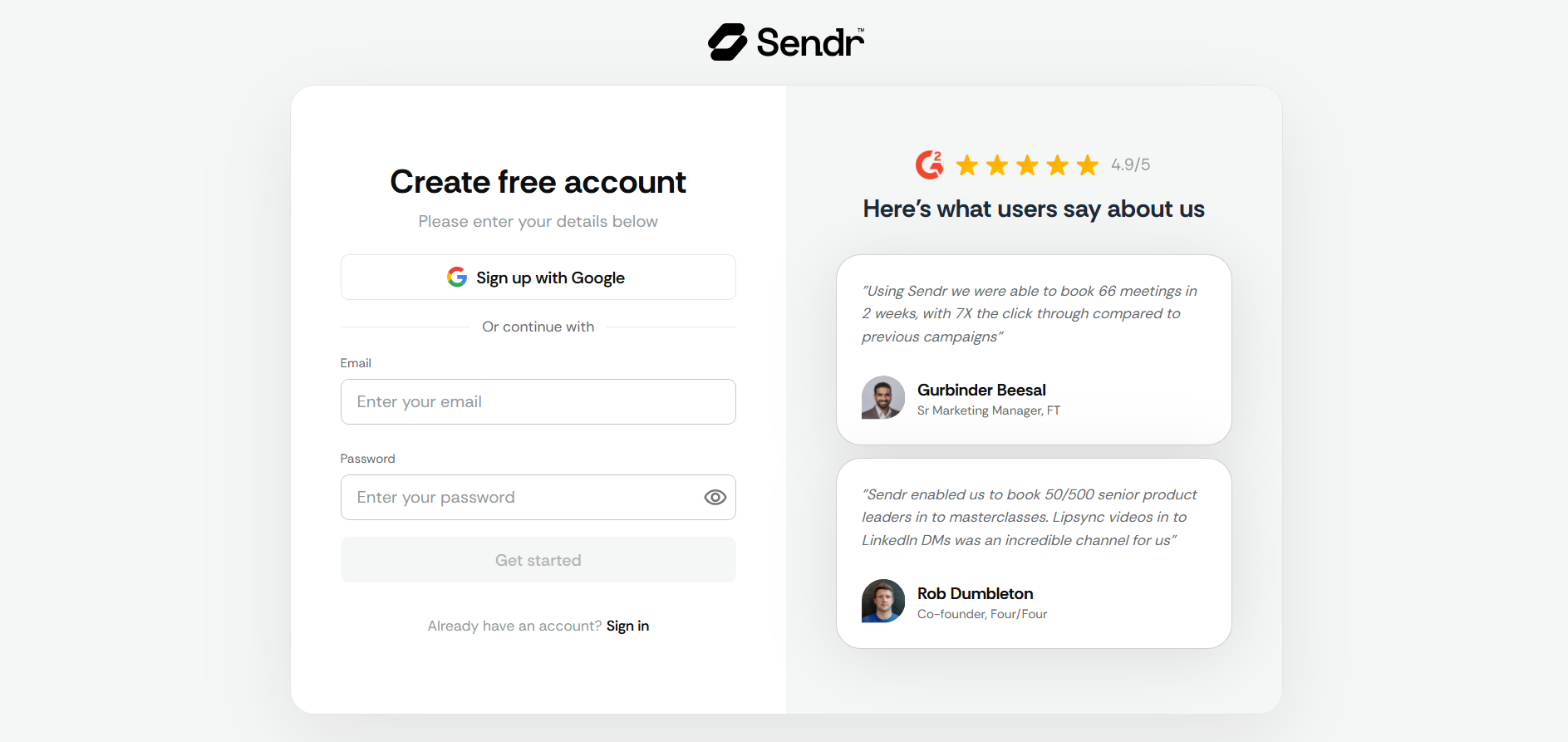
- Sign Up: Create your account on the Sendr website. There is no complicated setup or coding required to get it running.
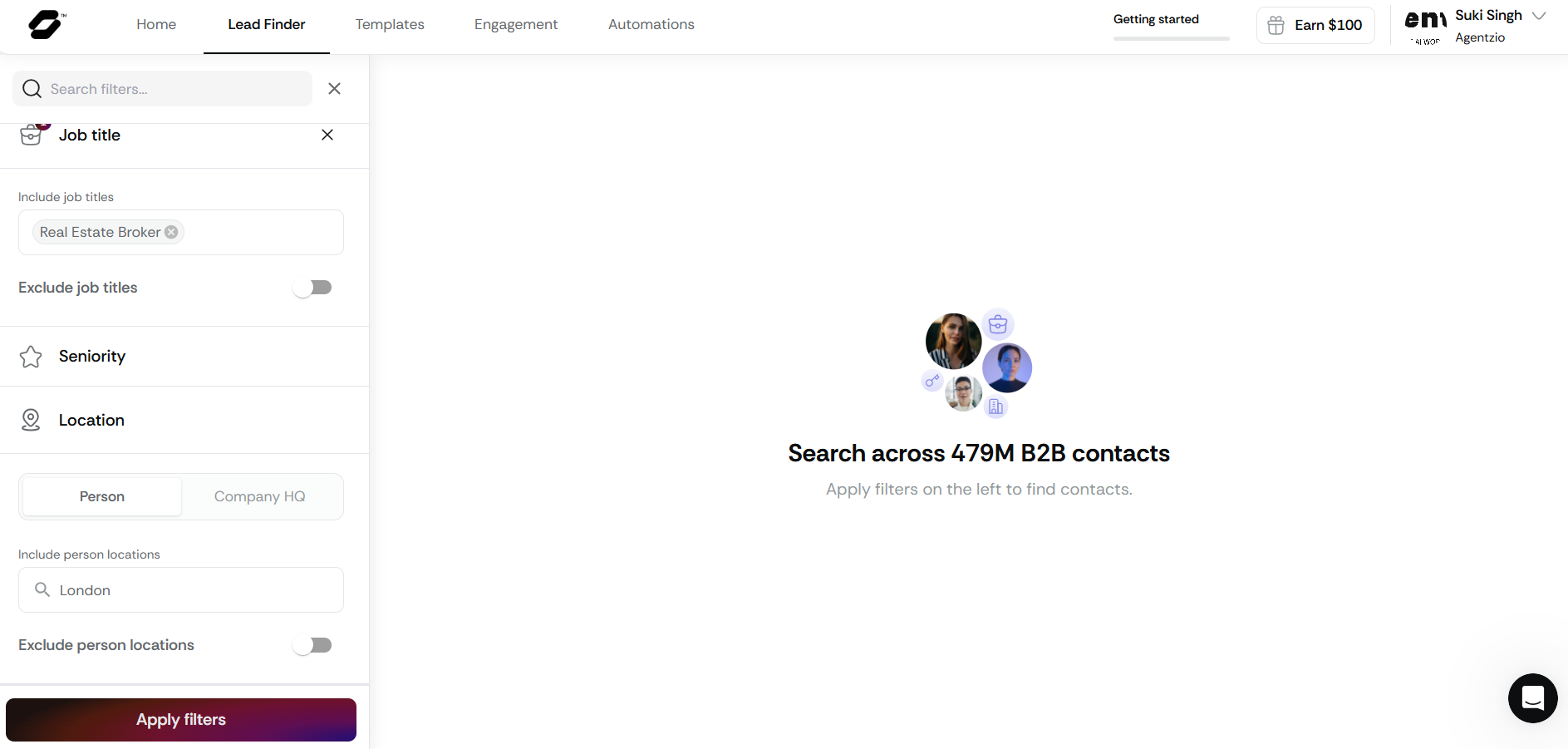
- Find Your Audience: Use the "Lead Finder" tool to search for people you want to talk to. For example, you can tell the app to find "Real Estate Brokers in London."
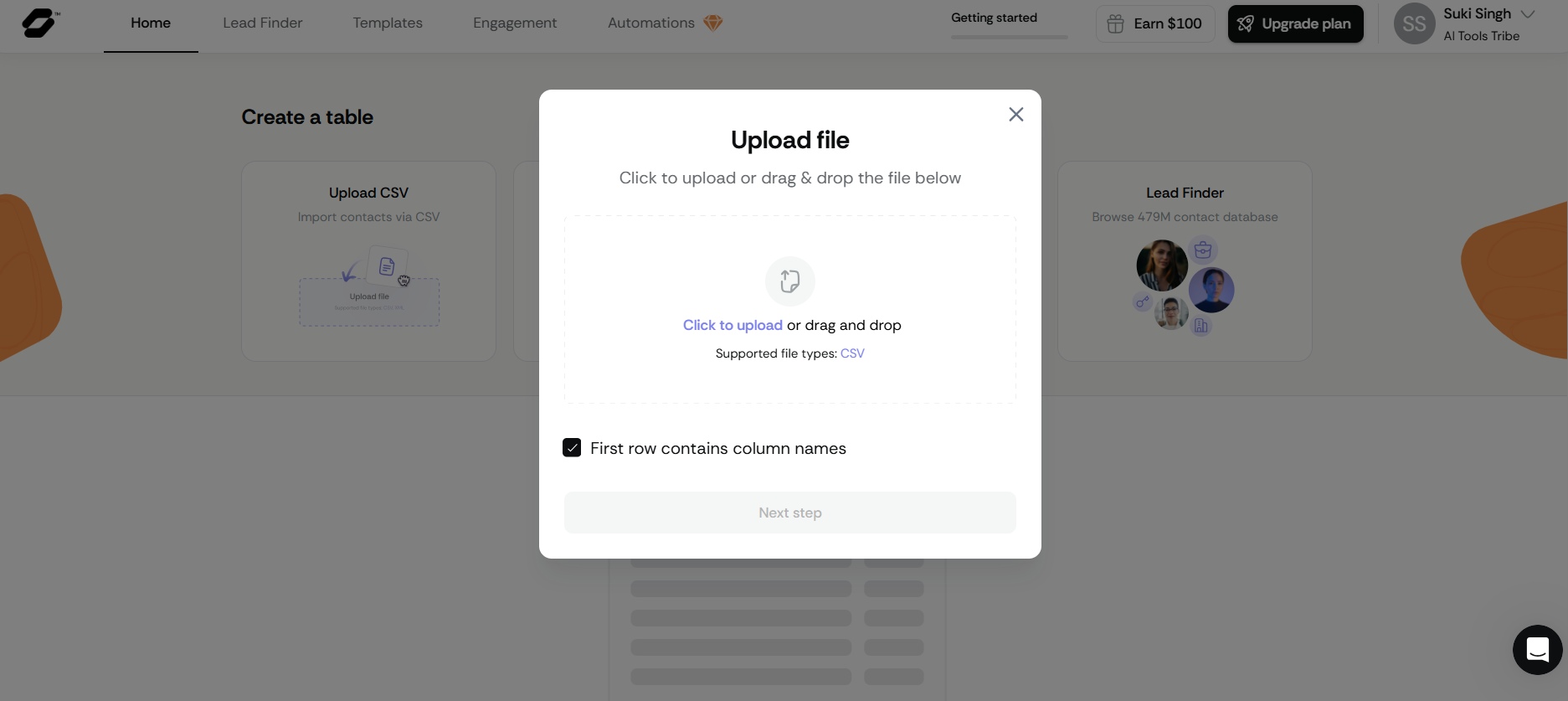
- Upload or Record: If you already have a list of names, you can simply upload your file. If not, record a short, friendly video or voice note on your phone or computer.
Here’s how to create personalized videos for your leads:
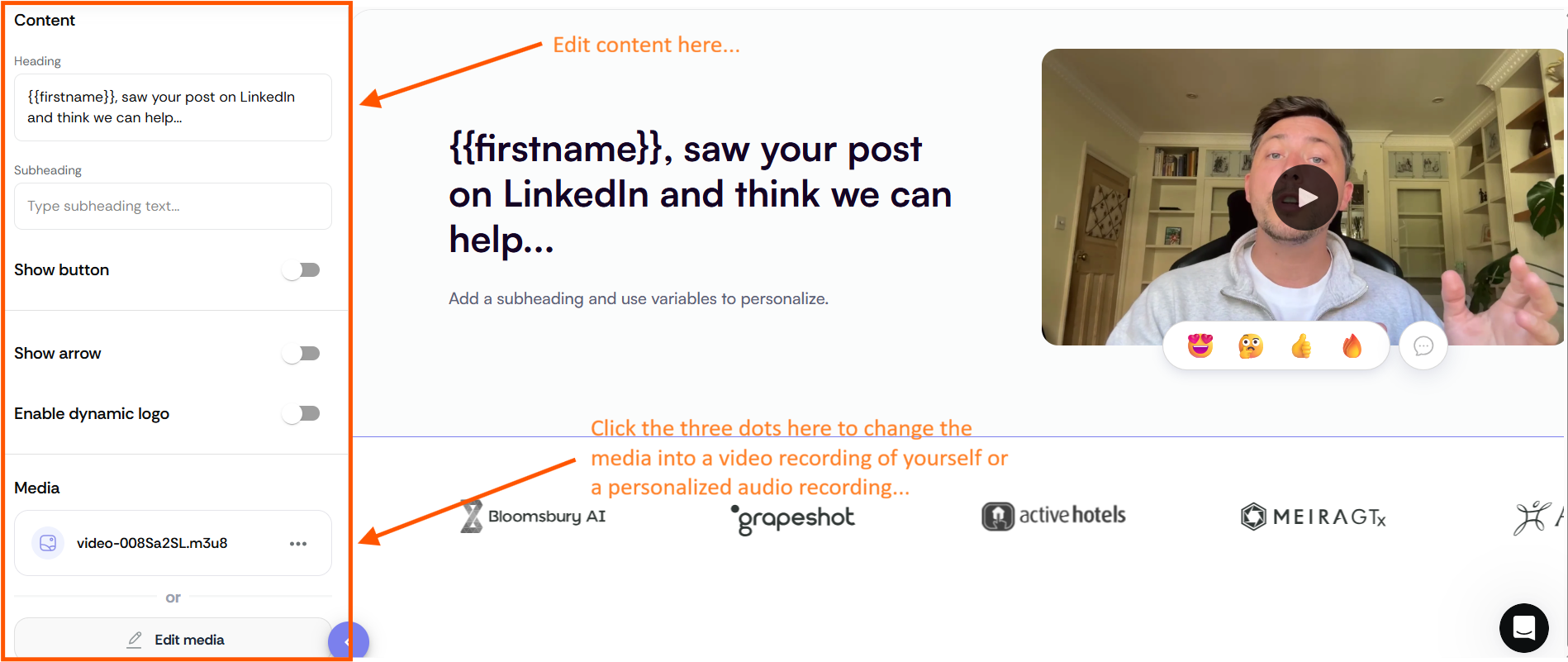
Personalize the text with {{firstname}} and use the three dots to change or upload your video or audio of your own.
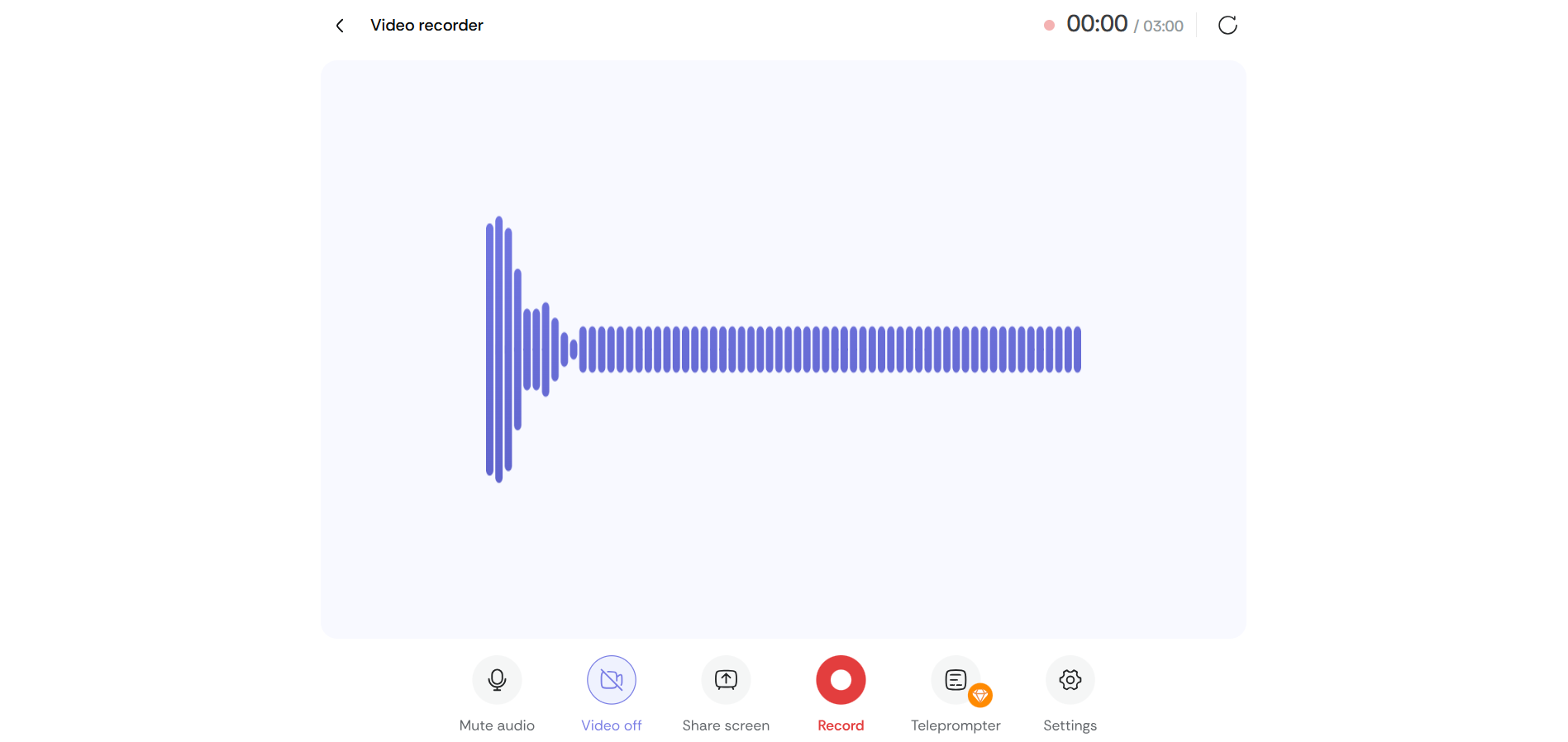
Record your message right here — choose video or audio and click Record to start.
- Let the AI Work: Choose a "template" and click start. This is where the magic happens. The AI takes the names from your list and "maps" them onto your video so it looks like you are talking to each person individually.
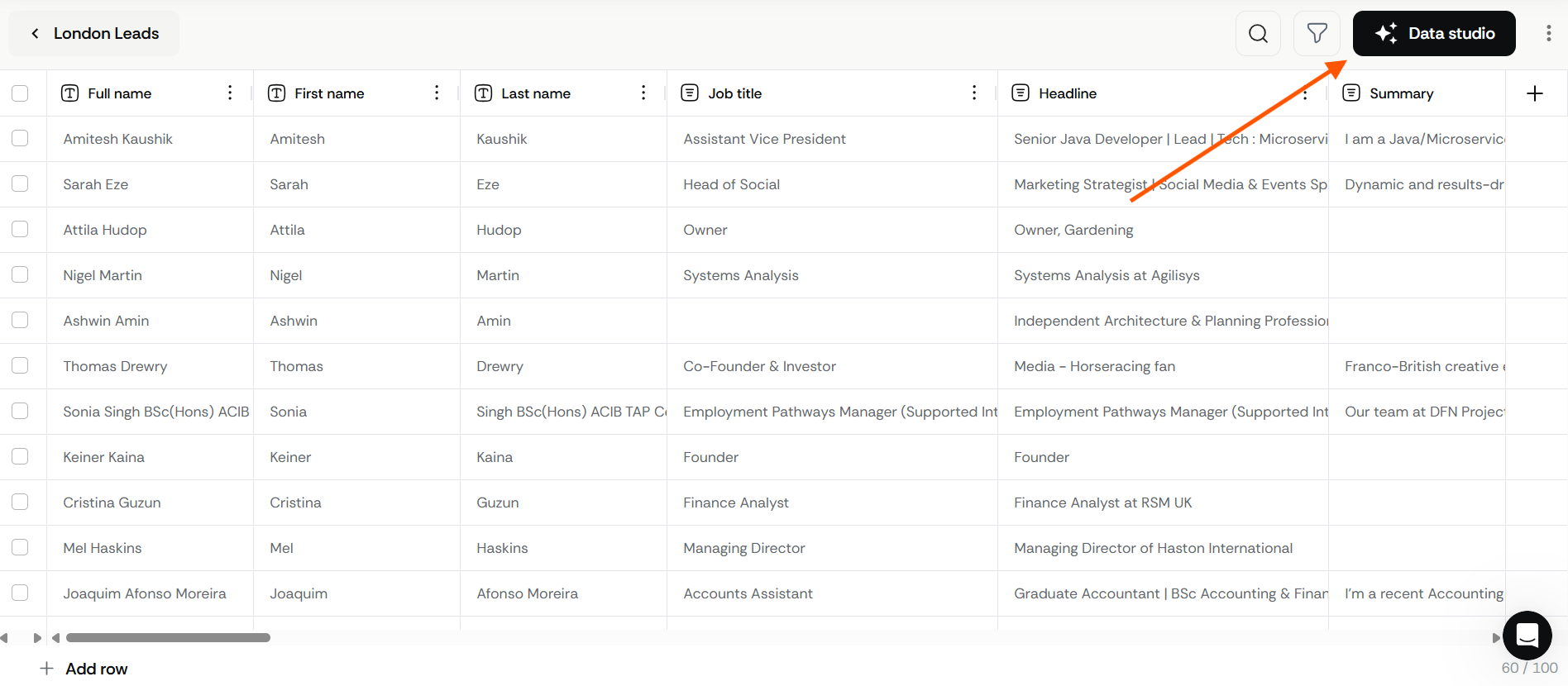
Click the Data studio button in the top-right corner to start using your list with a template.
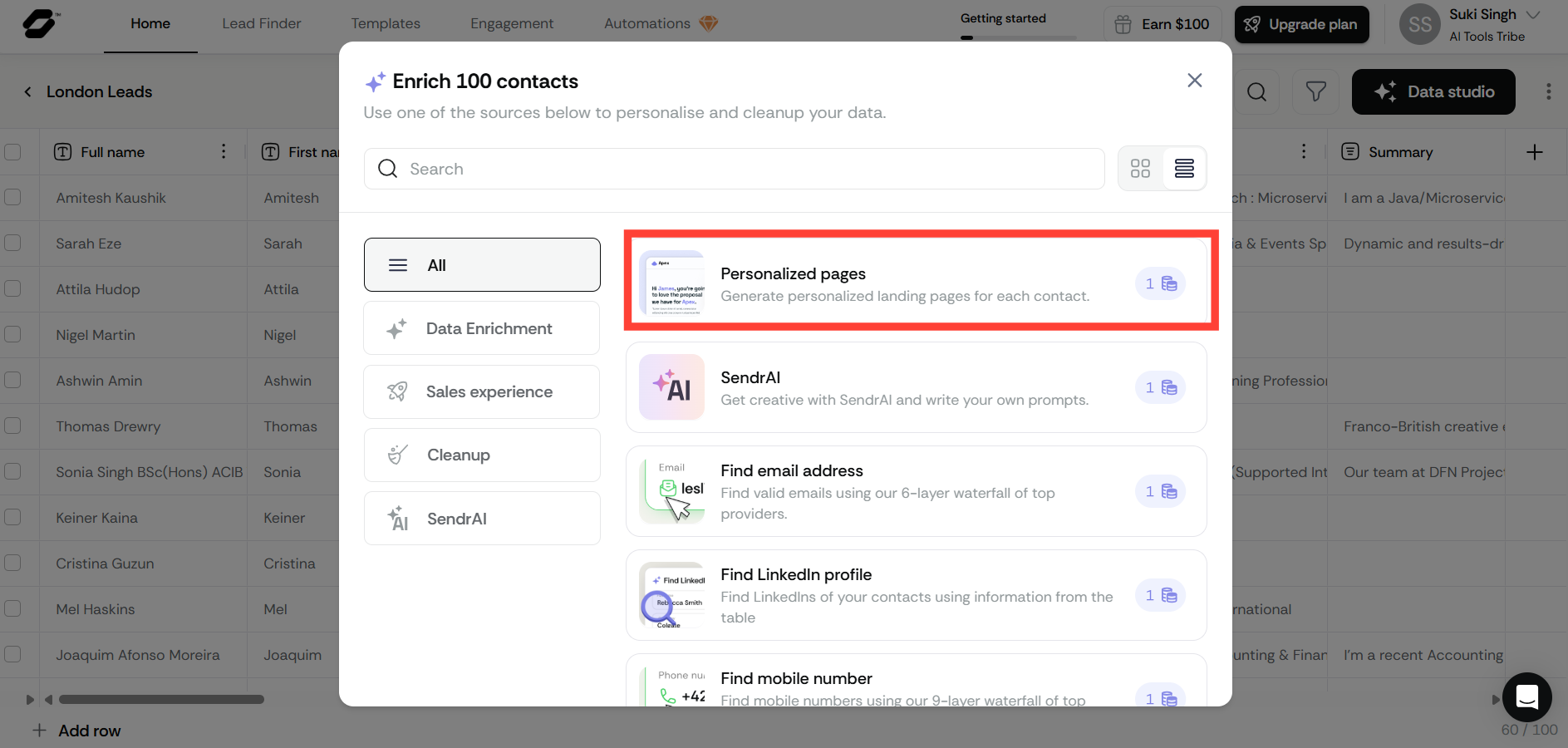
In Data Studio, click the Personalized pages option to start creating individualized videos.
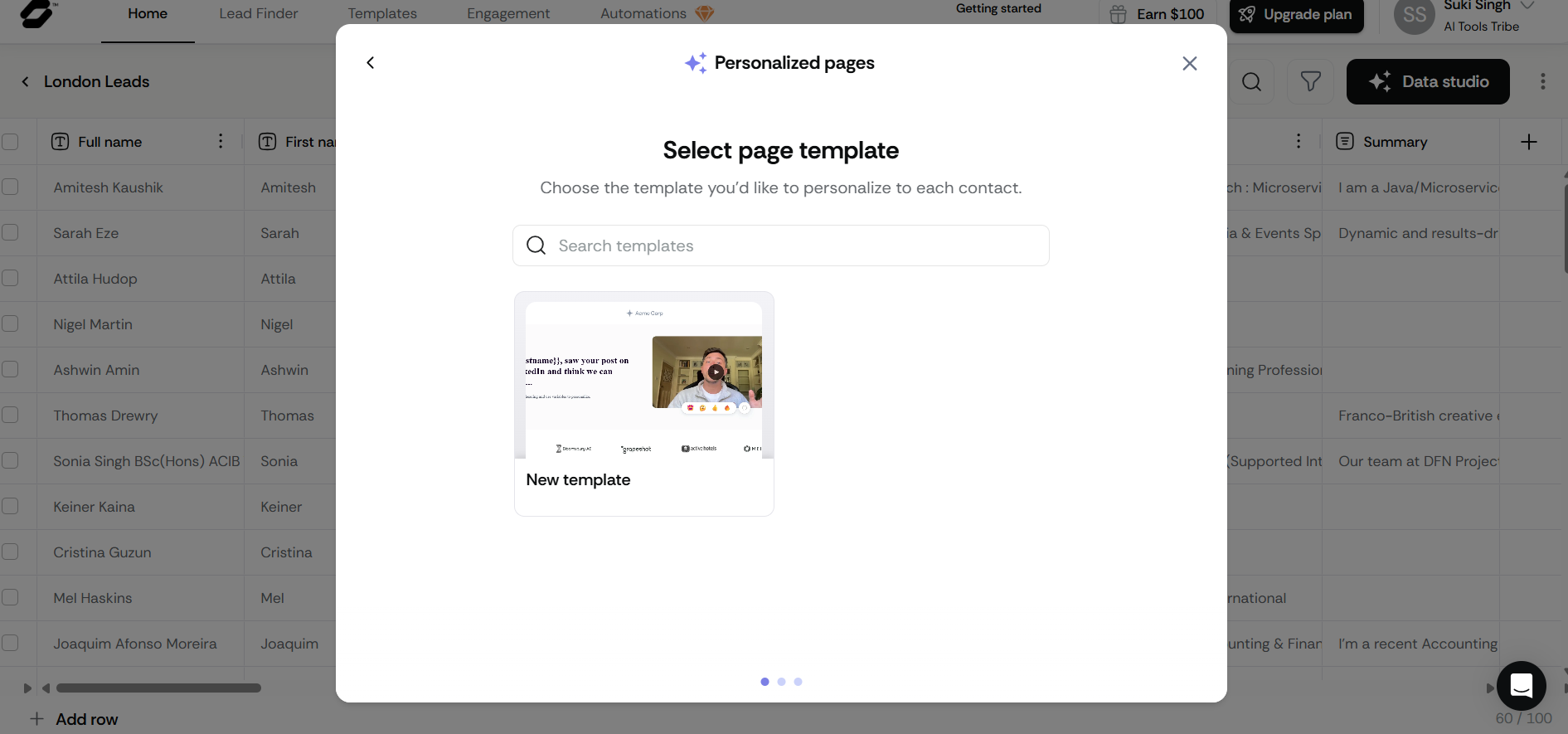
Select the template you want to use by clicking on it.
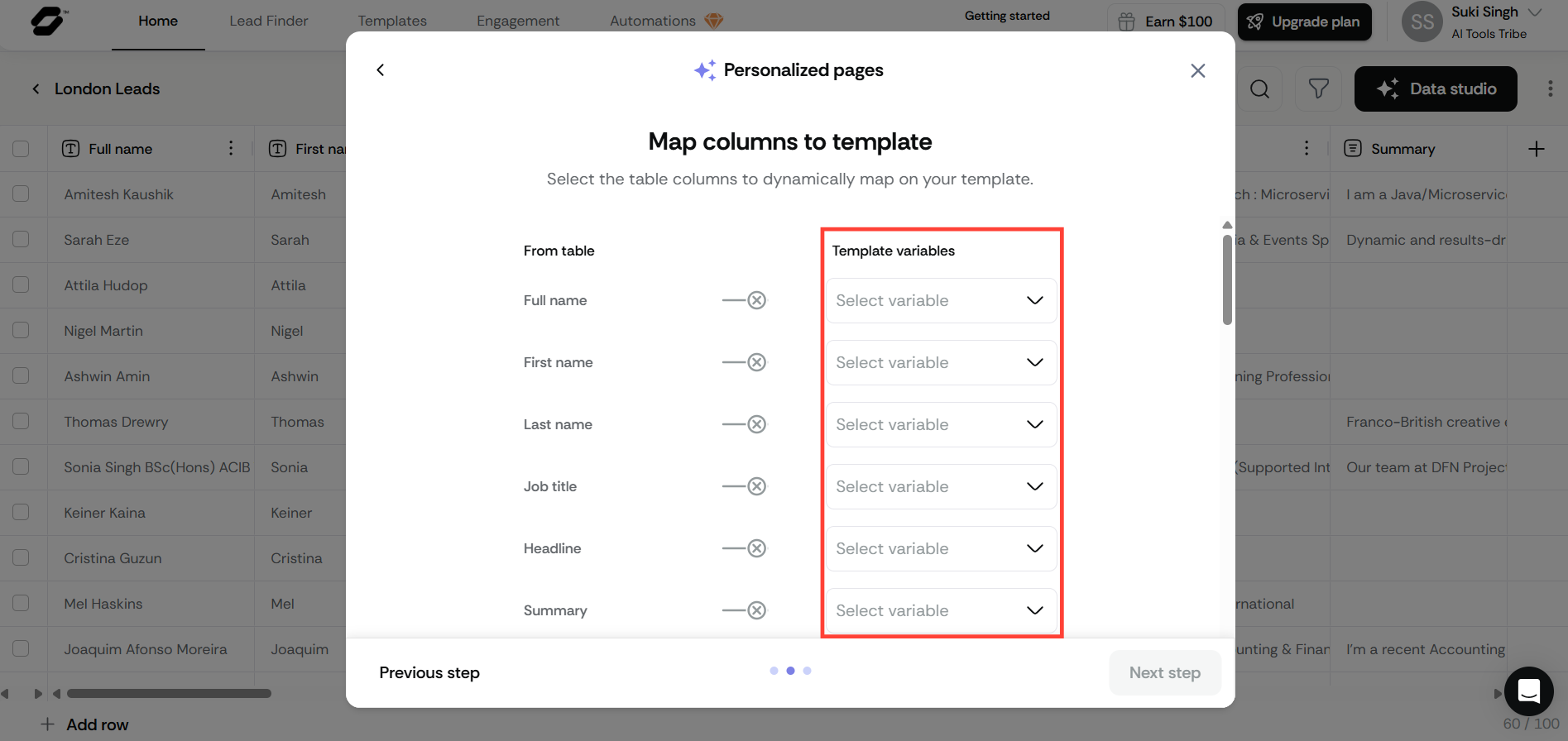
Match your columns to the template fields. For example, map First name to the firstname variable, then click Next step.
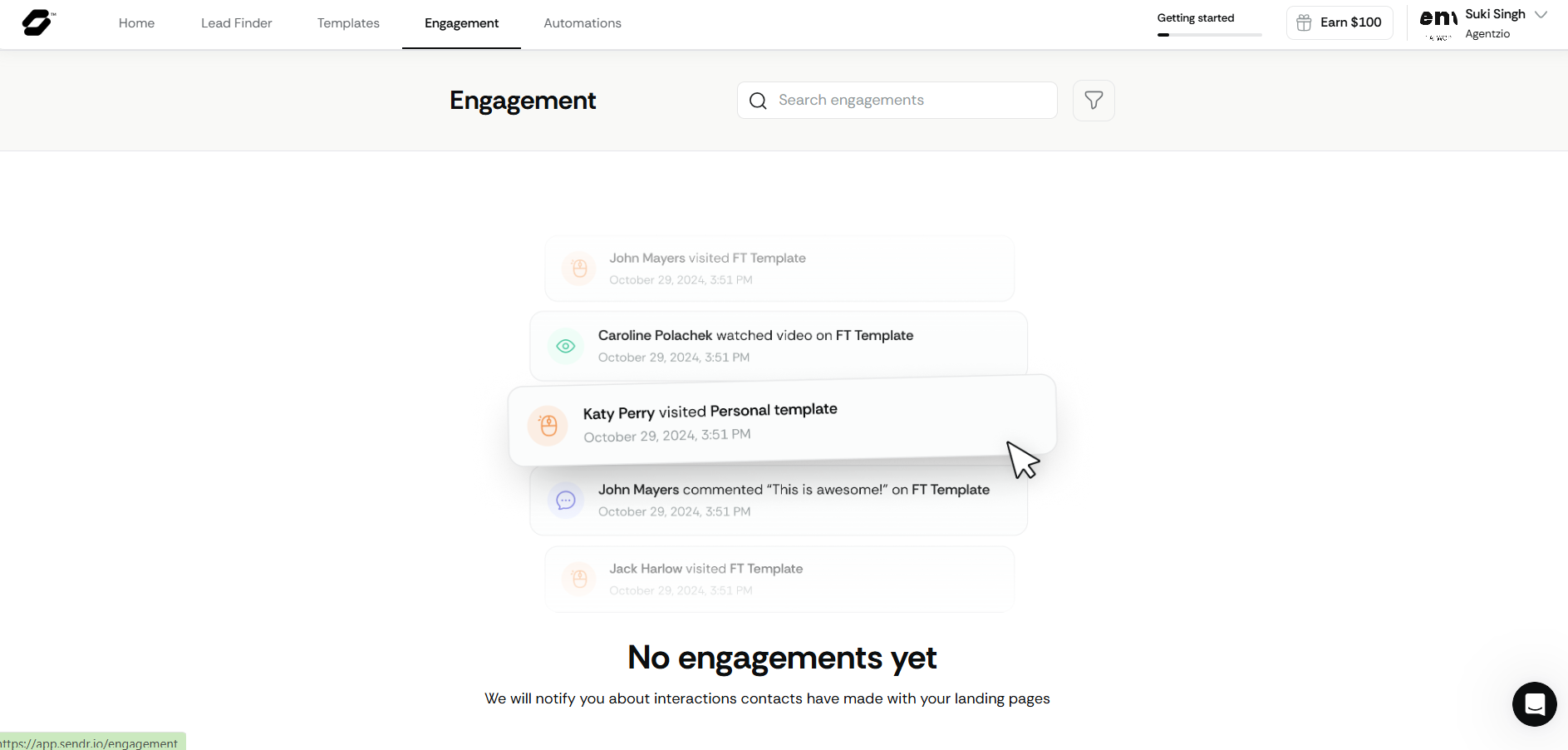
- Watch the Results: Sendr gives you a simple dashboard. It shows you exactly who opened your message and who watched your video, so you know who is interested right away.
What are the Key Features and Benefits of Sendr?
While Sendr is easy to use, it is backed by some very clever technology. Below are the specific features that help businesses save time and create more authentic connections with their audience.
Lipsync Technology
This is the most impressive part of the software. Most tools just put a person's name in a text box. Sendr’s AI actually looks at your face in the video and moves your lips to match the words it is adding. If the computer knows a customer's name is "Mike," it makes your mouth move as if you actually said "Hello Mike." This feels much more real and personal than a standard template.
A Giant Contact Database
Sendr gives you access to nearly half a billion business contacts. The best part is that the info is always fresh. It checks and updates these numbers and emails every 30 to 45 days. This means you aren't calling disconnected lines or emailing accounts that no longer exist.
AI Cleanup
If you have a list with typos or missing information, the AI fixes it for you. It can even add extra info, such as telling you if a company just finished a funding round or if they have open job positions. This gives you a great reason to start a conversation.
"Waterfall" Searching
If Sendr can't find an email address in one place, it automatically looks in several other places until it finds a verified one. It is especially good at finding work cell phone numbers, which are usually very hard to get.
What Makes Sendr Different?
Sendr stands out from other tools for a few specific reasons:
- All-in-One Power: It puts everything in one place. Usually, a business has to buy one tool to find people, another to check emails, and another to record videos. Sendr does it all in one app with no complicated setup required.
- A Focus on Quality: While other tools try to help you send more mail, Sendr helps you send better mail.
- Exclusive Technology: The Lipsync feature is something most other tools simply don't have. It lets a single person do the work of a whole department without losing that human connection.
Final Thoughts on Sendr
Today, many people use AI to send a lot of junk mail. Sendr uses AI for the opposite goal: to make digital messages feel more like real human conversations. It saves a huge amount of time on data entry, but the real benefit is that it makes your business look more professional and thoughtful.
By using AI to move your lips in videos and keep your contact lists clean, Sendr helps small teams look like big and successful companies. It is a great choice for anyone who wants to grow their business while still treating every customer like an individual.
Frequently Asked Questions
Is Sendr legit?
Yes, Sendr is a legitimate B2B outreach platform used by thousands of companies. It is highly rated on professional marketplaces like AppSumo and Product Hunt, with users praising its ability to significantly increase reply rates through video personalization.
Is Sendr free to use?
Sendr offers a "Freemium" model. You can sign up for free and typically earn trial credits (often around 350) to test the Lead Finder and AI video features without needing a credit card. For high-volume campaigns, they offer various paid tiers and lifetime deals.
How secure is Sendr?
Sendr takes data security seriously. The platform is ISO27001 certified and Cyber Essentials accredited. It is also fully GDPR and UK GDPR compliant, ensuring that all personal data is handled transparently and securely according to international standards.
Do I need a separate tool to send the emails?
While Sendr is an all-in-one platform for lead generation and video creation, many users export their enriched lists into their favorite "sequencer" or CRM (like SalesBlink or HubSpot). However, Sendr is rapidly evolving into a full-scale outreach CRM with its own built-in automation features.
Does the Lead Finder include phone numbers?
Yes. Unlike many tools that only provide emails, Sendr's Lead Finder can uncover verified work and personal cell phone numbers using its "waterfall" search technology, which checks multiple data providers to ensure accuracy.
Check Out The Other Lead Generation and Sales Outreach Tool Reviews:
What is Woodpecker
What is Warmly AI?
What is Jeeva AI?
What is Instantly AI?
What is Waalaxy?
What is Kaspr?
What is Lemlist?
What is Smartlead AI?
