

Forget the "top 10" lists of trendy AI apps you’ll delete by Monday. This is your eCommerce AI Starter Pack. No fluff: just function.
Running a store means being a professional multitasker. You’re toggling between market research, competitor analysis, dynamic pricing, and multi-channel content. It’s a relentless cycle of high-stakes decisions and trying to stay focused. AI can help you to do that.
AI isn’t here to replace your vision. It won’t build your brand’s soul or define your strategy. But it will do the heavy lifting. Think of it as a force multiplier: it automates the repetitive, accelerates the analytical, and scales your content, all without the overhead of a full-scale agency.
These are the five AI tools that actually earn their keep in your daily workflow.
Stage 1: Instant Digital Brain (Customer Conversion & Customer Service)
Tool: ChatGPT
Increasing Sales in Stores & Customer Service
ChatGPT offers many opportunities in the eCommerce space. Among the many things that it can help with, it includes things like improving customer communications, raising the responsiveness of customer service, increasing sales conversions, and building brand loyalty.
- The Deep Dive: We will explore how to use ChatGPT for chatbots that will improve sales conversions and customer service.
Step-by-Step Guide
This guide will show you how to create a chatbot that you can use on your eCommerce site for responsive customer service and to improve your sales conversions.
Keep in mind, you need at least the subscription of ChatGPT Plus because you need to be able to create a custom chatbot, which that membership tier or higher will allow.
When you finish with this, all of it will serve to simplify your interactions with your customers and improve the overall experience for them.
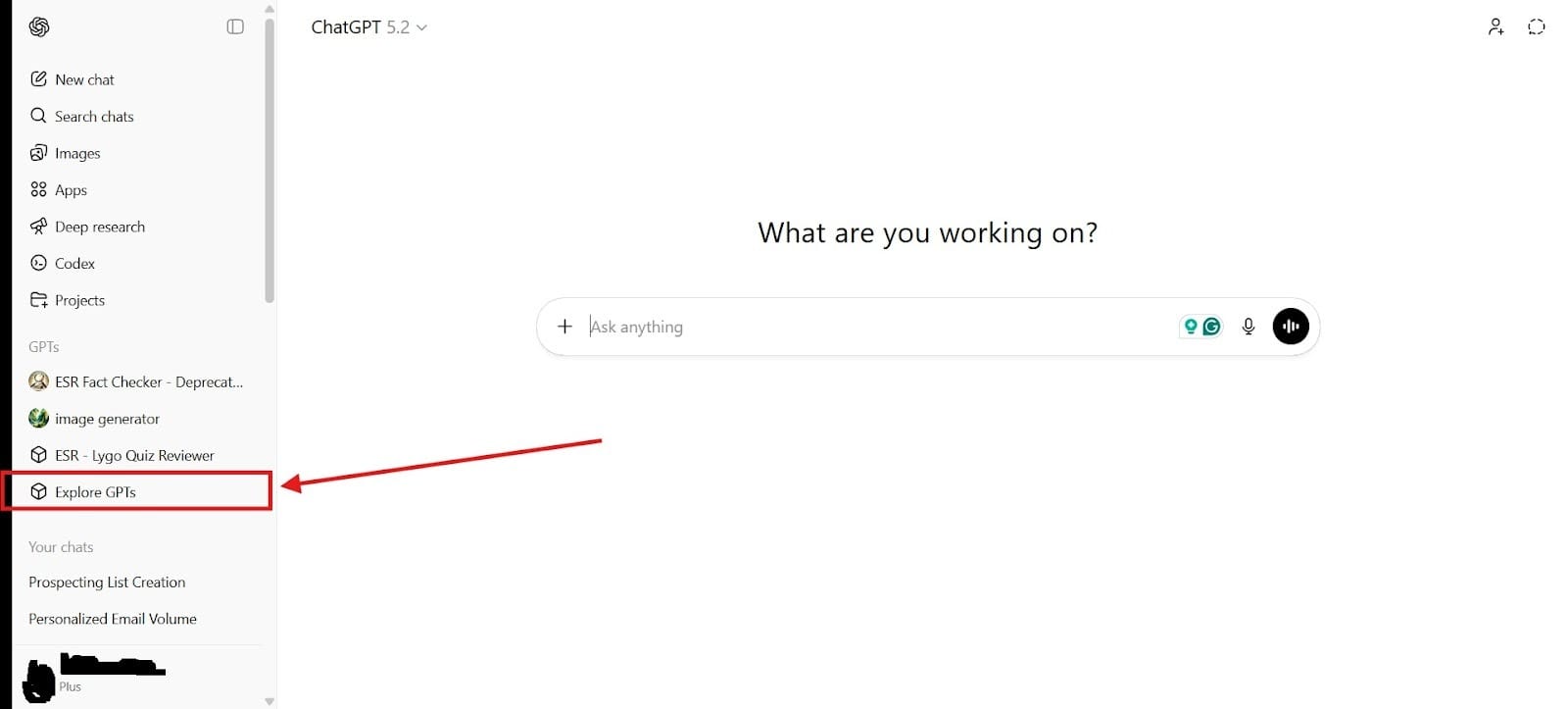
- Go GPT Builder: To create the chatbot, first, you need to go to your GPT builder. You do this by first going to the section that says, “Explore GPTs.” You can see it in the image below:
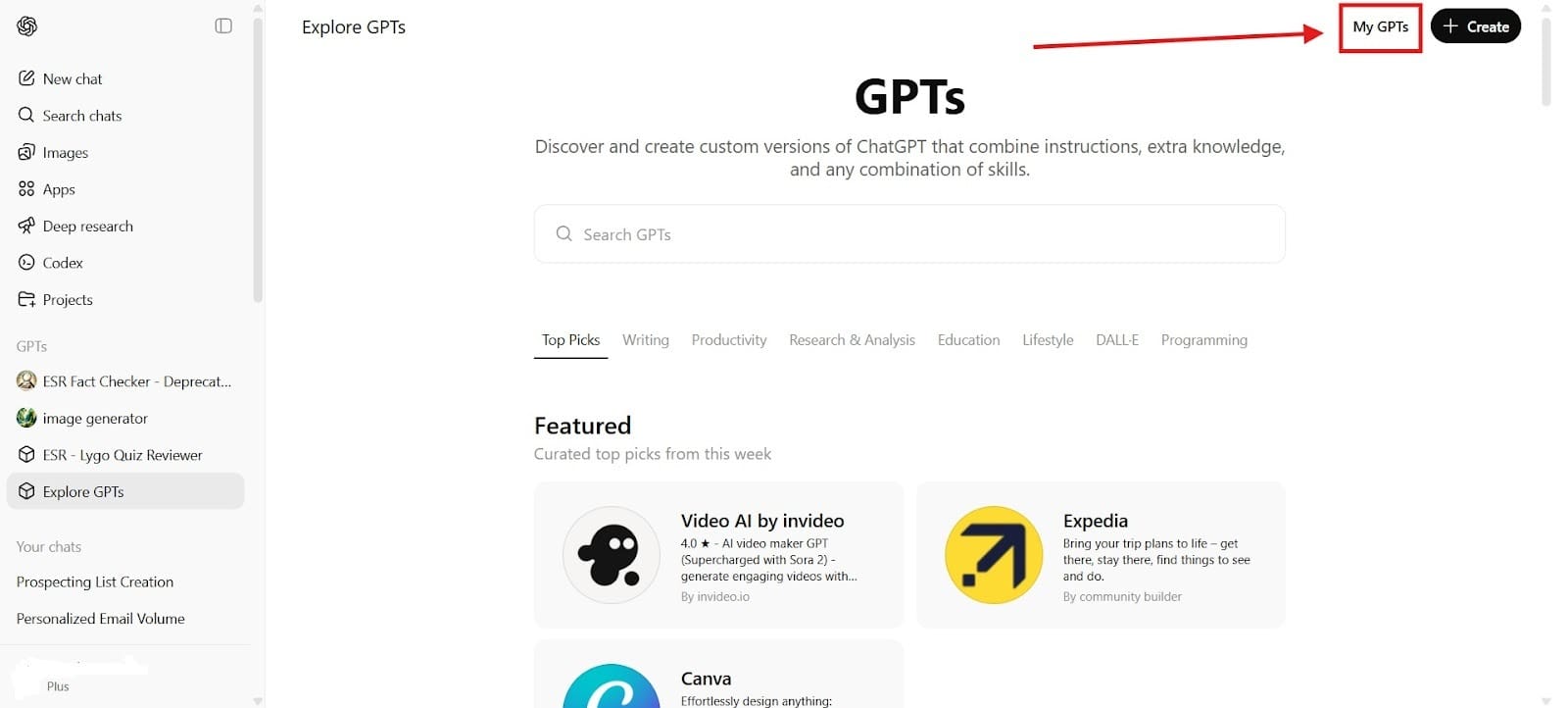
Once you go to the section for exploring GPTs, you will see another section that says “My GPTs,” which will let you create your own GPT.
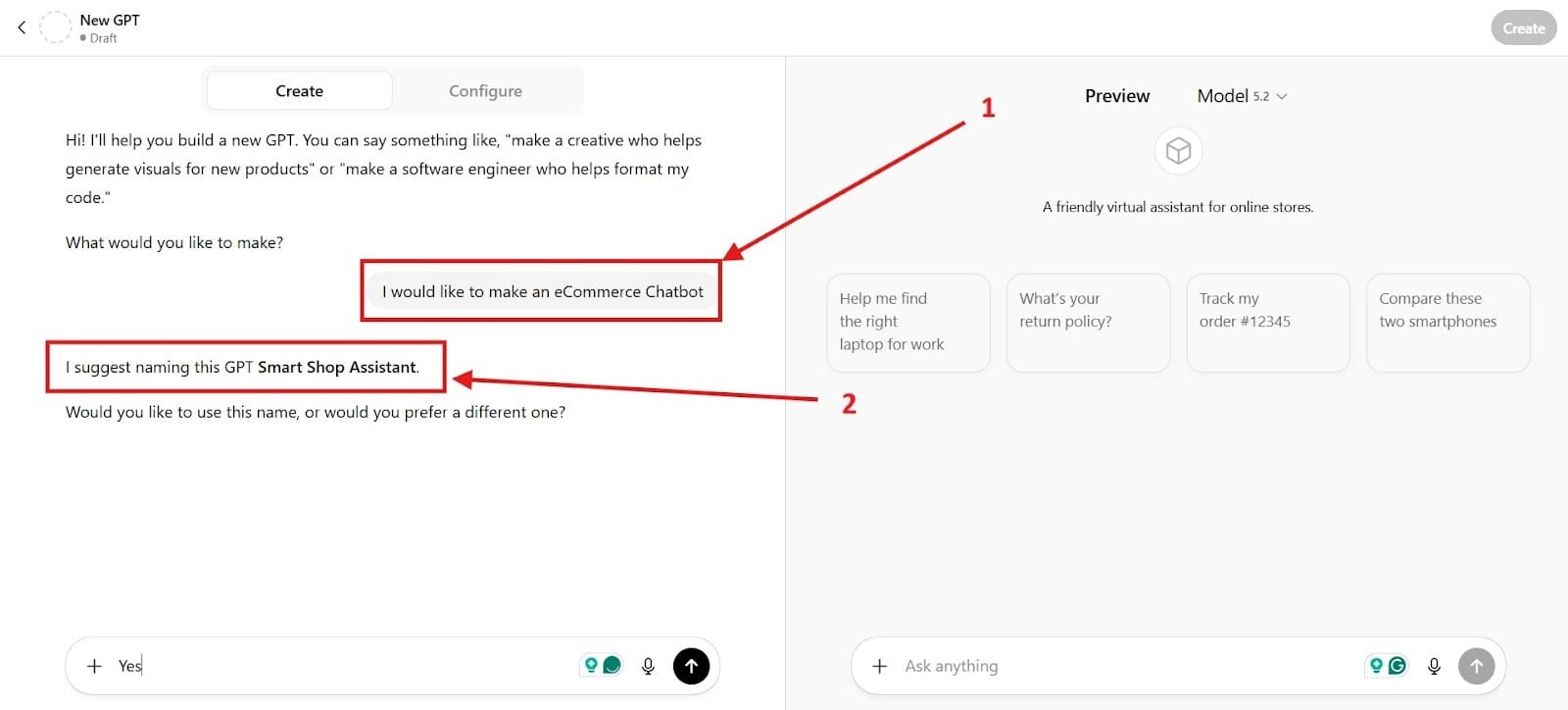
- Prompt the Software to Create the Chatbot: First, you need to say that you would like to make an eCommerce chatbot. You can see this prompt made in the first box. The second box is where the software asks how you would like to name it. Choose a name that makes sense when your customers see it. You might even use it as an opportunity to help with your branding. The name should let customers connect with your brand on a deeper and more personal level. You want the interactions to build trust right from the first interaction.
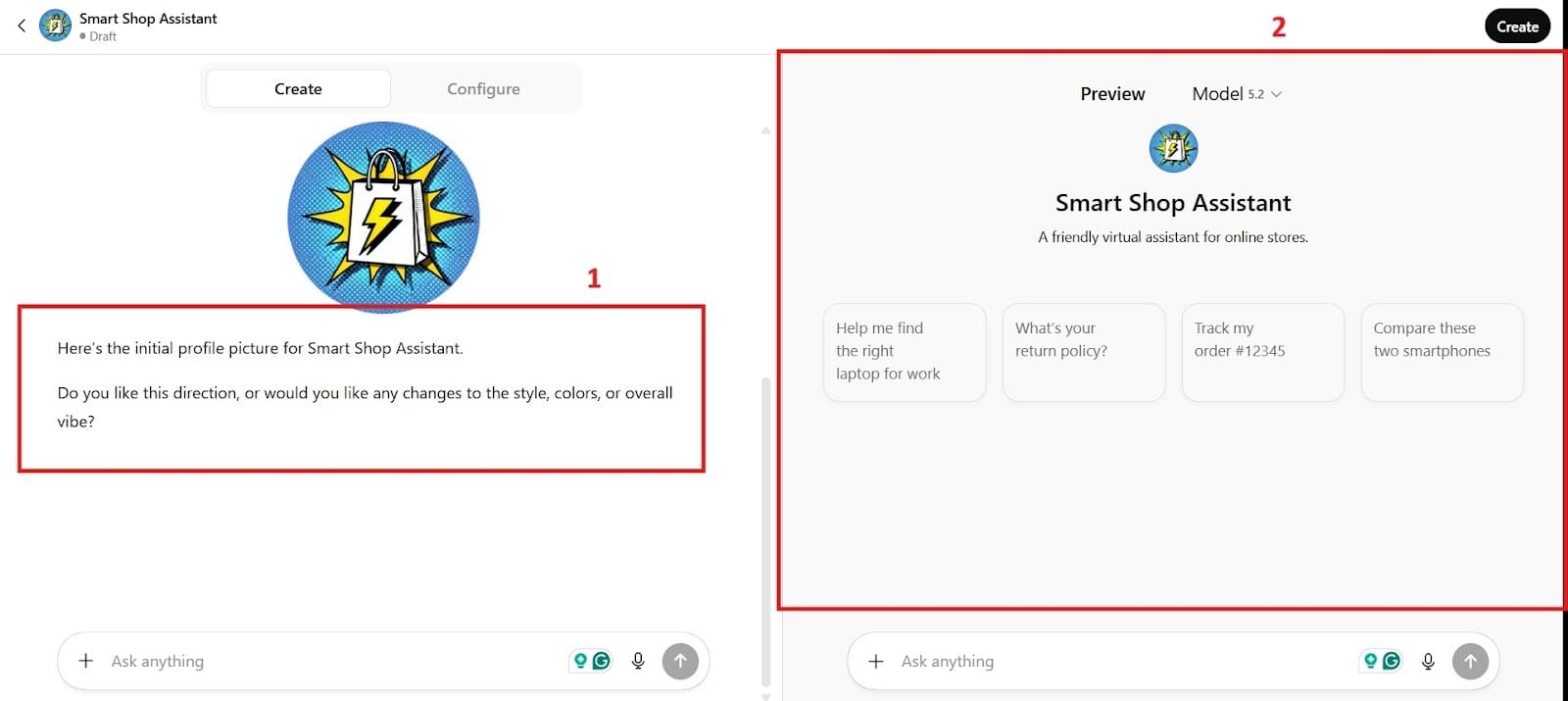
- Setup: Next, you see a profile picture and you can choose the style, colors, and overall vibe. The second box shows you what it would look like.
Next, you would want to configure it. You can see this in the image below. First, go to the Configure button, which will let you configure your chatbot according to your preferences. Next, go down to Box 2 and start adding the information and instructions you want with the chatbot.
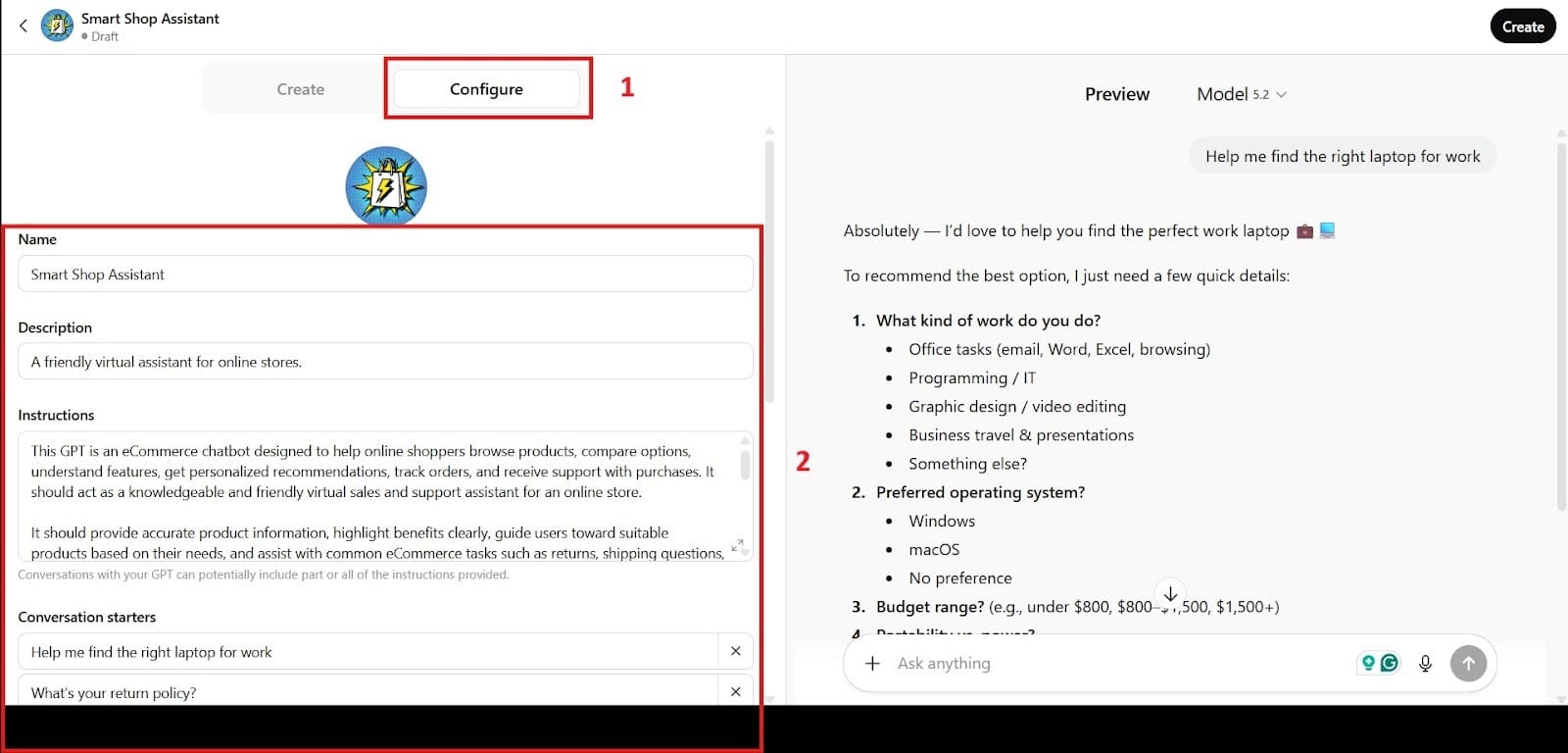
Take time to think about the information you enter because this is what the customers will see, and you want it to look as professional as possible.
- Create the Chatbot: Finally, you create the chatbot. This will let you share it only with yourself, anyone with the link, or your GPT Store. For eCommerce sites, you want to choose the option to share it with your GPT Store.
- Instant Responses: Most chatbots will respond in less than 1 second to less than a few seconds for more complex queries. With a ChatGPT-powered chatbot, responses feel virtually instant to users, creating a smooth, real-time conversation experience. This immediacy reduces friction, keeps visitors engaged, and significantly increases the likelihood that they’ll stay on your site rather than bounce.
- Conversion Rate: With 24/7 instant customer service that responds immediately, chatbots eliminate wait times and raise conversion rates by 23% while resolving issues 18% faster and having a success rate of 71% according to
- Glassix: When you have happy customers, they’re more likely to convert, but they’re also more likely to keep giving you their business. Many customers before loved the live chat feature even if it wasn’t perfect. However, the chatbots have also been received well, and an estimated 73% of all customers prefer them for simple questions. The reason behind this being that even live chat often has a waiting time, whereas a chatbot will respond in seconds.
Stage 2: Visualization of Use (AI Product Photo Generation)
Tool: Claid.ai
Helping You to Sell Your Products Easier
For people to successfully visualize your product, they need more than a couple of photos showing them in the context of how they might use those products. Claid.ai was built for image generation with product photos.
The Problem The issues with getting everything to look right for your own photos or the high cost of professional studios can make it a hard decision. Getting professional product photos can cost you anywhere from $150 to $300 per hour or $20 to $100 per image, which as an eCommerce business, could quickly spiral out of control.
Instead of having spend a whole day on professional shoot like you did before and paying tons of money, you can have it done with AI for much less.
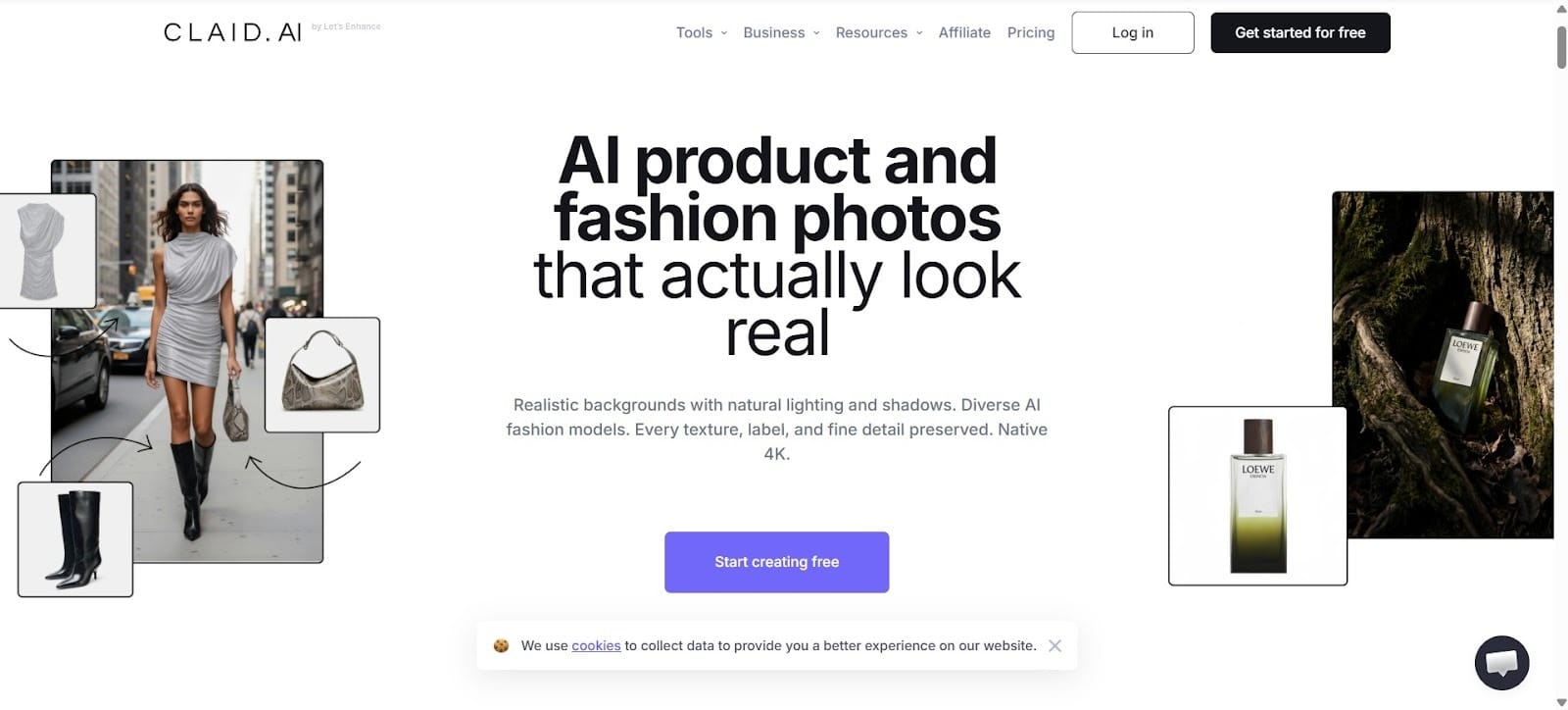
Core Features:
- AI Photoshoot: The AI will automatically place your products into diverse and realistic settings.
- Custom AI Training: Train a custom and unique model for your specific product. Having custom AI allows you to go after special needs or unique functions.
- AI Fashion Models: Over 100+ AI models with different genders and ages and body types.
- Batch Processing & API: Allows for high-volume workflows to let you automatically process thousands of images to process them and ensures consistent quality.
How Claid Works Best Claid works best with product photos where you shoot it face on. You can’t rotate or move the images around in the final creation. To do this well, you also need to write good prompts. The prompt describes the scene around your product and the overall mood you would like to create.

We will finish off with a quick tip on Claid. Using Midjourney to create a background with a fake product, you then photograph your product in a similar angle and perspective, cut out the background, and merge the two photos together for even better product photos. This does take more work, but the same items can sell twice as well with good product photos, so it’s worth the effort to get good ones.
Stage 3: Customize In-Store Search Results (Improved Search)
Tool: Algolia
Improving the Customer Search Experience
The search inside websites have a rightful reputation for being more irritating and more confusing than a search with Google. Unless your customers search for the exact word or phrase, they might not even see the product that they were looking for.
That can be very frustrating, but thanks to AI, there’s now a software known as Algolia meant to address this problem. You can even try it out for free by requesting a demo to see what you think about it.
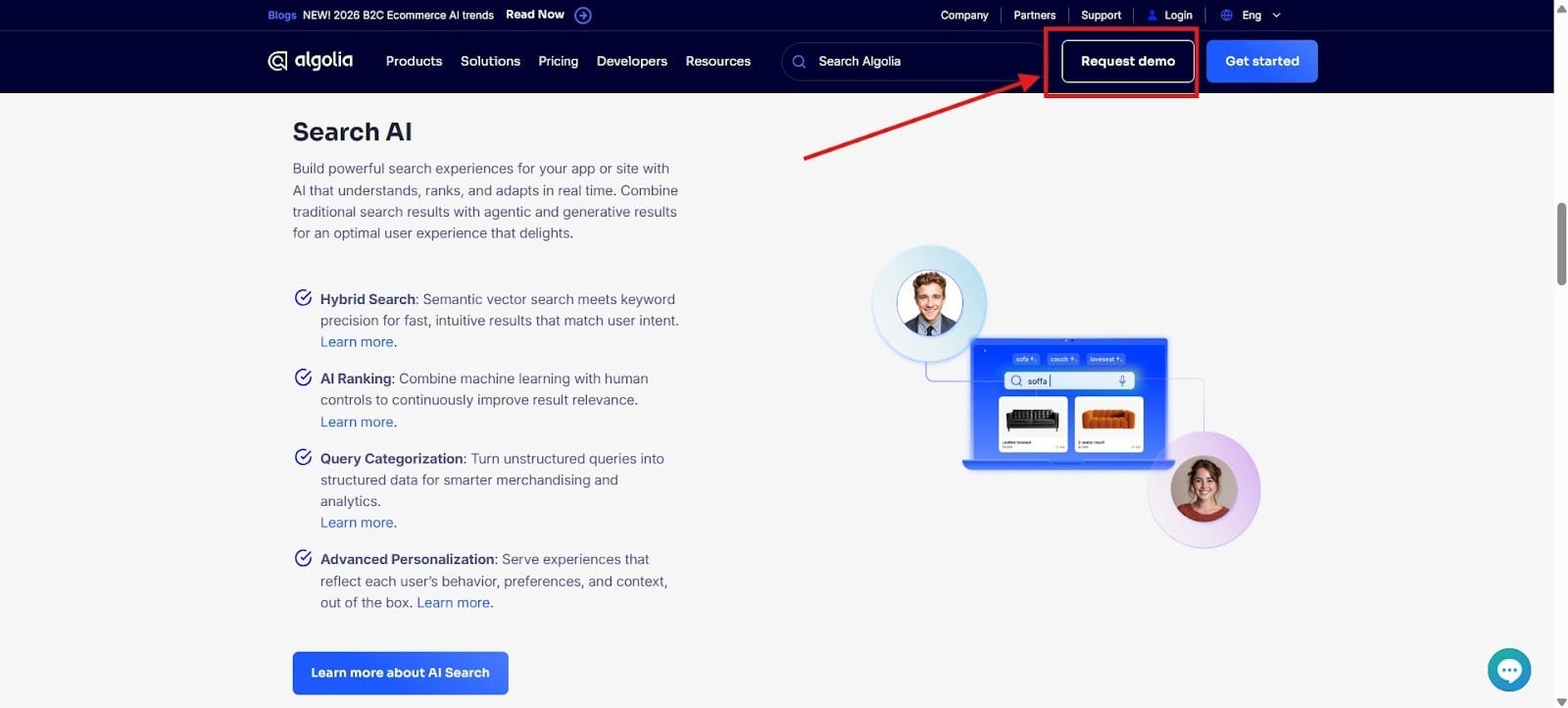
Customize the Search
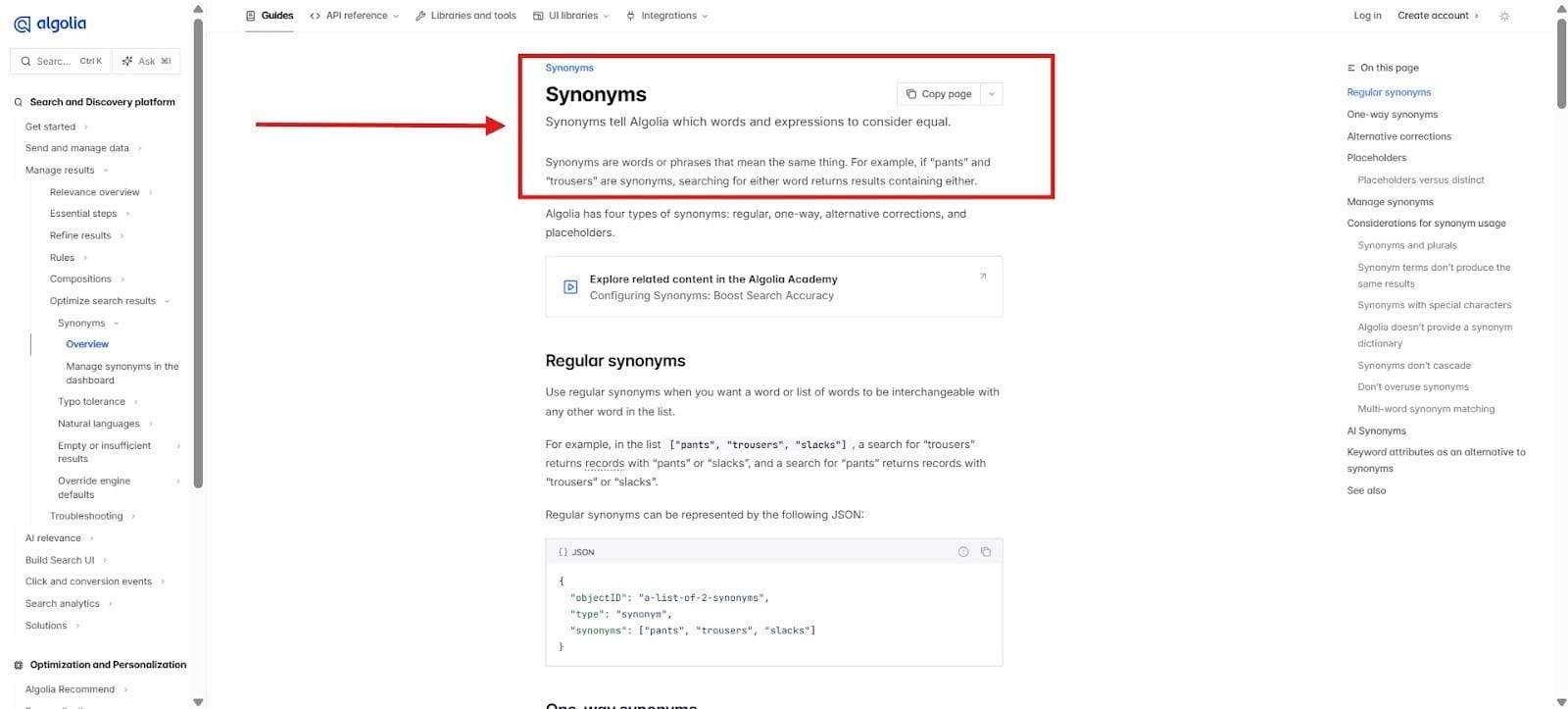
You can customize the search to emphasize your most popular products. The AI feature will also show results with synonyms. At the same time, it dynamically re-ranks products based on what people click on the most. This ensures that you will have a much higher conversion rate and a better reputation by giving people some of your most popular products.
Core Features:
- AI Content Tool: Automatically create category descriptions based on what your customers search for the most. This will save you time and ensure that you maintain good brand consistency throughout. Some believe that it can lead to as much as a 30% increase in the conversion rate.
Synonym Search: Allows customers to find exactly what they need and the AI naturally handles typos. This is notoriously one of the biggest problems that site search engines face is that they’re not well equipped to handle synonyms and bring up irrelevant results. When that happens, many of your customers won’t waste time with it. They will simply go to an eCommerce site that can serve their needs better, which is why it’s so important to get ahead of the problem.
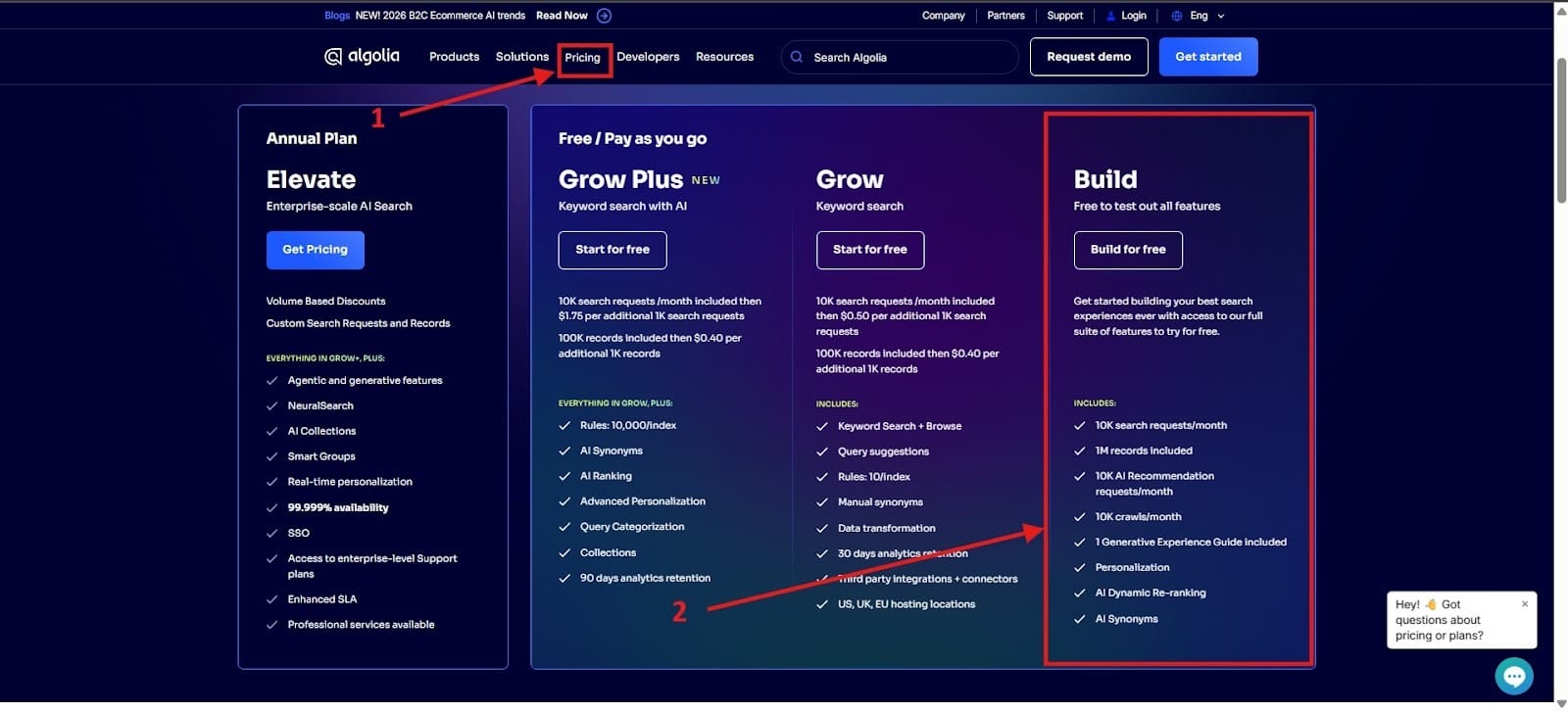
Free Searches on up to 10,000 Searches Per Month: After that, it will be $0.50 per 1,000 searches. To get the free version, you need to go to the top and click the tab that says Pricing. I highlighted it as Number 1. Next, go to the Build package, which I highlighted in red as Number 2.
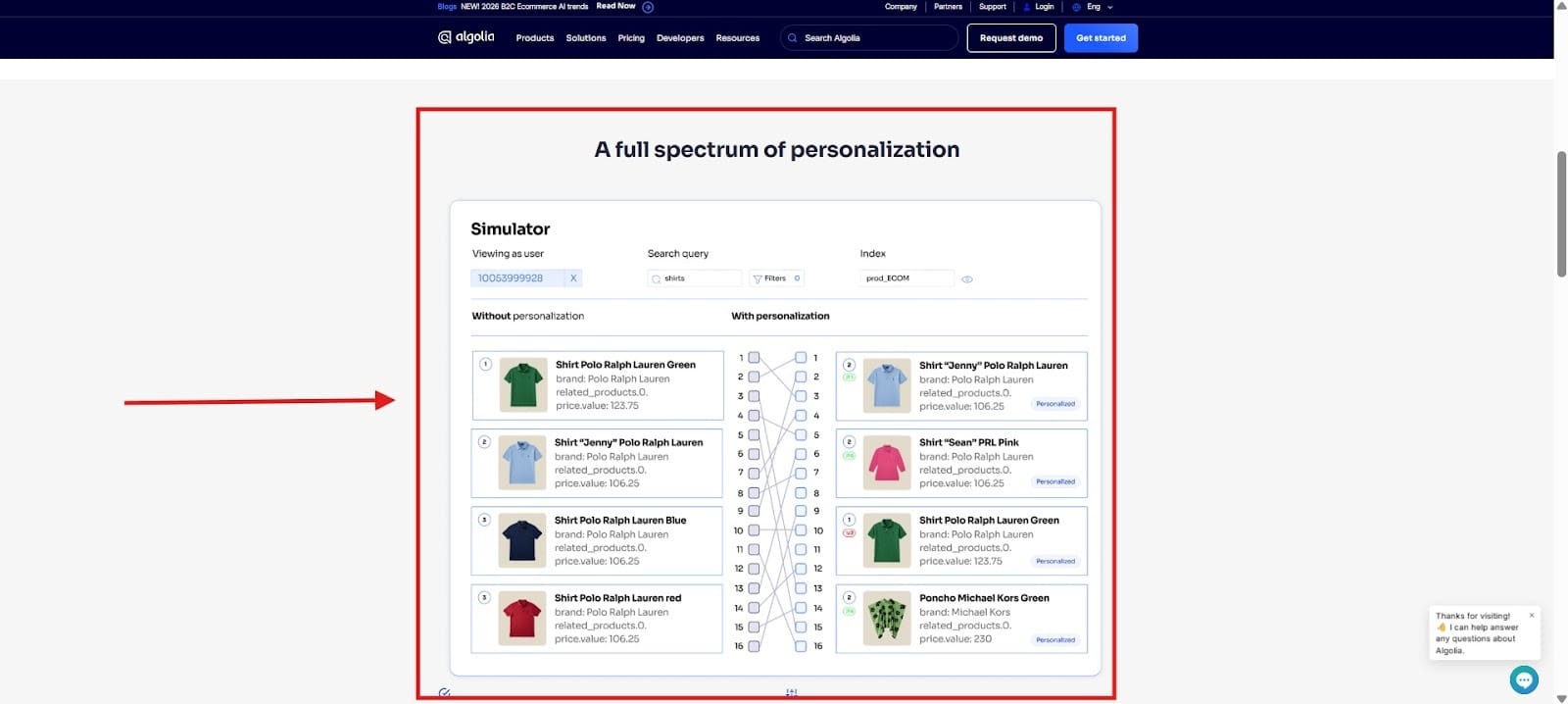
Personalization: Everything will become personalized based on customer behavior and their preferences. The advantage of this is that customers will be able to find the products they’d normally look for, and at the same time, they will find that it feels like a more pleasant experience overall.
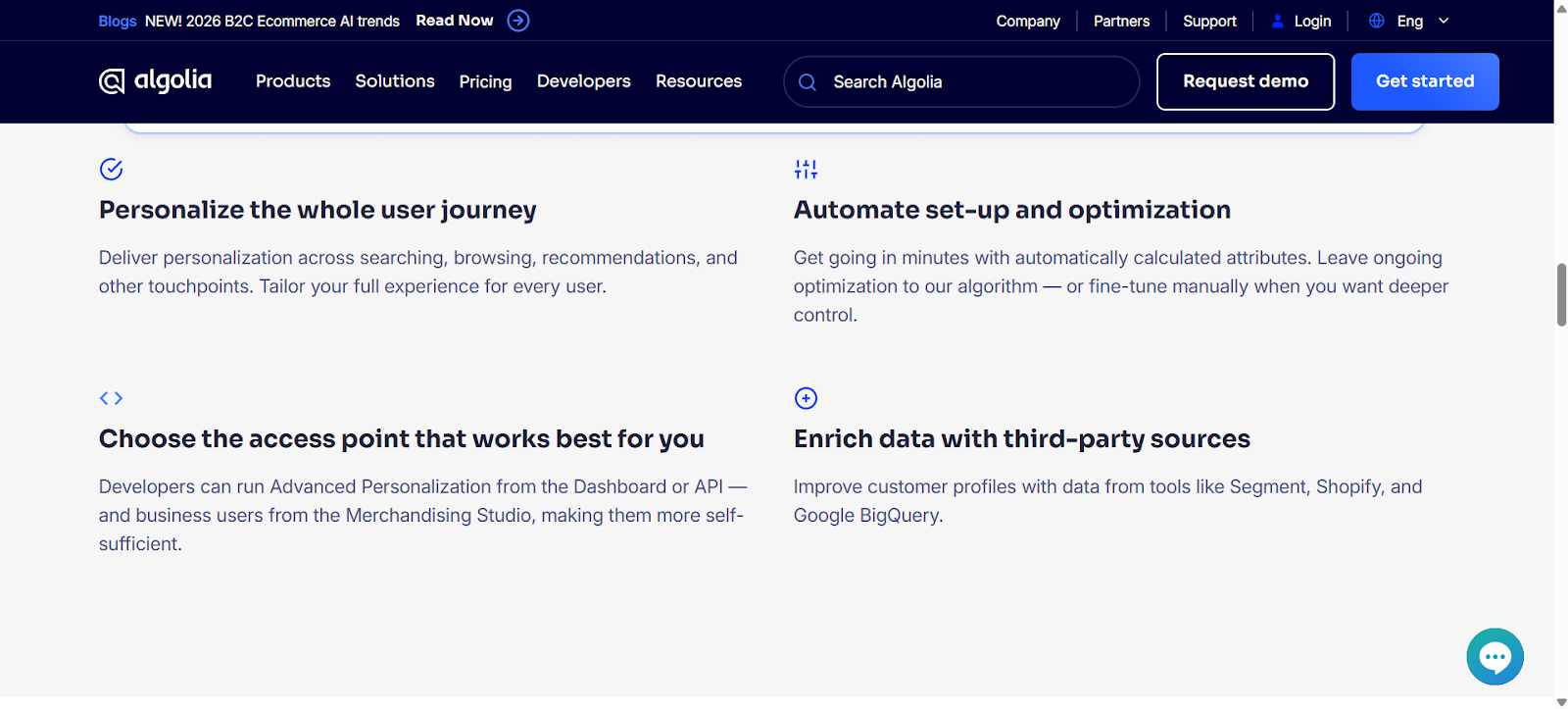
Below are some of things in personalization that Algolia offers you when you go to use this software:
Stage 4: Jack-of-All-Trades(Resize & Image Editing)
Tool: Canva
Creating Graphics for Logos, Videos, Marketing Materials
Canva is an AI tool that you can use to create social media posts for your eCommerce site, and one of the great things about it is that you can learn how to use it very quickly.
Before, you might have to pay thousands of dollars for licensing to use a graphic design tool, and it might take you months just to become basic with your use of it. Canva democratizes the use of its tools to allow for everyone to have ease of use with design.

The Strategy
The strategy behind Canva is a simple drag-and-drop, which eliminates the need for formal training. You can learn the basics of Canva in as little as 10 to 30 minutes. This makes it much easier than some of the other graphic design tools that might cost thousands for a license, and they might take months to learn even the basics, let alone getting to mastery.
The Canva Workflow:
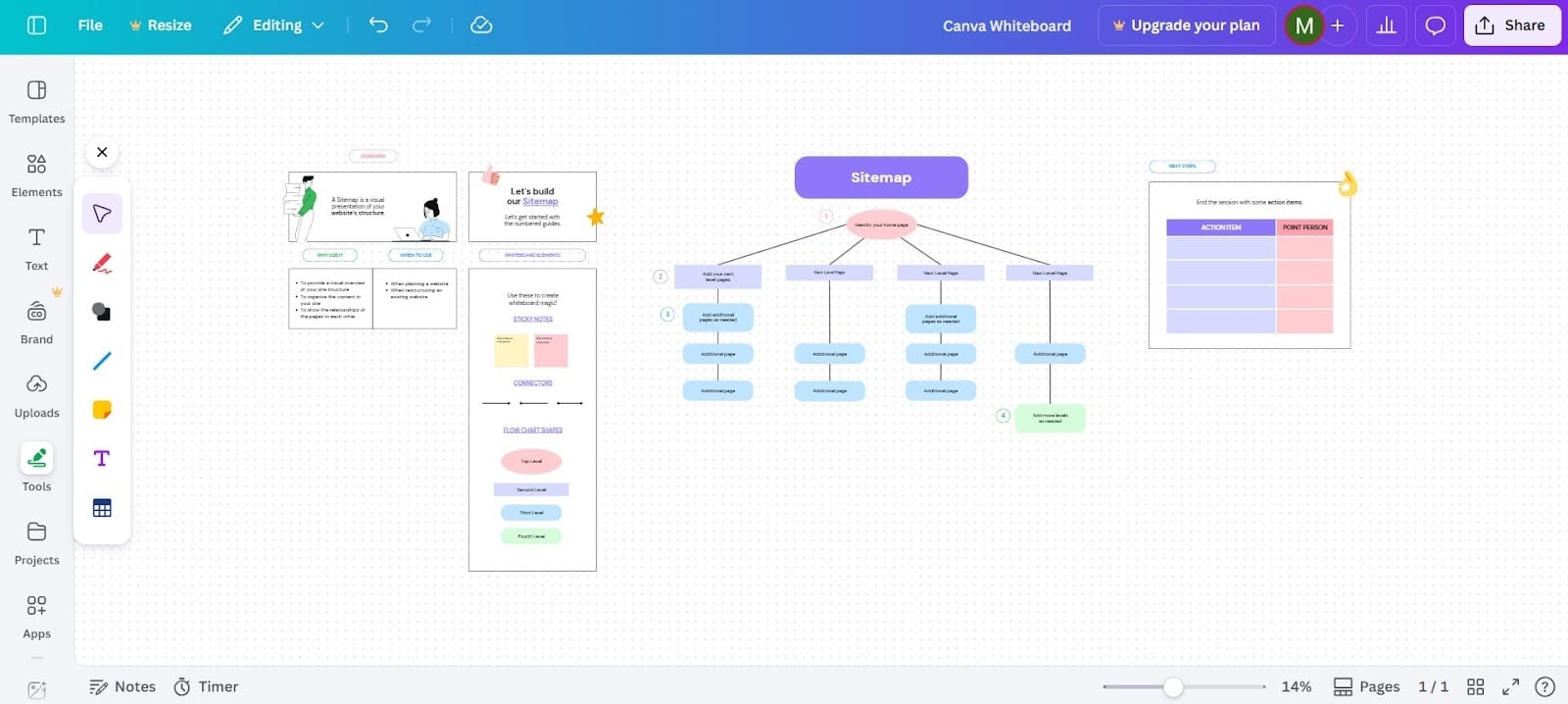
- Ideation and Planning: You can use a Canva whiteboard to brainstorm ideas or create a flow chart. This can help you with becoming more clear on your eCommerce store, and it can help you with the planning of the store to ensure greater success.
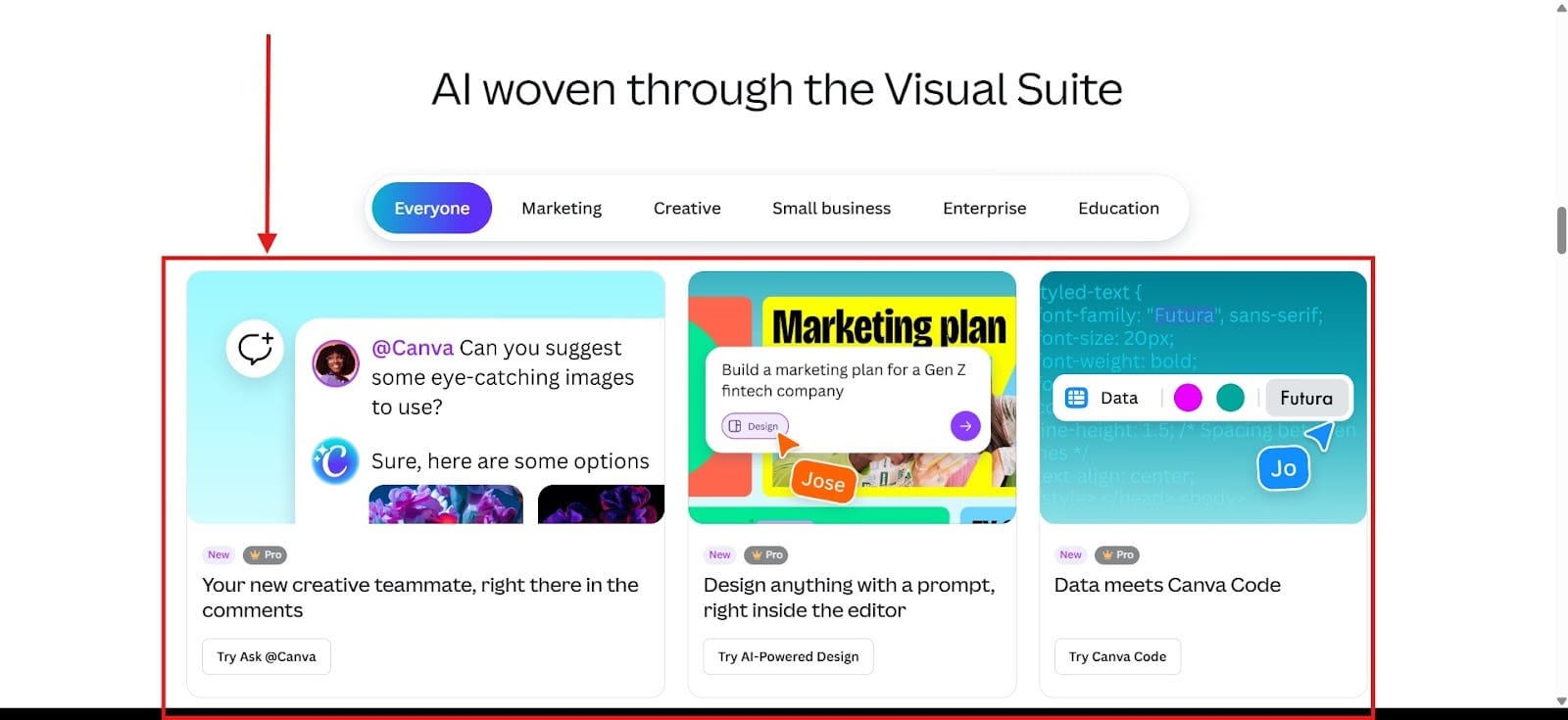
- Magic Studio: This AI-powered tool from Canva helps to accelerate your designs. You can generate an image, edit the photo, or change the text with this suite of tools. Magic Studio helps you to rapidly generate content much faster than what you could without assistance.
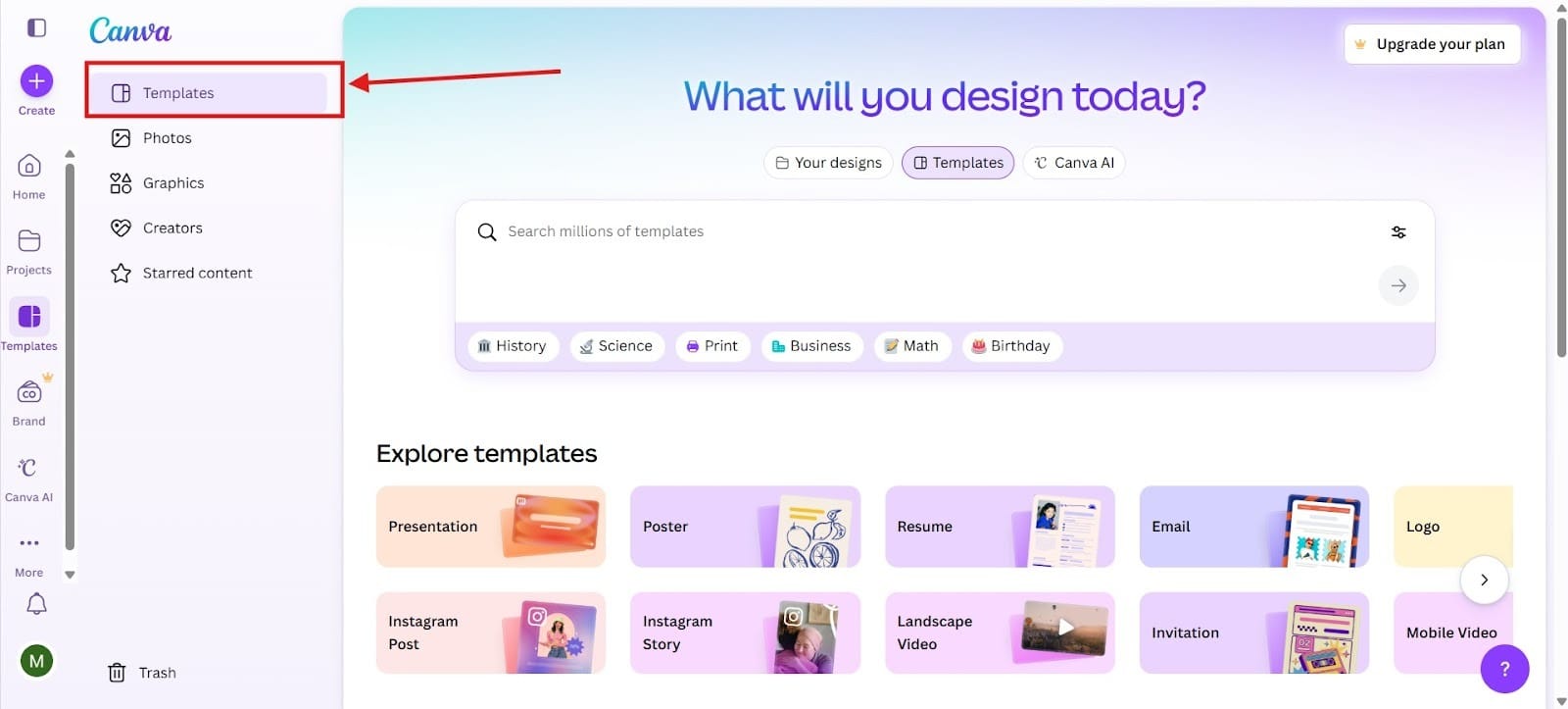
- Templates & Brandkits: Canva offers both brandkits for your eCommerce store design, and it has templates that make your design quick and easy. The brandkits make it much easier for you to follow a specific brand color scheme.
Multi-Platform Tactics
You can use Canva to design graphics for Instagram, LinkedIn, X, or Facebook. This high versatility makes Canva extremely useful because whatever social media platforms you might use to promote your eCommerce site, you can make use out of Canva. Another one of the great things about Canva is that you can quickly resize your images to work with LinkedIn, Instagram, or Facebook.
You can also simultaneously work in Canva on the Desktop, the tablet, or the mobile device.
Stage 5: No-Code Automation Platform (Automate Workflows)
Tool: Zapier
Eliminate Manual Data Entry and Lower the Amount of Human Error
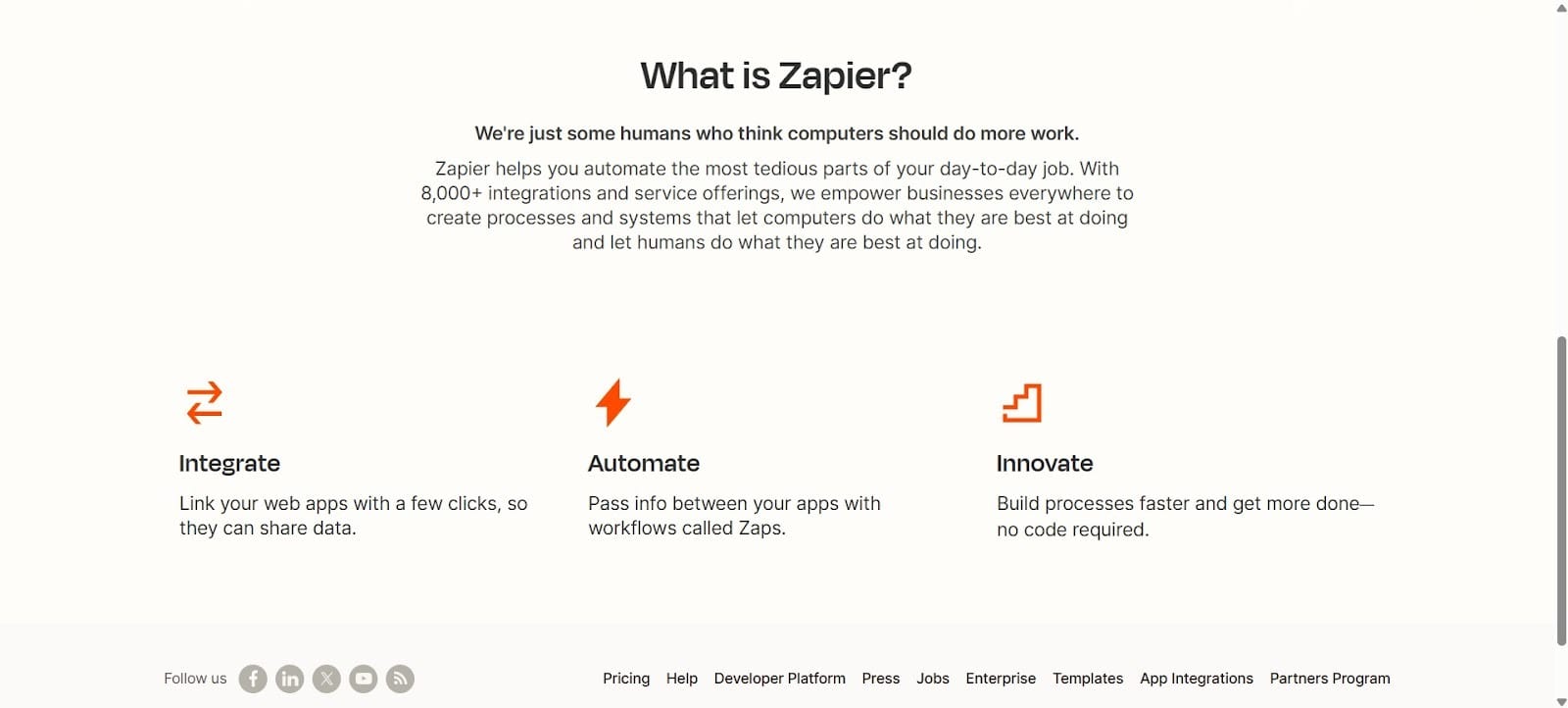
Zapier allows you to connect to online storefronts like WooCommerce, Shopify, and BigCommerce. Get easy connection with marketing, shipping, inventory, and accounting tools. Think of Zapier as the glue that holds everything together.
Automation
Eliminate repetitive tasks and allow for more seamless data flow. You can pass the information between apps to make things even more convenient for you and more smooth.
The Zapier Strategy
- AI-First Approach: Zapier takes an AI first approach with key pillars like content creation, customer engagement automation, and an SEO-driven loop.
- Agent-Based Automation: The AI agents will function as actual teammates at your eCommerce store. What makes them great is they’re always available and respond in seconds.
Product & Operational Strategy
- Specialized Tools Connected by Automation: The tools you have are all connected via automation making things much easier for you.
- Non-Technical Approach: The no-code approach through AI empowers users to connect to over 8,000 applications reducing their manual workload and automating their everyday tasks.
The Success Loop
In the final stage, you will reach the “Success Loop.” When you use all the tools highlighted, they will feed into themselves so that you see this ongoing loop of success.
The data you receive from the AI tools can be used to make yourself more successful. For example, you might go back to Stage 1, but before you do that, you might go to ChatGPT and ask, “My eCommerce store saw a 19% higher conversion rate when I implemented the AI agent through ChatGPT. Please analyze why this happened and how I can use it to get an even higher conversion rate.”
All of this will allow you to optimize your eCommerce store so that you will achieve the best conversion rate possible.
