

ArtSpace AI is an easy-to-use online image generator and editor designed to help you create, fix, and expand visuals for your business without needing complex design software.
Unlike standard AI tools like Midjourney or ChatGPT—which give you a single finished picture and offer no simple way to tweak errors—ArtSpace AI gives you a hands-on visual canvas.
You get two basic ways to work: Tools Mode for instant 1-click fixes (like swapping backgrounds or restoring old photos) and Canvas Mode, where you drag a simple box over any part of an image to repaint or extend it.
What Problems Does ArtSpace AI Solve?
If you create marketing graphics, product photos, or social media posts for your business, you've likely hit these common roadblocks:
- Tossing Out Good Images Over One Small Flaw: Standard AI tools often create a great picture, but mess up a small detail like a weird hand or a distorted product label. Usually, you have to throw the whole picture away and try again. With ArtSpace AI, you just draw a box over the mistake, tell the AI what to put there instead, and it fixes only that spot while leaving the rest untouched.
- Paying for Too Many Monthly Subscriptions: Buying separate apps for background removal, stock photo libraries, image sharpeners, and photo editors gets expensive fast. ArtSpace AI puts over 300 specialized tools into one place, often available for a one-time payment instead of endless monthly fees.
- Struggling to Write "AI Prompts": Trying to figure out the right words to get realistic lighting or sharp details out of an AI can feel like learning a new language. ArtSpace AI includes a built-in Prompt Optimizer button that automatically turns simple ideas like "coffee cup on a desk" into a detailed, professional description with one click.
- Cropping Issues Across Social Platforms: Instagram needs squares, YouTube needs banners, and TikTok needs tall vertical images. Stretching or cropping images usually ruins the layout. ArtSpace AI lets you extend the borders of any image, letting the AI generate matching background scenery so your image fits any screen size naturally.
Who Should Use ArtSpace AI?
ArtSpace AI is built for busy entrepreneurs and small business owners who need great visuals quickly without hiring a full-time designer:
- Solopreneurs & Creators: Quickly generate social posts, blog images, lead magnets, and ebook covers without getting stuck in technical software.
- Online Store Owners: Turn plain phone photos of your products into professional studio shots by swapping out plain backgrounds for styled countertops, wooden tables, or cozy rooms.
- Marketers & Agencies: Produce multiple ad designs fast, test different product backgrounds, and present clear visual ideas to clients in minutes.
- Local Businesses & Real Estate Agents: Touch up property pictures, remove background clutter from photos, and clean up promotional images with a few clicks.
What Can ArtSpace AI be Used For?
Thanks to its straightforward layout, you can use ArtSpace AI for everyday visual tasks:
- Setting Up Product Photos: Place a plain picture of your product on the canvas and ask the AI to build a stylish background around it, like a marble kitchen counter or a sunny park bench.
- Resizing Graphics for Any Platform: Take a square image built for an Instagram post, expand the canvas to the sides, and let the AI fill in the missing space to make a wide banner for your website hero section.
- Quick Image Cleanups: Remove unwanted objects from the background, change a character’s clothing color, or touch up facial features using simple, single-click tools.
- Keeping a Consistent Brand Look: Save image settings and styles so all your social media posts, ads, and website graphics look like they belong to the same brand.
- Making Low-Quality Photos Sharp: Take small, blurry web images and run them through the built-in image sharpener to get crisp, clear pictures ready for high-resolution displays or print materials.
How Should You Use ArtSpace AI?
You don't need any design background to get good results. Here's a simple, 5-step way to use it day-to-day:
- Pick Your Tool: Browse by category (Product Shots, Background Tools, Automotive, Real Estate, etc.) or use the search bar to find exactly what you need — like removing a background or refreshing produce photos.
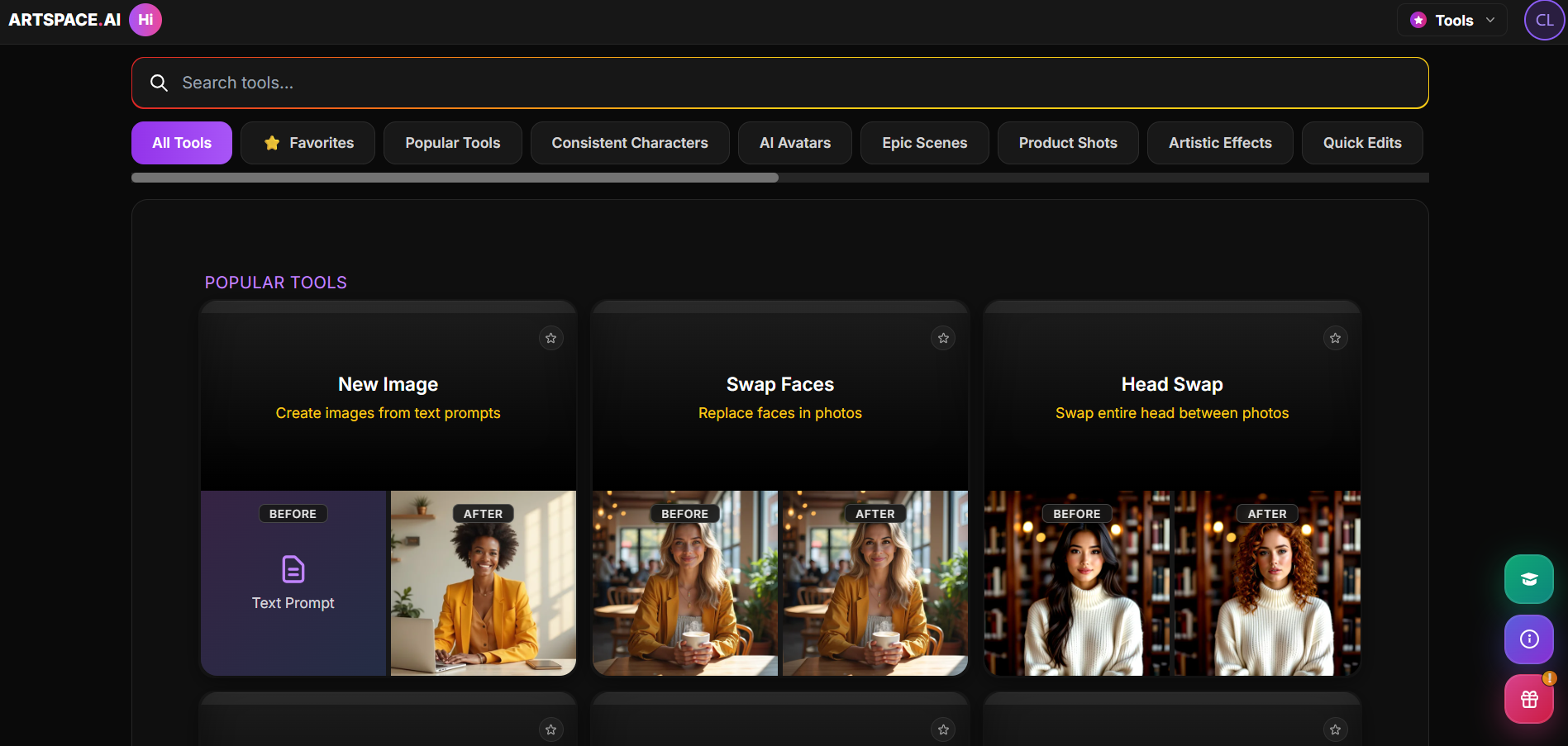
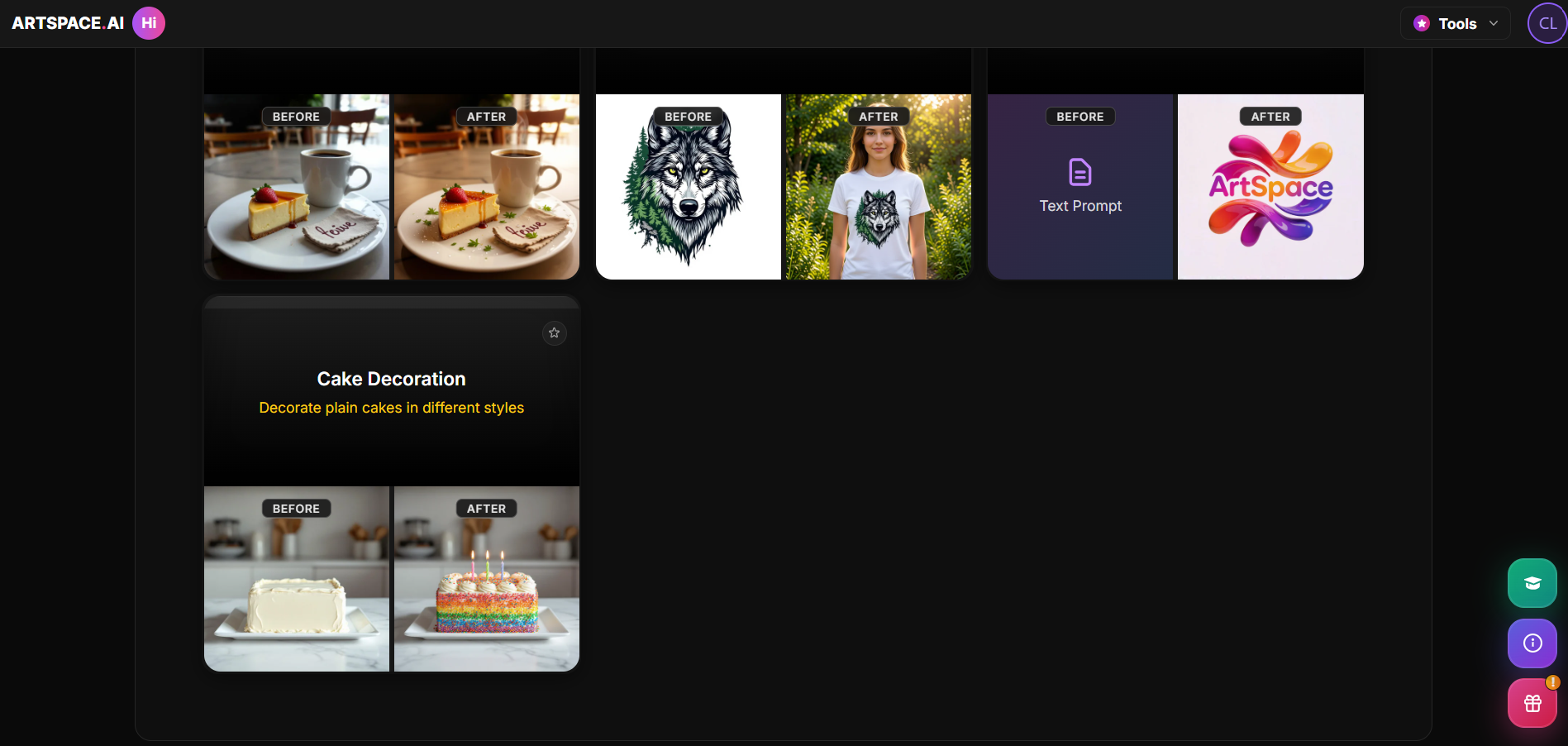
- Open the Tool: Click the tool card to launch it. Each one shows a before/after example so you know what to expect.
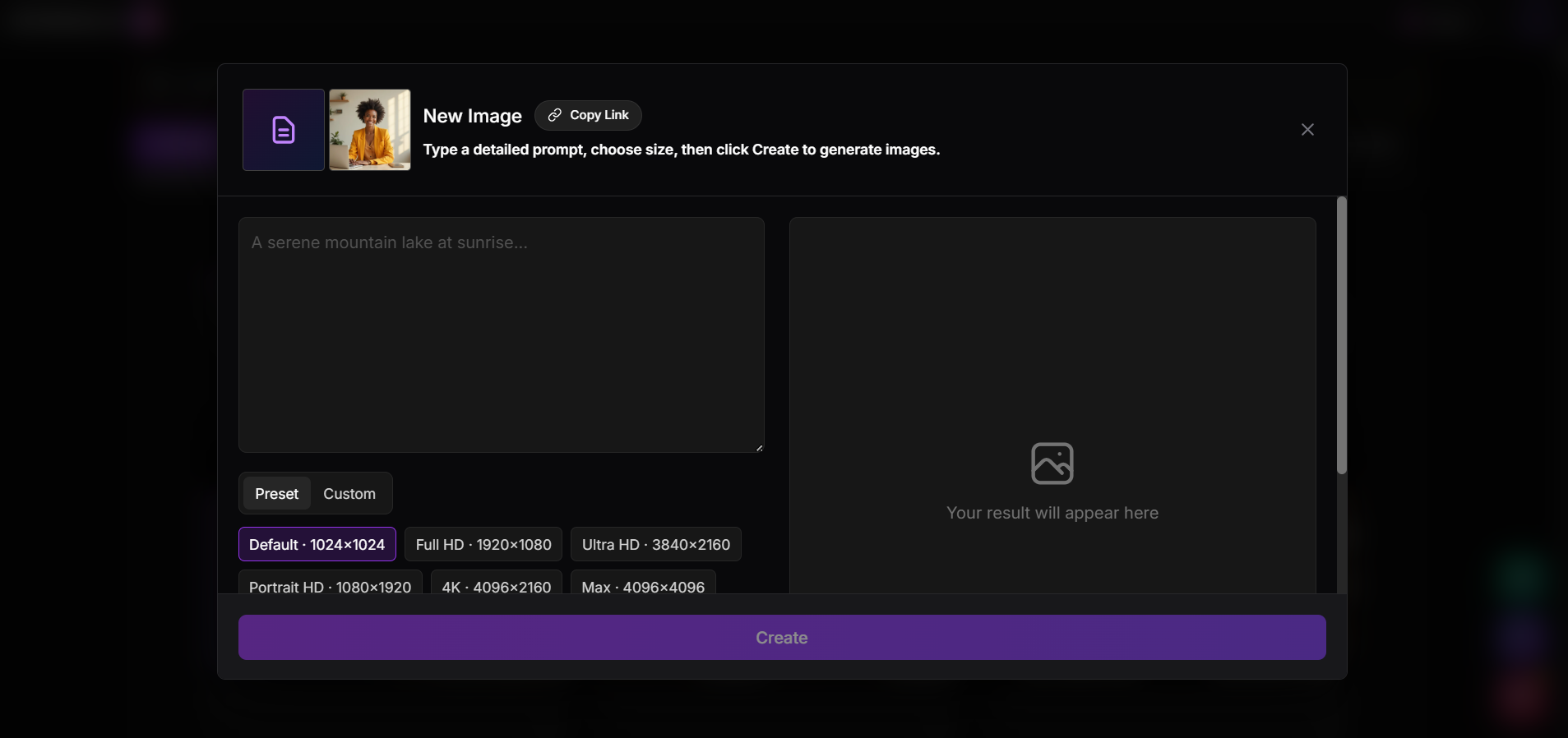
- Add Your Input: Type a description into the prompt box (e.g., "a serene mountain lake at sunrise"), or upload the photo you want edited, depending on the tool.
- Choose Your Size: Pick a preset resolution — Default, Full HD, 4K, or Max — based on where the image will be used (web, print, social).
- Create and Download: Click Create, review your result, then download it for use.
A Few Places to Start
- New Image – generate a photo from scratch using just a text description
- Refresh Produce / Better Food Photography – make product or menu photos look fresh and professional
- Change Background – swap or clean up the background behind a product
- Create Logo – generate a logo just by typing your business name
Niche Tools Worth Knowing
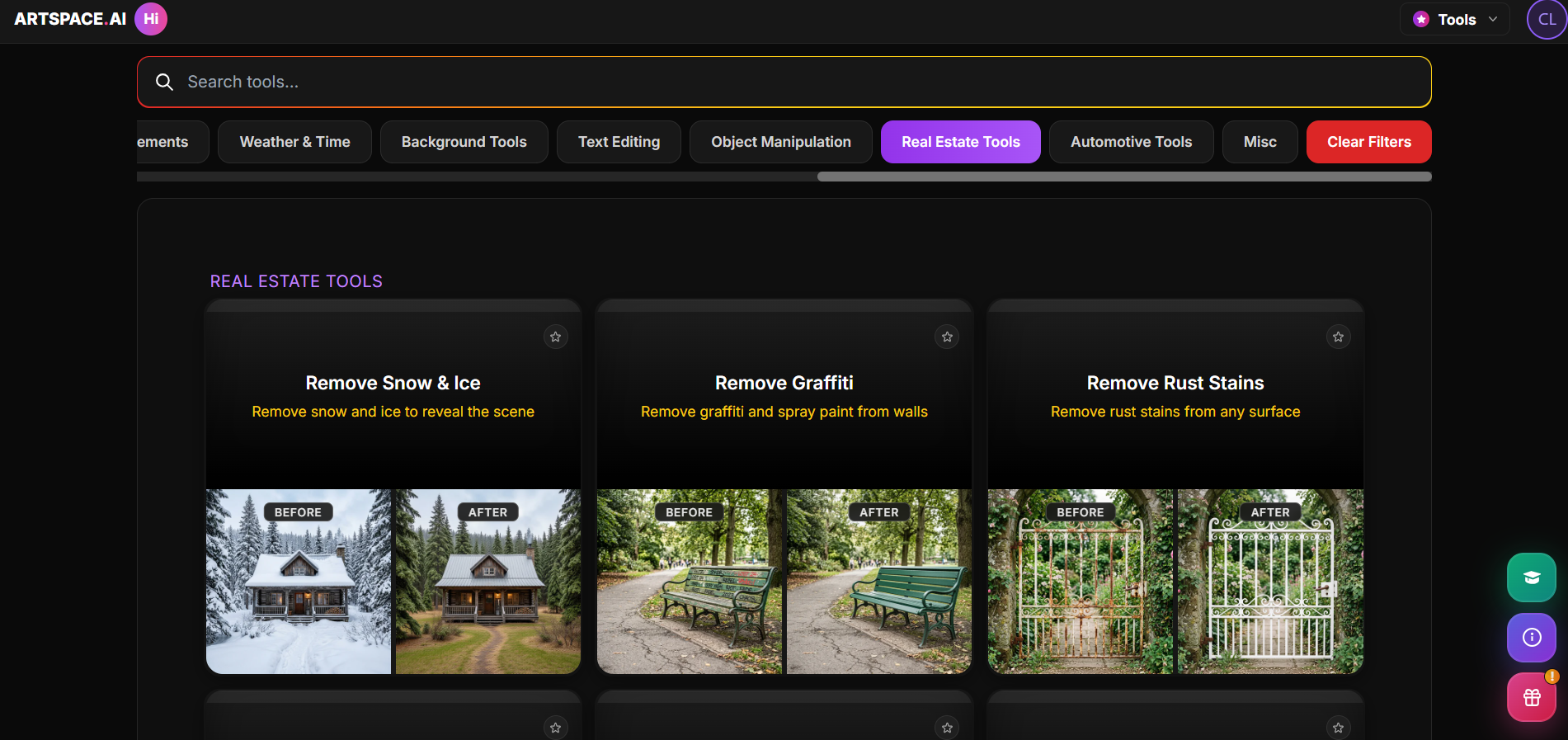
- Real Estate: remove snow, graffiti, or rust from listing photos
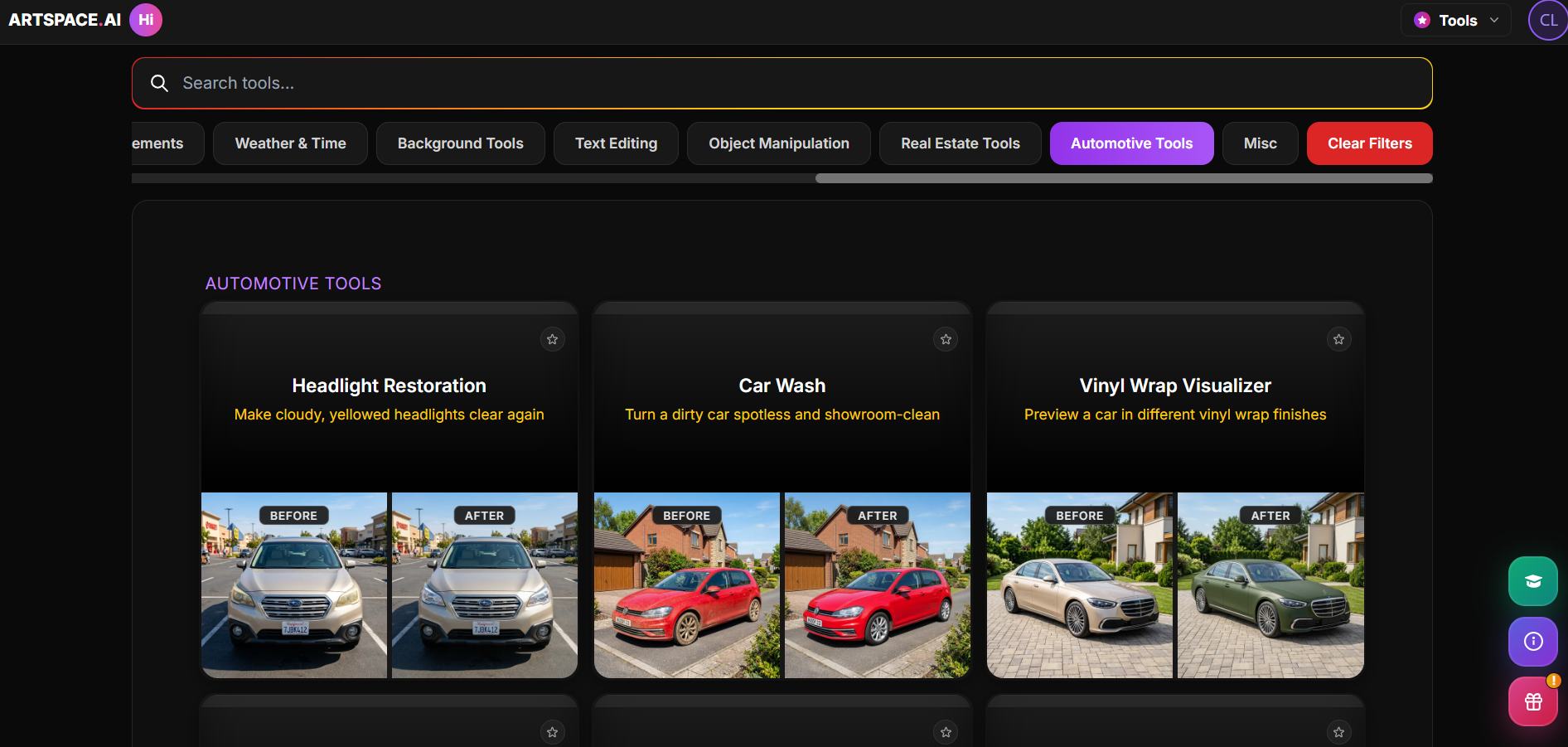
- Automotive: preview a "washed" car or a vinyl wrap color
- Cake Decoration: preview design styles before baking
What are the Key Features and Benefits of ArtSpace AI?
ArtSpace AI focuses on giving you practical control without forcing you to deal with complicated menus:
- Infinite Working Space: Work on several image ideas side-by-side on one big digital board instead of opening dozens of browser tabs.
- Targeted Editing & Canvas Extension: Edit precise sections of your picture without changing the parts you already like, or extend existing backgrounds seamlessly.
- Over 300 One-Click Tools: Pre-made shortcuts for everyday edits like removing backgrounds, swapping faces, or tweaking poses with zero hassle.
- Built-In Prompt Optimizer: Helps you write clear, effective prompts automatically so you don’t waste time guessing the right words.
- Integrated Image Sharpener: Crisp up fine textures and low-resolution images so your final visuals look clean and professional anywhere.
- Automatic History & Saved Work: Keeps track of past settings and graphics so you can always come back and recreate styles you like.
What Makes ArtSpace AI Different?
Most visual AI tools fall into one of two extremes:
- Chat-Based Generators (like Midjourney): Great picture quality, but tricky to use, organized inside chat apps, and impossible to edit specific details directly.
- Pro Software (like Photoshop): Very powerful, but comes with a steep learning curve, complex toolbars, and expensive monthly subscriptions.
ArtSpace AI strikes a comfortable balance by making AI generation easy and interactive. Instead of repeatedly generating new pictures and hoping for good luck, you create a solid starting image and use simple visual tools to fix details until it looks exactly right.
Plus, with flexible one-time payment options, you can avoid adding another monthly subscription to your business expenses.
Final Thoughts on ArtSpace AI
If you are a professional graphics designer who needs advanced vector tools or custom lettering, you will still want specialized graphic software.
However, for the everyday graphics most business owners need—like product showcases, social media visuals, ad backgrounds, and simple photo fixes—ArtSpace AI is a straightforward, reliable tool. It solves the biggest frustration in AI design by letting you edit exactly what you want.
Frequently Asked Questions
Can I sell art created by ArtSpace AI?
Yes, paid and lifetime plans generally include full commercial usage rights for ads, client work, and digital products. However, it's best to double-check their live terms page to confirm current policies before reselling or licensing images.
Is ArtSpace AI a good tool?
Depends on your use case. It's well-regarded for speed and ease of use — it's fun to use, gives quick results, and the output is often good enough for blogs, thumbnails, and digital storefronts. Where it falls short: output quality on complex, multi-subject, or fine-art scenes reportedly lags behind top-tier rivals like Midjourney. So — solid for the day-to-day SMB tasks in your guide (product photos, backgrounds, quick fixes); less so if you need gallery-quality art.
How much does ArtSpace AI cost?
Pricing varies, with options ranging from low monthly subscriptions to lifetime deals. Check artspace.ai/pricing directly for the most accurate current rates.
What data does ArtSpace AI use?
ArtSpace is GDPR-compliant and lets you retain ownership of your images. However, since it's unclear whether uploaded photos are used to train their AI models, it's best to contact support directly if that's a concern for you or your clients.
Does ArtSpace AI have a free trial?
Yes — their own site consistently advertises a free 7-day trial.
