

If you sell things online, you know that great photos make or break your sales. Claid AI is an all-in-one AI photo tool made specifically for online stores, brands, and marketplaces. It was built by the team behind Let’s Enhance (the famous image-sharpening tool) to help businesses handle all of their product photography automatically and at a fraction of the usual cost.
Most AI image generators, like Midjourney or Stable Diffusion, are great for making creative art. However, because they are built for artistic expression rather than commerce, they can sometimes struggle with precise details—frequently altering product shapes, text, or logos.
Claid AI is different. It uses smart technology designed to protect your actual product. This means the AI can create stunning, professional backgrounds and realistic lighting in crisp 4K, but your product itself stays 100% accurate, recognizable, and true to your brand.
Think of Claid AI as your on-demand, digital photo studio—minus the expensive cameras, scheduling headaches, and steep invoices. It gives you the power to instantly drop your items into stunning lifestyle scenes, dress realistic virtual models, or make dark, low-res mobile snapshots look retail-ready in seconds.
What Problems Does Claid AI Solve?
- AI photos that look "weird" or fake: Most generic AI image generators warp text, distort product edges, or mess up brand logos. Claid is different—it is built specifically to keep your actual product looking 100% real and accurate, while only changing the background around it.
- Traditional photoshoots cost a fortune: Renting studio space, hiring models, buying props, and paying editors can destroy your profit margins. Claid lets you do all of this digitally in just a few seconds.
- Waiting forever for sellers to upload photos: If you run a multi-seller marketplace, waiting for people to upload clean, standard images slows down your business. Claid automatically cleans, aligns, and fixes images the second they are uploaded.
- Dark, blurry smartphone photos: Photos submitted by customers or casual sellers are often dark, blurry, and shot on cheap phones. Claid cleans them up, fixes the lighting, and makes them look crisp instantly.
Who Should Use Claid AI?
From small boutique storefronts to massive global marketplaces, Claid AI is built to fit right into your creative workflow.
- Online Shop Owners & DTC Brands: Anyone who wants to turn basic smartphone photos into gorgeous, high-converting images for social media and product pages.
- Marketplaces & Delivery Apps: Platforms (like food delivery, retail, or car sales sites) that need to instantly clean up and standardize thousands of user-uploaded photos every single day.
- Fashion & Clothing Retailers: Brands that want to show their clothes on real-looking virtual models without having to organize expensive photoshoots for every single item.
- Developers & Product Teams: Tech teams who want to build high-end image editing and AI staging directly into their own websites or apps.
What Can Claid AI Be Used For?
Claid handles the entire visual side of your online store. Here is what you can do with it:
- Create Lifestyle Photos (AI Photoshoot): Instantly place your product (like a bottle, jar, or box) into beautiful, realistic settings—like a clean marble countertop, a sunlit bathroom, or a tropical beach.
- Put Clothes on Virtual Models (AI Fashion Models): Take a simple flat-lay or mannequin photo of a piece of clothing and instantly show it on realistic virtual models of different sizes and ethnicities.
- Make Video Ads (Image-to-Video): Turn a flat product photo into a clean, moving 5-second video loop that is perfect for TikTok, Instagram Reels, and social media ads.
- Get Instant Marketplace Approval: Automatically remove backgrounds, add clean drop shadows, and crop photos so they perfectly match the strict rules of Amazon, eBay, Walmart, or Shopify.
How Do You Use Claid AI?
You can use Claid in two incredibly easy ways depending on your team's needs:
Option A: The Simple Web Studio (No Coding Required)
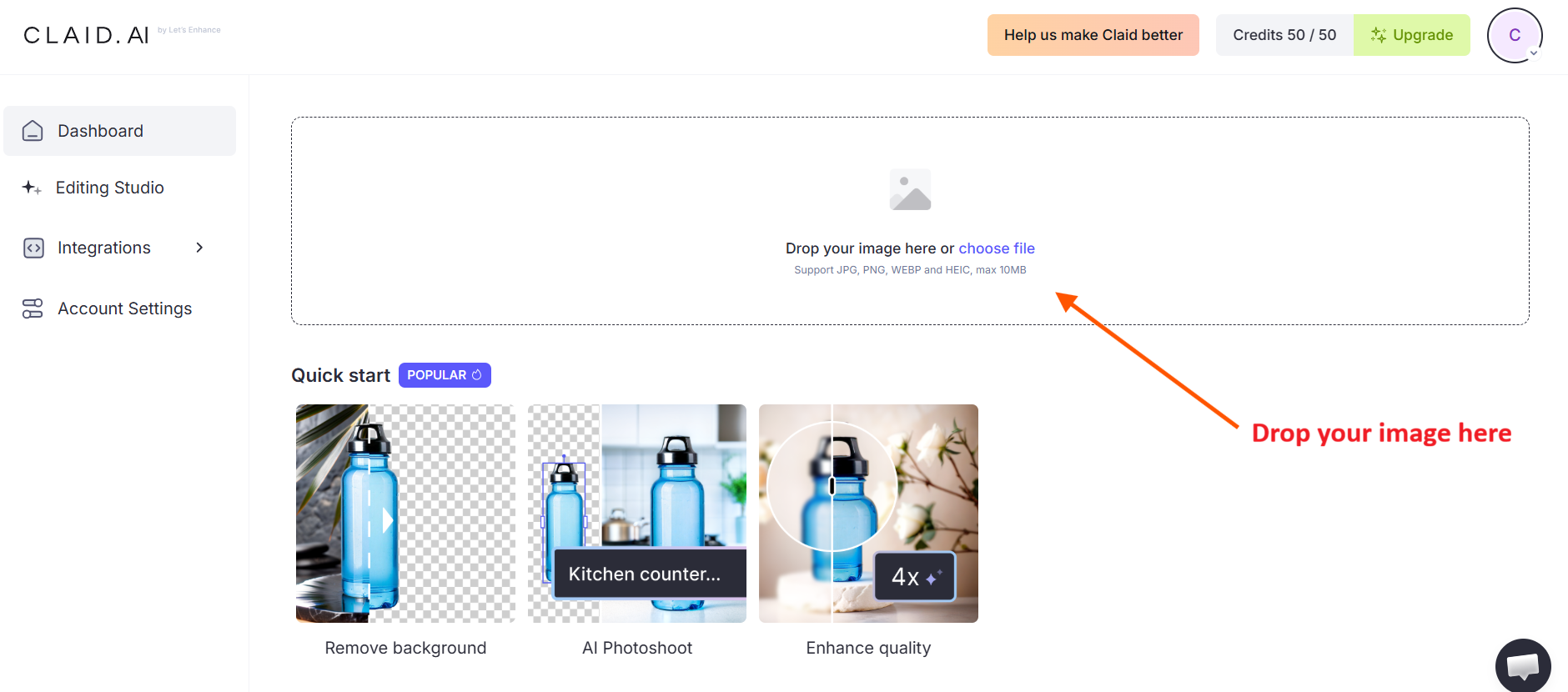
- Upload your photo: Drop any basic product photo into the Claid web dashboard, where the AI instantly scans your file to map out product boundaries and protect your logos.
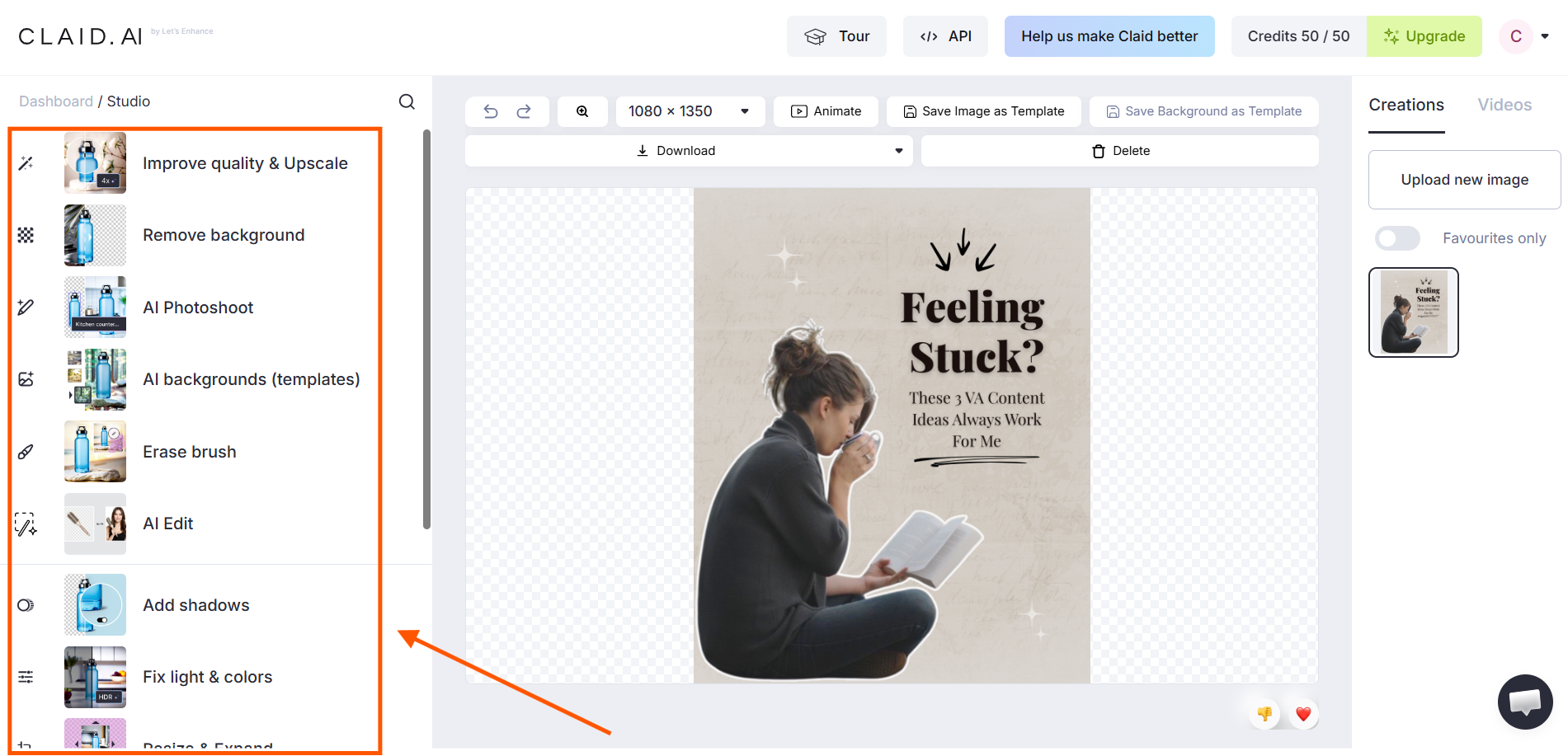
- Select your AI engine: Choose a specialized tool—like using AI Photoshoot to generate scenery, AI Fashion to map clothing onto digital models, or the AI Enhancer to instantly fix lighting and blurriness.
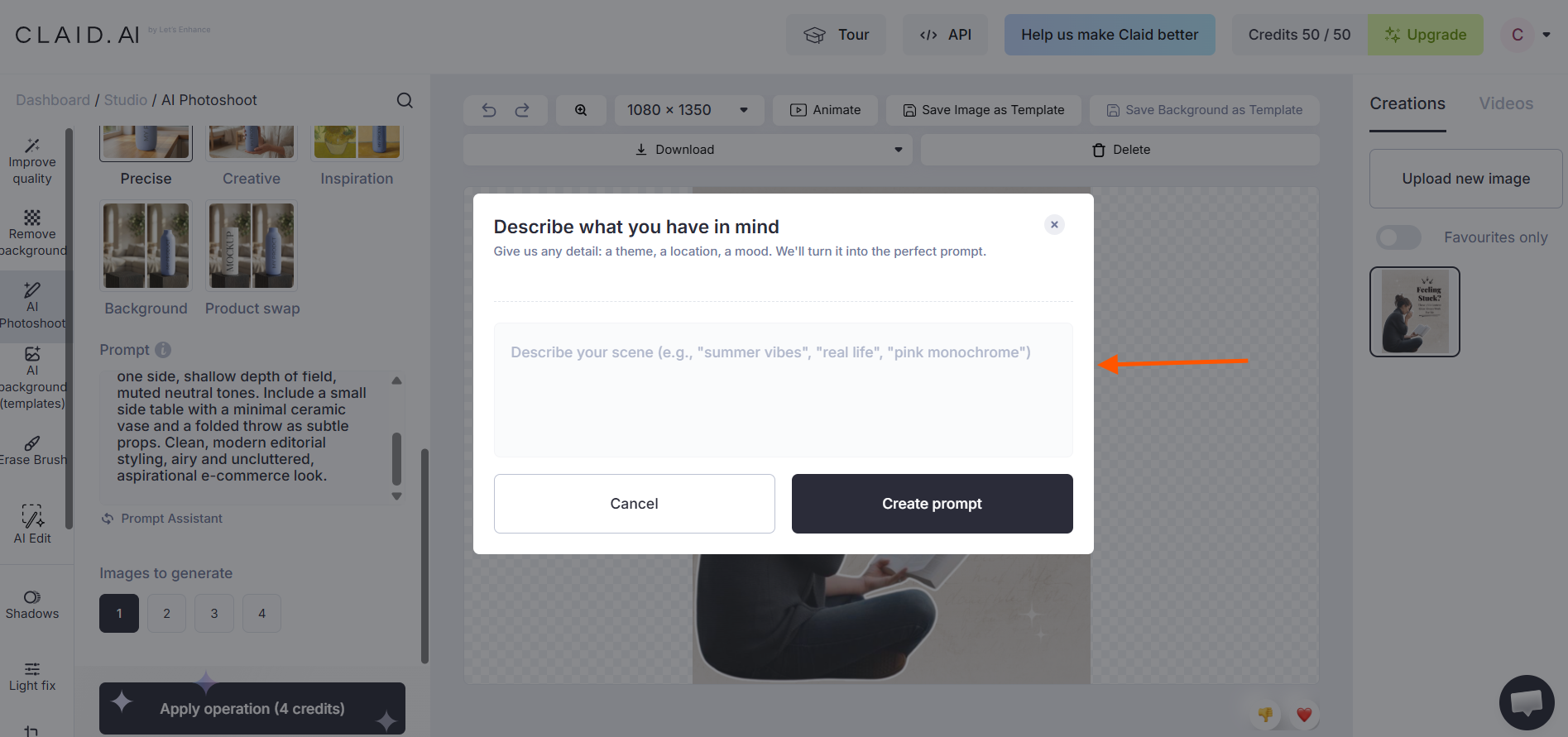
- Guide the AI: Type a quick description of the background you want the AI to generate, or choose from over 100 industry-optimized preset prompts.
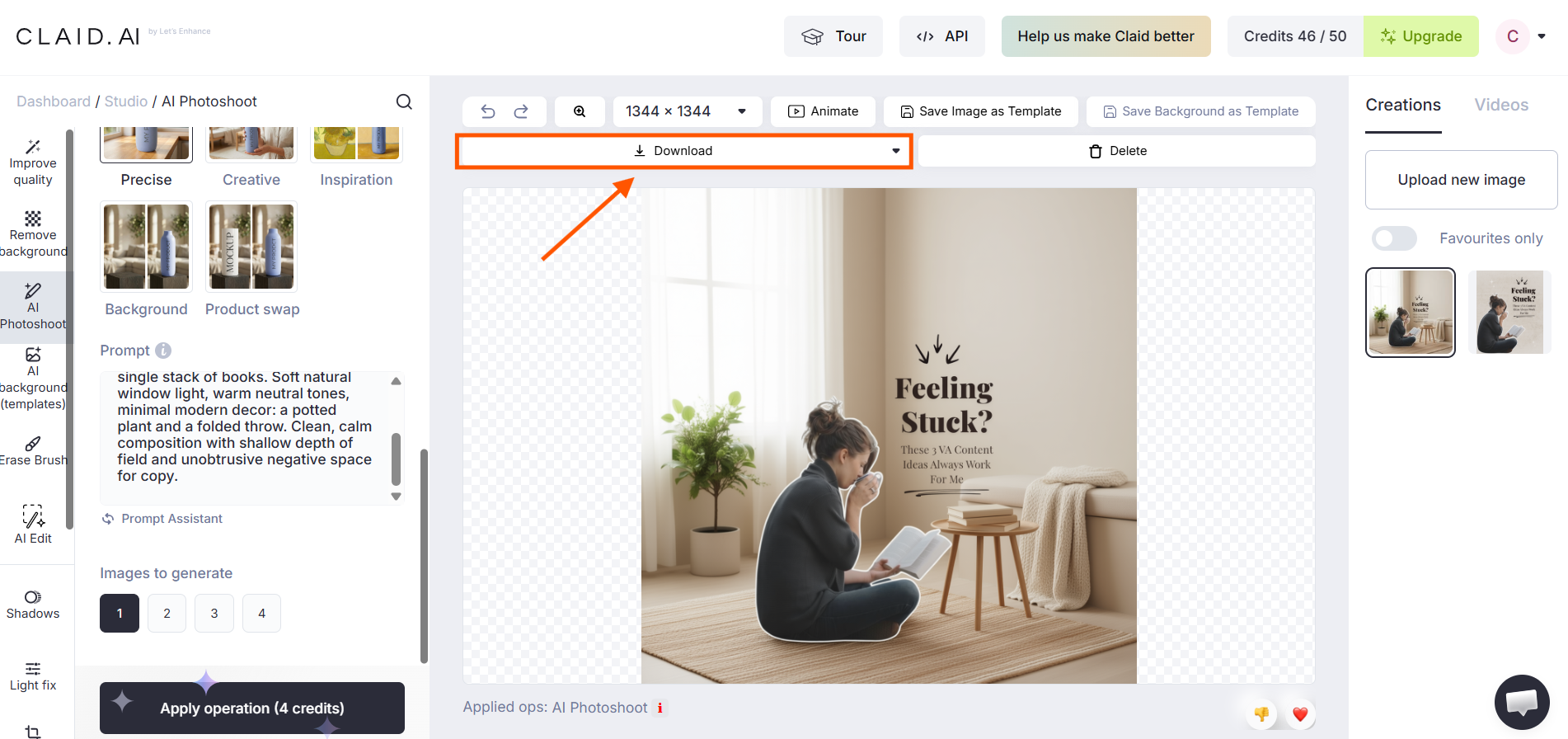
- Download and use: Export your beautiful, high-resolution AI-generated assets and upload them straight to your store.
Option B: The Developer API (For Automated, Large-Scale Editing)
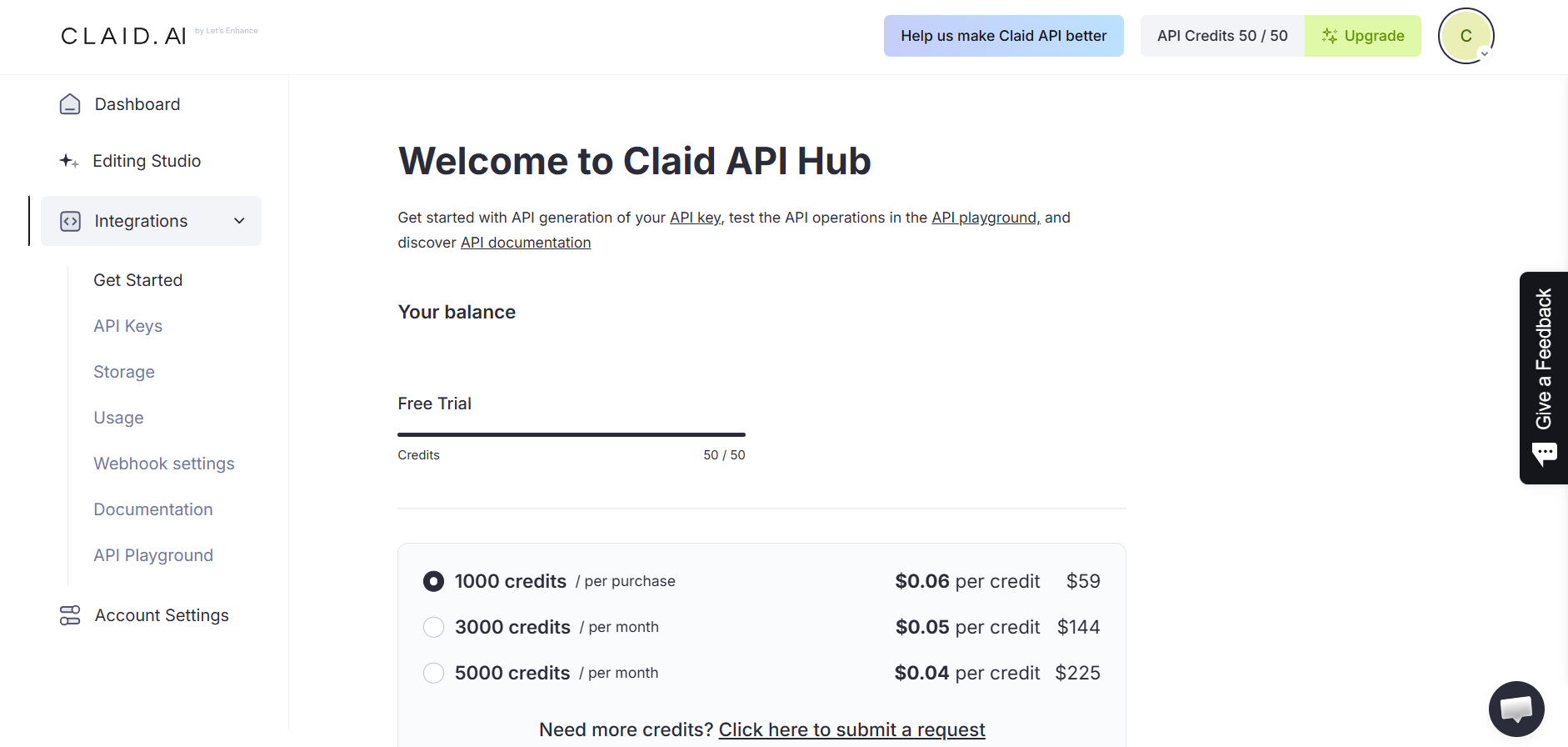
If you deal with thousands of photos, you can connect Claid's API directly to your website's backend. This allows your system to automatically take a raw image, remove the background, fix the lighting, make it razor-sharp, and resize it for your site in under 2 seconds.
Key Features That Make Claid AI Worth It
Here is a quick look at the unique AI tools and smart features that do the heavy lifting for your business.
1. It Protects Your Branding
Unlike other AI tools that rewrite text or change the shape of your product, Claid keeps your actual product untouched. Your logos, text labels, and product shapes stay exactly as they are in real life.
2. High-End Image Sharpening (Upscaling)
Claid can make low-quality, blurry images incredibly sharp. It fixes compression blocks, cleans up skin textures, and makes small label text readable up to native 4K resolution.
3. Smart Relighting (Light AI)
If a photo is shot in a dark room, Claid’s Smart Relighting analyzes the image and adds natural-looking studio lights and soft shadows to make the product stand out.
4. Virtual Fashion Models
Save thousands of dollars on model fees. Simply upload a flat-lay photo of your apparel, and Claid will seamlessly map it onto realistic digital models in different poses.
5. Smart Resizing
Need your photo to fit a square Instagram post, a tall story, and a wide banner? Claid's smart resizing tool naturally extends the background outward without stretching or warping your product.
How Claid AI Compares to Generic AI Tools
Here is a quick look at why Claid is better suited for business than standard creative AI tools:
| Feature | Generic AI Art Tools | Claid AI |
|---|---|---|
| Product Accuracy | Often warp logos, text, and product shapes. | Keeps your product and brand completely unchanged. |
| Speed & Volume | You have to generate images one by one. | Processes hundreds of images at once or runs automatically via API. |
| Tech Integration | Hard to connect to your own website. | Easily connects to tools like Make.com or your custom backend. |
| Main Goal | Designed to make cool, artistic, and abstract images. | Designed to make clean, high-converting product photos that drive sales. |
Final Thoughts on Claid AI
When people shop online, they buy with their eyes. If your product photos look dark, unprofessional, or low-quality, you're likely losing potential customers before they even read your product description.
Claid AI gives you the best of both worlds: the quality of a professional photography studio combined with the speed, scalability, and affordability of AI. It respects your brand guidelines, eliminates hours of manual editing, and makes it easy to create consistent, high-converting product images across your entire catalog.
If you're ready to stop spending countless hours in Photoshop and want to instantly elevate the look of your online store, Claid AI is a smart investment. Whether you're a small ecommerce business or a growing enterprise, it can help you create professional product photography faster, easier, and at scale.
Frequently Asked Questions
How does Claid AI work?
Claid AI leverages AI-powered image processing to enhance product photos, automate background removal, create realistic scenes, and optimize image quality. Its technology is designed to maintain accurate product details and ensure brand-safe, consistent visuals.
Is Claid AI free to use?
Yes. Claid AI offers a free tier with limited credits, enabling individuals and businesses to evaluate the platform's image enhancement, background editing, and automation features before selecting a premium plan.
Who owns Claid AI?
Claid AI is developed by the team behind Let's Enhance, a company known for its expertise in AI-powered image enhancement. Their technology helps businesses improve image quality, automate editing workflows, and create professional-grade visuals efficiently.
What makes Claid AI different from other AI image generators?
Unlike general AI art tools, Claid AI is built specifically for ecommerce and product photography, focusing on realistic, brand-safe product images that help businesses create professional visuals while maintaining product accuracy and consistency.
Can Claid AI process images in bulk?
Yes. Claid AI supports batch processing, allowing you to edit hundreds of product images simultaneously. This helps ecommerce teams streamline workflows, maintain visual consistency, and scale image production efficiently.
