

eSkilled AI Course Creator is an end-to-end AI course creator software that transforms raw ideas, documents, PDFs, or software manuals into fully structured, interactive online learning modules in a matter of minutes.
Instead of just spitting out basic outlines or plain text blocks like standard chatbots do, this AI-powered course creation tool builds complete, production-ready modules.
That includes lesson content, interactive media, AI-generated quizzes for courses, real-world scenarios, and SCORM-compliant export files that drop right into your existing Learning Management System (LMS).
What Problems Does eSkilled AI Course Creator Solve?
If you have ever tried to build an online course from scratch, you know the process usually feels like wading through mud. Here are the exact pain points this tool solves:
- The "Blank Page" Bottleneck: Spending 40 to 60 hours outlining modules, writing lesson scripts, and formatting slides line by line.
- Outsourced Design Costs: Hiring instructional designers, graphic artists, and media developers can easily cost thousands of dollars per course.
- Formatting and SCORM Nightmares: Struggling to make your course look professional and export it into a format that actually works with standard LMS platforms.
- Stale, Boring Content: Text-heavy courses lose student attention fast. Manually building interactive elements, case studies, and assessments takes hours you don't have.
- Localization Hurdles: Rebuilding a course for different regions, industries, or language speaking groups usually means starting the whole project over from scratch.
This automated course authoring tool takes those multi-week headaches and compresses them into a streamlined workflow you can finish during a lunch break.
Who Should Use eSkilled AI Course Creator?
This platform is specifically built for creators, businesses, and educators who need professional-grade courses fast without managing a massive design team:
- Solopreneurs & Subject Matter Experts: Monetize your knowledge quickly without getting stuck in technical or design details.
- Small to Medium Business Owners: Train employees, onboard new hires, or educate clients with professional training modules created in-house.
- Corporate L&D Teams: Need a quick corporate learning module generator to roll out updated internal compliance, sales training, or operational procedures? This eliminates weeks of prep work.
- Registered Training Organisations (RTOs): High-compliance institutions looking for reliable RTO course development software to quickly map content to strict framework standards and outcomes.
- Agencies & Freelance Instructional Designers: Scale your client operations by producing twice the course volume in half the time.
What Can eSkilled AI Course Creator be Used For?
Because it functions as a flexible AI eLearning content generator, you can build virtually any type of structured digital learning content, including:
- Employee Onboarding Programs: Turn dense company handbooks and internal SOPs into bite-sized interactive training modules.
- Customer Education & Product Training: Transform product documentation or user guides into clear step-by-step video and text tutorials.
- Monetized Online Courses: Create paid courses complete with testing, downloadable assets, and structured learning paths.
- Compliance & Safety Training: Build mandatory training updates with built-in tracking and assessments to ensure staff understanding.
- Multi-Language Global Training: Instantly translate and adapt modules for international teams or global student audiences.
How Should You Use eSkilled AI Course Creator?
Using this online course maker with AI is simple and direct. You don't need any technical coding skills or prior instructional design experience.
Step 1: Start a new course
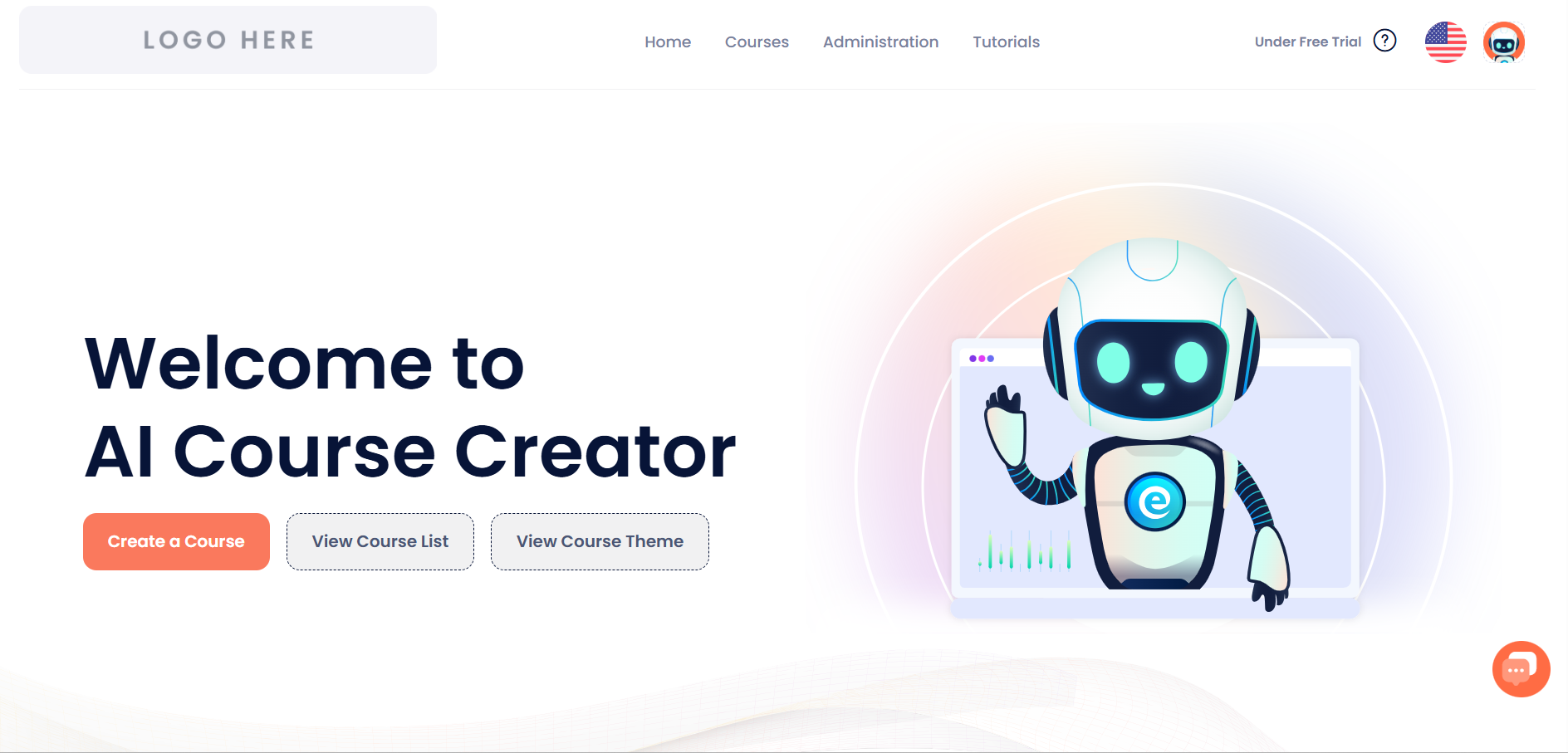
From the home screen, click the “Create a Course” button. This launches eBot, the AI wizard that will guide you through a few short steps.
Step 2: Tell eBot about your course
On this first form, enter a Course Name, then (optionally) describe your audience and what the course should cover. The more detail you give here, the better eBot's output will match what you want.
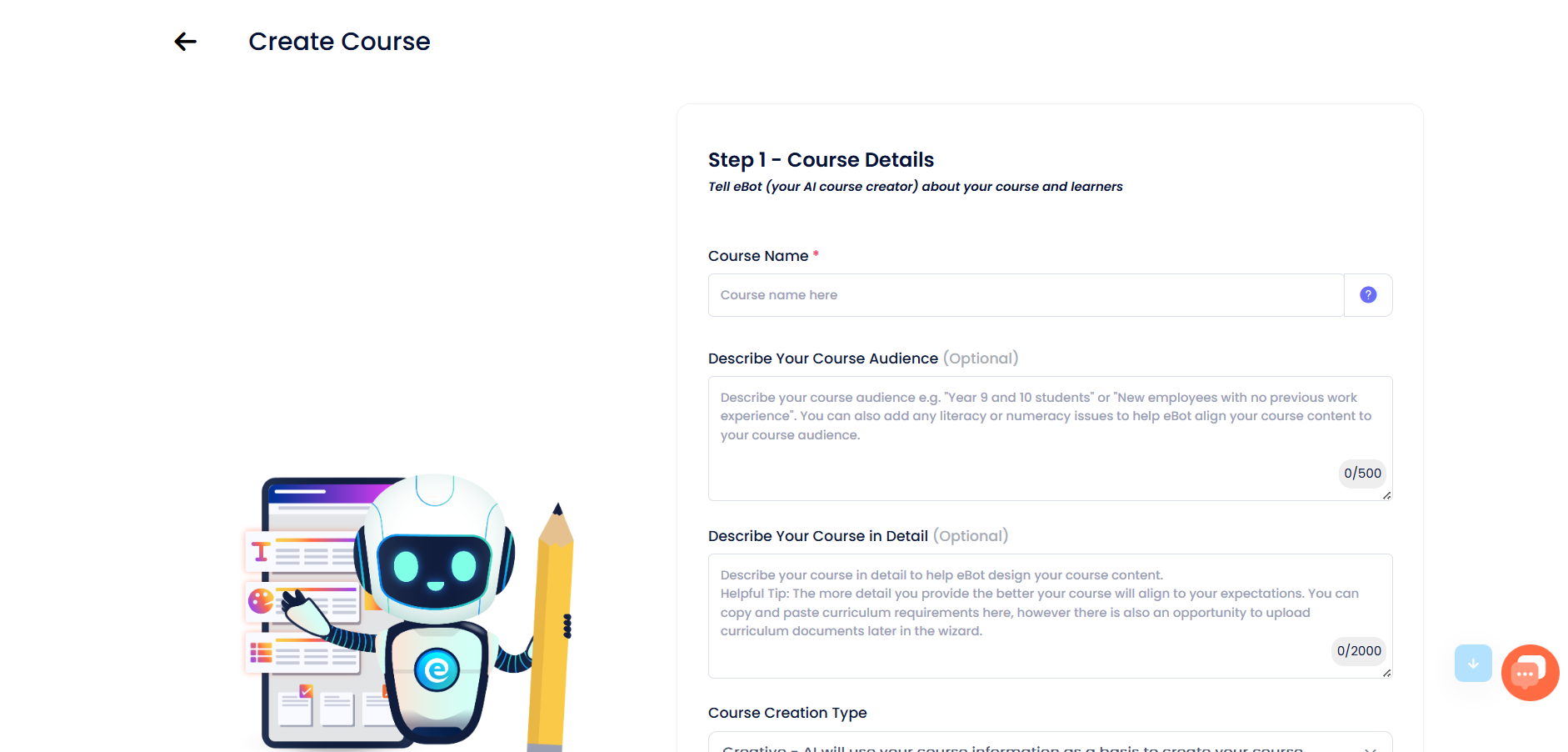
Tip: Even though the audience and detail fields are optional, filling them in gives eBot much better material to work with.
Step 3: Set the course context
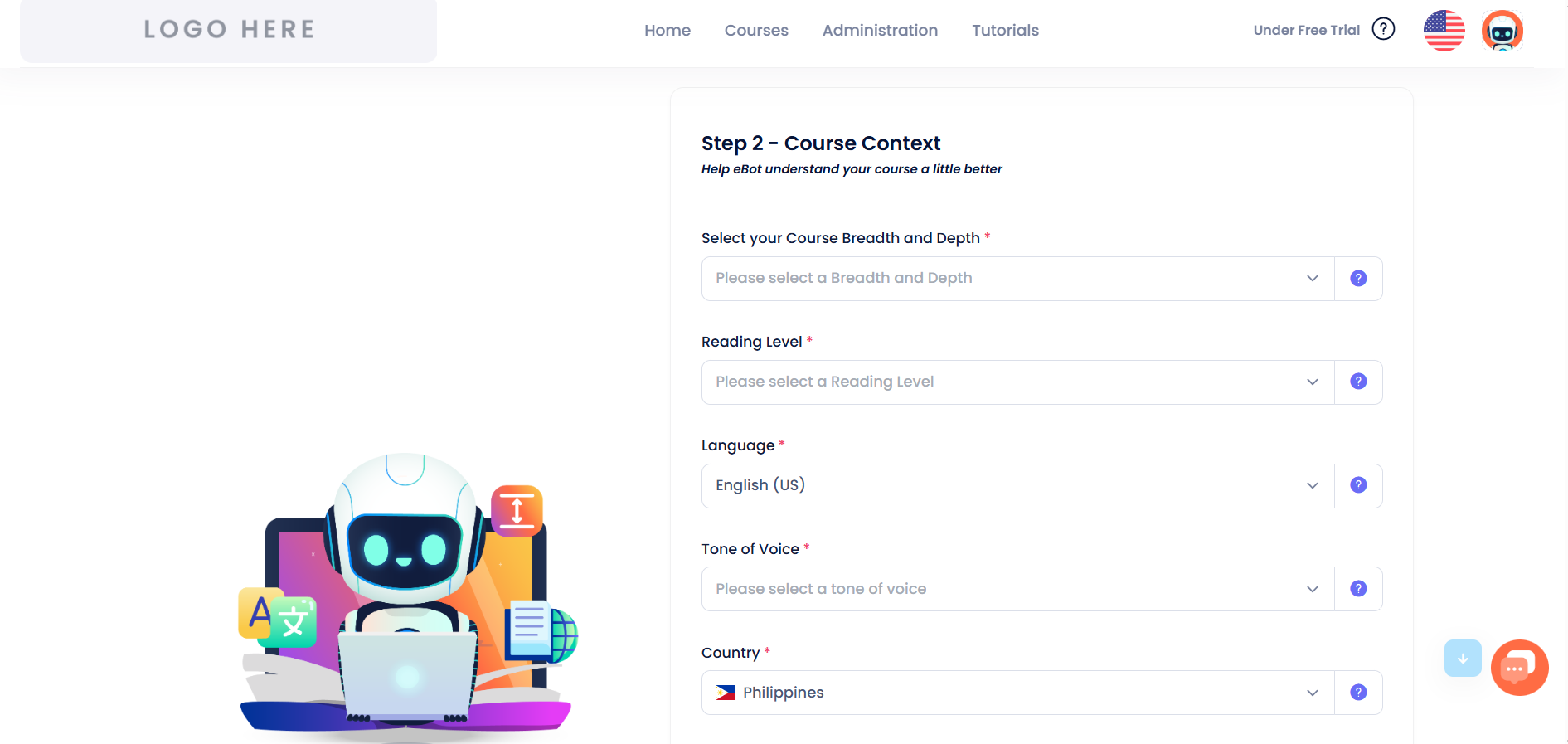
Next, tell eBot how broad or deep the course should be, what reading level to write at, which language to use, the tone of voice, and your country (for localization).
Step 4: Choose your course settings
Pick a category for your course, choose how learners navigate between topics, and decide whether to include AI-generated videos, images, and learning objectives.
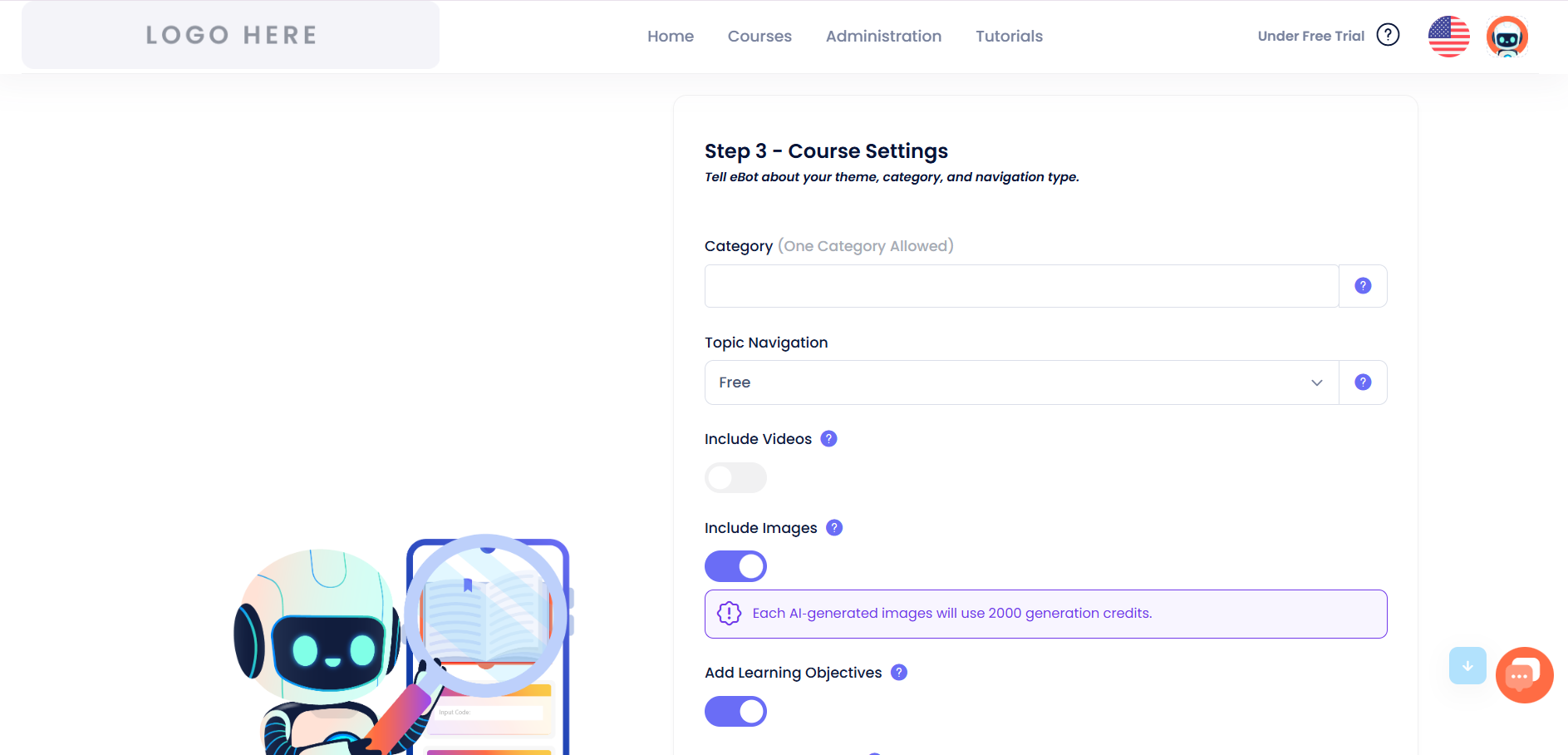
Tip: AI-generated images use generation credits, so switch this off if you just want to test the tool quickly.
Step 5: Set your quiz preferences
Choose the quiz format you'd like eBot to build into your course, or select “No Quiz” if you just want lesson content for now. Then choose how you want your outline created.
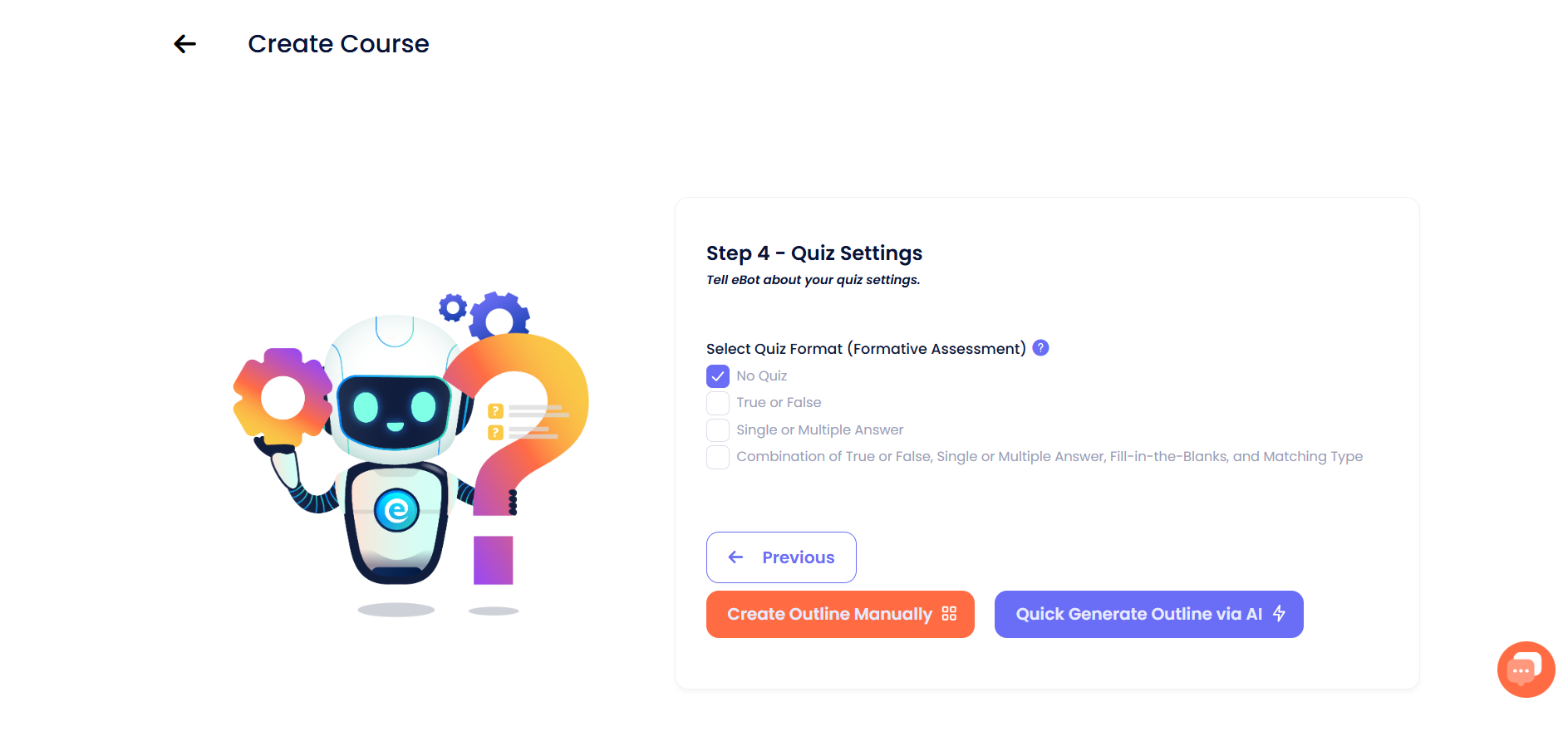
Tip: Click “Quick Generate Outline via AI” for the fastest path — eBot will draft the whole outline for you in one step.
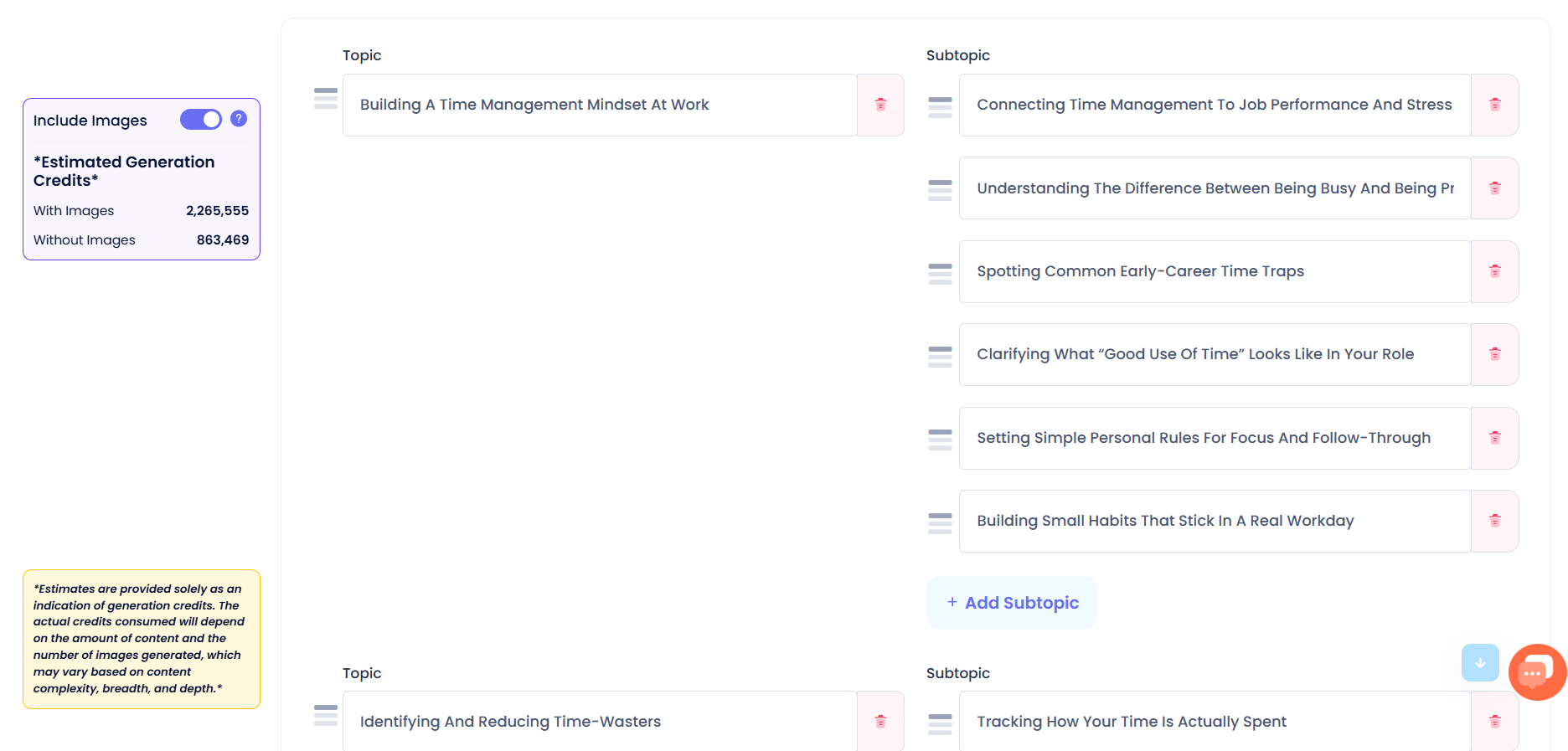
Step 6: Review the AI-generated outline
eBot generates a full outline of topics and subtopics based on everything you entered. You can edit any topic or subtopic, reorder them by dragging, delete ones you don't need, or add new ones.
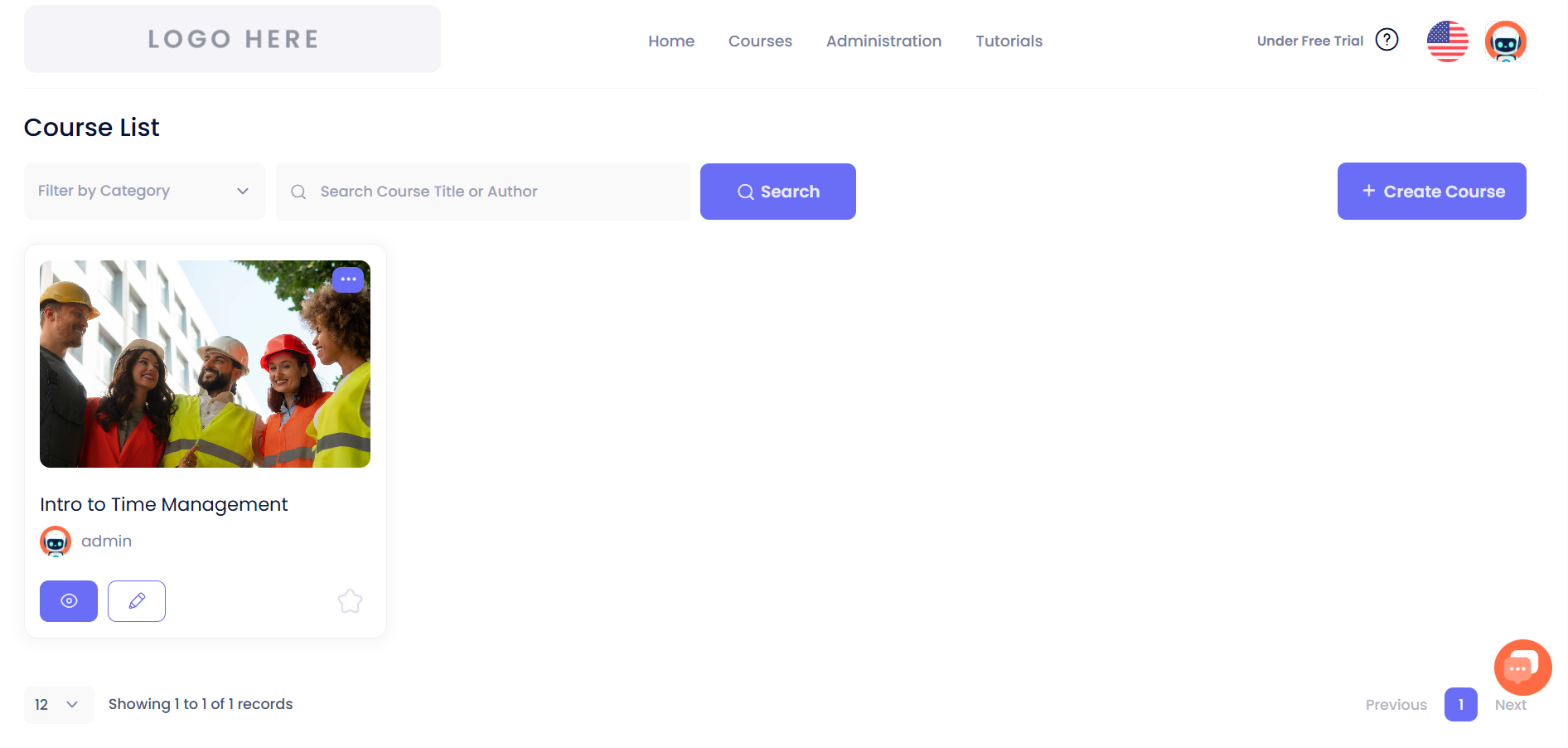
Step 7: Find your finished course
Once generated, your course appears in your Course List, ready to preview, edit further, or publish.
Customizing Your Course Theme
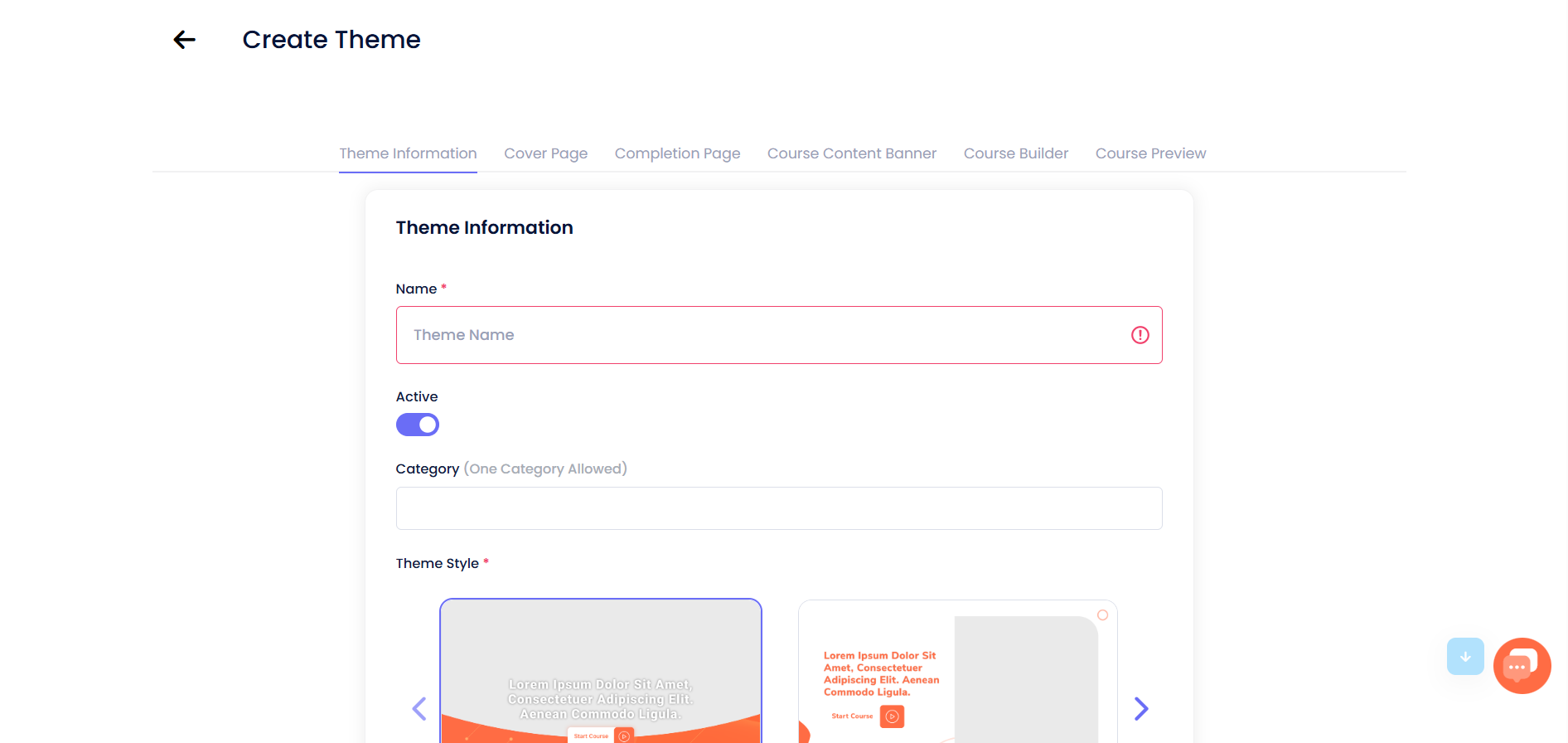
Themes control the branding and look of your course — cover page, colors, and layout. This is a separate area from the AI course wizard, found under “View Course Theme.”
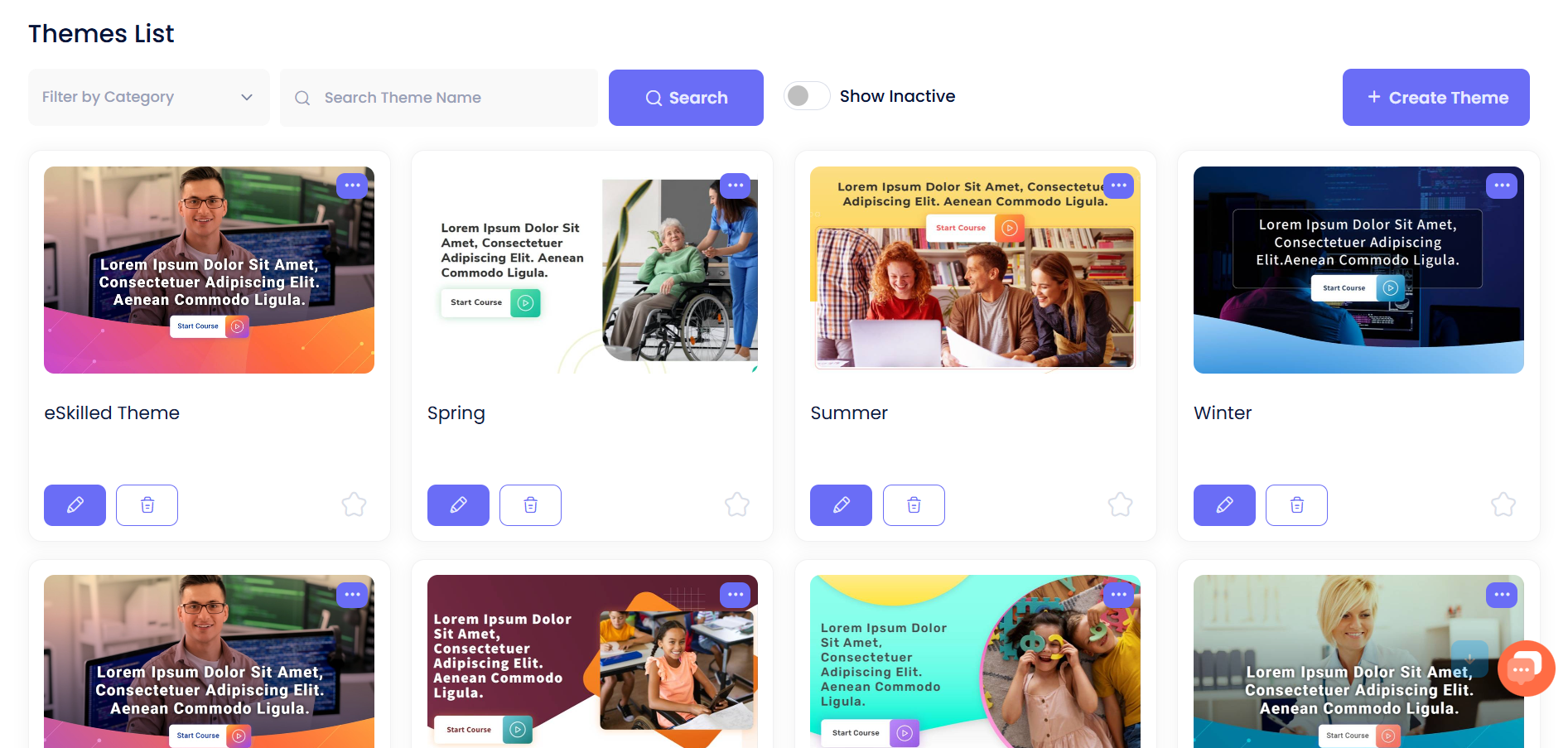
From here, click “Create Theme” to set a name, choose a layout style, and customize the cover page, completion page, and banner for your course.
That's it! You've created a complete AI-generated course from scratch. From here, feel free to explore, edit any AI-generated content, and make it your own.
What are the Key Features and Benefits of eSkilled AI Course Creator?
Here is a breakdown of what makes this AI training content generator stand out in day-to-day use:
1. Document-to-Course Transformation
Instead of starting from zero, you can drop your existing training assets (PDFs, PPTs, SOPs) into the tool. The system extracts key concepts and organizes them into structured learning paths automatically.
2. Comprehensive AI Quiz & Assessment Builder
Creating fair, comprehensive testing material is tedious. The built-in quiz maker generates multiple-choice questions, true/false checks, and scenario-based assessments linked directly to your core learning objectives.
3. Contextualization & Practical Scenarios
Generic AI content usually sounds dry. With AI content contextualization for training, the platform crafts industry-specific real-world examples, roleplay scenarios, and case studies tailored directly to your specific audience.
4. Native Multi-Language Translation
Reaching a global workforce is seamless with multilingual course translation software (80+ languages). You can translate entire course modules, including quizzes and UI text, without messing up layout formatting.
5. Flexible Layouts & Pre-designed Themes
No graphic design skills? No problem. The platform offers clean course theme templates AI generated to keep fonts, spacing, and media placement aligned across every module automatically.
6. Universal SCORM Compatibility
As a fully SCORM-compliant AI course tool, anything you build exports cleanly to run smoothly on platforms like Moodle, Canvas, TalentLMS, or eSkilled's own learning portal.
What Makes eSkilled AI Course Creator Different?
Most tools marketed as "AI course generators" are really just simple ChatGPT wrappers that write basic text outlines. You still have to spend dozens of hours copying that text into slide decks, designing layouts, drafting quizzes, and figuring out SCORM compatibility.
eSkilled AI Course Creator is a complete authoring workspace. It handles the entire lifecycle of course production:
- Content + Layout + Logic: It builds the visual structure, interactive widgets, media placeholders, and testing modules all in one place.
- Compliance-Friendly: Unlike generic AI tools, it was built with strict training standards in mind, making it suitable for accredited institutions and enterprise corporate compliance.
- True Media Integration: It generates context-relevant images, audio narration, and interactive exercises right inside the lesson editor.
You get a finished digital asset that is ready to publish, not just a document full of text to clean up later.
Final Thoughts on eSkilled AI Course Creator
If you are a business owner, creator, or L&D professional spending weeks building training materials manually, eSkilled AI Course Creator is well worth exploring. It removes the technical friction, saves hundreds of hours on production, and lets you deliver polished, interactive courses in a fraction of the time.
Rather than taking our word for it, the easiest way to see if it fits your workflow is to try it out on your own training materials.
Frequently Asked Questions (FAQs)
How long does it actually take to build a full course?
Most users can go from raw documents to a completed, structured course in 10 to 15 minutes. Once the AI generates the structure and lessons, you just spend a few minutes reviewing, polishing, and exporting.
Do I need an existing Learning Management System (LMS)?
No. While eSkilled exports clean SCORM files (SCORM 1.2 and 2004) to load into tools like Moodle, Canvas, or TalentLMS, you can also publish and host courses directly through eSkilled's built-in learning portal.
Can I upload existing PDF files, Word docs, or PowerPoint slides?
Yes. You can upload existing PDFs, manuals, Word documents, or slide decks. The AI analyzes your text, extracts key concepts, and converts them into structured modules automatically.
Is the generated content customizable?
Fully. The AI gives you a high-quality 80–90% draft, and you retain full editing control over every word, quiz question, layout block, image, and color scheme.
Does it support translation for international teams?
Yes. eSkilled features built-in translation supporting over 80 languages, allowing you to localize entire modules, assessments, and interface elements with a single click.
