


Shutterstock is an online platform that offers royalty-free images, videos, music, sound effects, and design assets. It’s used by content creators for websites, ads, social media, videos, and various client projects.
Shutterstock’s library includes photos of real people, products, workplaces, cities, lifestyle scenes, cartoons, and other graphics that fit modern digital projects. It also includes short video clips, background music, vectors, icons, and templates; this makes it useful for people and teams who work across different types of content.
In recent years, it’s also added GenAI tools that let users create and edit content using text prompts.
Now, Shutterstock is not only a place to download files; it’s also a place to generate new visuals, change existing ones, and adapt content without starting over from scratch, hiring photographers, or worrying about copyright issues.
Even Shutterstock’s GenAI tools are built to work with licensed data and are designed for commercial use. Users can now describe what they need and let the platform generate options, saving tons of time while providing flexible pricing options.
Who Should Use Shutterstock?
Shutterstock is useful for content creators who want to work faster.
Freelancers and marketing teams who build websites, landing pages, ads, newsletters, and social content use Shutterstock’s GenAI tools to create custom visuals when stock images feel too generic. Content creators can generate images that match a specific style or theme without hiring a designer.
It is also useful for agencies, ecommerce sellers, course creators, and startups that need ongoing access to royalty-free media. If you regularly publish content or run paid ads, having a library of licensed images and videos, and the ability to instantly create new content, can save time and reduce risk.
Shutterstock is especially helpful for users who want flexibility. If you often need to tweak visuals, test variations, or work on tight deadlines, the GenAI tools help reduce manual work.
What Can Shutterstock be Used For?
Shutterstock can be used for both traditional stock media needs and AI-generated content.
For websites, users can generate custom hero images, background visuals, or section graphics using text prompts, which is useful when a brand needs a specific look that is hard to find in standard stock images.
In online advertising, Shutterstock’s GenAI tools allow users to create multiple image variations for the same campaign. This helps test different styles, colors, or layouts without repeating the full design process.
Content creators can use AI-generated images for blog posts, social media graphics, thumbnails, and promotional visuals. The tools make it easier to match visuals to a topic or mood.
Shutterstock’s AI image editor also helps users modify existing stock images. You can extend backgrounds, remove objects, or adjust image layouts to fit different platforms.
Video creators can use AI-assisted tools for background visuals and concept development, while still using Shutterstock’s licensed video and audio library.
All AI-generated content comes with usage rights designed for commercial projects, which is important for client work and ads.
How To Use Shutterstock?
Using Shutterstock’s GenAI tools follows a simple workflow.
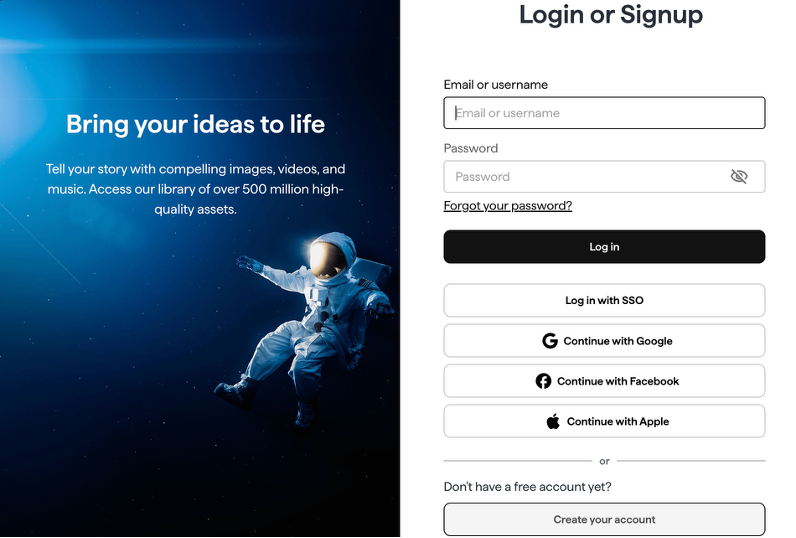
Step 1: Create an Account
Sign up on the Shutterstock website using your email address.
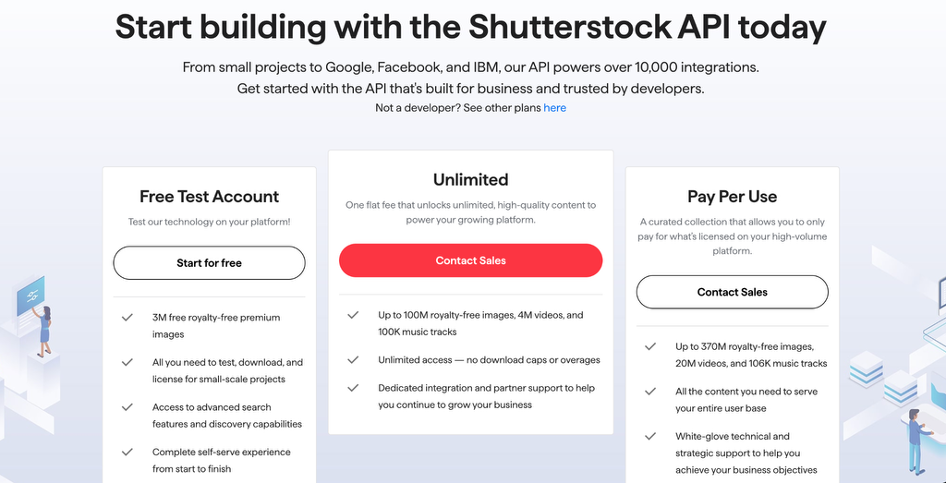
Step 2: Choose a Plan with AI Access
Select a subscription that includes GenAI features. These plans usually combine traditional downloads with AI credits.
Step 3: Open the AI Image Generator
Navigate to the AI tools section and choose the image generator.
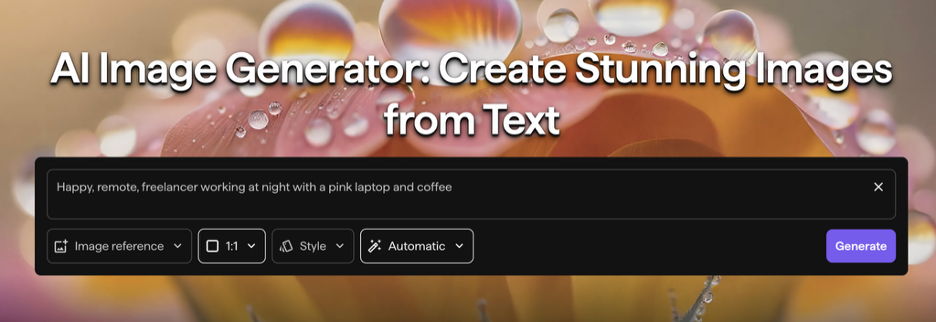
Step 4: Enter a Text Prompt
Describe the image you want, such as “remote freelancer working at night with laptop and coffee.” You can adjust style, layout, or mood.
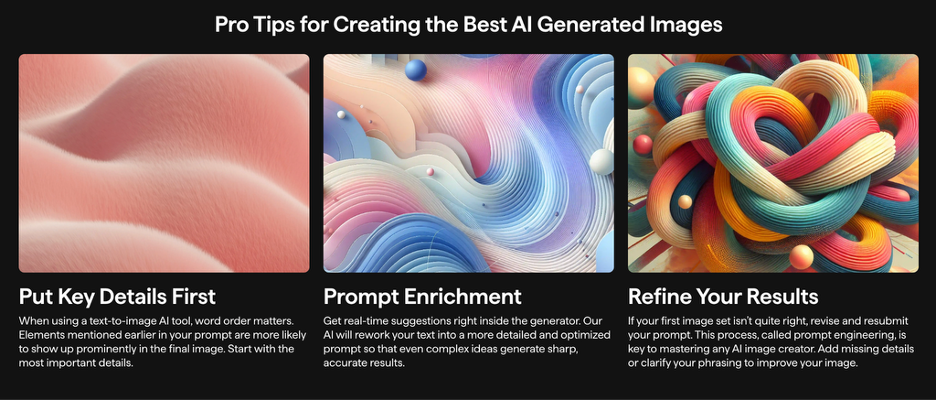
Step 5: Review Generated Images
The tool generates several image options. You can refine your prompt or generate more variations.
Step 6: Edit or Enhance the Image
Use AI editing tools to resize, extend backgrounds, remove elements, or adjust composition.
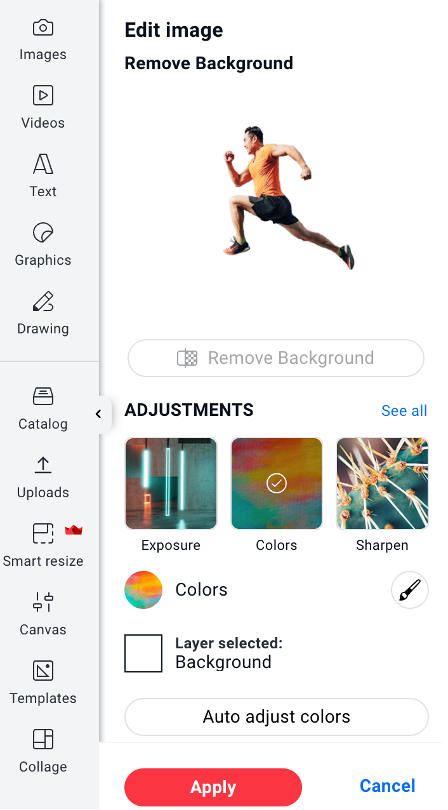
Step 7: Download and Use
Download the final image and use it in your website, ad, or content project under the provided license.
What Are the Key Features and Benefits Of Shutterstock?
Shutterstock’s GenAI tools are designed to support faster and more flexible content creation.
Large Media Library
Users have access to millions of images, videos, and audio files across many industries and styles. This makes it easier to find visuals that match a specific project or brand tone.
Search and Filtering Tools
Users can narrow results quickly, filtering by layout, background, color, or people count, which is useful when designing ads or web pages.
AI Image Generation
Users can create custom images from text prompts to design stock photos that match a specific idea or brand.
AI Image Editing
Tools like background extension and object removal help adjust images without advanced design software. This saves time when adapting visuals for different formats.
Commercial Usage Rights
AI-generated images come with licensing meant for commercial use, which helps freelancers and businesses feel confident using the content in paid work.
Idea Exploration
GenAI tools make it easier to test concepts before final designs so users can explore multiple visual directions quickly.
Integrated Workflow
AI tools work within the same platform as Shutterstock’s stock library; users can mix generated images with traditional assets.
Reduced Production Costs
By generating visuals digitally, businesses can reduce the need for photoshoots or custom illustrations for early-stage content.
Scalable Content Creation
Freelancers and teams can produce more visuals in less time, and use them across various platforms, which is helpful for ongoing campaigns or frequent posting.
What Makes Shutterstock Different?
Shutterstock’s approach to GenAI focuses on responsible use and commercial readiness.
Unlike many AI image tools, Shutterstock trains and builds its AI solutions with licensing in mind. This helps reduce uncertainty about where and how generated images can be used.
Another difference is how AI tools are integrated into existing workflows. Users can move between searching stock images and generating new ones without leaving the platform.
Shutterstock also gives users control over image style and refinement. Instead of one final output, users can guide the AI toward better results through prompts and edits.
This combination of AI creation and licensed media makes it easier to balance speed with practical use.
Final Thoughts on Shutterstock
Shutterstock is a practical resource for freelancers, content creators, and small businesses that need reliable royalty-free media.
The platform is easy to navigate, offers a wide range of assets, and includes licenses that support commercial use with GenAI tools for faster content creation and revisions.
The ability to generate and customize images while keeping commercial usage rights adds real value, especially for ads, websites, and client work. While the platform still requires a paid plan, the mix of stock assets and AI tools can replace multiple steps in a typical creative workflow.
For users who create content often and need flexibility, Shutterstock’s GenAI solutions offer a practical way to work smarter and faster.
FAQs
Can I reuse downloaded files later?
Yes. As long as your use follows the license terms, you can reuse downloaded assets.
Are there download limits?
Most plans include monthly download limits. Explore their plans here.
Are Shutterstock’s AI-generated images royalty-free?
Yes. AI-generated images come with licensing designed for commercial use, following Shutterstock’s terms.
Can I use AI-generated images in ads and client work?
Yes. Many users use these images in websites, ads, and paid projects.
Do I need design experience to use Shutterstock or their GenAI tools?
No. The tools and built-in editor are built for users without advanced design skills.
Are AI tools included in all plans?
Not all plans include AI features. Access depends on the subscription you choose.
Can teams use these AI tools together?
Some plans support team access, which helps agencies and small businesses collaborate.
Can I cancel my subscription?
Yes. Cancellation options depend on the plan you choose
