Kreado AI is a cloud-based video production platform that lets you create professional talking-head videos, marketing clips, and multilingual presentations without ever setting up a camera or hiring on-screen talent. At its core, it operates as an AI digital human / avatars studio where you feed in raw text or audio, select a photorealistic virtual presenter, and let the software render an engaging, ready-to-publish video in minutes.
Instead of dealing with ring lights, teleprompters, or messy editing software, you simply type what you want to say, choose from a diverse library of virtual actors across different ethnicities and age groups, and pick a voice. The platform brings the script to life with synchronized facial expressions, gestures, and natural-sounding speech across dozens of languages.
What Problems Does Kreado AI Solve?
If you run a small business, sell online, or operate as a solo founder, you likely run into three major roadblocks every time you want to produce video content:
- Camera Shyness and the "Studio Setup" Drain: We all know video converts better than plain text or static images. But sitting in front of a lens, fumbling through takes, fixing background lighting, and buying expensive audio gear takes hours—and for many, it feels genuinely uncomfortable. Kreado AI removes the camera entirely. You don’t have to show your face or say a single word out loud to get a high-quality human spokesperson representing your brand.
- The High Cost of Freelancers and Voice Actors: Hiring a spokesperson on Fiverr, renting studio time, or booking specialized voice actors for international ads gets expensive fast. If an ad doesn't perform well, that budget is lost. With Kreado AI, you can test five completely different hooks and presenters in an afternoon for a tiny fraction of the cost of one traditional video shoot.
- Breaking Into Global Markets Without Translators: Selling internationally usually requires hiring local translators and local voice artists. If you want to run TikTok or Facebook campaigns in Spanish, Japanese, German, and Portuguese, the production logistics can stall your launch for weeks. Kreado AI handles translation and local voice generation natively, letting you test international markets on day one.
Who Should Use Kreado AI?
Kreado AI is purpose-built for lean teams who need volume, speed, and clean presentation:
- Solopreneurs & Creators: Independent creators who need to publish educational snippets, faceless YouTube videos, course explainers, or social clips without turning their living room into a permanent production set.
- E-Commerce Store Owners: Brand owners on Shopify, Amazon, or Etsy who need snappy, high-converting product showcase videos and user-generated-content (UGC) style ads on demand.
- Small to Medium Business Owners (SMBs): Teams looking to build professional customer onboarding sequences, company training videos, software walkthroughs, or personalized email outreach without a dedicated video department.
- Performance Marketers & Media Buyers: Growth marketers who routinely A/B test ad angles, messaging hooks, and visual formats across Meta, YouTube Shorts, and TikTok.
What Can Kreado AI Be Used For?
The platform is surprisingly flexible across different marketing and operational funnels:
- E-Commerce Video Ads: Turn product listings into short, vertical video ads for TikTok, Instagram Reels, and YouTube Shorts.
- Corporate Training & HR Onboarding: Create bite-sized internal orientation modules where an avatar guides new team members through standard operating procedures (SOPs).
- Affiliate & Review Campaigns: Produce faceless product reviews, software comparisons, and recommendation videos.
- Multilingual Social Media Feeds: Localize a single marketing message into several languages so you can run international social accounts simultaneously.
- Interactive Presentations & Pitches: Replace dry PowerPoint decks with animated, avatar-led pitch videos for potential clients.
How Should You Use Kreado AI?
To get the most natural results out of the platform, follow this simple step-by-step workflow:
- Pick the Right Format: Log in and decide whether you need an avatar video, a photo animation, or an e-commerce product spot. Select your canvas aspect ratio (16:9 landscape for YouTube/web, or 9:16 portrait for Reels/TikTok).
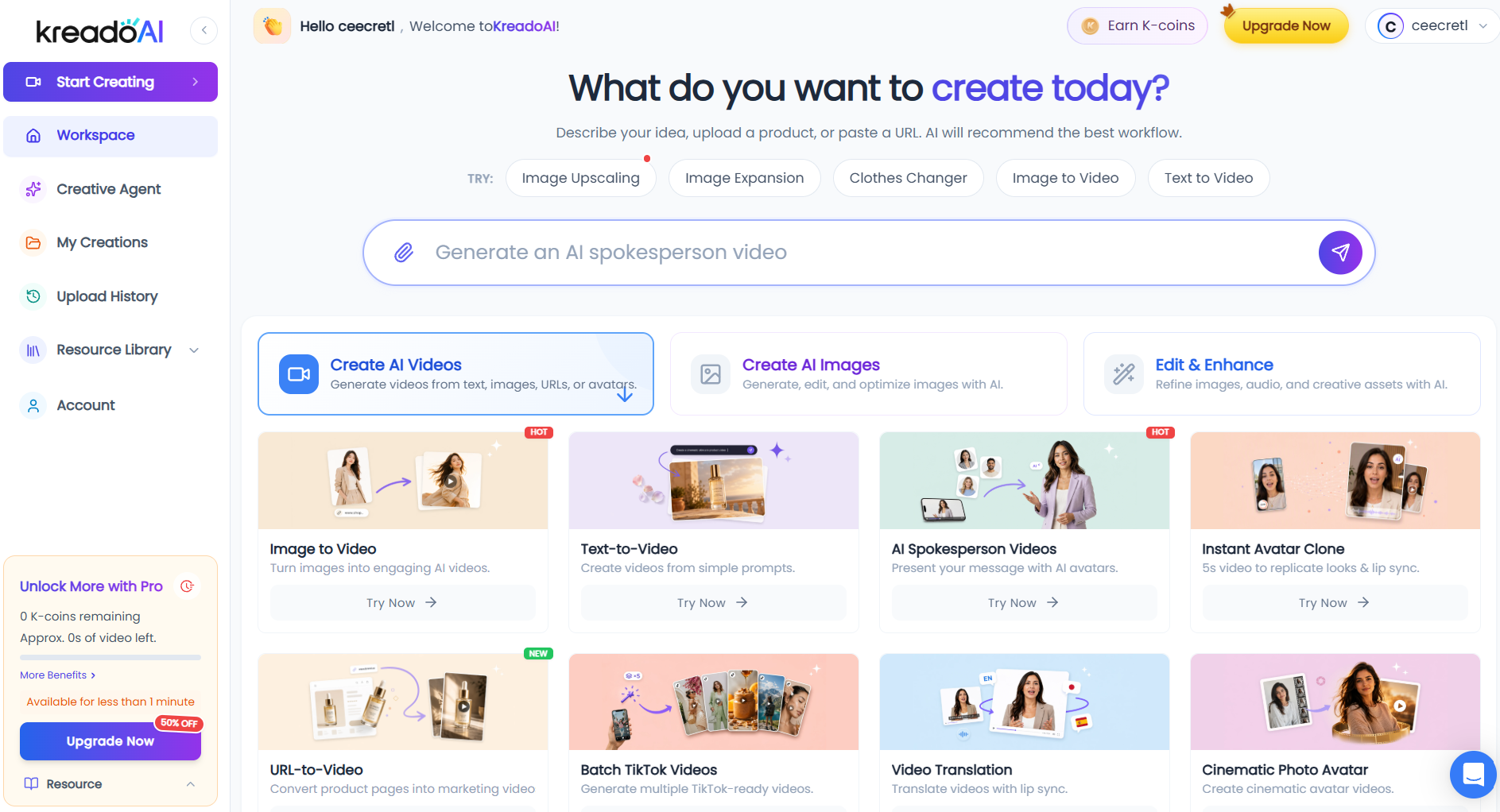
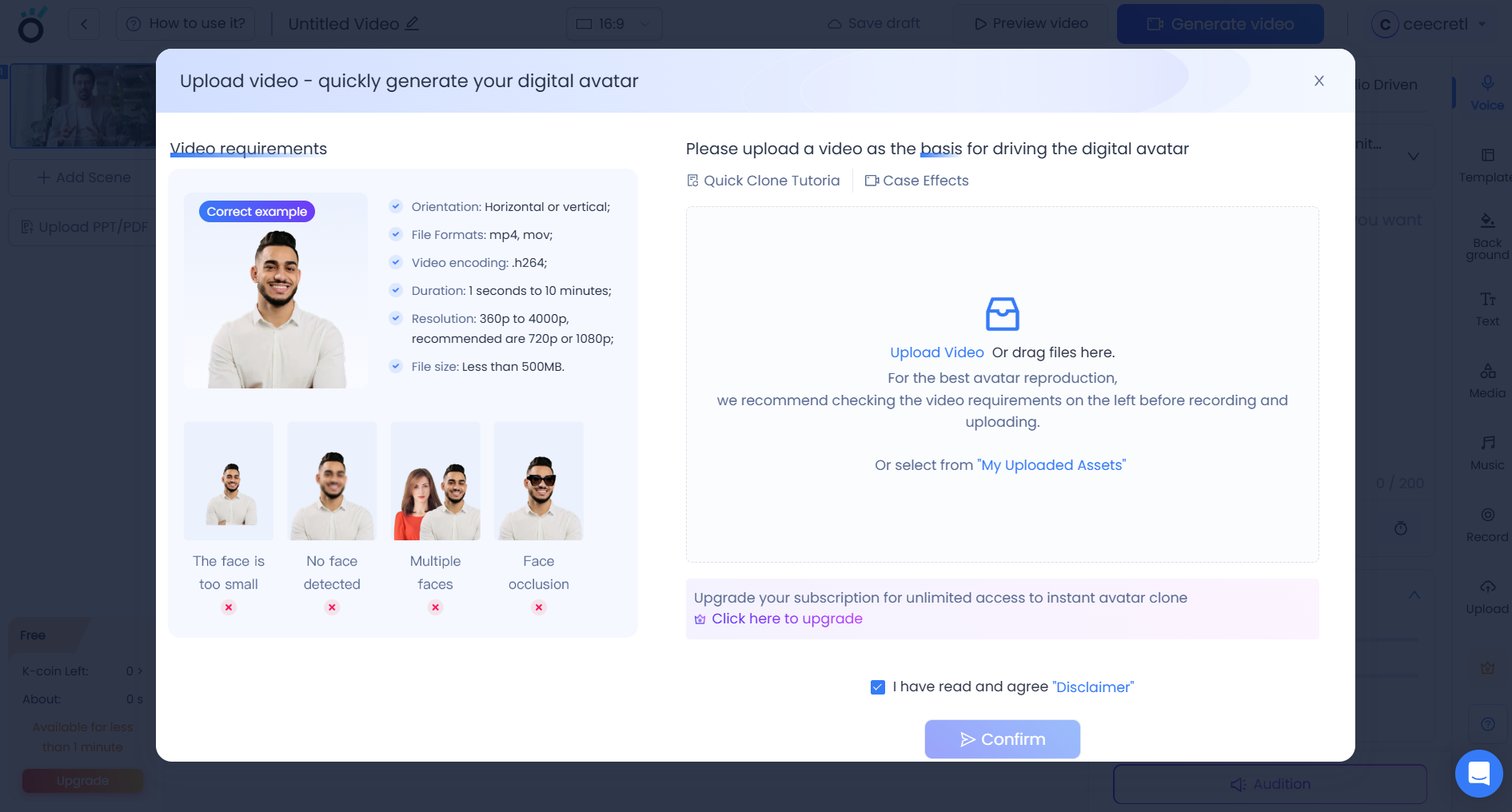
- Choose Your Avatar: Browse the digital human catalog. Filter by gender, ethnicity, attire (business casual, medical, creative, etc.), and posture.
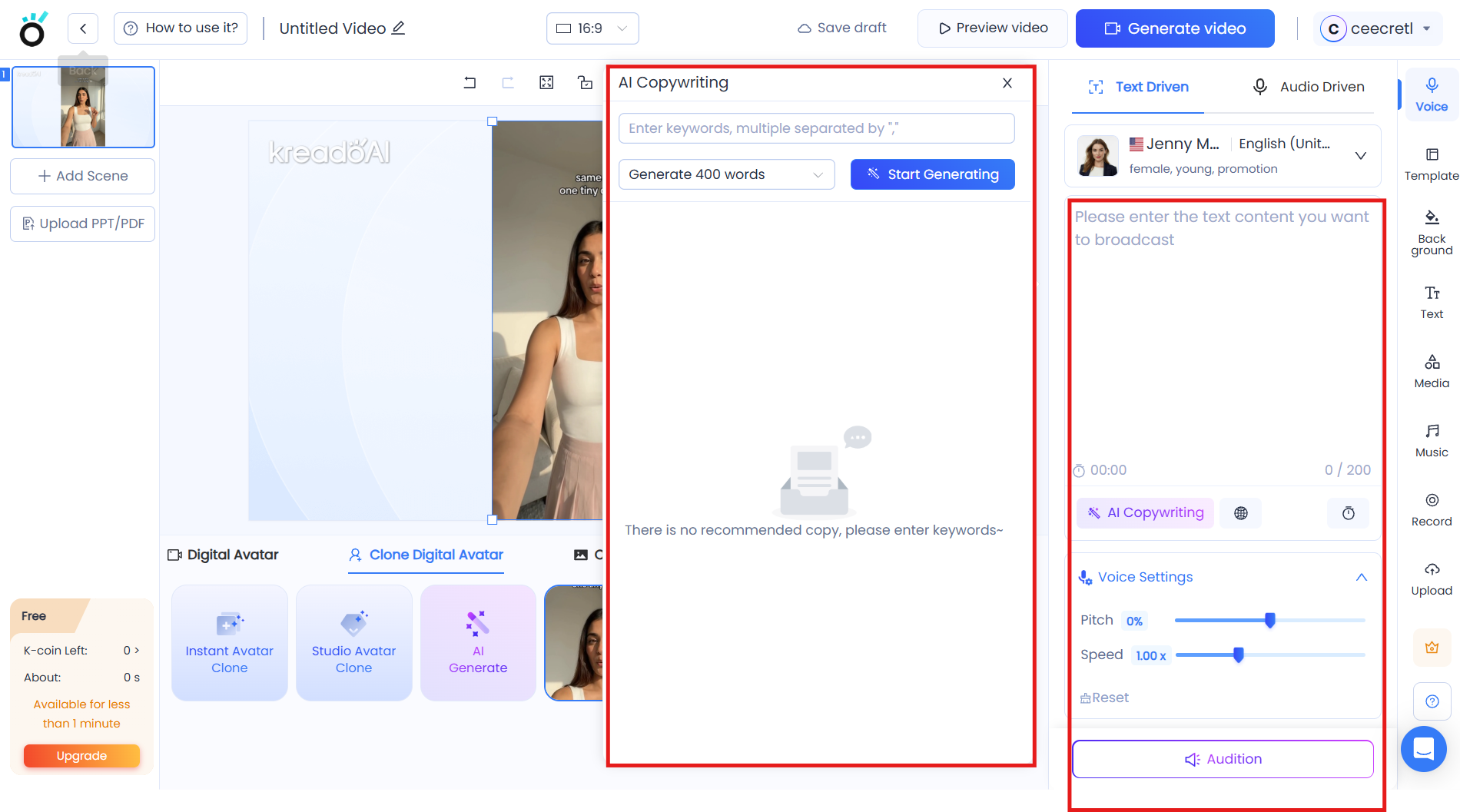
- Draft and Paste Your Script: Enter your text into the script box. Keep your sentences short and punchy. Punctuation matters here: using commas and periods helps the AI pause naturally.
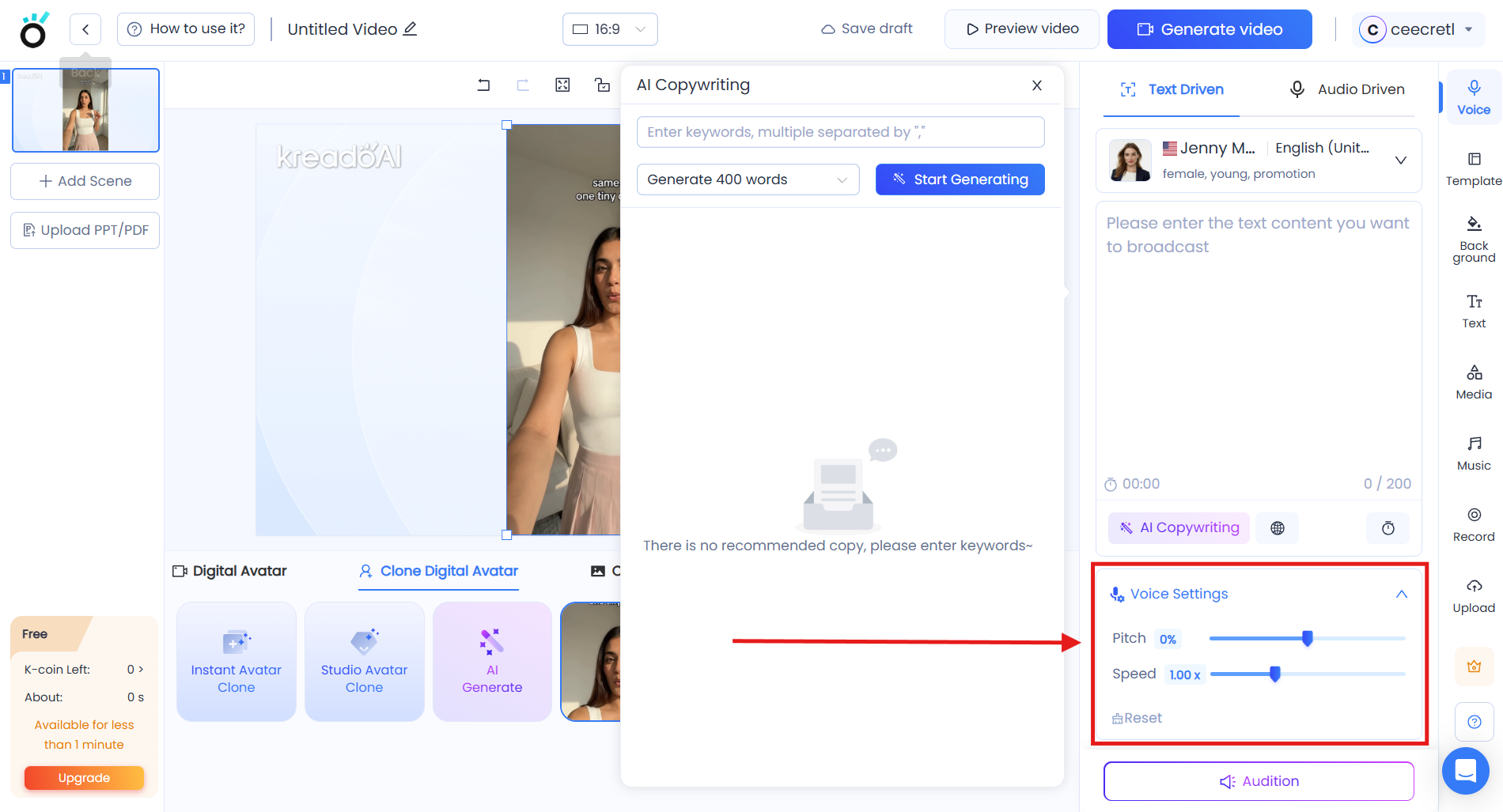
- Configure Voices & Languages: Test out voice profiles. Adjust tone, pitch, and speed slightly to find the cadence that best matches your avatar's persona.
- Add Visual Assets: Upload your logo, background images, product screen recordings, or B-roll overlays to make the scene dynamic rather than having a static backdrop.
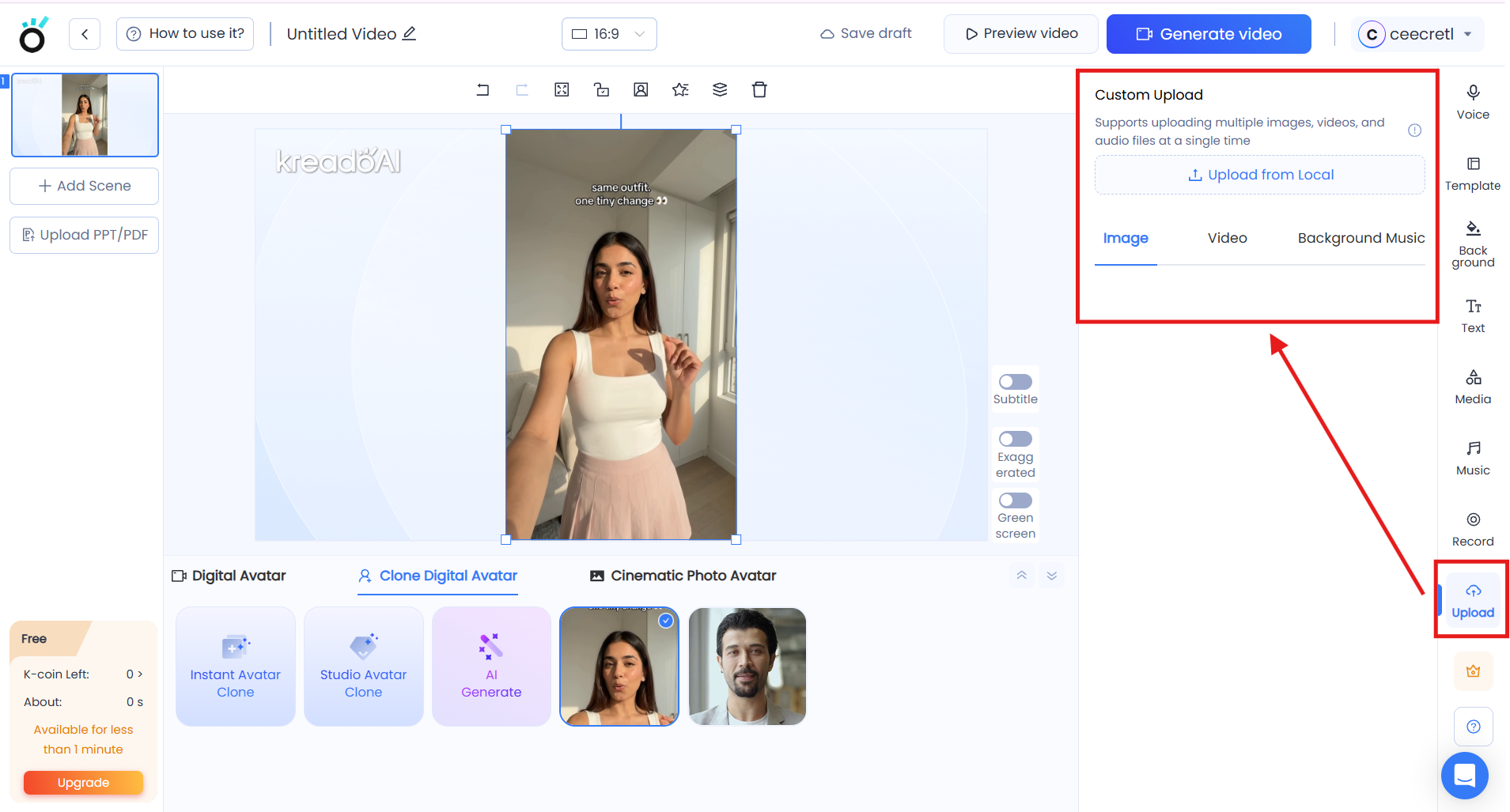
- Preview and Export: Generate a quick low-resolution preview to verify pronunciation and timing. Once satisfied, hit render to download your 1080p final video.
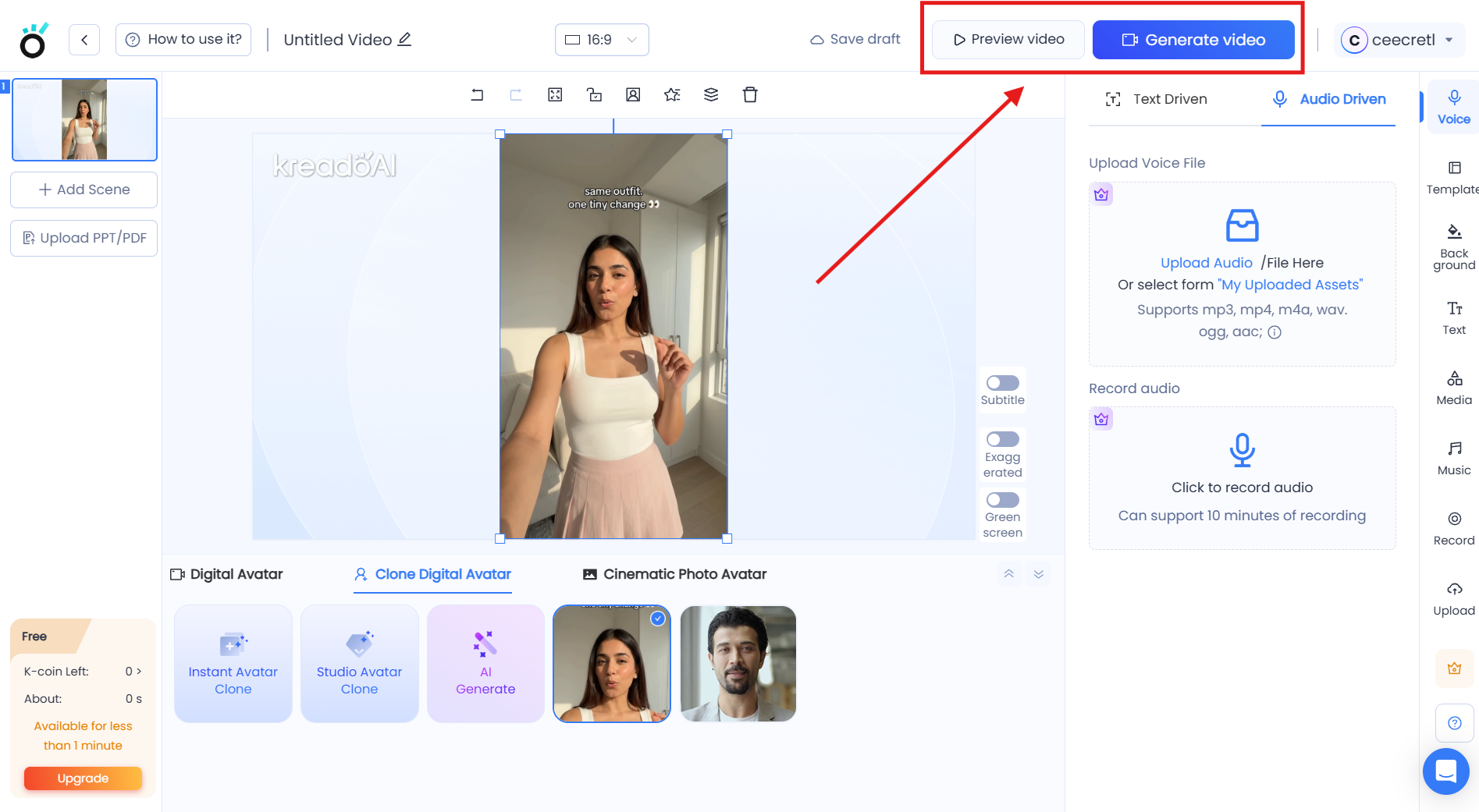
What Are the Key Features and Benefits of Kreado AI?
Under the hood, Kreado AI isn’t just a simple talking avatar generator—it is a full-fledged creative toolkit designed to cut down hours of manual editing into a few simple clicks. Here are the core features that stand out most for everyday business use and why they matter:
1. Robust Text-to-Video Generator
The core engine functions as a streamlined text-to-video generator. You drop in written copy, select your visual assets, and the platform merges background media, captions, and an interactive presenter into a coherent video timeline without requiring any prior video editing experience.
2. High-Fidelity AI Digital Humans / Avatars
With dozens of distinct characters available, you can match the presenter to your exact audience demographic. The avatars exhibit subtle head tilts, blinks, and hand gestures that keep them from looking like stiff mannequins.
3. Realistic Lip-Syncing Technology
One of the fastest ways an AI video loses credibility is poor mouth tracking. Kreado AI focuses heavily on realistic lip-syncing, aligning syllable pronunciation and mouth shapes so the audio doesn't feel detached from the speaker.
4. Multilingual Voiceover & TTS
The platform’s built-in multilingual voiceover & TTS engine supports over 140 languages and accents. You can quickly switch between North American English, Castilian Spanish, Brazilian Portuguese, and Mandarin with natural-sounding vocal inflections.
5. URL-to-Video Creation for E-Commerce
For online store owners, the URL-to-video creation feature is an enormous time-saver. You simply paste a product link from an e-commerce page (such as Amazon or Shopify), and Kreado AI pulls product images, titles, and pricing to assemble dynamic e-commerce video ads in seconds.
6. Talking Photo Generator
If you don't want to use a stock digital presenter, the talking photo generator allows you to upload any high-resolution portrait—a personal headshot, an illustrated mascot, or an historical portrait—and animate it to speak your script cleanly.
7. Custom AI Voice Cloning
For businesses that want consistent brand identity, the AI voice cloning tool lets you train the system on a short audio sample of your own voice. From that point on, you can generate endless voiceovers simply by typing, saving you hours of studio recording.
What Makes Kreado AI Different?
With so many generative video tools entering the market, it’s easy to assume they all do the exact same thing. But when you look past the standard features, Kreado AI differentiates itself through direct commercial practicality, pricing agility, and an e-commerce-first approach:
Practical E-Commerce Focus
While many video tools cater strictly to corporate HR departments or enterprise training, Kreado AI places significant emphasis on commercial utility. Features like direct URL-to-ad conversion and dedicated e-commerce templates mean store owners can spin up profitable ad variants directly from their product catalog.
Generous Entry Point and Accessible Pricing
When looking at Kreado AI pricing & free plan tiers, the platform is structured to be far more approachable for bootstrapped operators. You can register for free, test out avatars with complimentary daily credits, and explore paid tiers that don't immediately jump into enterprise pricing commitments.
How It Stacks Up: Kreado AI Alternatives (vs HeyGen / Synthesia)
When evaluating Kreado AI alternatives (vs HeyGen / Synthesia), here is the honest breakdown:
- Synthesia is known for high-end corporate training and enterprise security compliance, but its interface and pricing can feel rigid for solopreneurs who just want quick social ads.
- HeyGen delivers exceptional avatar quality and expressive movements, but its credit costs add up quickly once you start generating high volumes of test creative.
- Kreado AI hits the sweet spot for agile marketers and SMBs. It combines talking-head avatars with practical marketing utilities—like URL-to-video, e-commerce templates, and photo animation—at a price point that makes daily experimentation sustainable.
Final Thoughts on Kreado AI
If you’ve been putting off video marketing because you hate being on camera, lack video editing skills, or don't have the budget to outsource production, Kreado AI solves those exact headaches. It doesn't try to be an overcomplicated Hollywood editing suite; it's a practical, straightforward tool built to help you produce professional video content and test marketing ideas quickly.
The best way to see if the avatar styles and voices match your brand aesthetic is simply to test it yourself. You can sign up on their free tier, paste in a 30-second script, and see what the output looks like before spending a dollar.
Frequently Asked Questions
Is Kreado AI really free to try?
Yes. Kreado AI provides a free tier with trial credits upon sign-up, so you can test avatars, voiceovers, and video rendering before upgrading to a paid plan.
Can I use Kreado AI videos for commercial ads and YouTube monetization?
Yes. Paid subscriptions grant commercial usage rights, allowing you to run exports as paid ads on Meta, TikTok, or YouTube, and use them on monetized channels.
Do I need any video editing skills or extra software?
None at all. Everything runs directly in your web browser. You type or paste your script, select an avatar and voice, and Kreado AI renders the complete video for you.
How natural does the avatar lip-syncing look?
It is very convincing for social media ads, tutorials, and marketing presentations. While scrutinizing extreme close-ups still reveals subtle AI smoothing, casual viewers scrolling through feeds won't notice a difference.
Can I animate my own photo instead of using stock avatars?
Yes. With the Talking Photo feature, you can upload any clear headshot—a photo of yourself, a team member, or an illustrated character—and animate it with any voice or script.