

Pictory is an AI video creation tool that turns text, blog posts, URLs, scripts, and even long recordings into finished videos. You don't touch a timeline, you don't learn editing software, and you don't hire an editor. You paste content in, the AI builds a video around it, and you tweak what you want changed.
That's it. That's the tool. No steep learning curve, no jargon-heavy interface. If you can write an email, you can use Pictory.
What Problems Does Pictory AI Solve?
If you run a business or you're building something on your own, you already know this pain:
- Blog posts sitting there, never turned into anything else
- Webinars nobody re-watches after the live session ends
- Podcast episodes that die after the first listen
- A nagging sense that video would get more reach, more engagement, more leads — but no hours to learn Premiere Pro, and no budget for a video editor on retainer
So the content just... sits there. Written once, used once, forgotten.
Pictory solves that specific problem: it repurposes what you've already made instead of asking you to start from scratch.
- Got a 2,000-word blog post? Turn it into a video in minutes.
- Got a 45-minute webinar recording? Pictory can find the highlights and cut it into short clips on its own.
That "I don't have time to make videos" excuse basically disappears.
Who Should Use Pictory AI?
This one's not for everyone, and it's better to be upfront about that.
Pictory makes the most sense for:
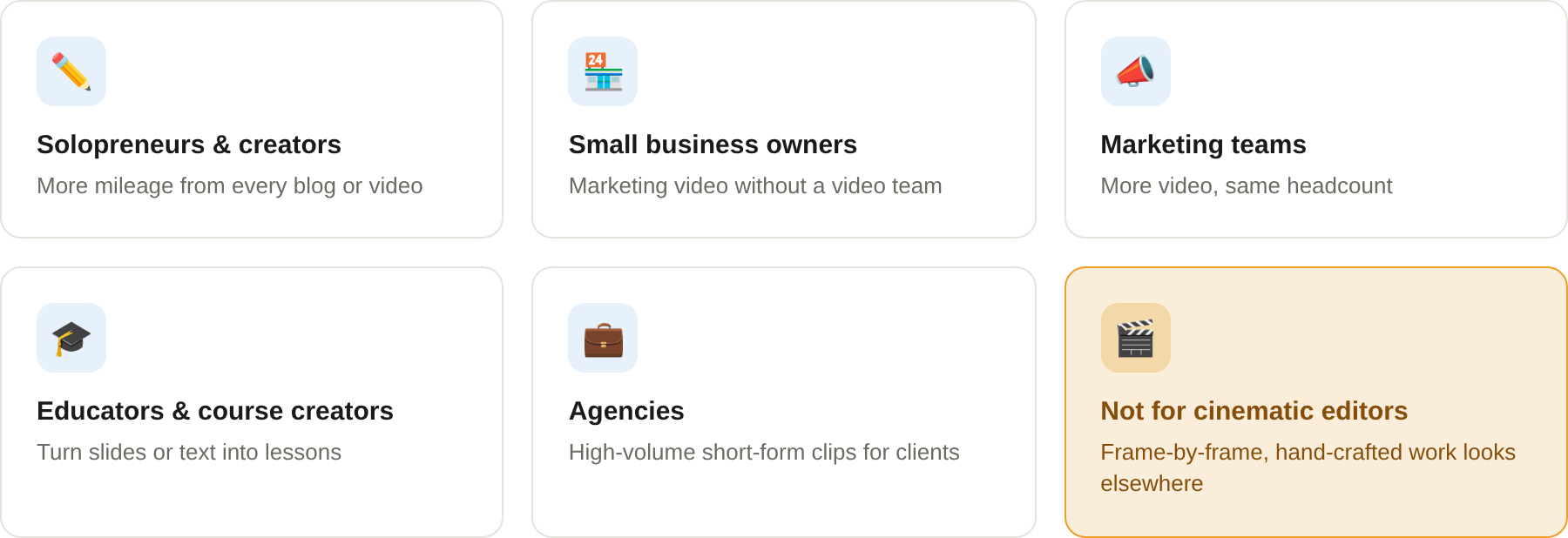
- Solopreneurs and content creators who write blogs or record videos and want more mileage out of every piece of content
- Small business owners who need marketing video but can't justify hiring a video team
- Marketing teams at small-to-medium businesses who are expected to "just post more video" with the same headcount
- Educators and course creators turning slides or written material into lessons
- Agencies producing high volumes of short-form clips (Reels, Shorts, TikToks) for multiple clients
If you're a Hollywood editor chasing cinematic, hand-crafted visuals, this isn't your tool — Pictory itself won't pretend otherwise. But if your goal is fast, professional, "good enough to publish today" video, it's built exactly for that.
What Can Pictory AI Be Used For?
Once you're in, Pictory covers pretty much every angle of turning content into video — here's the full range:
- Turning blog posts and articles straight into video
- Converting scripts into fully narrated videos
- Auto-generating captions and subtitles for social content
- Chopping long webinars, podcasts, or Zoom calls into short, shareable clips
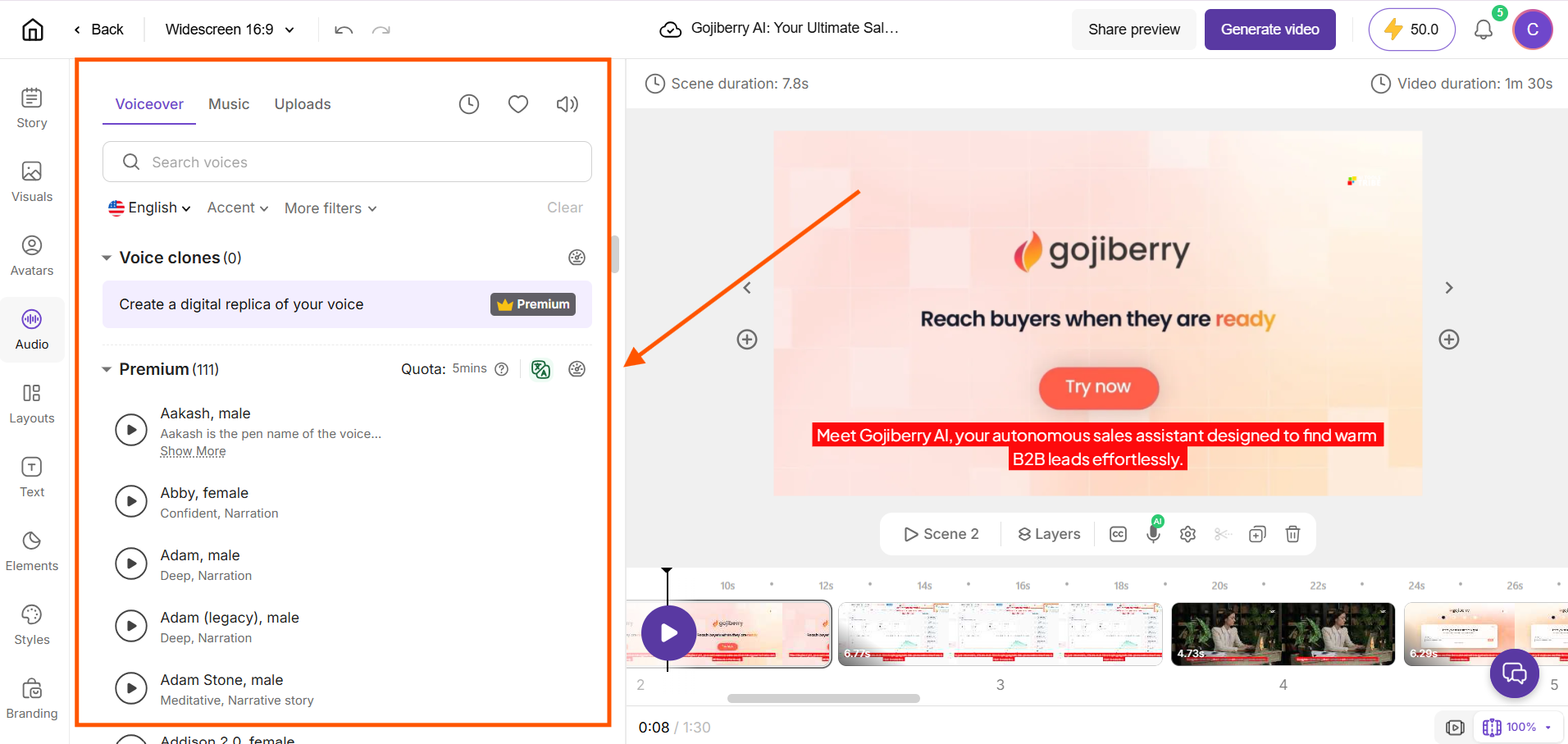
- Adding AI voiceovers instead of recording your own narration
- Creating AI avatars to present your content without being on camera
- Generating AI images and short animated clips from a text prompt
- Turning PowerPoint decks into explainer videos
- Building branded content using your logo, colors, and fonts (Brand Kit)
Basically: if you've got text, audio, or a recording, Pictory can turn it into something you can post.
How Should You Use Pictory AI?
The simplest workflow looks like this:
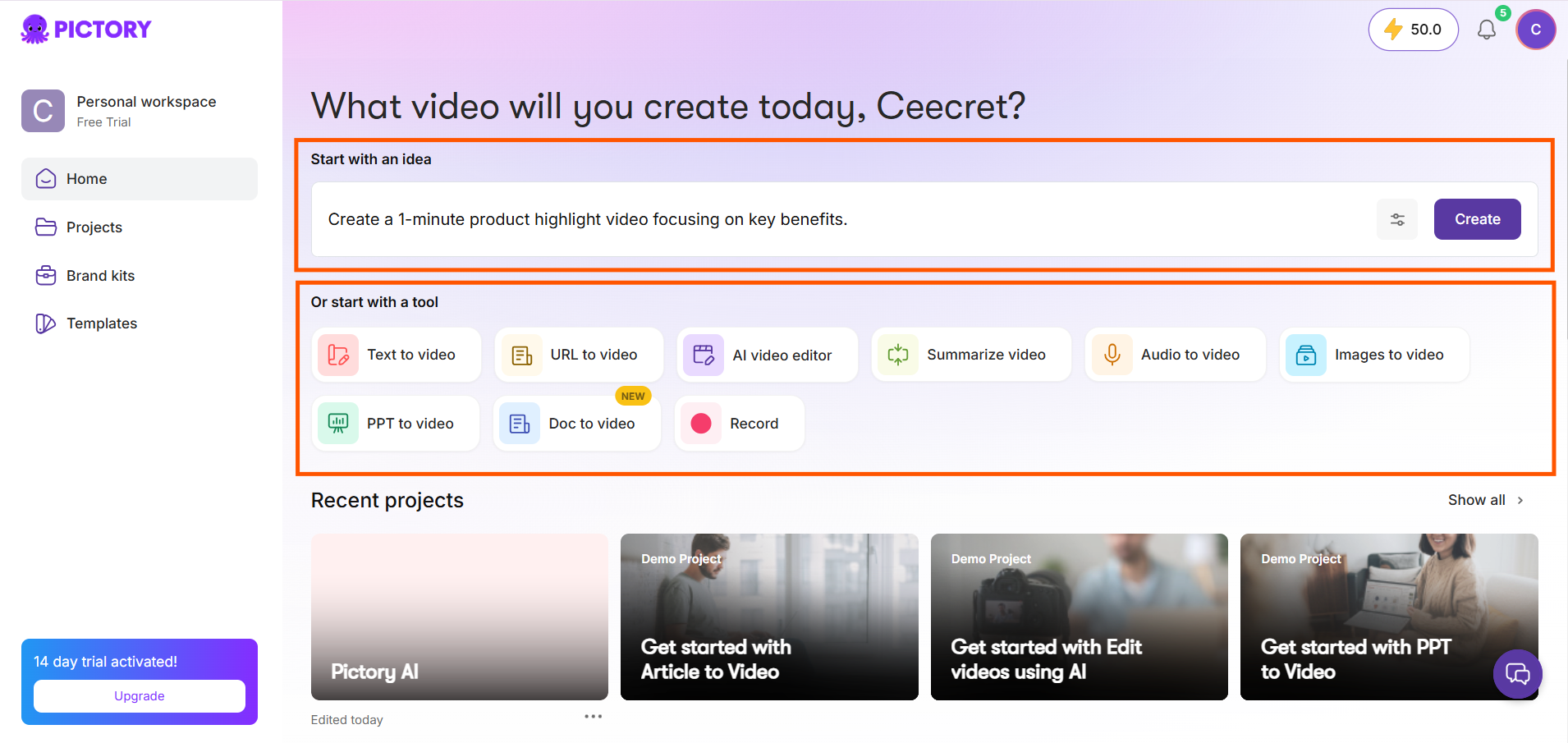
1. Start with what you already have. Paste a blog URL, drop in a script, or upload a webinar recording. Pictory's AI reads the content and identifies the key points on its own — you're not starting from a blank page.
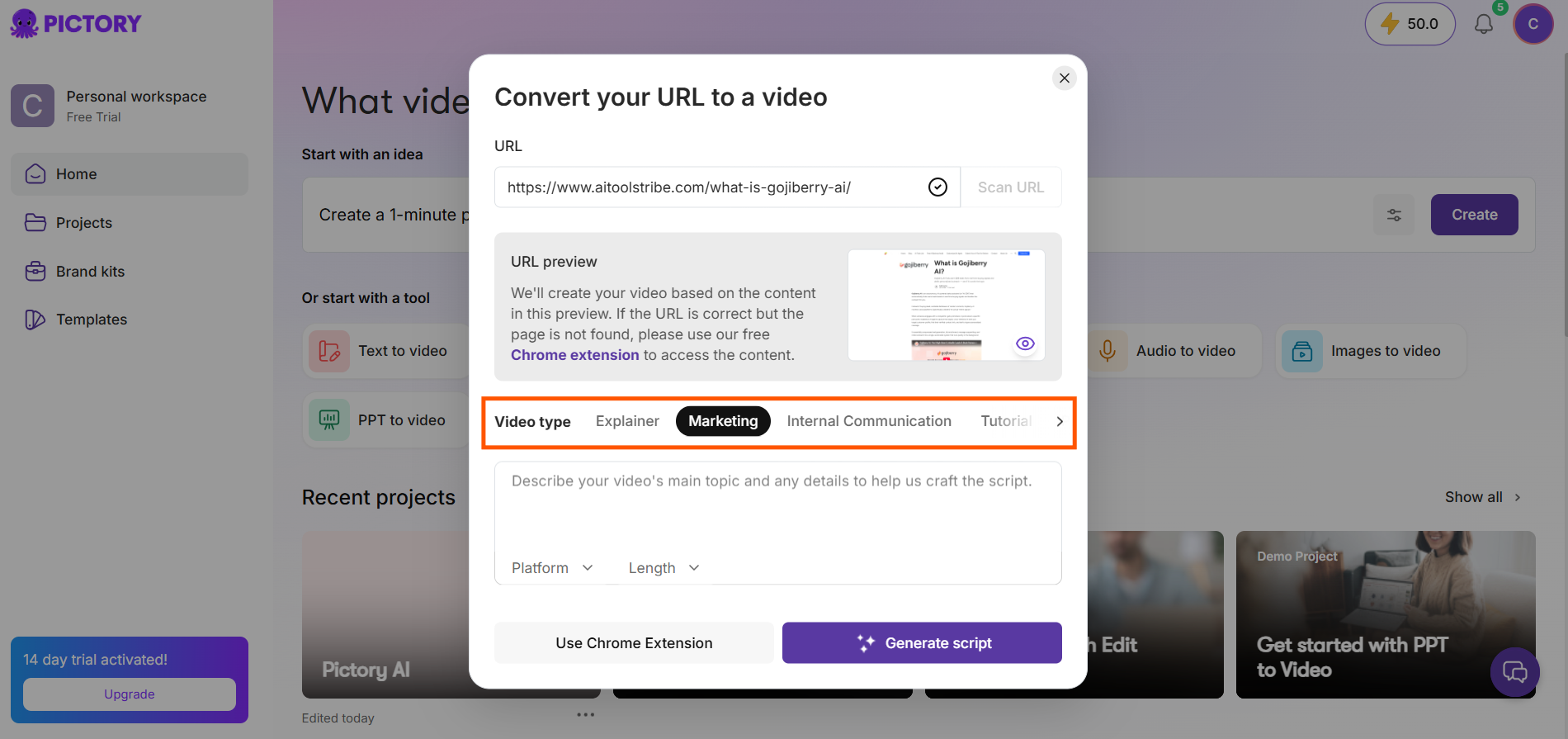
2. Let the AI build the first draft. This is the step that actually saves you the hours — it analyzes the content, writes a matching script, and assembles a full storyboard with visuals pulled automatically from its Getty Images-backed stock library.
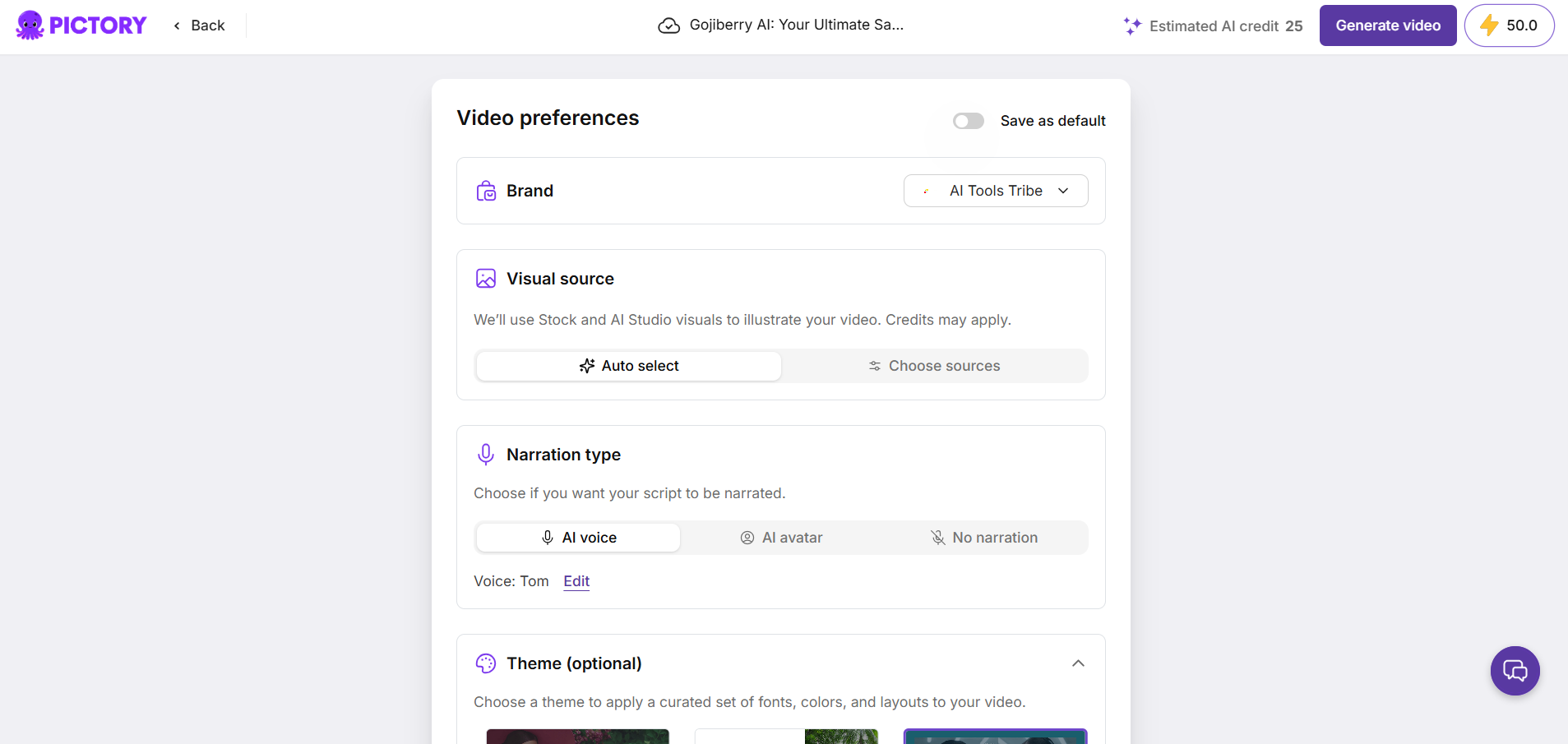
3. Review and adjust. Swap out any AI-selected clip that feels off, edit the AI-written script, adjust pacing, or drop in your own branding with Brand Kit.
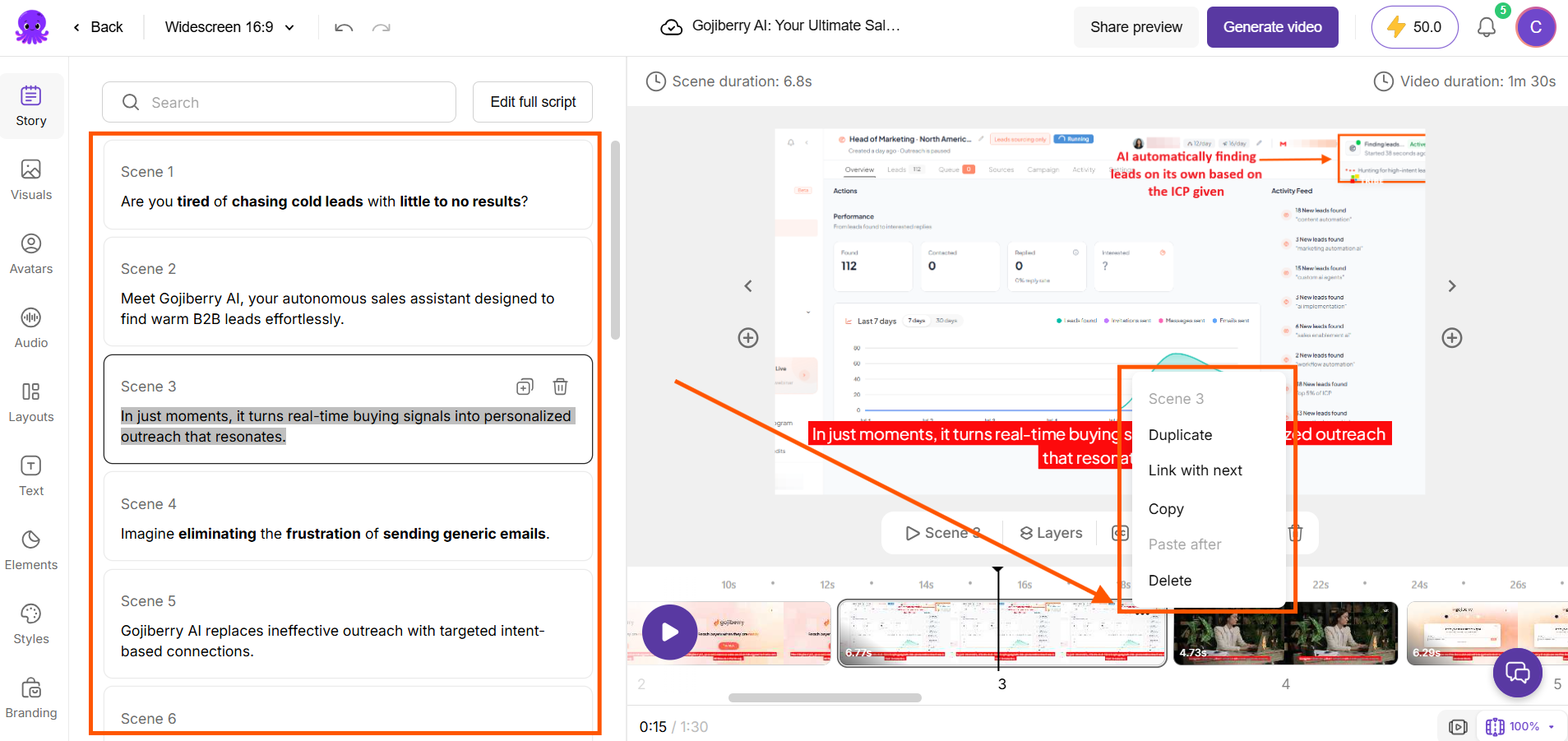
4. Add AI voice or an avatar. Use an AI voiceover, clone your own voice so every video sounds like you without re-recording, or bring in an AI avatar to present the script on camera.
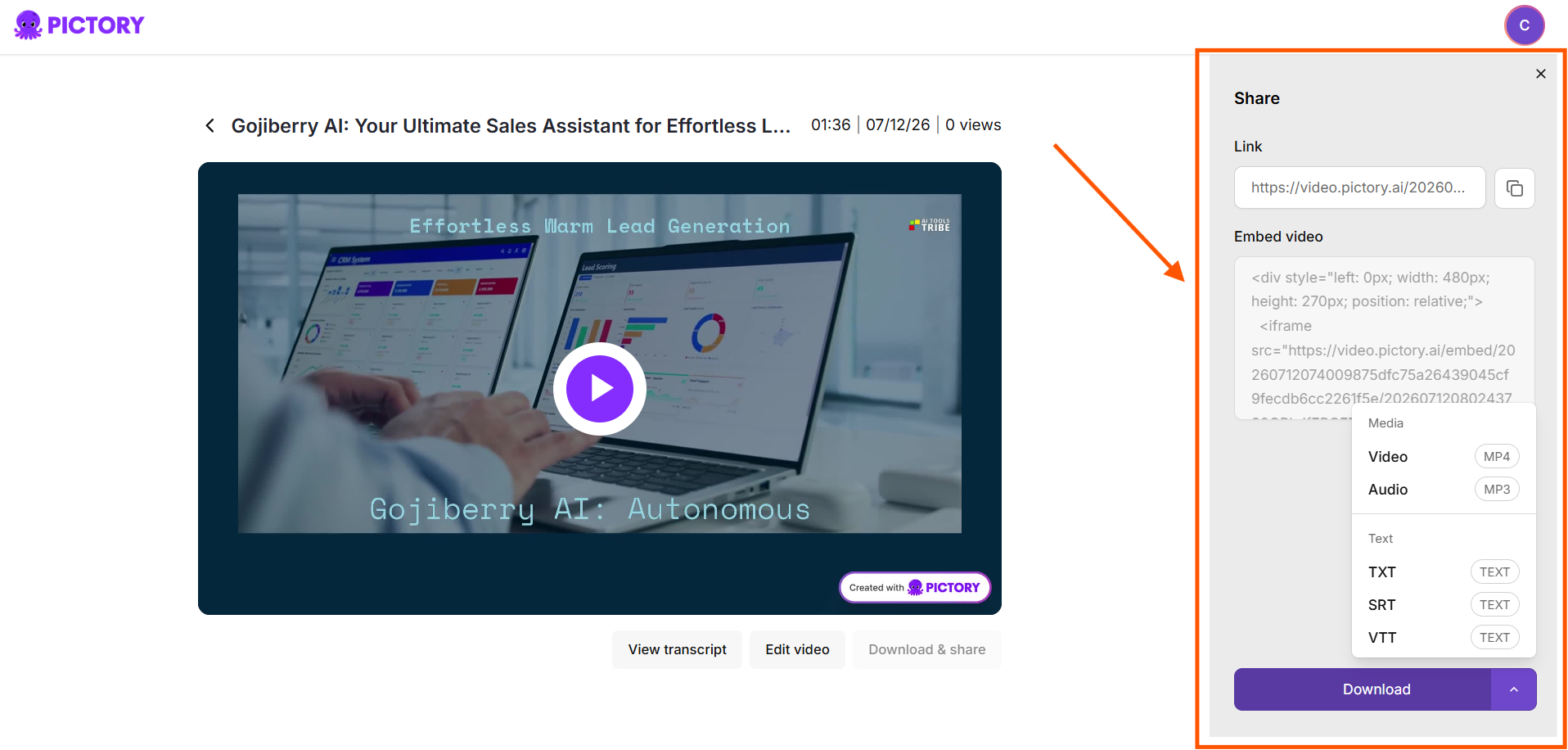
5. Export and post. Push the finished video out to social, embed it on your site, or send it to your list.
The real efficiency play here is volume. Don't use Pictory for one video a month — that undersells it. The people who get the most value are the ones repurposing everything: every blog becomes a video, every long recording becomes five short clips, every webinar becomes a week of social content.
What Are the Key Features and Benefits of Pictory AI?
Here's what's actually under the hood, and why each piece matters:
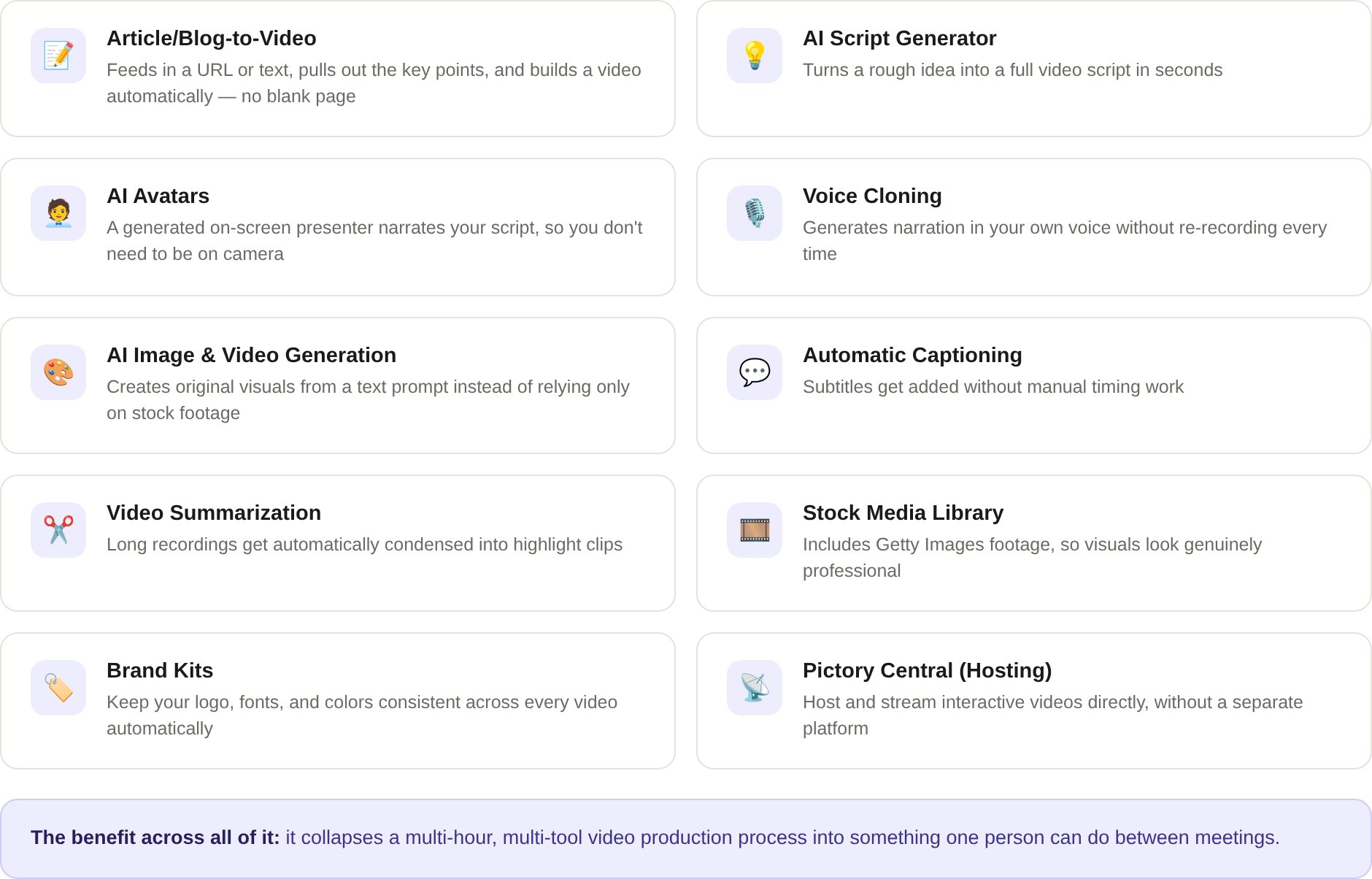
- Article/Blog-to-Video — feeds in a URL or text, pulls out the key points, and builds a video automatically, saving the "starting from a blank page" problem entirely
- AI Script Generator — turns a rough idea into a full video script in seconds
- AI Avatars — a generated on-screen presenter narrates your script, so you don't need to be on camera
- Voice Cloning — generates narration in your own voice without re-recording every time
- AI Image & Video Generation (AI Studio) — creates original visuals from a text prompt instead of relying only on stock footage
- Automatic Captioning — subtitles get added without manual timing work
- Video Summarization — long recordings get automatically condensed into highlight clips
- Stock Media Library — includes Getty Images footage, so visuals look genuinely professional instead of the generic AI-stock feel
- Brand Kits — keep your logo, fonts, and colors consistent across every video without resetting them each time
- Pictory Central (Hosting) — host and stream interactive videos directly, without needing a separate platform
The benefit across all of it is the same: it collapses a multi-hour, multi-tool video production process into something one person can do between meetings.
How Much Does Pictory AI Cost?
Pictory runs on a subscription model, with a free trial to test it out before you pay anything.
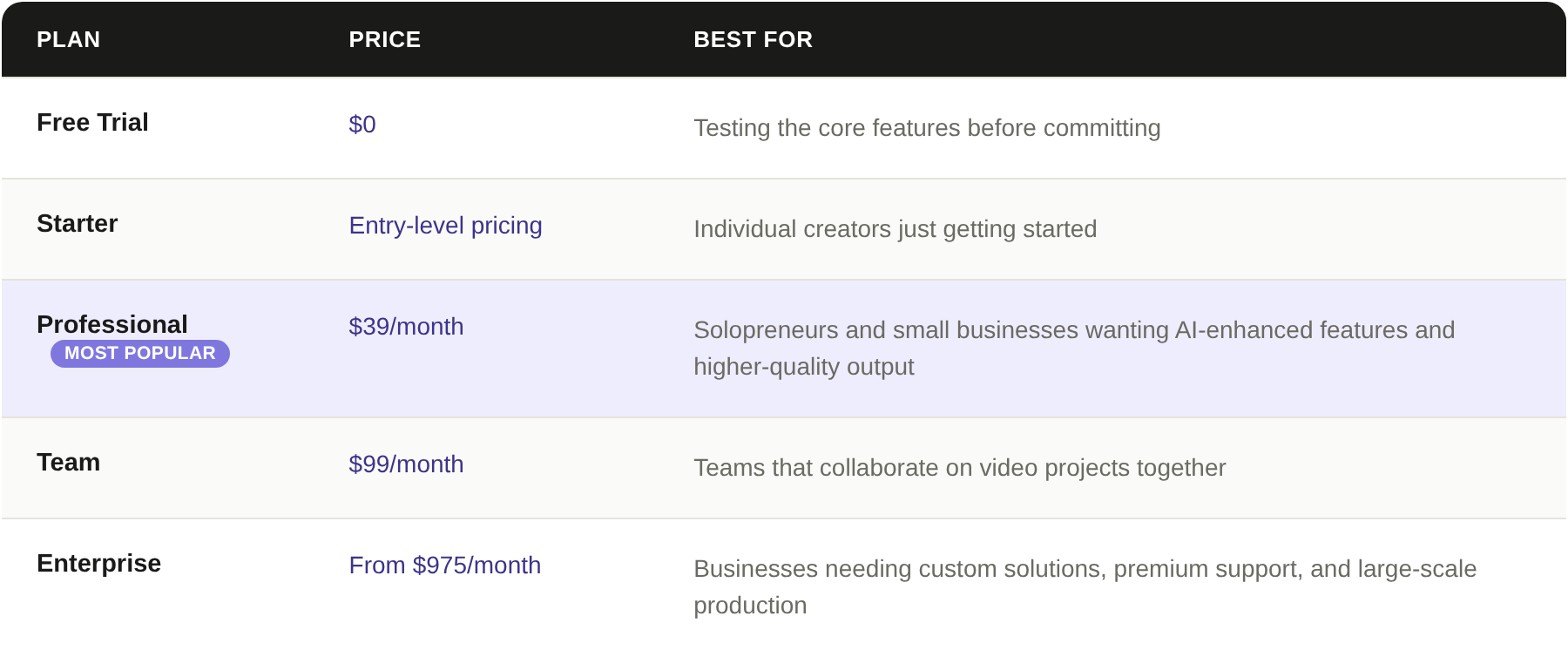
Every paid plan includes:
- Core AI tools (Article-to-Video, Script-to-Video, and more)
- The stock media library
- Automated voiceovers
The higher tiers mainly add more credits, higher output quality, and collaboration features. For most solopreneurs and small businesses, the Professional plan is the one that makes sense: it's the point where you unlock the AI-enhanced features without paying for team seats you don't need.
Pricing and plan details can shift, so it's worth double-checking current numbers on the pricing page before you buy.
What Makes Pictory AI Different?
Most AI video tools fall into one of two camps: avatar-first platforms built for corporate training, or blank-canvas generators that still expect you to build from scratch. Pictory sits in a different lane — it's built around content you already made.
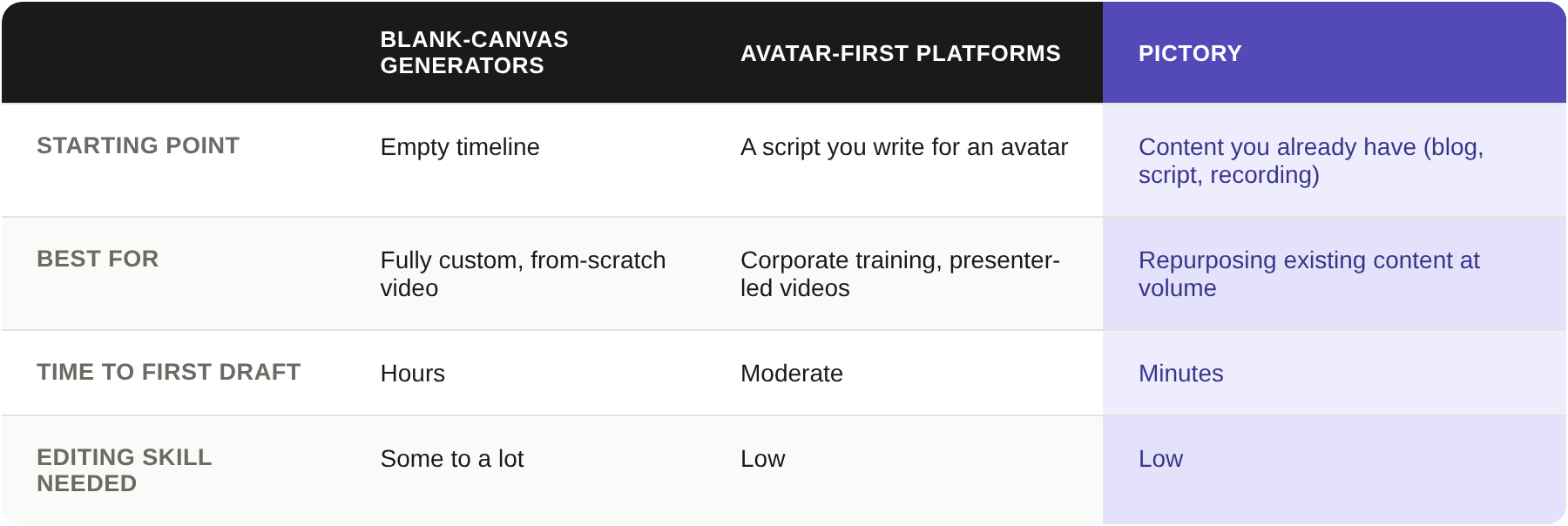
That single difference changes the entire workflow. You're not creating video from nothing — you're converting content you've already invested time in. For anyone already producing blogs, podcasts, or webinars, that's the difference between video being an extra task and video being a natural byproduct of what you're already doing.
Real users echo this. The consistent feedback:
- Script-to-Video and Article-to-Video are genuinely fast
- Pulling clips from long recordings — something that used to eat hours of an editor's time — now happens automatically
Final Thoughts on Pictory AI
Pictory isn't going to win awards for cinematic editing, and if you want frame-by-frame creative control, you'll feel the limits. But that's not who it's for.
If you're a solopreneur, small business owner, or marketing team that already has content but not the time (or budget) to turn it into video, Pictory removes the actual bottleneck: production time. It's not asking you to become a video editor. It's asking you to keep doing what you already do and letting the AI handle the rest.
If that sounds like your situation, it's worth trying the free plan and running one of your own blog posts or recordings through it before deciding. You'll know within one video whether it fits your workflow.
Frequently Asked Questions
Is Pictory AI free or paid?
Both. Pictory offers a free trial to test the core features, then moves to paid plans starting around $39/month for individuals, with higher tiers for teams and enterprises.
Is Pictory AI safe to use?
Yes. It's a legitimate, established platform used by businesses and creators, with standard account security and no unusual permissions required to use it.
What is Pictory about?
It's an AI video creation tool that turns existing content — blog posts, scripts, webinars, recordings — into finished videos, without requiring any editing experience.
Is Pictory AI good for marketing?
Yes, especially for solopreneurs and small businesses. It's built for repurposing content into the short, consistent video output that social and marketing channels reward.
How do I get started with Pictory AI?
Sign up for the free trial, paste in a blog post or upload a recording, and let the AI generate your first video — no credit card gymnastics or steep setup required.
