

Predis.ai is an all-in-one, AI-driven social media content generation and scheduling tool. Unlike traditional social media schedulers (like Hootsuite or Buffer) that only post what you manually create, or graphic design tools (like Canva) that require you to build templates yourself, Predis.ai generates the content for you.
By inputting a simple text prompt about your business or campaign, the platform uses AI to instantly build a complete, ready-to-publish social media post. This includes high-quality video or image creatives, contextually accurate captions, and highly relevant, trending hashtags. It is essentially an AI graphic designer, copywriter, hashtag generator, and scheduler packed into a single, cohesive interface.
What Problems Does Predis.ai Solve?
If you are trying to grow a brand today, you are likely facing at least one of these exhausting roadblocks:
- The "What Do I Post?" Brain Freeze: You sit down to create content for the week, staring at a blank screen, wondering what to write, what design template to choose, or what video style to edit.
- The "Too Many Apps" Headache: Your current workflow requires you to jump from ChatGPT (for captions), to Canva (for templates), to CapCut (for Reels/TikToks), to Flick (for hashtags), and finally to a scheduler to put it all live which eats up hours of your day.
- The "Making Videos Takes All Day" Struggle: You know you need to post short videos like Reels and TikToks to get noticed. But actually making them (writing a script, hunting for clips, picking music, and adding subtitles) takes forever.
- Inconsistent Branding: Without a dedicated design team, your social channels end up looking like a mismatched collage of random templates rather than a professional, unified brand.
Who Should Use Predis.ai?
Predis.ai is built specifically for users who need maximum marketing output with minimal hands-on time:
- Solopreneurs & Freelancers: One-person teams who need social media running in the background so they can focus on serving clients and shipping orders.
- Small & Medium-Sized Businesses (SMBs): Owners who want to build trust and drive sales online without the high cost of hiring an agency or a designer.
- Social Media Managers & Agencies: Pros managing multiple client accounts who want to speed up video production, get fast approvals, and slash their creation time.
- E-commerce Store Owners: Shop owners looking to instantly turn their product listings from Shopify, WooCommerce, or Etsy into scroll-stopping video ads and posts.
What Can Predis.ai Be Used For?
Predis.ai goes way beyond just turning text into basic images. It can actually build almost any kind of post you need to grow your brand:
- Instagram Reels, TikToks, & YouTube Shorts: The AI pulls relevant stock footage or uses your own product assets, writes a voiceover script, applies premium transitions, overlays dynamic kinetic captions, and adds trending audio tracks automatically.
- Carousel Posts & Single Graphics: Great for educational content or showcasing multiple products in a clean, professional slide format that boosts user swipe-through rates.
- E-commerce Product Showcases: It plugs right into your online store to turn regular product photos into scroll-stopping video ads or lifestyle posts.
- Memes & Promotional Banners: Tap into viral formats or promotional updates with AI-guided design layouts that fit your specific industry niche.
How Should You Use Predis.ai?
To get the absolute highest return on investment (ROI) from Predis.ai, don't just "set it and forget it." Instead, think of it as a lightning-fast creative assistant that gets you 90% of the way there—allowing you to handle the final 10% of polish and strategy.
To demonstrate exactly how Predis.ai works, let’s walk through the step-by-step process of creating a User-Generated Content (UGC) promotional video for your brand.
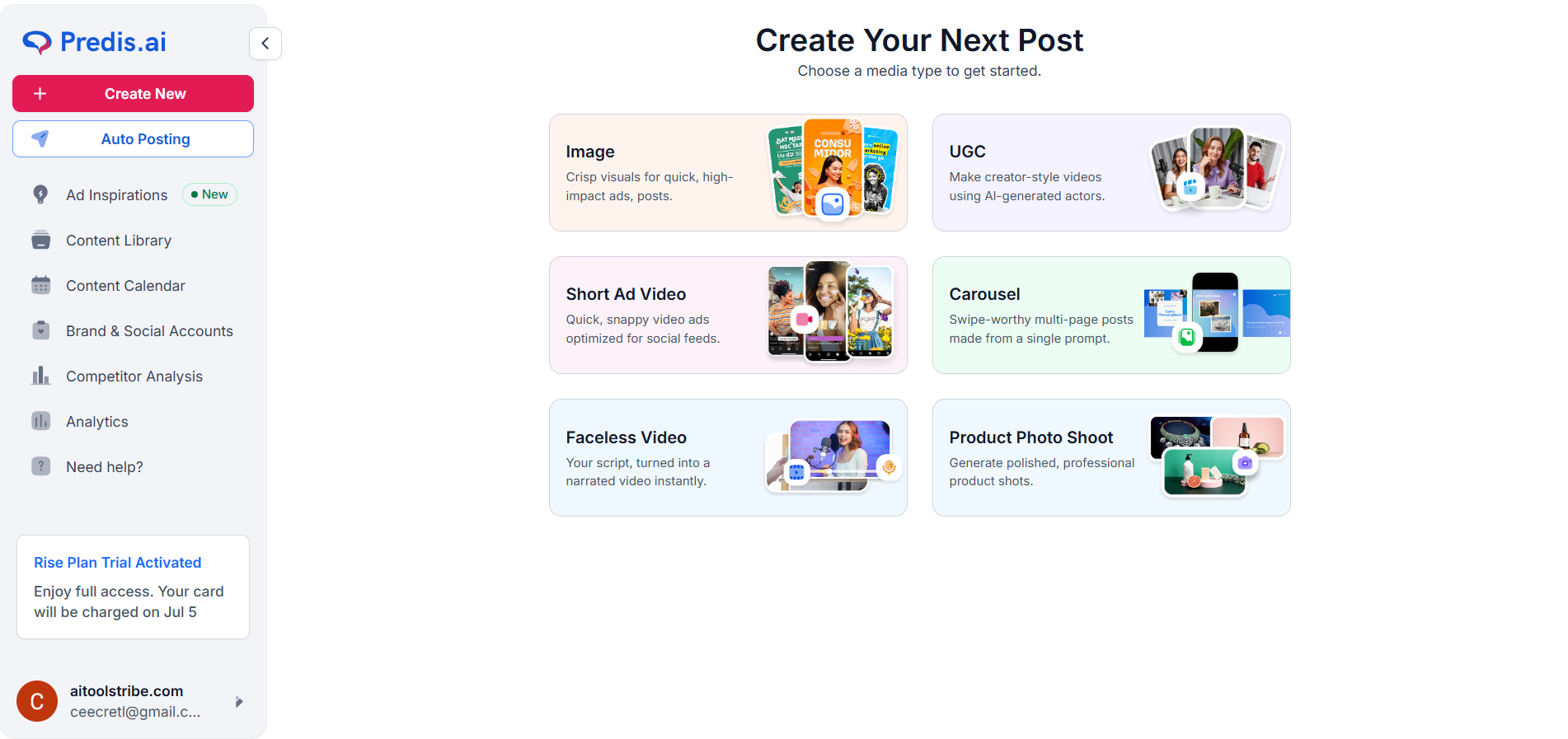
Step 1: Choose Your Media Type
To get started, select the type of media you want to create from the dashboard. For this walkthrough, we will select UGC.
Step 2: Describe Your Vision
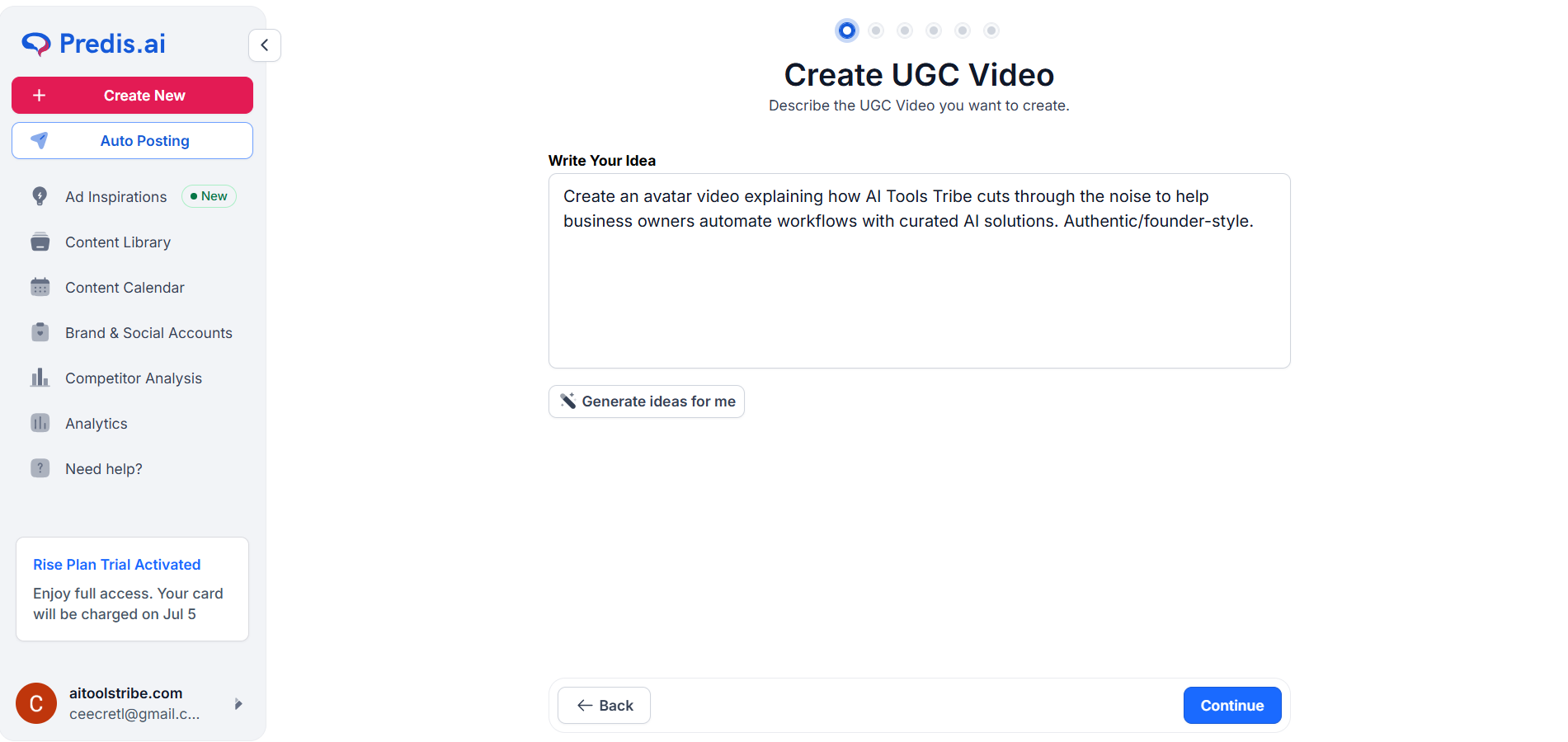
Simply type in a brief description of the video you want to generate, outlining your main concept, and hit Continue.
Step 3: Select Script Type and Aspect Ratio
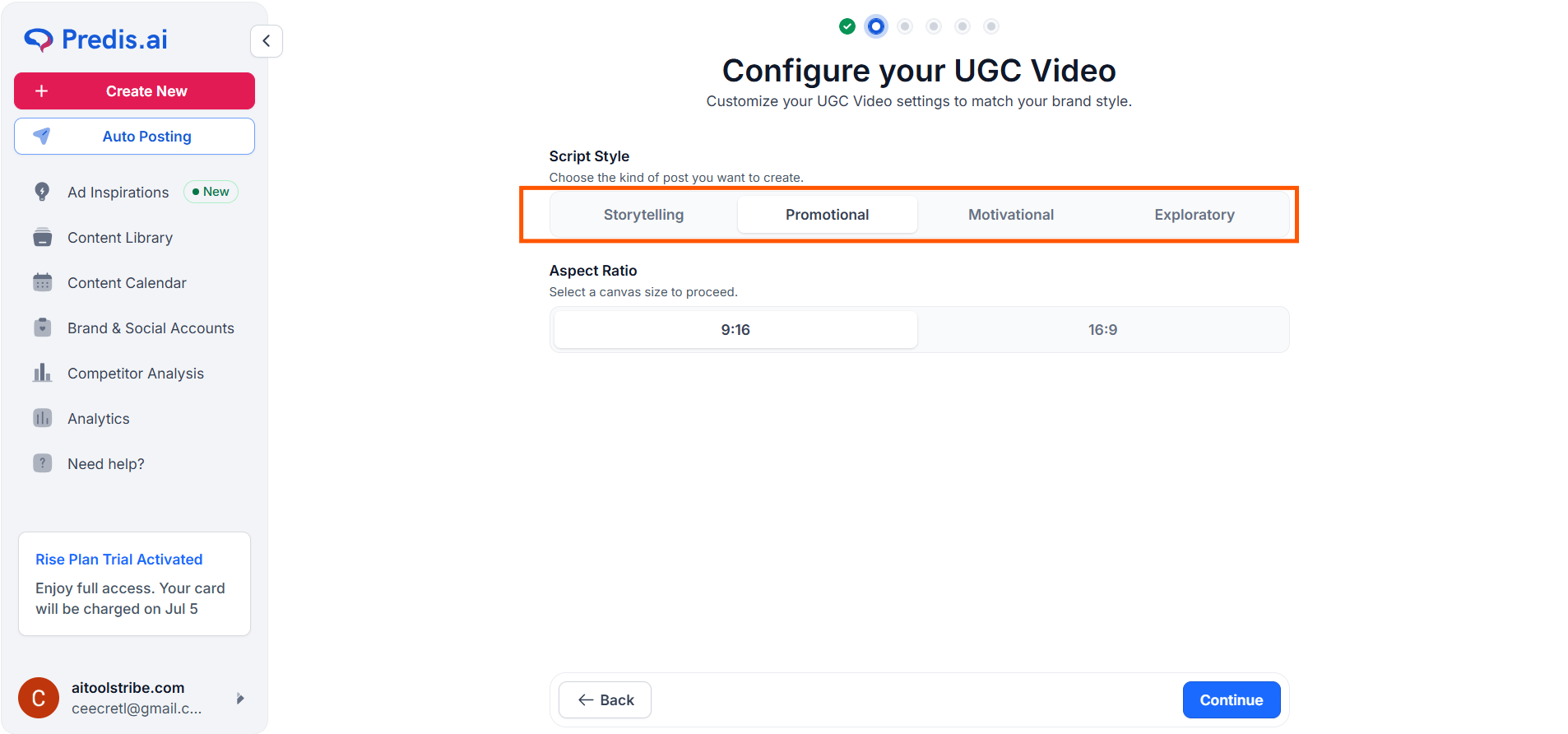
Next, customize your video's structure and format:
- Script Type: Choose from pre-made styles like Storytelling, Promotional, Motivational, or Explanatory.
- Aspect Ratio: Choose 9:16 (ideal for TikTok, Reels, Shorts) or 16:9 (ideal for traditional widescreen video).
Step 4: Choose and Customize Your AI Avatar
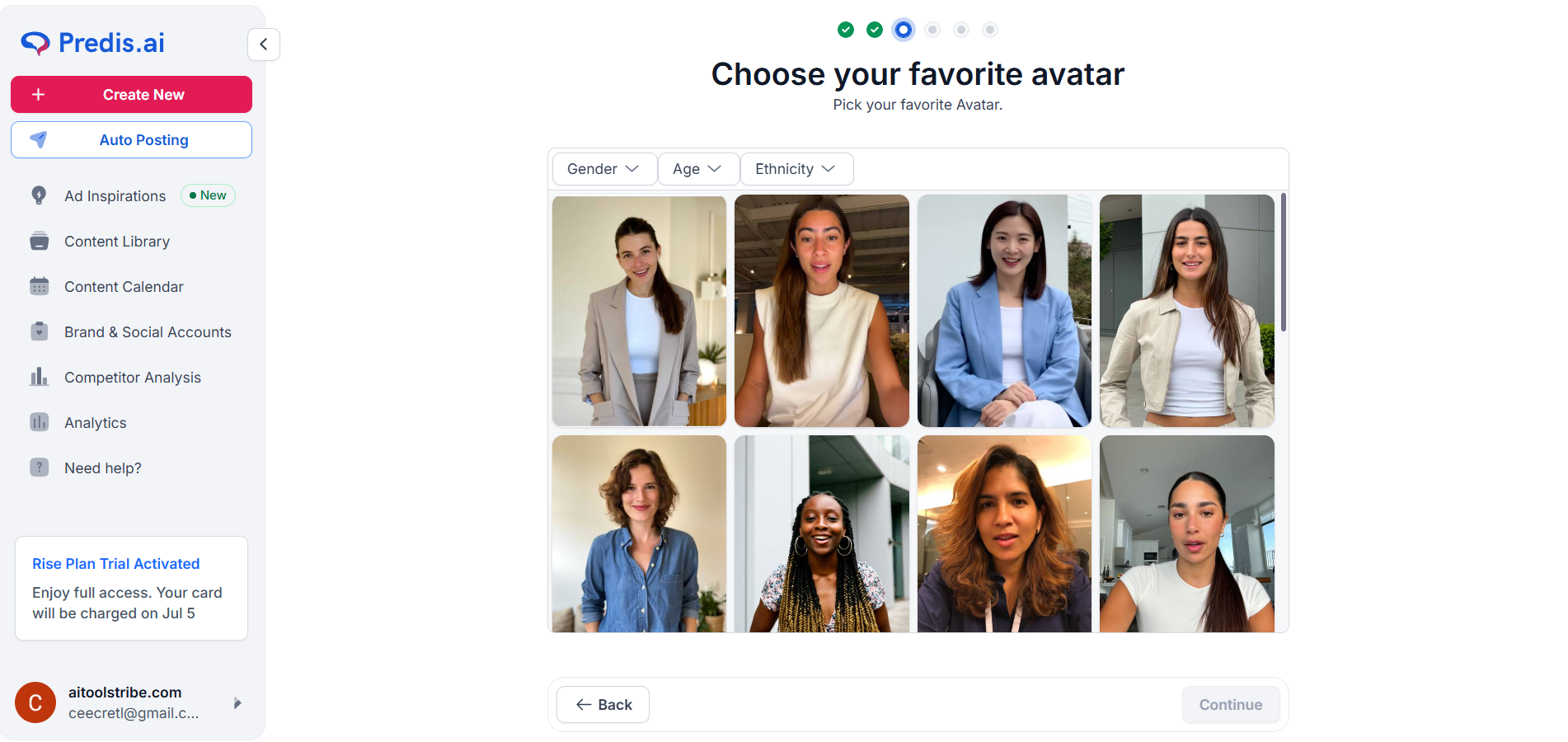
Pick the perfect virtual face for your brand. Use the dropdown menus to filter avatars by gender, age, and ethnicity to match your target audience.
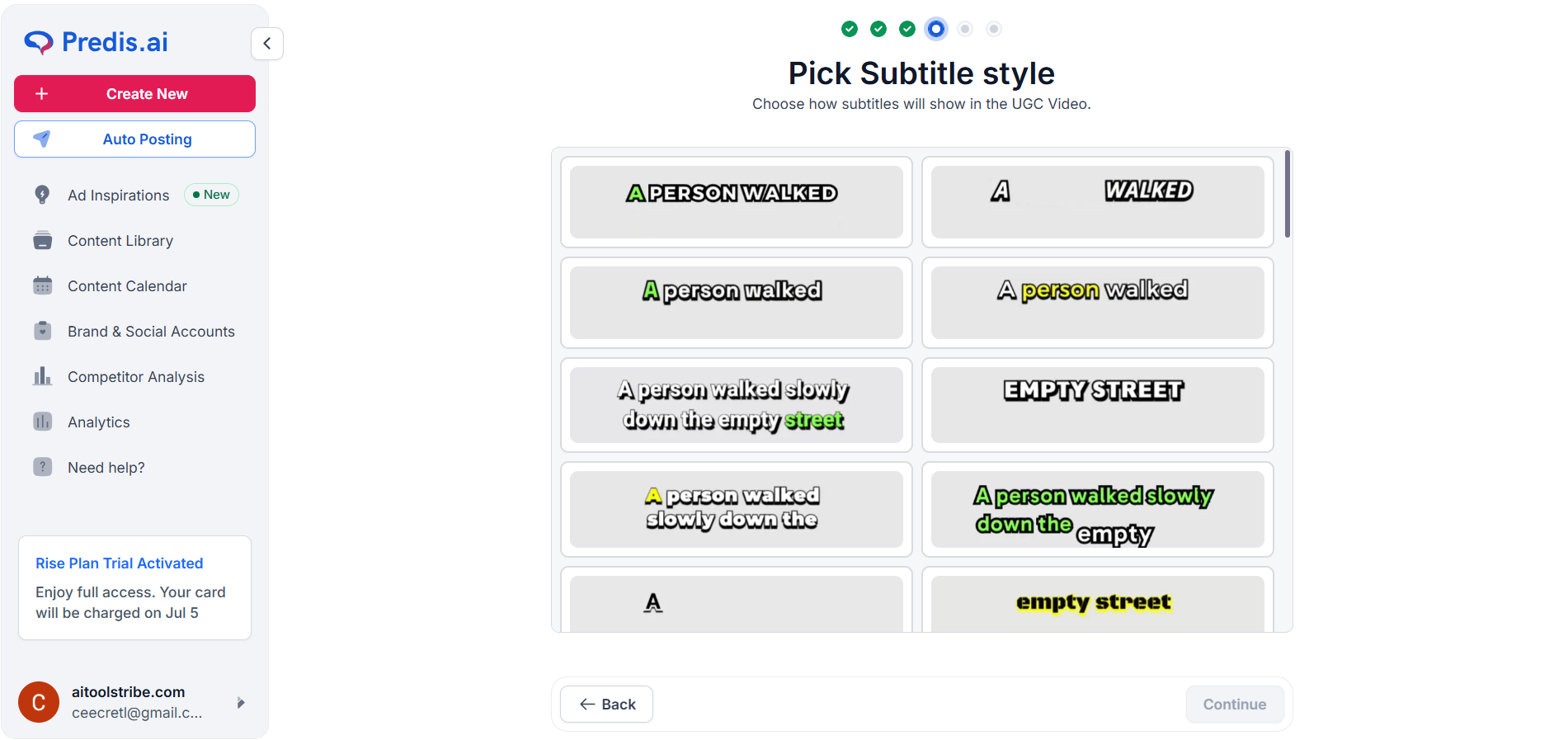
Step 5: Select Your Subtitle Style
Captions are crucial for social media engagement. Pick a subtitle style that matches your brand identity from the library of pre-made templates.
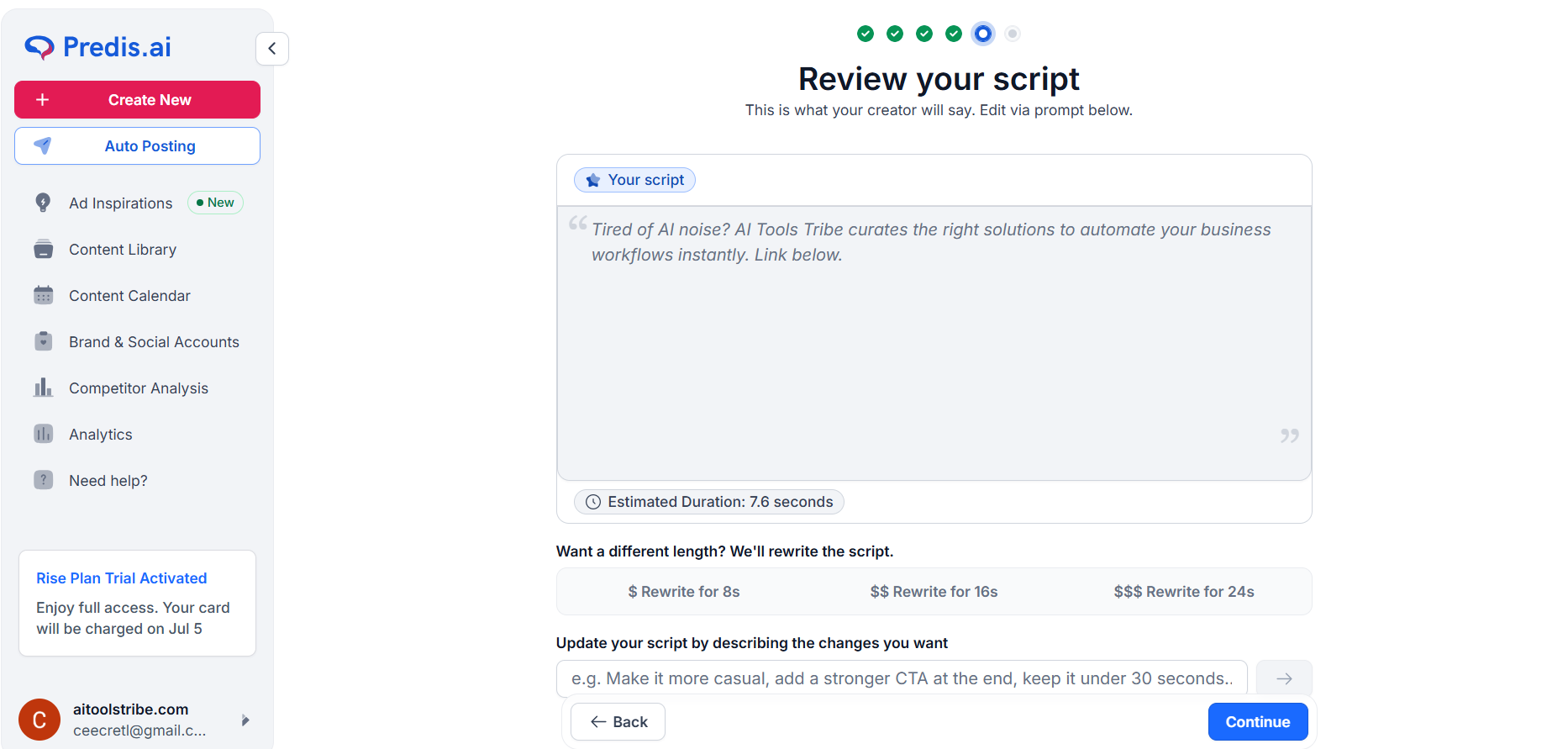
Step 6: Review and Refine Your Script
Before generating, the platform lets you review the AI-written script. Use this opportunity to add your brand’s unique voice, tweak the wording, or inject any missing details.
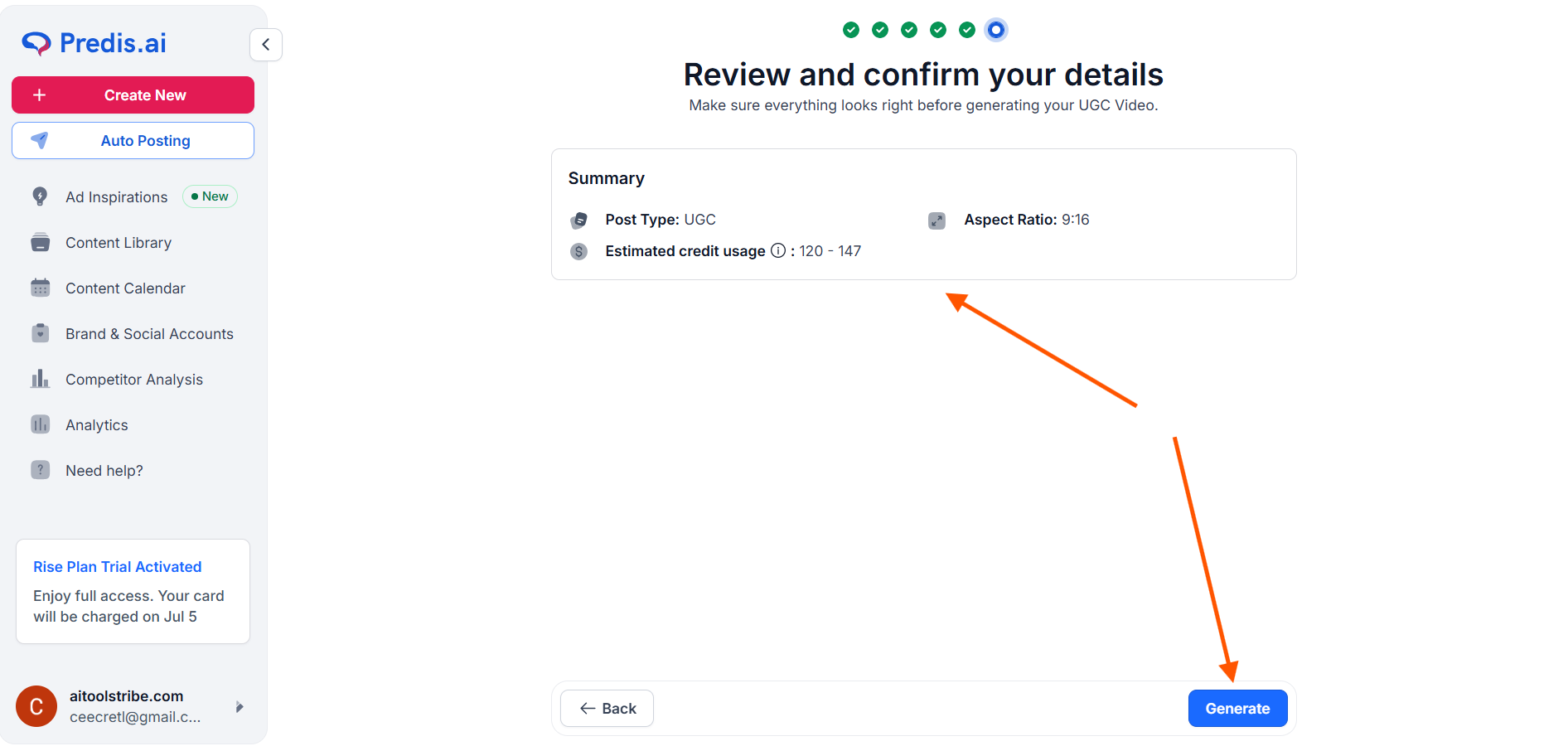
Step 7: Final Review and Generation
Double-check all of your selected details on the summary screen. Once everything looks perfect, hit the Generate button.
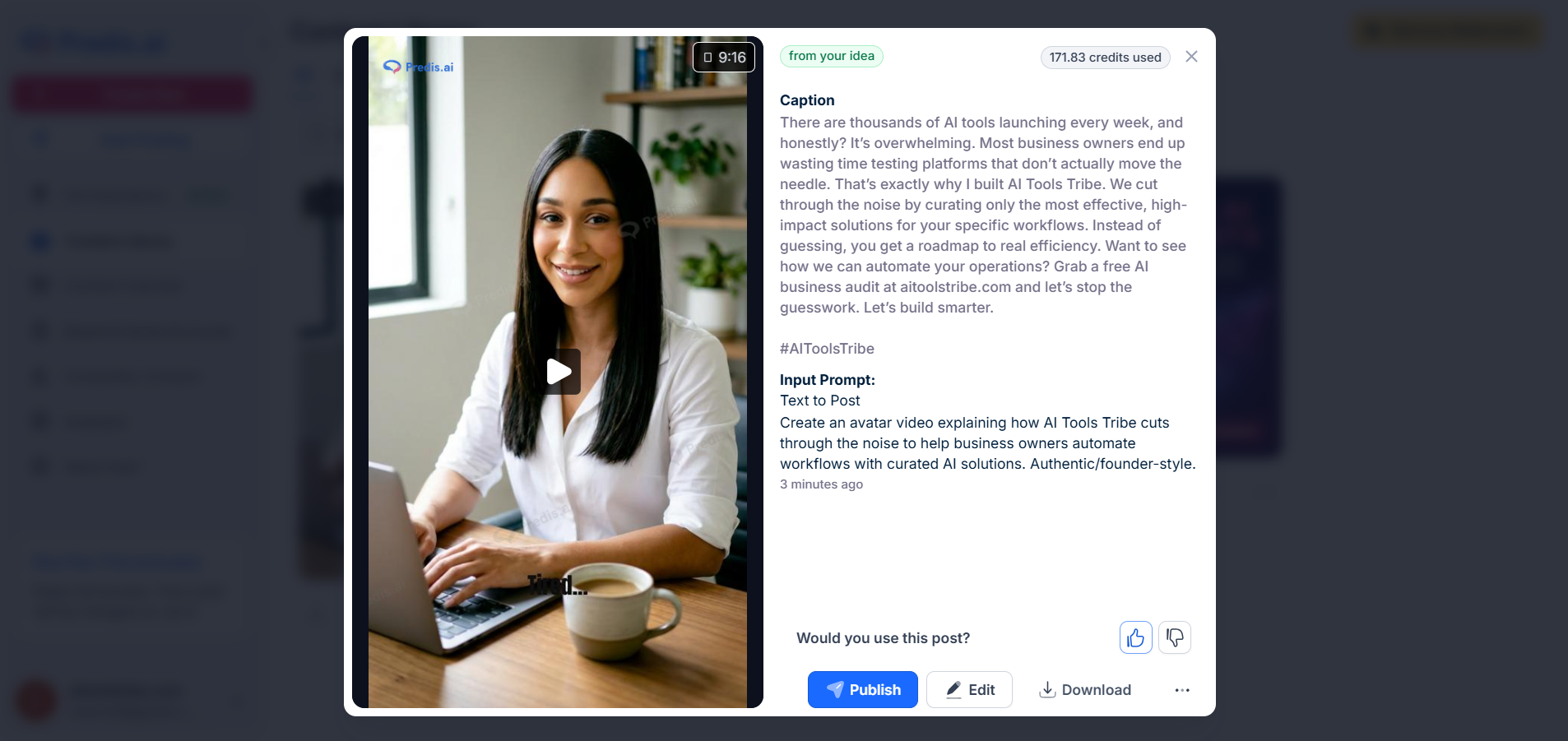
Step 8: Export, Edit, or Publish
After a few minutes, your AI-generated video will be ready! From here, you have three options:
- Publish it directly to your feeds.
- Download it to your device.
- Edit it further within the built-in editor.
Going Beyond Video Generation: Key Features to Explore
While UGC video creation is powerful, Predis.ai is an all-in-one social media powerhouse. Don't miss out on these extra features to fully automate your workflow:
- Connect Your Socials: Link your YouTube, Facebook, Instagram, and TikTok accounts. Once connected, you can schedule and auto-post your generated content instantly.
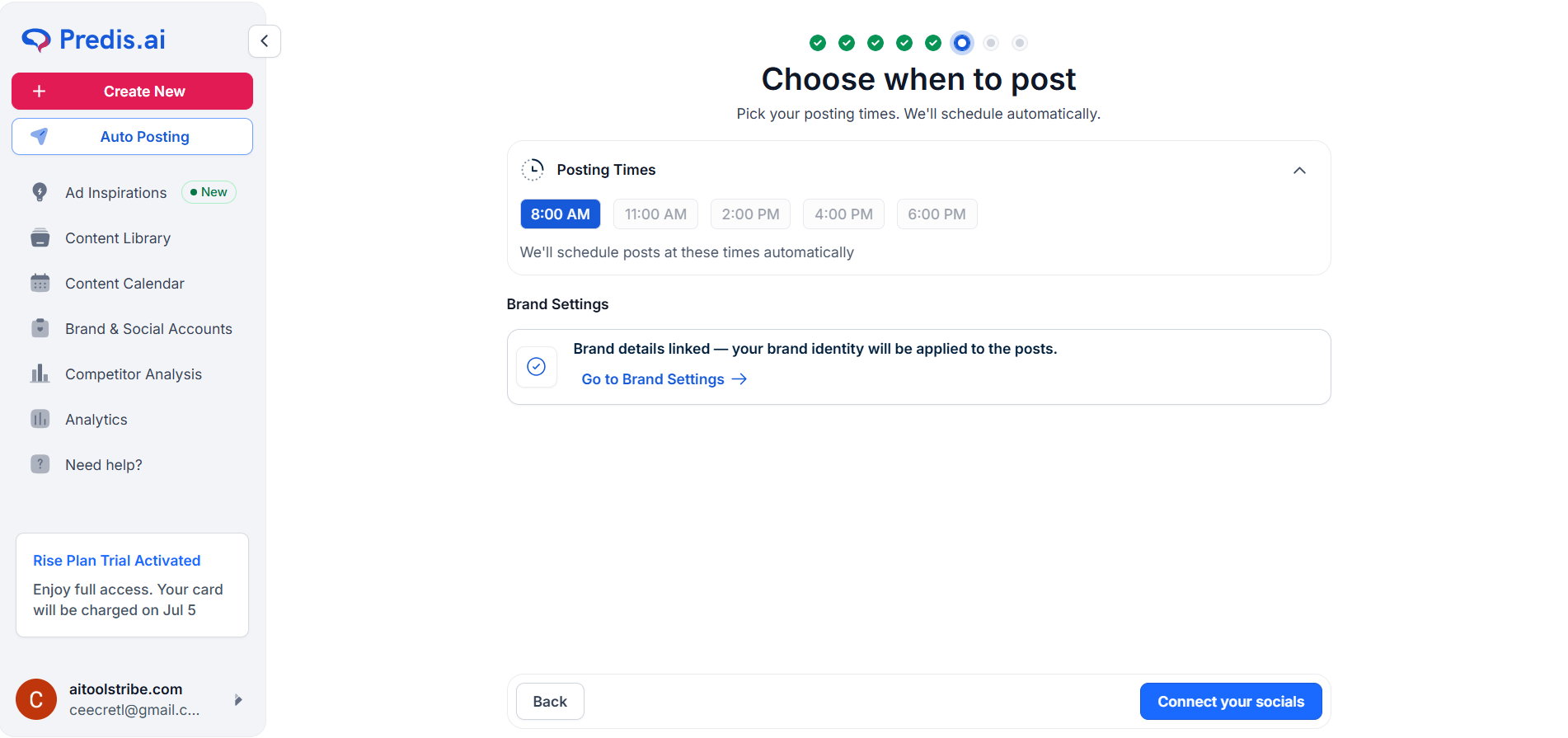
- Smart Content Calendar: Have the AI map out entire weeks of content for you, and schedule them to go live at peak engagement times.
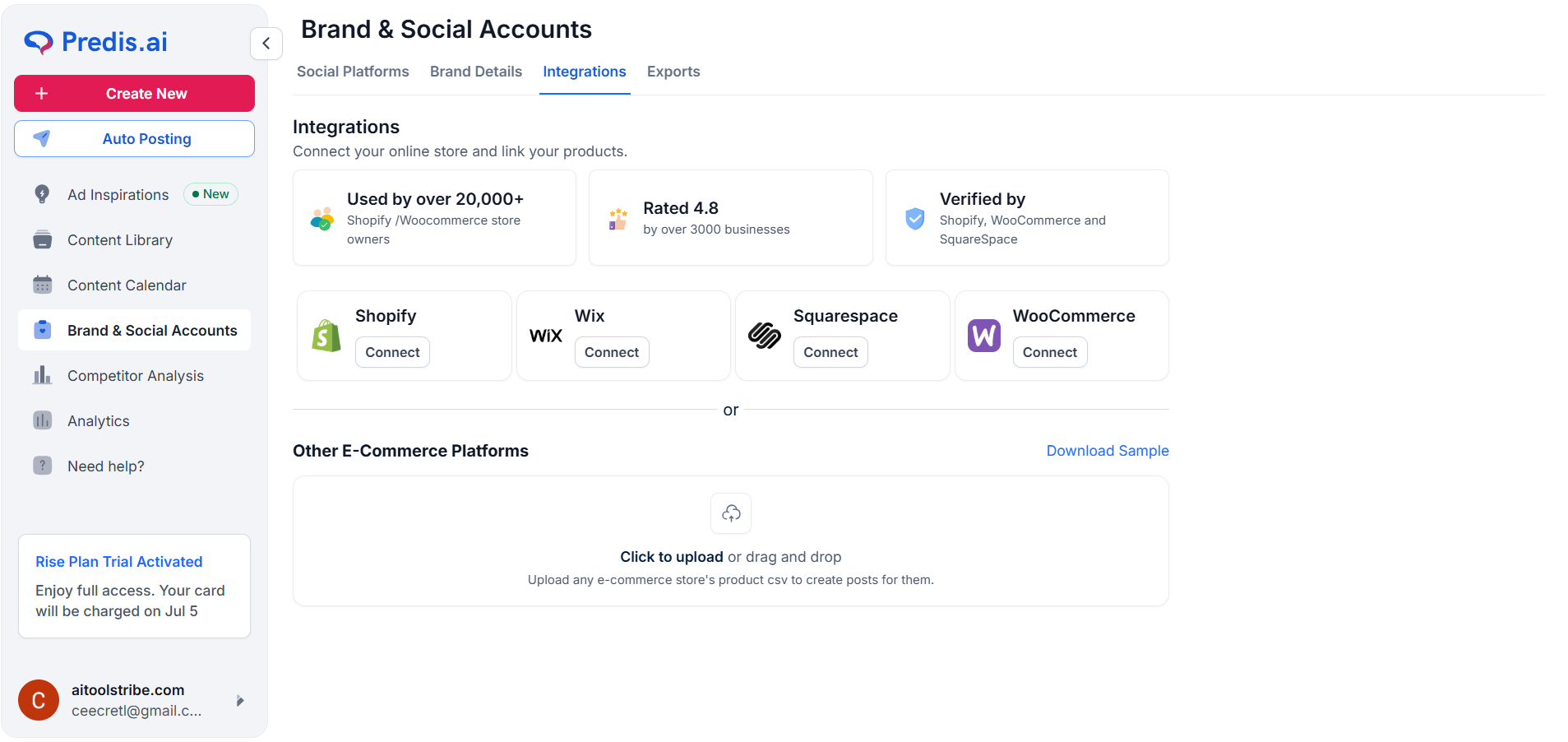
- E-Commerce Integration: Seamlessly connect online stores like Shopify, Wix, and Squarespace to turn your product links into high-converting ads in seconds.
- Competitor Analysis & Analytics: Look at the left-hand navigation menu to access deep insights. Track your performance analytics and spy on competitor strategies to see what’s working in your niche.
What Are the Key Features and Benefits of Predis.ai?
While the tool has plenty of built-in bells and whistles, there are a few standout features that will actually make a massive difference in your day-to-day workflow.
1. From a Single Idea to a Finished Post
Most tools that call themselves "AI" usually only do one thing—like write a caption or generate a template. Predis actually builds the whole package at once. You type in a prompt, and you instantly get:
- An on-brand, high-resolution design (image or video).
- A compelling, human-sounding caption with a clear call-to-action (CTA).
- A curated set of highly relevant, optimized hashtags.
2. Turning Your Products into Social Posts Automatically
If you run an online shop on Shopify, WooCommerce, or Etsy, this feature is incredibly helpful. Instead of spending hours saving product photos, copying descriptions, and pasting them into blank layouts, you simply connect your store to Predis. The AI reads your product listing, grabs your photos, and builds ready-to-use videos, product carousels, and ads that look like they were custom-designed by an agency.
3. Competitor Analysis Engine
This is a massive, underrated feature. Predis.ai allows you to plug in your competitor's social handles. The AI reverse-engineers their performance, showing you exactly what kind of content gets them the highest engagement, which hashtags they target, and what share of voice they hold. Use these insights to generate counter-strategies in minutes.
4. Smart Calendar & Direct Publishing
The built-in scheduler is fully approved by major social media APIs. You can schedule carousel posts, reels, and stories directly to your profiles. The drag-and-drop calendar interface makes organizing an entire month of content remarkably simple.
What Makes Predis.ai Different?
The social media tool space is crowded, but Predis.ai stands out because it closes the frustrating gap between making content and actually posting it.
Here is how it compares to the tools you probably already use:
- Canva: Great for designs, but you still have to come up with the ideas, write the captions, hunt down hashtags, and export everything to schedule it somewhere else.
- ChatGPT: Amazing for writing, but it won't build you any images or edit your videos.
- Predis.ai: Handles the entire flow in one place. It generates the concept, builds the graphic or video, writes the caption, finds the hashtags, and schedules it to your calendar under one roof.
Also, unlike basic design suites where you have to manually drag and drop everything, Predis.ai can build fully voiced and captioned videos (like Reels and TikToks) with just a single text prompt. It turns a fragmented chore into a smooth, single-step process.
How Much Does Predis.ai Cost?
Predis.ai offers a few flexible tiers depending on your budget and how much content you need to push out. Here is a simple, honest breakdown of their options:
Note: The cheaper end of the pricing reflects their annual billing option, which saves you a decent chunk of cash if you plan on sticking around.
Final Thoughts on Predis.ai
Let’s be completely honest: no AI tool is going to replace the strategic, nuanced brain of a seasoned marketer entirely. You will still want to review your captions to ensure they perfectly match your unique brand voice, and occasionally swap out a stock video to add your own personal flair.
Believing that an AI can run your brand completely on its own is a trap. But if your alternative is spending hours struggling to design basic graphics, losing your mind editing short-form videos, or completely neglecting your social media channels because you don't have the time, then Predis.ai is a total game-changer. It gets almost all of the tedious grunt work out of the way in seconds, so you only have to step in at the end to add your personal touch. It effectively gives you the creative power of an entire social media team for a fraction of the cost.
If you are ready to stop staring at a blank screen and finally get your social media consistency back on track, we highly recommend giving it a spin.
Frequently Asked Questions
Is Predis.ai free?
Yes. They have a completely free tier that gives you 15 AI-generated posts and 10 competitor runs a month—perfect for testing the waters. If you want to try their premium features without paying upfront, they also offer a 7-day free trial on their paid plans (which start at around $32/month).
What can Predis.ai do?
Think of it as your entire social media department in one tab. It takes a simple text prompt and creates complete, ready-to-publish posts (with voiced videos or graphics, written captions, and trending hashtags). It also schedules your posts, links directly with online stores to turn products into ads, and lets you analyze your competitors' channels.
Is Predis.ai any good?
Absolutely, especially if you are running a brand on your own or managing a small team. It won't entirely replace a human marketer—you'll still want to do some quick editing to keep your captions sounding like "you"—but it saves you from staring at a blank screen and eliminates the constant jumping between 5 different apps.
What kind of content can Predis.ai create?
It handles almost all social formats, including short-form video (Instagram Reels, TikToks, and YouTube Shorts), educational carousel slide posts, standard single graphics, custom e-commerce product videos, and even casual memes or promo banners.
